Are you unsuccessful reaching out to your own Samsung M22 phone after factory reset and forgetting the google account? If the answer is yes. Don’t worry; we have a frp bypass method for you to Bypass FRP Galaxy M22 (Android 12/11). We will free PC tool and connect our Samsung M22 to PC. After that, bypass frp account with one click on FRP remove option from the tool
How FRP Lock Works on Samsung M22?
The Samsung M22 came with Android 11 and upgradeable to Android 13. FRP security feature was introduced on Android 5.1. That means, this phone has already FRP feature, will be enabled automatically once the new google account is logged in. This security feature working is to keep unknown person away from your device. For instance, if your Samsung M22 is misplaced and someone took your device without your permission. He will not be able to unlock FRP protection by factory reset.
If anyone did factory reset to your phone, surely, he will be asked to sign in first with same google account, that is already logged in on this phone Samsung M22. Otherwise, accessing to main home-screen is not possible for anyone.
How to Bypass FRP on Samsung Galaxy M22?
If you are an owner and you locked your self on Samsung Galaxy M22 phone. That happens, whenever a device owner hard reset or factory reset the phone in a hassle without knowing what google account had been setup on that phone. In this scenario, Samsung M22 owner will have to follow up FRP Bypass steps below.
Note: We highly recommend you to apply this method only on your own device, if you are not owner of this Galaxy M22 device, or you found this from some where, you must return this device to its real owner.
Method 1: Bypass FRP Samsung Galaxy M22 By Samfw PC FRP Tools
Step 1: The process is very simple, just open this link again in your PC browser, and download below tool.
Samfw Tool V3.31 [DOWNLOAD]
Samsung USB Driver [DOWNLOAD]
Password: techeligible.com
Step 2: After downloading this tool successfully, extract from winrar archive using above password.
Step 3: Open “SamFwFRPTool.exe” file name same as shown in below image

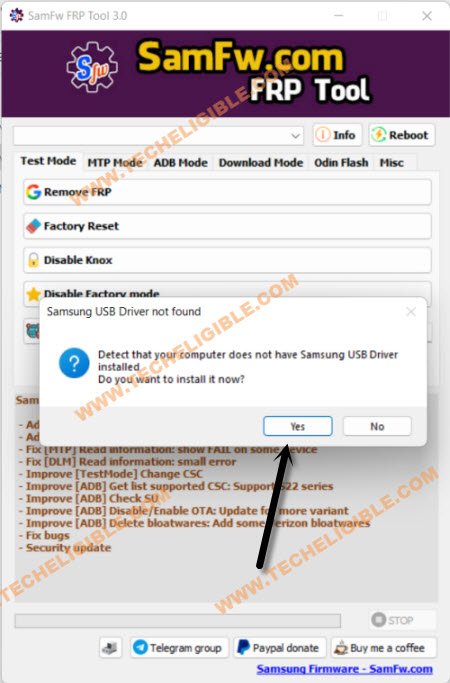
Step 4: If your PC or laptop do not have a proper (Samsung USB Driver), then you will be asked to install Samsung USB drive, just click to “Yes” from popup window, once the driver installation process completes, just go back to your Samsung Galaxy M22 device.
Note: You can update your Samfw tool as well to newer version, you must receive a popup window after running tool on PC, just, click to update option.
-Connect your Samsung device with PC using a proper USB Cable, do make sure the device has successfully been detected from your PC and from your Samfw tool.
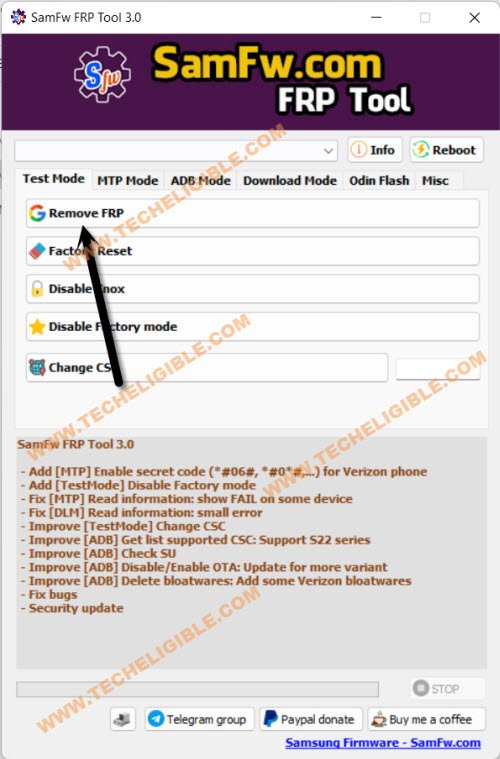
-Click to “Remove FRP” button from the Samfw tool, and after the tool will start detecting your device.
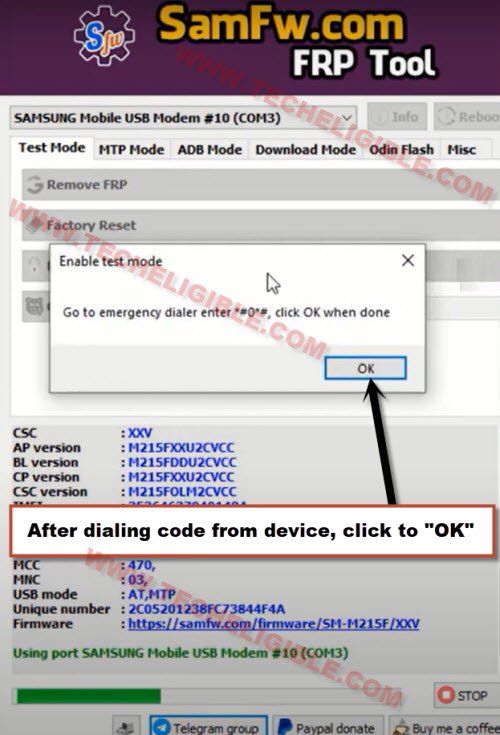
-Now you will have a popup message in your Software of dialing code.
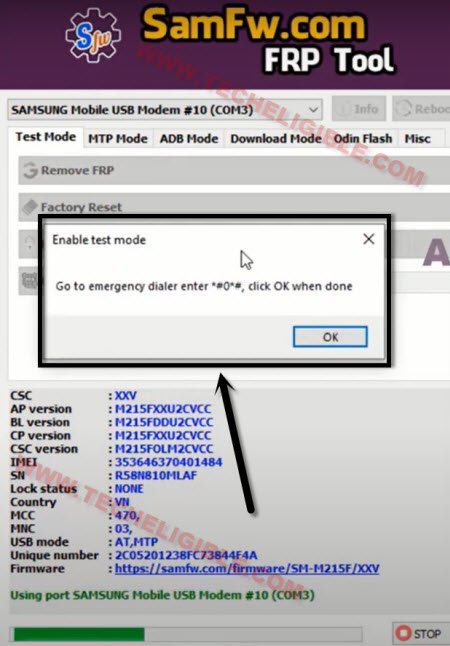
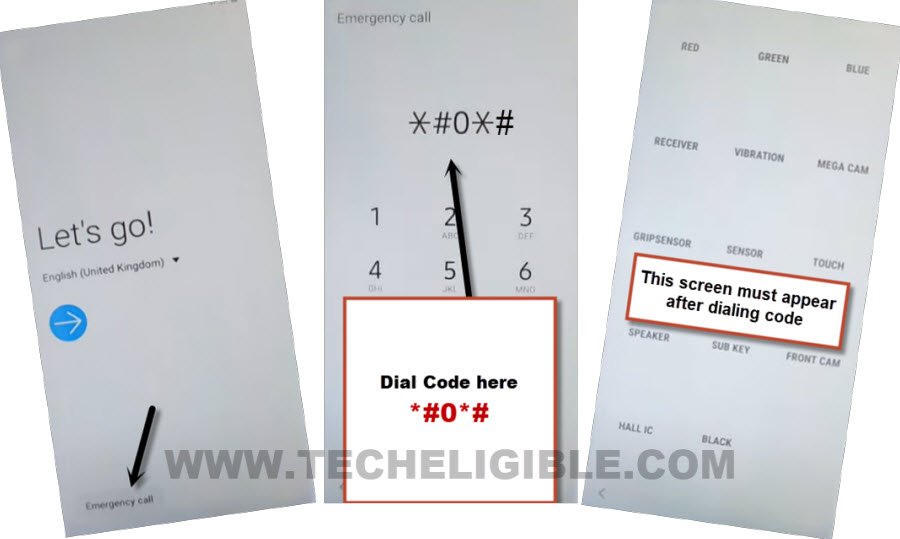
-Go back to device (Hommescreen), and click to “Emergency Call” option.
-Dial this code *#0*# in your device, as soon as you dial this code, the blank boxes screen will appear, that means the code is working perfectly.
-Click on “OK” from the popup message of dialing code from PC.
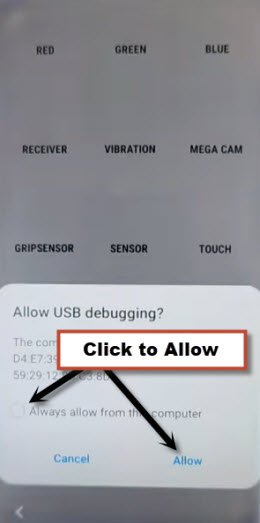
-You will be sent a popup message in your device of (Allow USB Debugging ?), just Select “Always Option”, and tap on “Allow” from the popup message in your Galaxy M22.
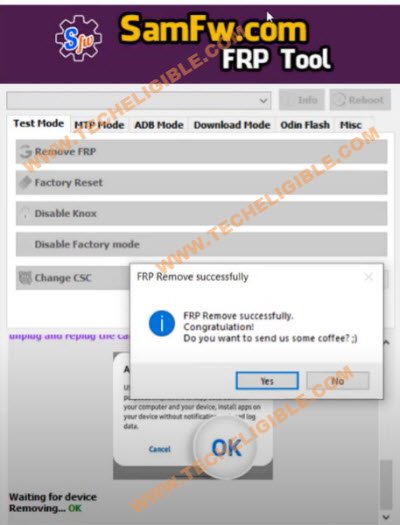
-The device will be restart once the frp removing process completes, and now you can easily use your device with new google account, you are all done from Bypass FRP Galaxy M22.
Method 2: Bypass FRP Samsung Galaxy M22 By Talkback
-Long Press both (Volume UP + Down) keys together, and you will have (Use Volume Keys for talkback) popup, just tap on “Use”.
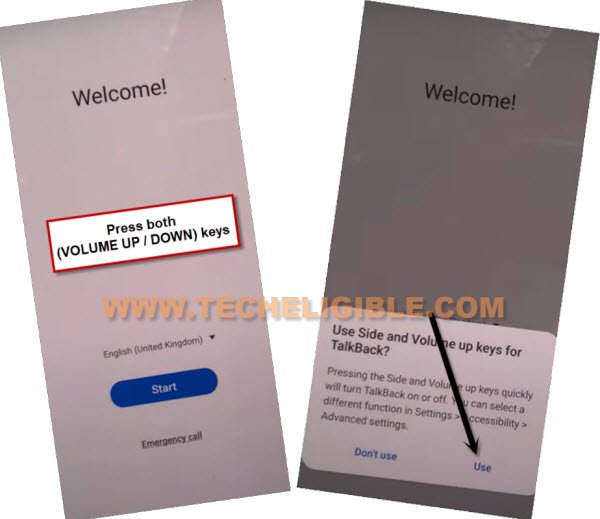
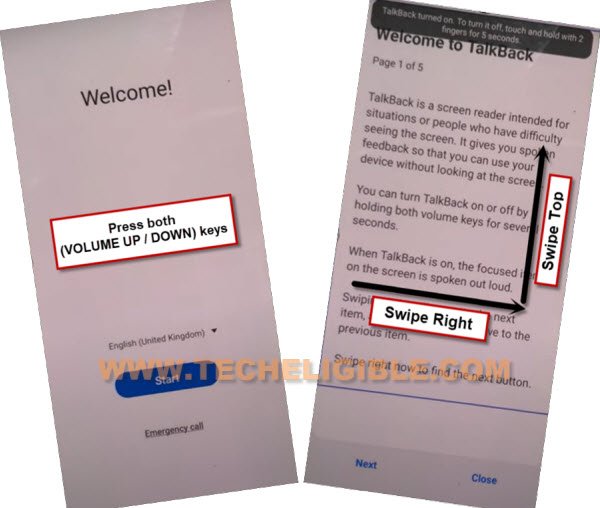
-Press again (Volume UP + Down) keys , and you will see there (talkback turned on).
-You need to Draw “L” by swiping on screen from right to left, and then swipe top, same as shown in below image.
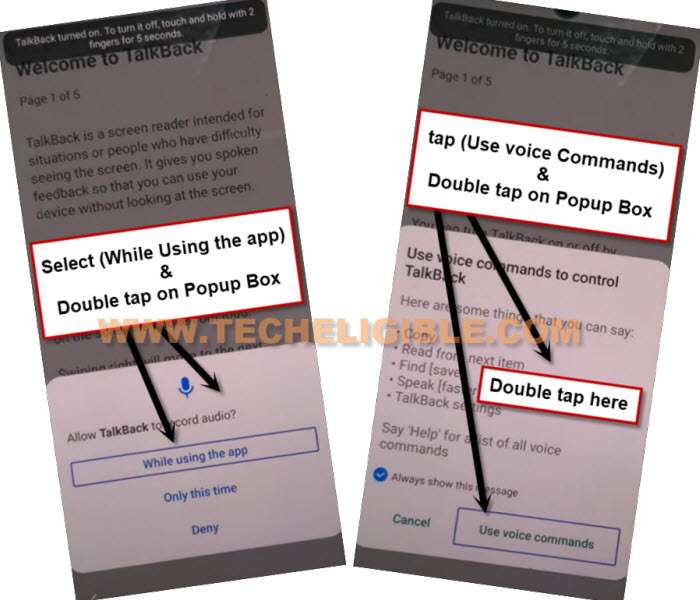
-Select option “while using the app”, now double tap on anywhere on screen.
-Select “Use Command Voice” option, and double tap on popup box.
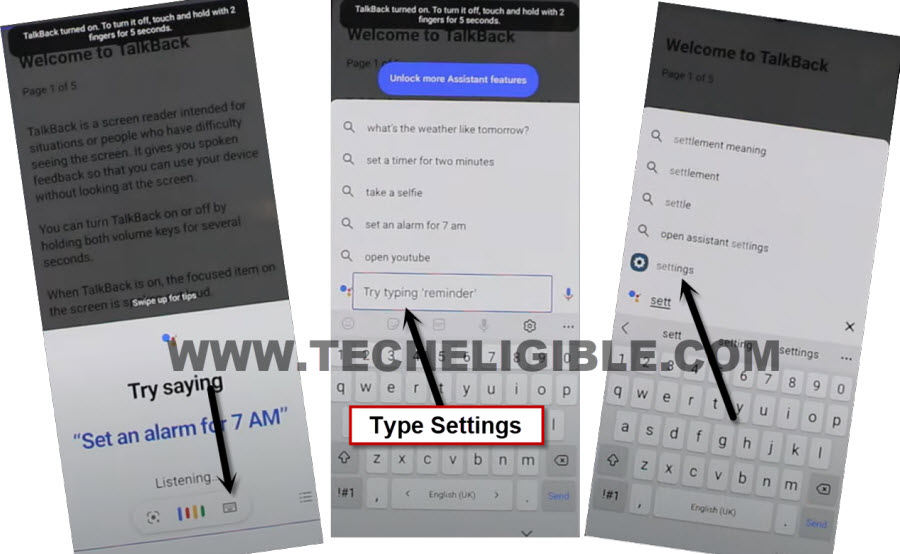
-Speak loudly “Google Assistant”.
-Double tap to “Keyboard icon” from try saying popup.
-We have to turn off talkback by long press again both (Volume UP/DOWN) keys.
-Type “Sett”, and hit on “Settings” icon.
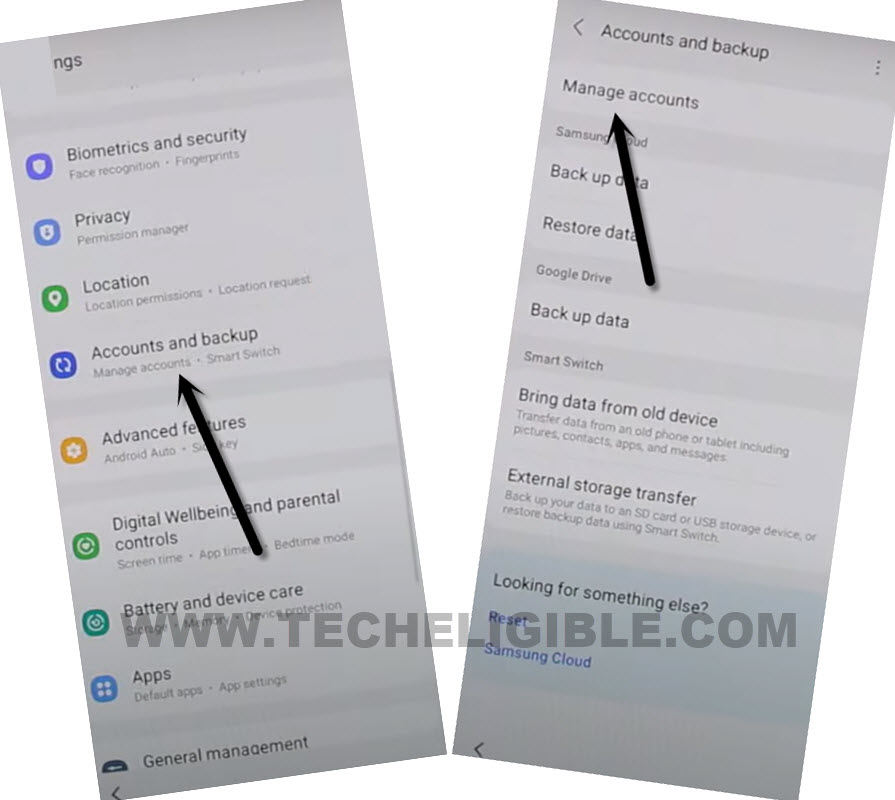
-Go to > Accounts & Backup > Manage Account.
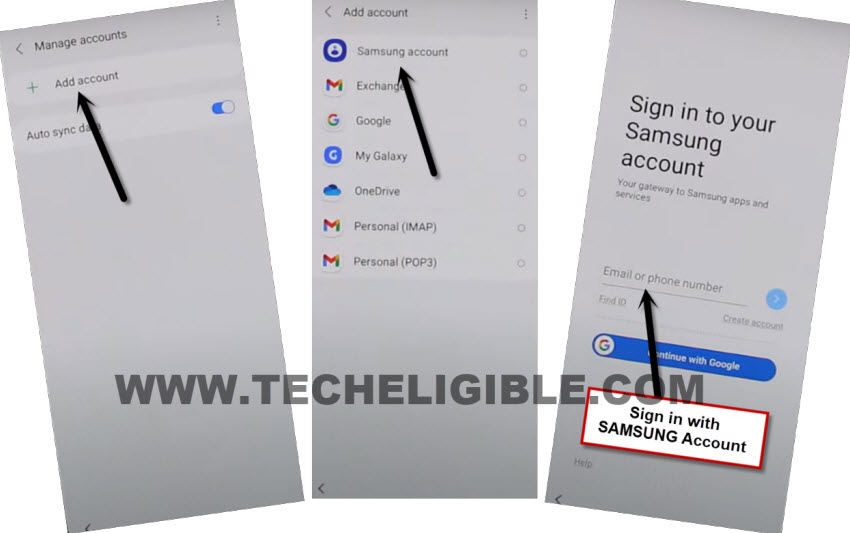
-Tap to > Add Account > Samsung Account > Login with Samsung Account.
Note: If you don’t own any Samsung Account, you can create that free of cost using your Gmail account.
Install Alliance Shield X in Other Android Phone:
-In other android phone, you must login with same Samsung Account, which you recently added in Galaxy M22, because we have to create and Restore app backup.
-To login account, just go to > Settings > Accounts & Backup > Manage Account.
-Tap to > Add Account > Samsung Account.
-Sing in there with your Samsung Account, now your both devices have same Samsung Account, this will assist you to bypass frp samsung.
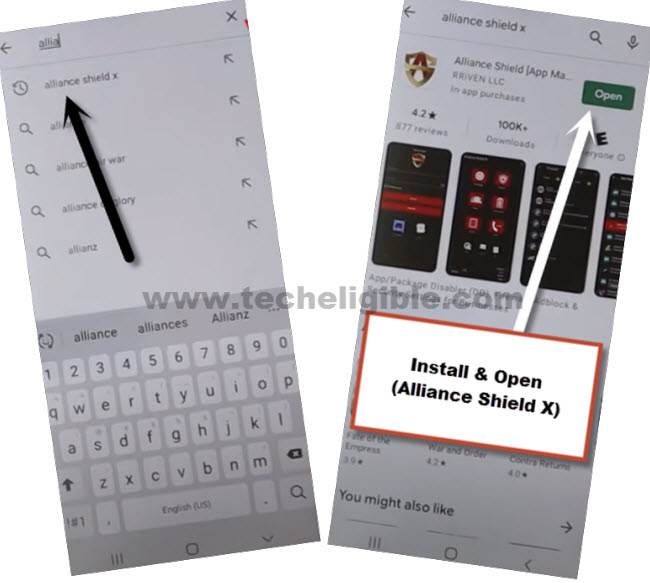
-We have to install “Alliance Shield X” app from google play store.
Backup App in Samsung Account:
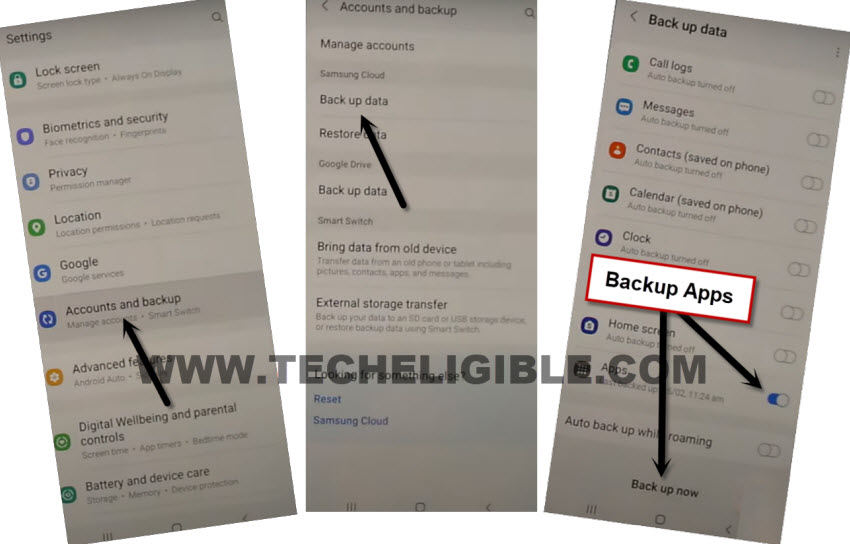
-Go to > Settings > Accounts & Backup > Backup Data.
-Select only “App”, and tap to “Backup Now”, now you have perfectly backup your (Alliance Shield X) app in your Samsung Account, we will restore this app in Galaxy M22.
Restore an App in Samsung Galaxy M22 for FRP Bypass:
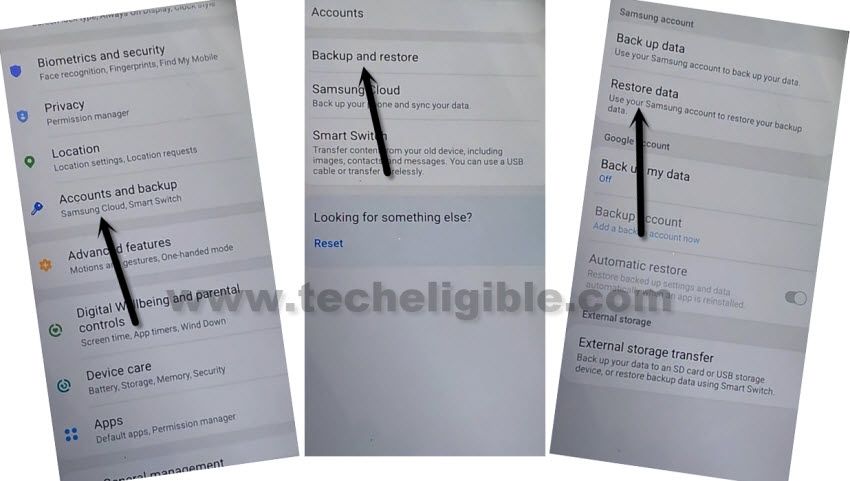
-Go to > Settings > Accounts & Backup > Restore Data > Update.
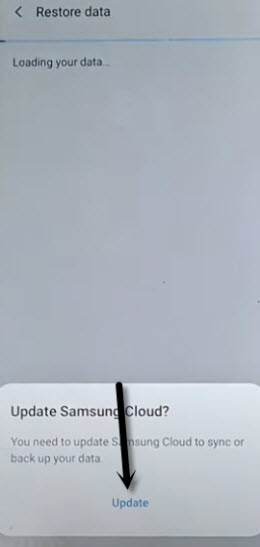
-Wait few minutes, hit again on “Restore Data”, choose device from which we are gonna restore app.
Note: if you face (Something went wrong) error after hitting on Restore data or Device Model name, so this error can easily be fixed here.
-Un-check all option, and go to “Apps”, from there select only “Alliance Shield X” app, and tap to > Done > Restore > Install.
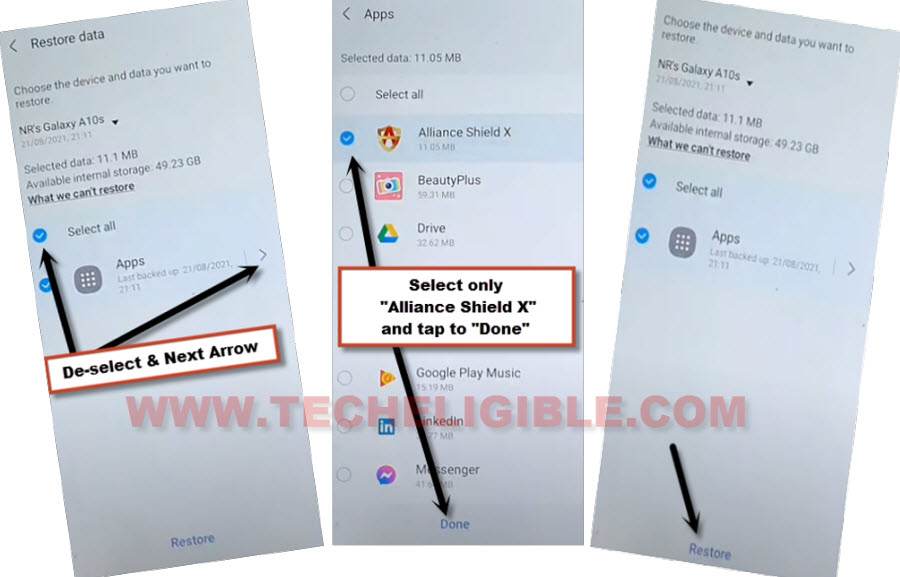
-After process completes, tap to > Done > Later.
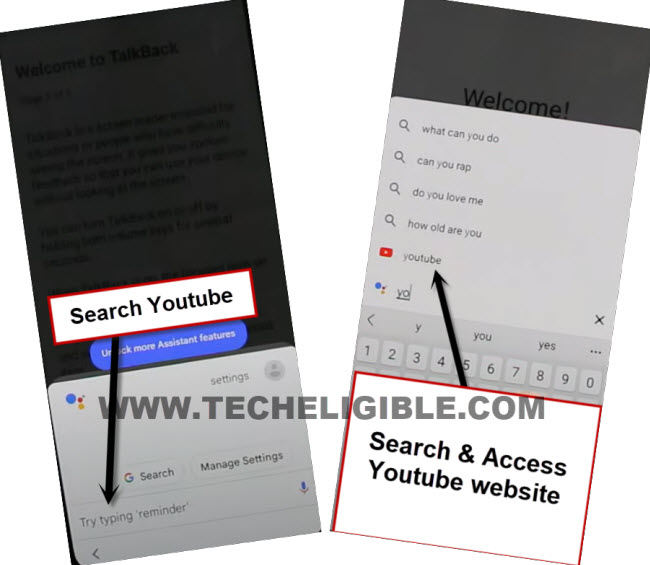
-Tap on “Back Arrow” 3-4 times carefully to reach back to “Typing…” screen same as shown in below image.
-Type “You”, and hit on “Youtube” icon to reach Youtube website.
-From up-right, hit on “Profile icon”, and tap on “Settings”.

-Tap to > History and Privacy > Youtube terms of service.
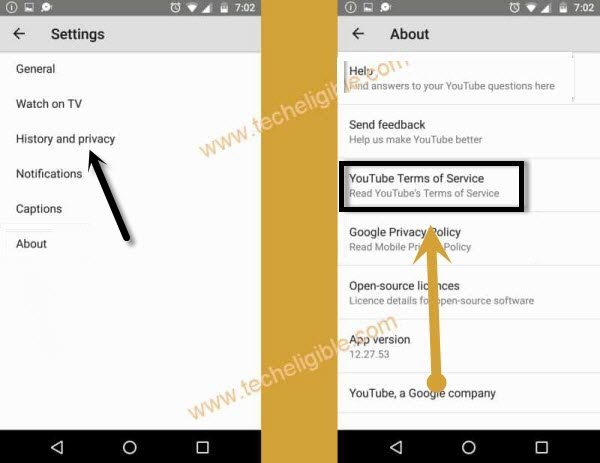
-Go to > Accept & Continue > No Thanks.
Open Alliance Shield X app:
-Search in browser “Top Samsung FRP Tools Techeligible“, and visit our website searched result.
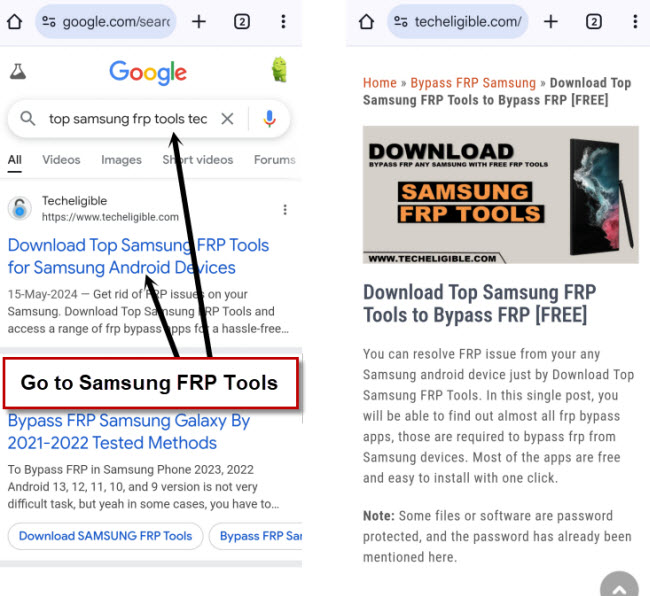
-Scroll down and tap to “Alliance Shield X” link.
-Register your new account in (Alliance Shield X) .
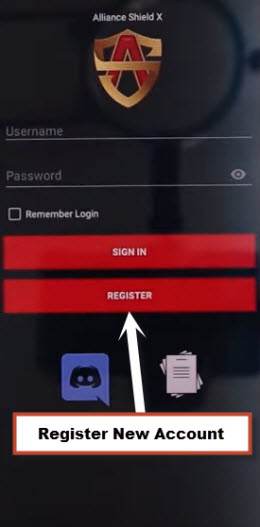
-Sign-in with your registered account in (Alliance Shield X) app to Bypass FRP Galaxy M22.
-Type any “Device Name”, and then tap to “Next”.
-Turn on “Device Admin”, and hit on > Activate > Next.
-Turn on “Knox”, and select option (i have read and agree…), and tap to > Confirm > Next > Finish.
-Go to “App Manager”, and tap to “Close” from popup box.
-Hit on “Search icon” from top corner, and search there “Mode”, and tap to “Service Mode”.
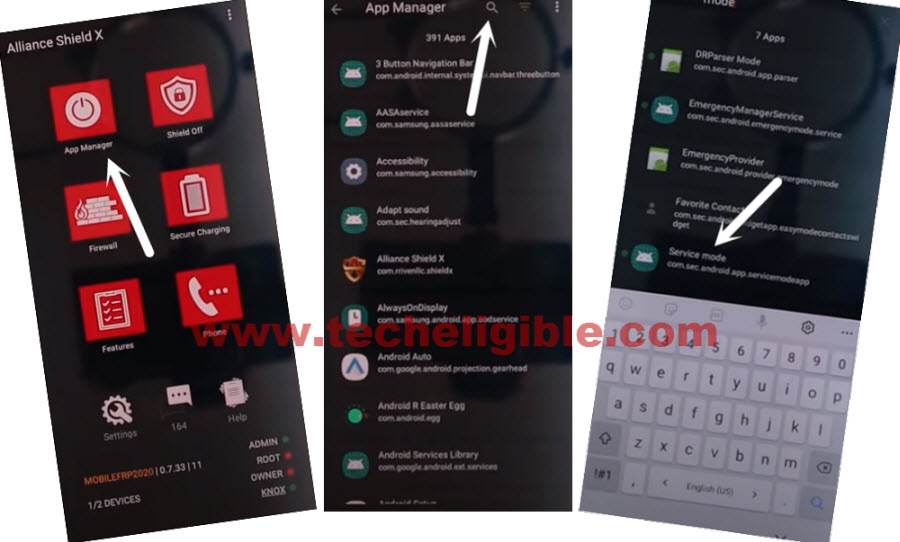
-Tap to “Activities”
-Go all the way down, and tap on option (com.sec.android.app.modemui.activities.usb.settings).
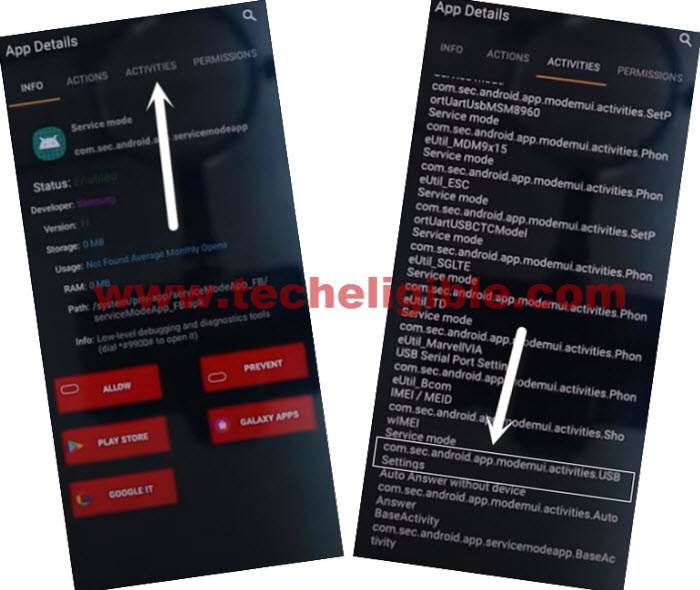
-Tap again on (com.sec.android.app.modemui.activities.usb.settings), and again hit on “OPEN”, and then select (MTP+ADB).
Let’s Move to PC to Bypass FRP FRP:
-Open browser in PC, and Search “Top Samsung FRP Tools Techeligible“.

-Visit our website searched result, and download from there “Samsung FRP ADB Tool & Drivers“.
-Extract the downloaded file, and go to folder “FRP Samsung Tool”.
Note: If drivers are not install, so install drivers first.
-Open software “FrpSamsungTool”.
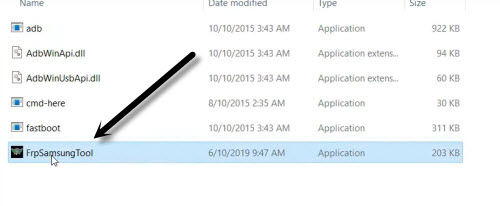
-Connect device with PC using USB Cable.
-Click to “Scan” button from the tool, once the device is detected.
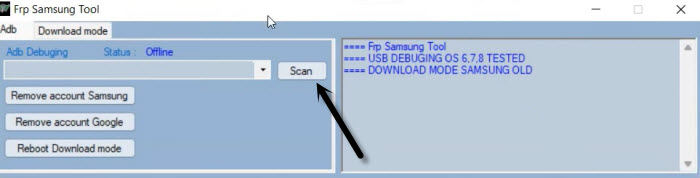
-Click on “Remove Account Google”.
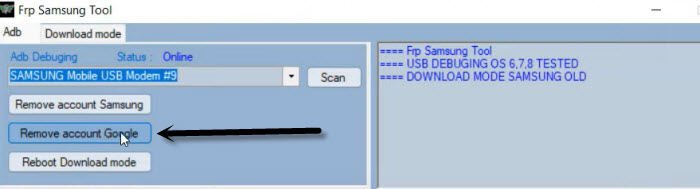
-You must see a popup window in your Galaxy M22 device of allowing usb debugging, just hit on “Allow” option.
Note: If you see an error window on PC screen, just tap to “Continue”.
-Click again on “Remove Account Google”, wait until frp bypass process complete.
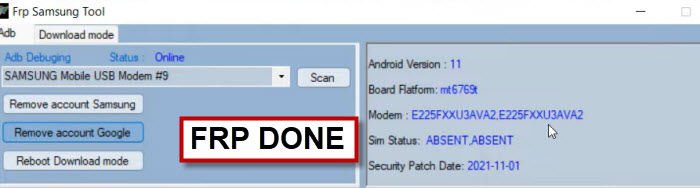
-Disconnect device, and your device will get back to (HOME-SCREEN) automatically.
-Congrats on Bypass FRP Galaxy M22 Android 11, now you can add and login with new Gmail account, and also can setup new PIN without any restriction, if you have any question regarding this process, feel free to ask us in comment area.
Conclusion
To bypass frp account from Samsung Galaxy M22 FRP locked phone, we just downloaded a free PC Tool (Samfw) on our PC and installed it. After that, installed also Samsung USB Driver. After that, turn on Samsung M22 phone and connect WiFi. Afterwards, we just simply connected Samsung phone to PC using USB Cable. Once the device is detected by the tool, we just clicked on (Bypass FRP) option from PC tool to bypass frp account. Check out frp bypass steps from above and follow up your on your Samsung device to unlock frp.
Everything had been explained in detail along with a screenshot, so you can easily follow frp bypass steps. If you have any trouble understanding any of the steps, you can also leave a comment.
Read More: