If you are unable to complete setup wizard on OPPO phone because of forgetting previously signed in google account. In this scenario, you should follow this best method to Bypass Google FRP OPPO Find X3 Neo. We will try to assist you with most easiest method, and with screen shot. So that, you could get back your device without any paid service.
Note: We highly recommend you to apply this method only on your own device, if you are not owner of this OPPO Find X3 Neo device, or you found this from some where, you must return this device to its real owner.
Let’s Start to Bypass Google FRP OPPO Find X3 Neo:
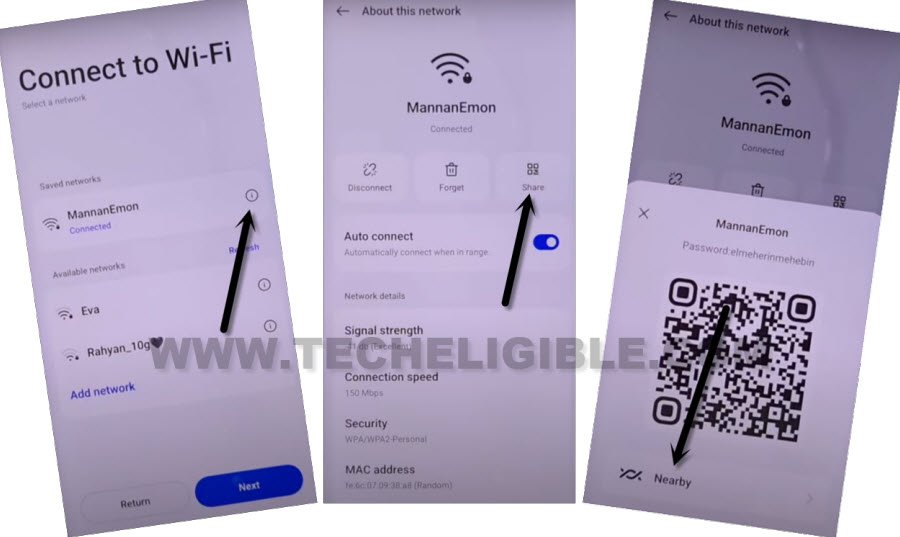
-First of all, insert SIM card in your phone. Connect WiFi.
-From the same (Connect to WiFi) screen, tap on “Exclamation” icon, that is right next to your connected WiFi name.
-Tap on > Share > Nearby > Turn on.
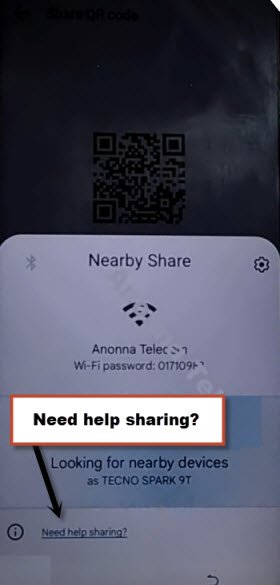
-Afterwards, hit on “Need help sharing” option to go for next (Help) page.
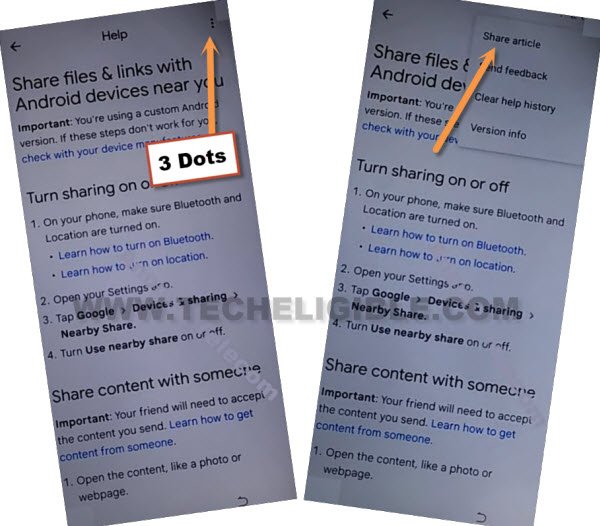
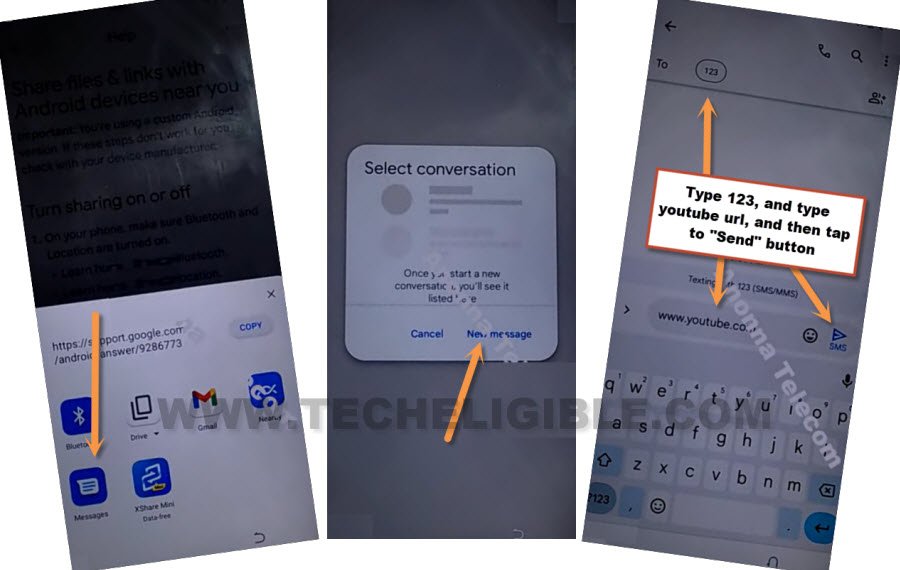
-From that help screen. Hit over > 3 Dots > Share Article. After that, you will be displayed some share options there with popup window.
-Select “Message” app from share options, after that tap on “New Message”.
-Type url “”www.youtube.com“, after that, send this url as text message to any random number.
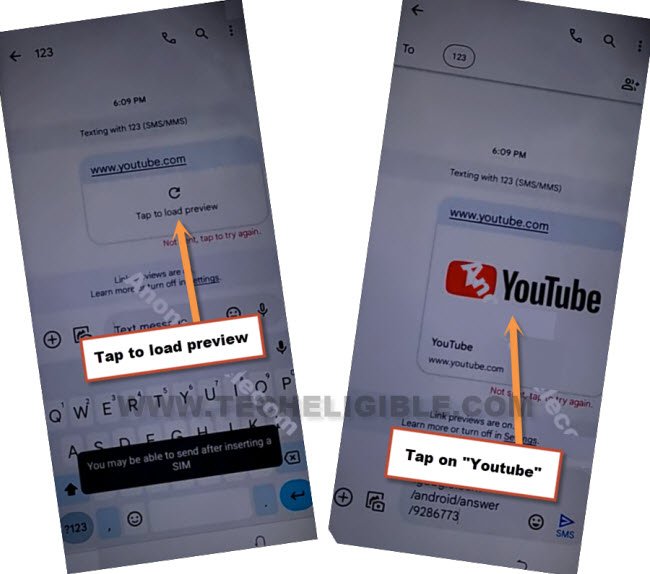
-The youtube url will convert to a hyperlink automatically. From that hyperlink, tap to > Tap to load preview > Youtube.
-After accessing to Youtube website. Tap on > Profile icon > Settings > Youtube terms of services > History and Privacy.

-Tap to > Use without an account > No Thanks. After that, the google chrome browser will be launched.
Let’s Access OPPO Find X3 Pro Settings:
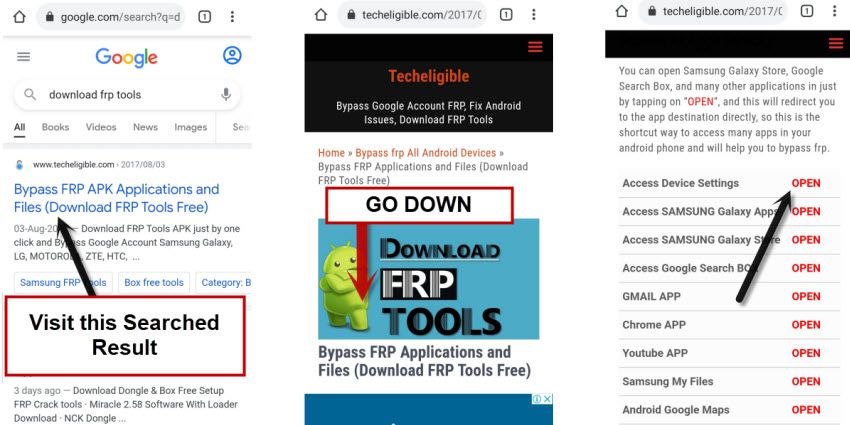
-Follow up below screen shot to access techeligible site directly. After that, reach to main frp tools page by going to “Menu” icon from top corner and tap over the “Download FRP Tools” option from sidebar menu.

-Tap on “Access Device Settings” from frp tools page.
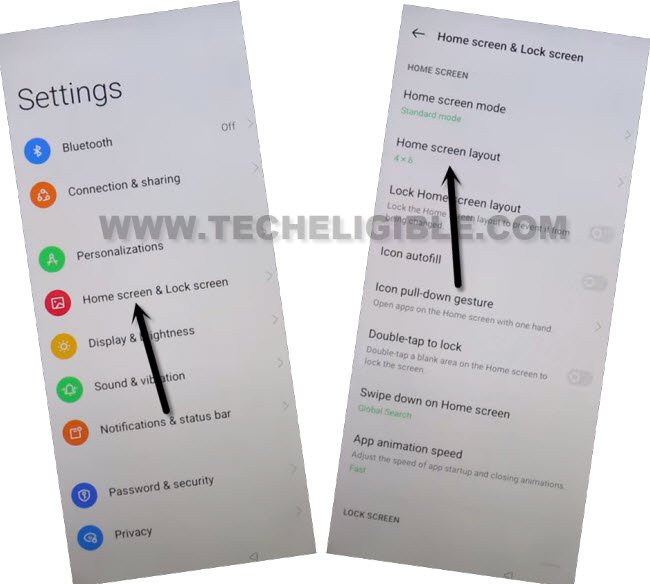
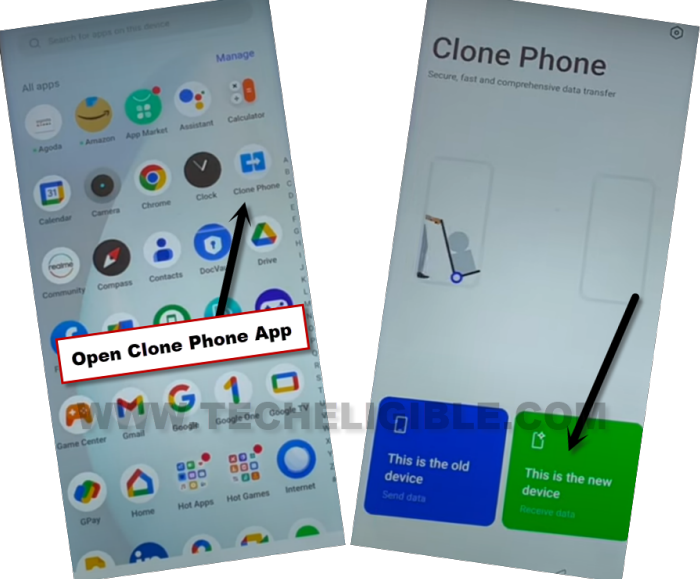
-Let’s open (Clone Phone) application from the device HOME MENU. Go on > Home screen & Lock Screen > Home Screen Layout.
-Tap on “Clone Phone” app. After that, tap on “This is the new device”.
-Go to > Allow > Other Android.
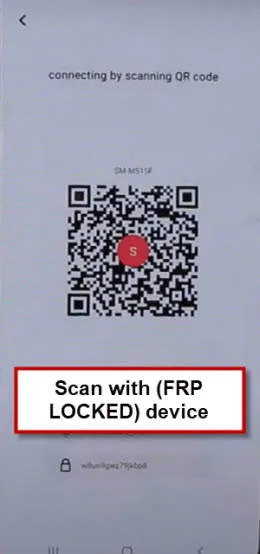
-You will have QR Code on your device screen. We’ve to scan this code through any other android phone to connect both devices together. Follow below steps to scan this code.
Use Any Other Android Phone to Connect with OPPO Find X3 Pro:
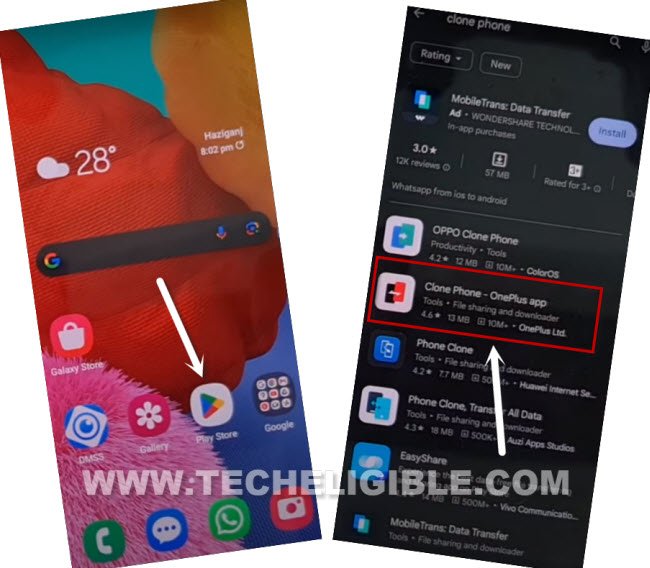
-Launch “Google Play Store” application in other android device.
-Let’s search there with “Clone Phone” app.
-Install any app from (OPPO Clone Phone or Clone Phone – Oneplus) application (See below image).
Note: Firstly, try to install (OPPO Clone Phone) app. If you are unable to find this app. Then, go for “Clone Phone – Oneplus” app.
-After installing the clone phone app successfully, just open ” Clone Phone” app to get QR Scanner to Bypass Google FRP OPPO Find X3 Neo.
-Tap to “Agree & Continue”.
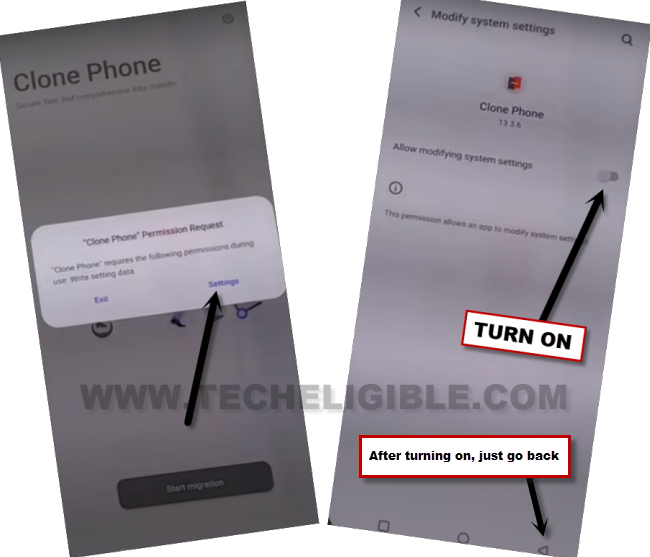
-You will be displayed a popup window of (Clone Phone Permission Request), just hit on “Settings”, and toggle on option of (Allow modifying system settings).
-Tap on “Back Arrow” from bottom to go back.
-Go on > Settings > and allow option (Allow access to manage all files).
-Hit on “Back” arrow from bottom to go back, and then, tap to “Start Migration”.
-You will have another popup window, just tap to “Settings”.
-You will be displayed app list there, just go to “Clone Phone”. And then, turn on (Allow display over other apps).
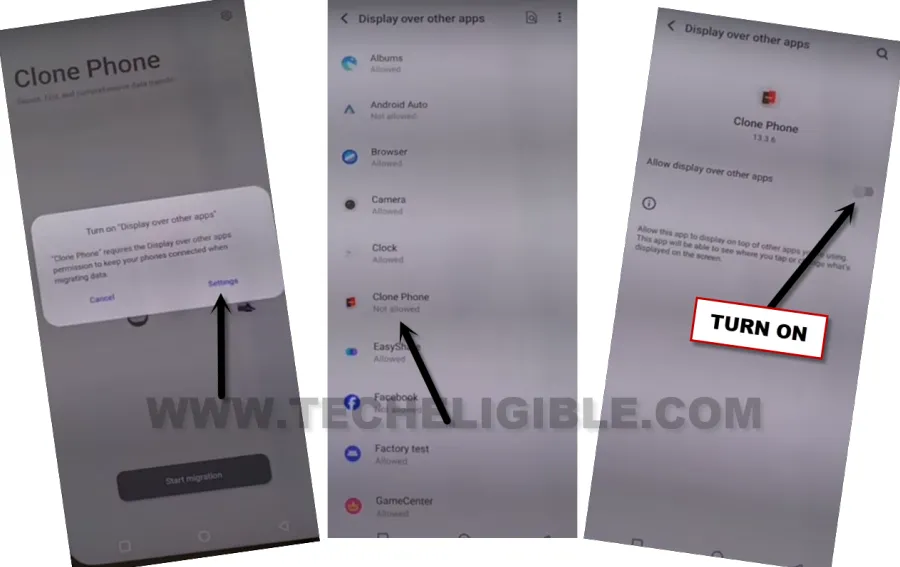
-Hit on “Back Arrow” from bottom to go back on (Clone Phone) screen.
-You will see one more popup of (Turn on “Usage access”), just hit on “Settings”, and toggle on “Permit usage access”.
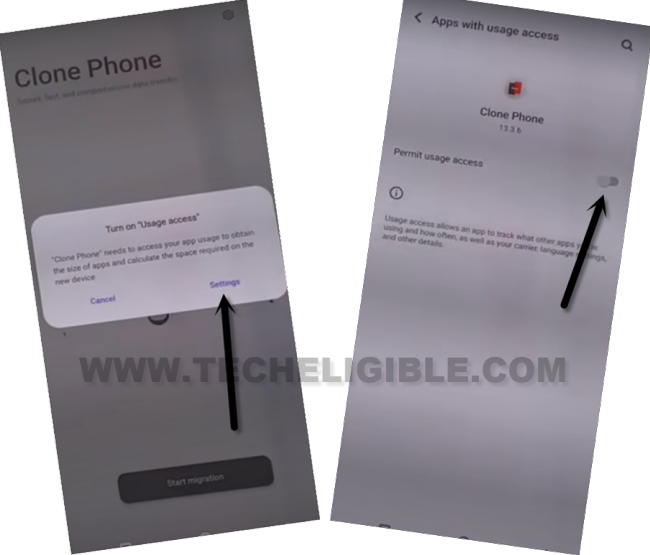
-Hit on “Back Arrow” from bottom, and then tap to “While using the app”, and hit on “Allow” few times, after that, tap to “OK”.
Note: Above 7-8 steps we did just to launch (Clone Phone) app, you may have different options, all you have to do is, allow and turn on access each time when you see any popup window. After that, QR Code scanner will come up.
-Finally, we will see (QR Scanner) on screen. That means the app has been launched successfully, and now ready to be connected with OPPO Find X3 Pro.
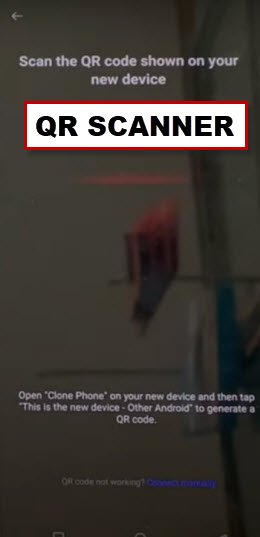
-Connect both phone each other by scanning QR code.
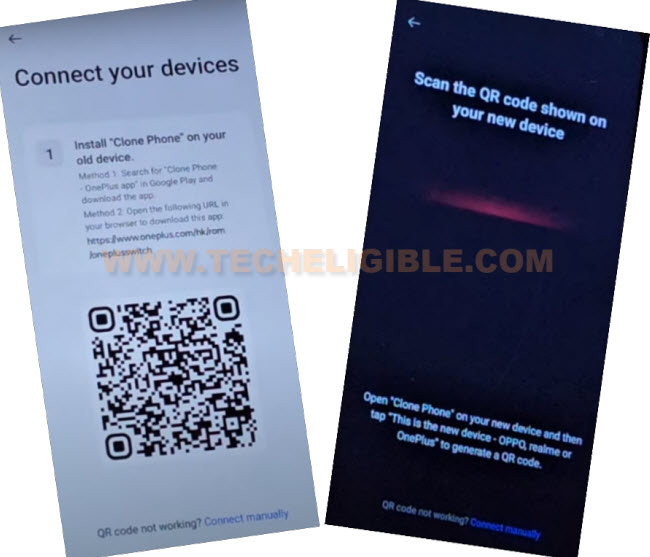
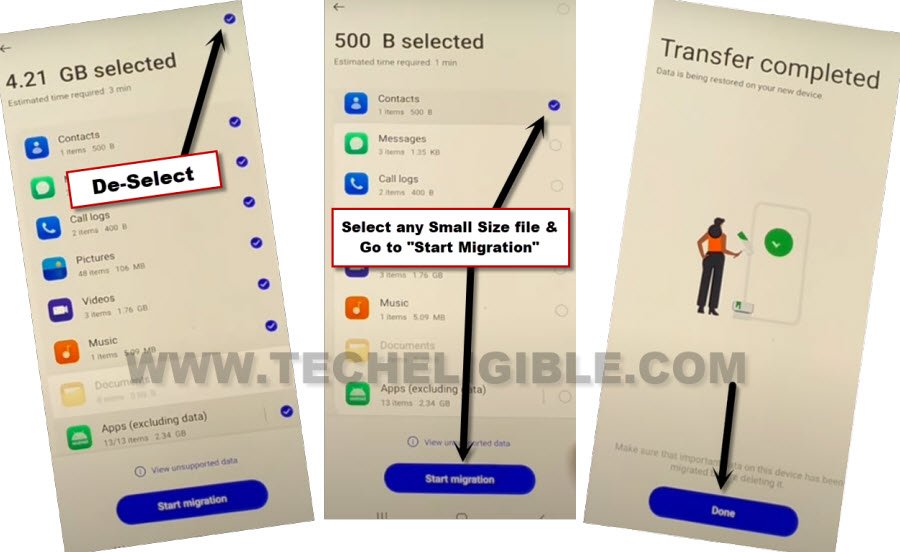
-After both devices connected. You will have app list on your device screen.
-De-select all apps from there, after that, check mark only “Contacts”.
-Tap on “Start Migration” option. Wait there, till transferring process is done. Now hit on “Done”.
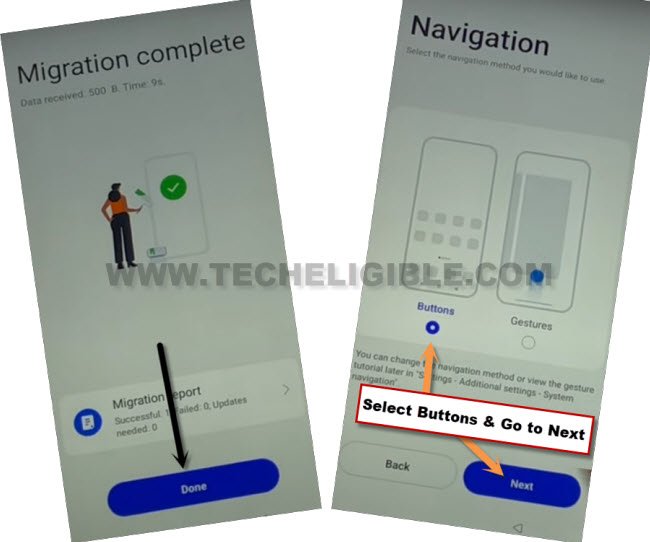
-After migration is completed, just tap to “Done” option.
-Select “Button” option from (Navigation) screen. After that, tap on “Next”.
-Congrats, you are all done from Bypass Google FRP OPPO Find X3 Neo. Complete few more remaining setup wizard steps to reach your device main home-screen without signing in with forgotten google account. Thanks for visiting us.