We will use (Prime Tool X) software to Bypass FRP Motorola G15. You only have to connect WiFi to your device. After that, turn off your device and connect with PC. Download prime tool x from here with the given link and install this tool in your PC. After that, with one click on (Remove FRP) button from the tool will easily bypass frp with few seconds. Follow up steps from below.
Disclaimer: We highly recommend you to apply this method only on your own device, if you are not owner of this device, or you found this from some where, you must return to its real owner. This method is for educational purpose only.
Let’s Start to Bypass FRP Motorola G15:
-First of all, download & install (Prime Tool X v7) in your PC.
⇒ Prime Tool X V7 [DOWNLOAD]Pass: MobileTeam |
-After downloading process is completed. Just extract the download by using already given password.
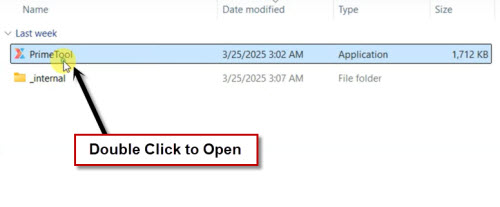
-Open your Prime Tool X in your PC by double click on.
Note: Before extracting the tool, you may have to turn off @ntivirus. After using the tool, you can activate it again.
-Install also (Mediatek & UsbDk) drivers in your PC in order to avoid any connectivity issue.
| ⇒ Mediatek | [DOWNLOAD] |
| ⇒ UsbDK 64 Bit | [DOWNLOAD] |
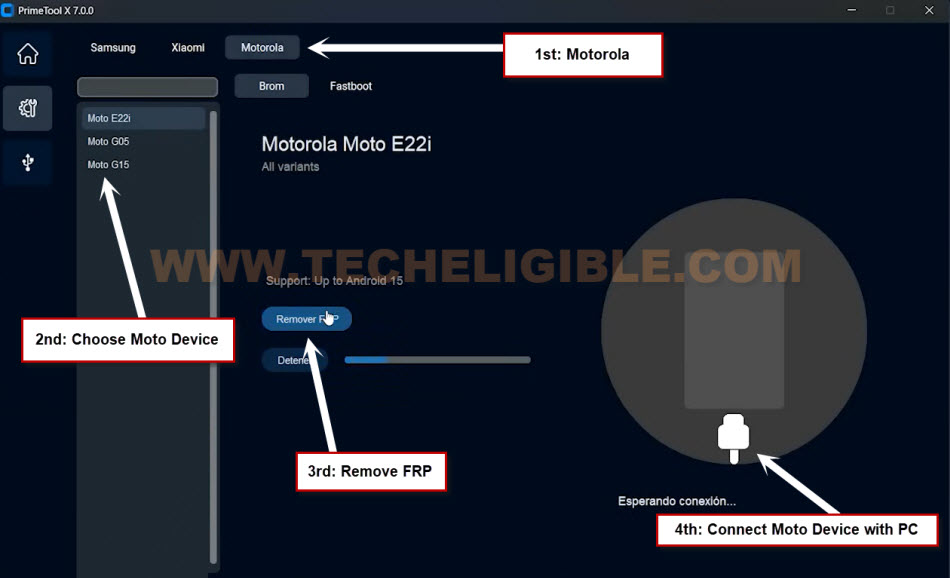
-From your tool, just go to “Motorola” tab.
-After that, choose your device model “Moto G15” from left side panel of the prime tool.
-Hit on “Remove FRP” button to Bypass FRP Motorola G15.
-You will be asked to connect your device with PC. Let’s do that now.
Connect Moto G15 with PC:
-Now, you have to turn off your Motorola device.
-After that, just connect your device with PC using USB Cable.
-Once you see (Charging Logo or Moto) logo on screen, just quickly long press “Power” key for 3-4 seconds, after that release it.
| Device is not Detected?: If, even after few tries, your device is not being detected by the Prime tool. In this case, just try another method. 1- Turn off device again. 4- Turn on your to complete setup wizard steps. If it does not turn on, just long press (Volume Down+ Power) button for 10 seconds. After that the device will be turned on. |
-Once the device is detected by the tool successfully, the frp bypass process will continue within few seconds. After that, your device frp will be bypassed completely. You just disconnect your device and complete setup wizard steps.

-After accessing to your device main home-screen. Don’t forget to reset your device manually from settings.