
We will use quick shortcut maker application on this device to Bypass Google Account AT&T AXIA (Android 8). You don’t need any other paid tool. Simply, install and run this quick shortcut application in your device, after that, go to main home-screen of your device using (Launcher 3). All steps are easy to follow up.
Disclaimer: We highly recommend you to apply this method only on your own device. If you are not owner of this device, or you found this from some where, you must return to its real owner.
Let’s Start to Bypass Google Account AT&T AXIA:
-Start this easy process by turning on the device & Connect to proper WiFi network.
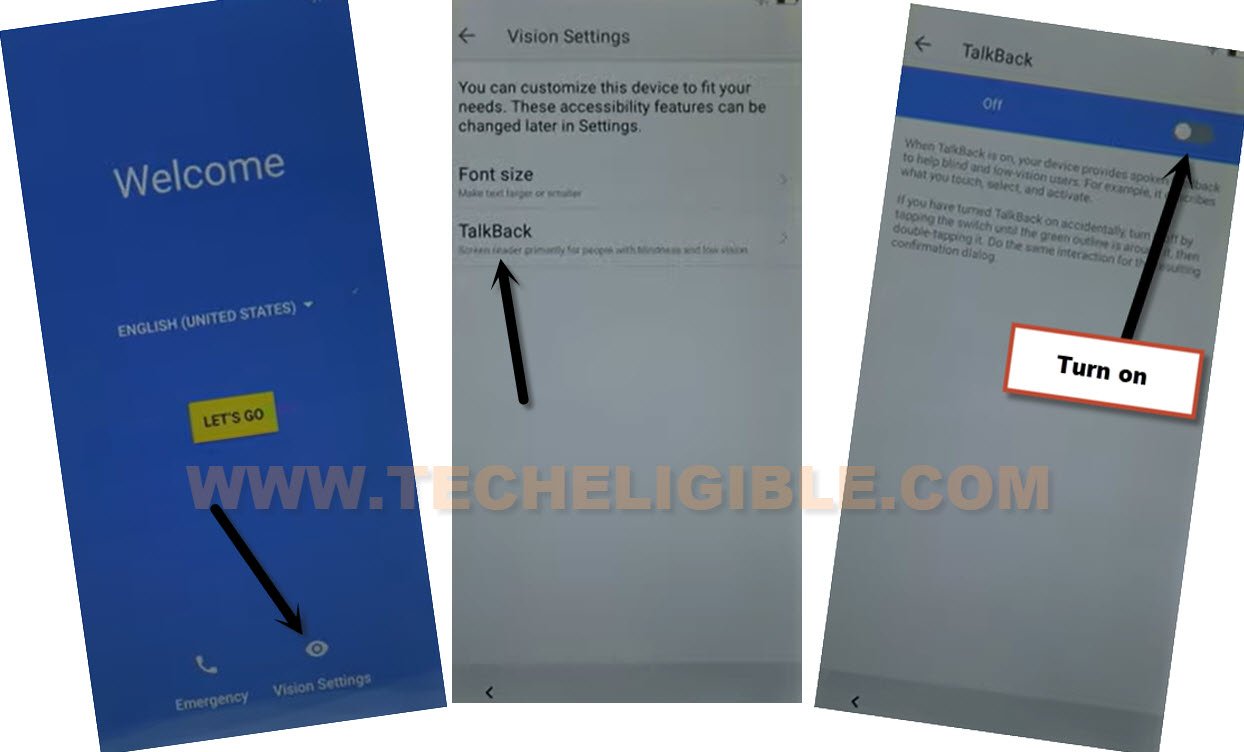
-Return on first (Welcome) screen. From there, go to “Vision Settings”.
-Let’s use talkback here by tapping on a “Talkback”. After that, tap to toggle on option from top corner to enable talkback function.
-Once the talkback is fully enabled, you will be shown another black talkback tutorial screen. swipe down and swipe right using your finger. After that, you will be shown one more popup screen of (Global Context Menu). From there, double tap to “Talkback Settings” option.

-Scroll down with two fingers and go to “Talkback Tutorial” option.
-Double tap on “Turn Talkback off” option.
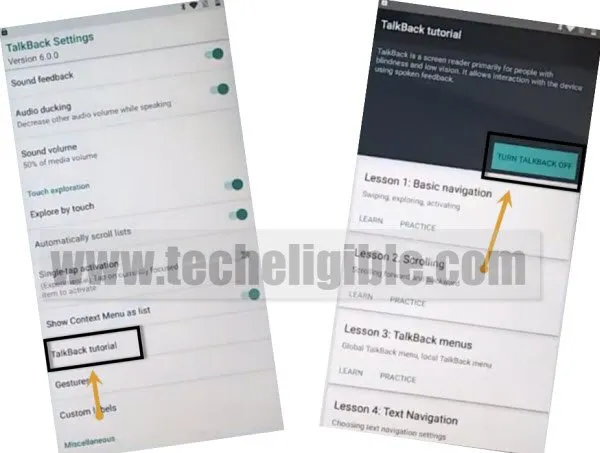
-After that, you will reach back to (Talkback Settings) page. From there, scroll down and hit on “Help & Feedback”.

-After that, you have go to “Use More Code” option from article page.
Note: If you don’t see (Use Morse Code) same as shown in below image, just search there with “Use Morse Code” and then, go to this article page.
-Play the youtube video by hitting on (Play button) from use morse code video screen.
-After that, access to main youtube screen by hitting on the video title (Tania’s story: Morse code…). See below image.

-Tap to “Not now” option from youtube update page to Bypass Google Account AT&T AXIA

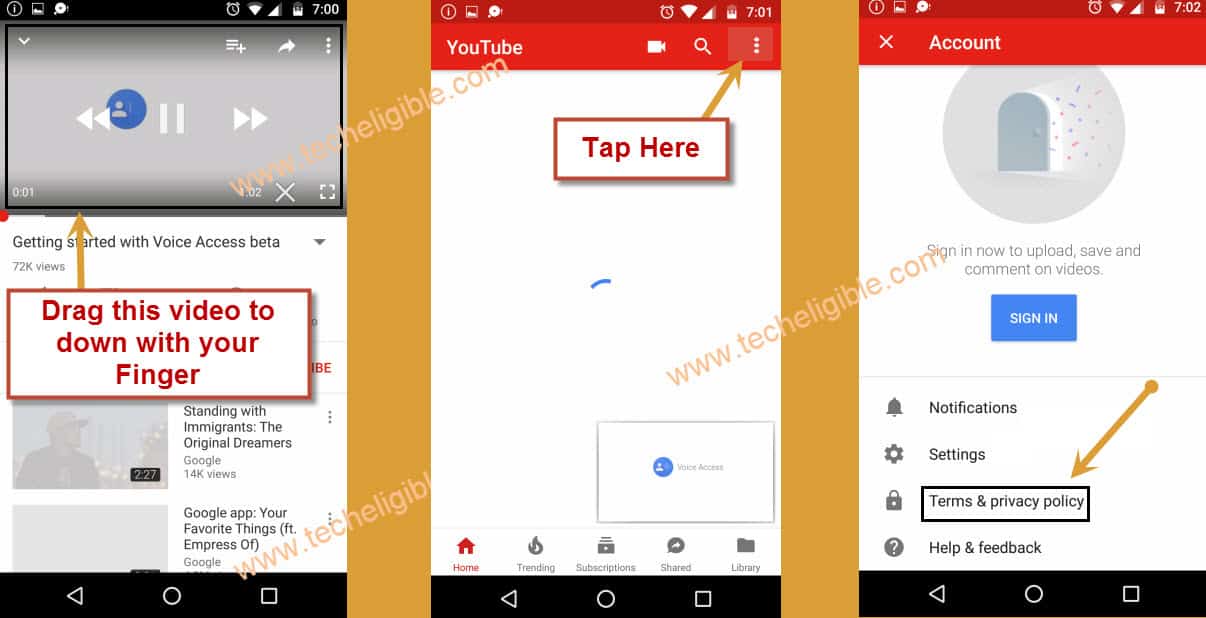
-Let’s hold and drag down youtube video.
-Afterwards, hit on > 3 dots > Terms & Privacy Policy.
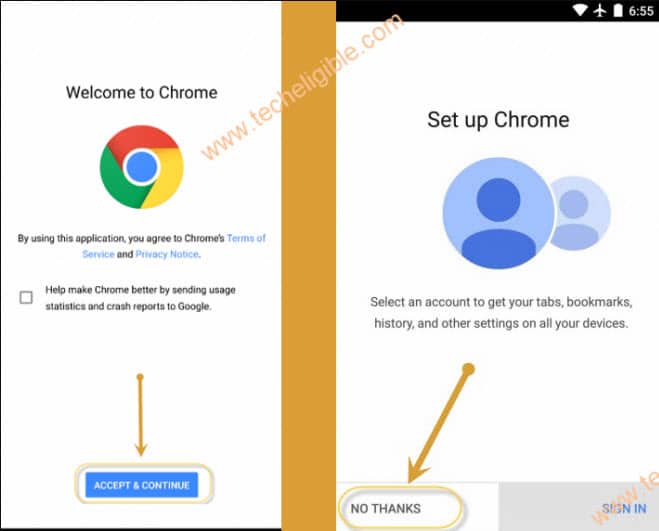
-From next chrome browser page, just hit over the > Accept & Continue > Next > No Thanks.
Download Quick Shortcut Maker App:
-You will have a search bar at the top of the youtube webpage.
-Access to techeligible website. After that, go to official frp tools page from there by hitting on “Menu icon” from top corner.
-Tap to “Download FRP Tools” text from sidebar menu.

-Let’s download “Quick Shortcut Maker” and “Quick Shortcut Maker 2.4.0“. You just have to download both version. One of these version will work on your device.
-After downloading is completed, just go top and tap on “3 dots” icon from top corner. After that, go to “Download” to access download folder.
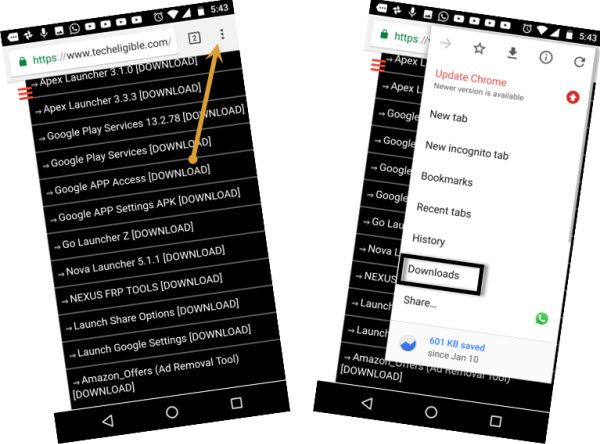
-Tap on “Quick Shortcut Maker” application.
-From popup window, tap on a “Settings” option and turn on “Allow from this sources” option.
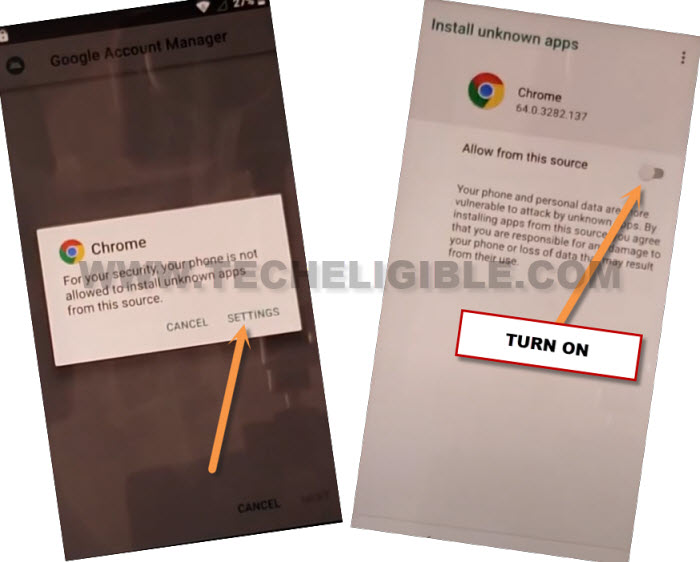
-Tap to “Back Arrow” from bottom panel of your device to go back.
-You will reach back to quick shortcut maker installation screen. Just install this app by tapping on > Install > Open.
Note: If you face any compatibility error in installing quick shortcut maker, then, try to install “Quick Shortcut Maker 2.4.0“.
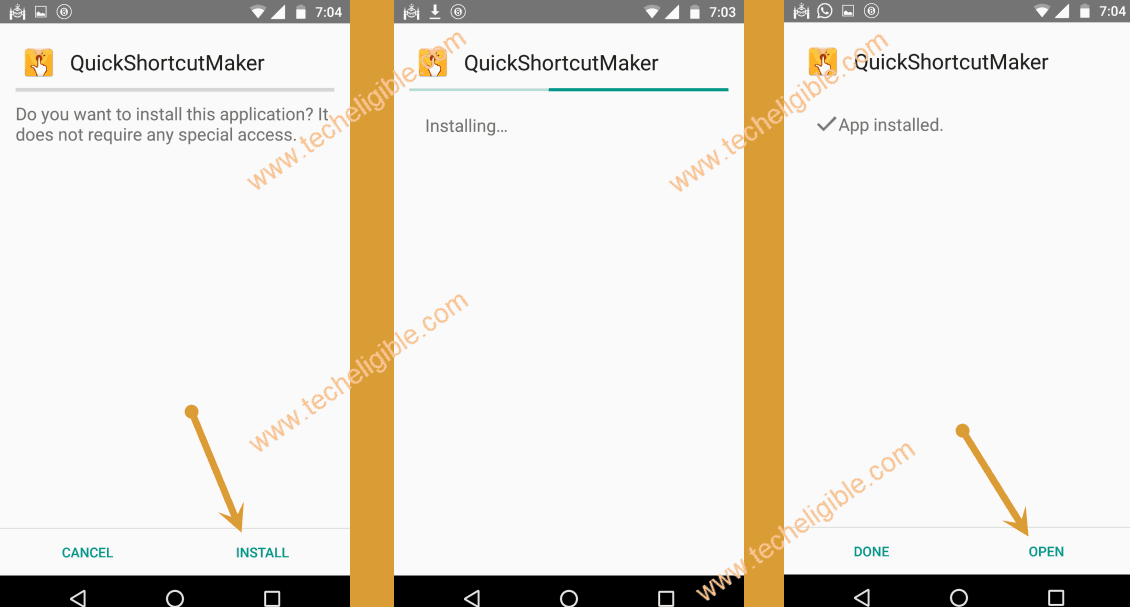
-After accessing to quick shortcut maker app. Just find and tap to “Launcher3” from there.
-Tap to “Try” to launch this launcher and access to your device main home-screen directly.

-After reaching to home-screen, just tap to “Settings” gear icon to access settings page.
Setup new PIN code:
-Let’s go to “Security & Location” option.

-After that, go to > Screen Lock > PIN.
-Type any your desire 4 digits PIN code and tap to “Next”.
-After that, type again same PIN code and hit on “Ok”. That means, the PIN code has been setup successfully and you are all done from Bypass Google Account AT&T AXIA.

-Tap to “Done” option from next screen.
-After that, we can now complete setup wizard steps easily. Simply, restart your device.
-From first (Hi there) screen, go to > Start > Skip > Setup as new.
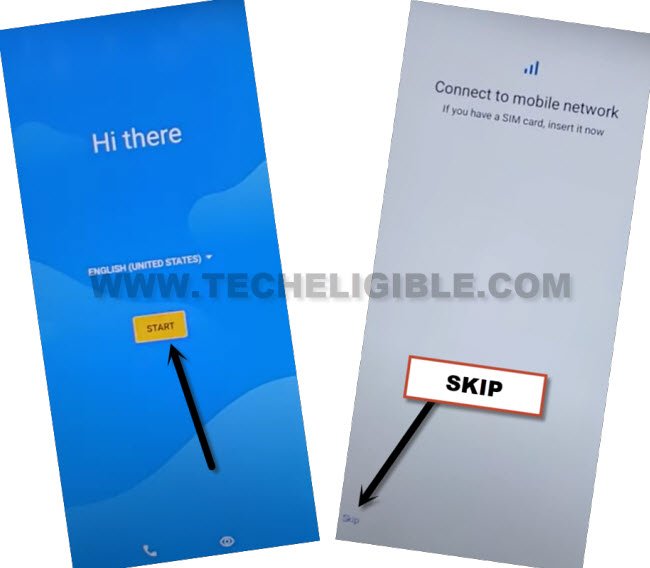
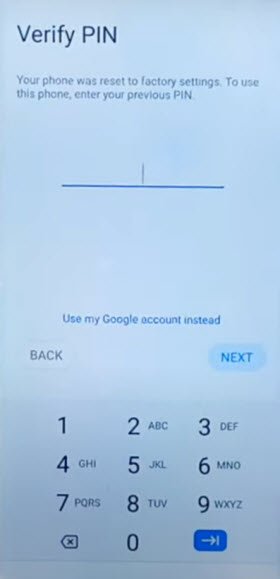
-Once you see a (Verify PIN) screen. Simply, type your recently setup PIN code there.
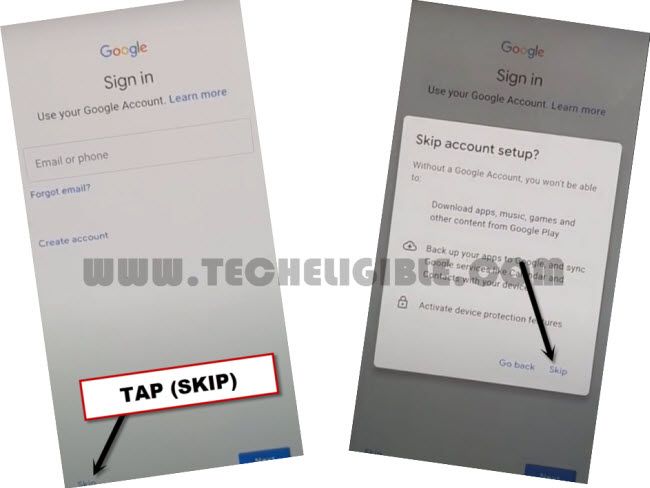
-After that, you will access to google sign in page. Just, tap to > Skip > Skip.
-Tap to > Next > More > More > Accept > No Thanks.