If you have a (Sprint USA) Sim card, then, you can achieve this frp bypass method on your Moto G 5G device. Otherwise, you won’t be able to Remove Google FRP Moto G 5G (2024) with any other sim card. Because, there is a special SIM card menu, through that menu, we will be able to reset the device complete and delete old forgotten account as well. Follow up steps from below.
Don’t Have Sprint USA SIM?: This SIM card can be purchased online; simply search for it on Google. There is no need for a signal. Your device should be from a US provider: AT&T, CRK, SPR, TMO, or VZW. Once the SIM card is inserted, the RTN menu will show up. You can buy this sim from (eBay) as well.
Disclaimer: We highly recommend you to apply this method only on your own device. If you are not owner of this device, or you found this from some where, you must return to its real owner.
Let’s Start to Remove Google FRP Moto G 5G:
Note: This method is only for a person, who has a (Spring USA Sim Card). Without this sim card, you won’t be able bypass frp with the below given steps.
-Firstly, setup 4 digits PIN lock code on your Sprint USA Sim card using any other android device.
-Time to start frp bypass steps by turning on your Moto G 5G device & Connect WiFi.
-Insert a PIN locked setup (Spring US) SIM Card on your Moto G 5G device.
-After inserting the SIM card, you will be displayed a SIM PIN lock screen.
-Enter correct 4 digits PIN code to unlock the screen.
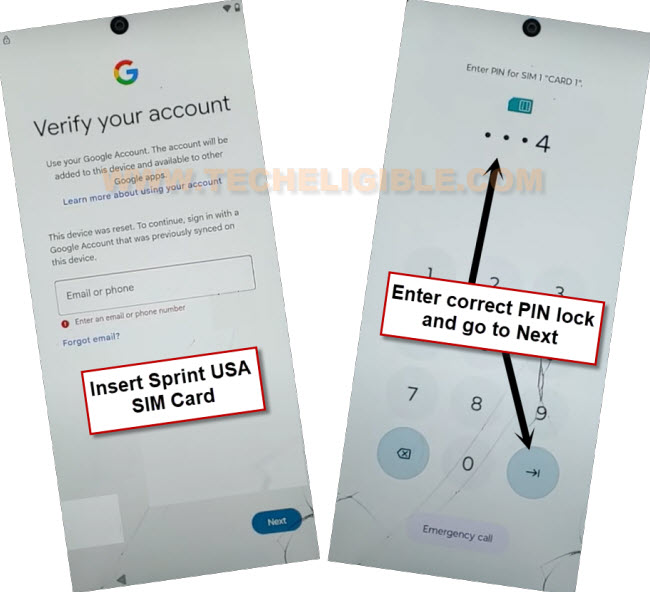
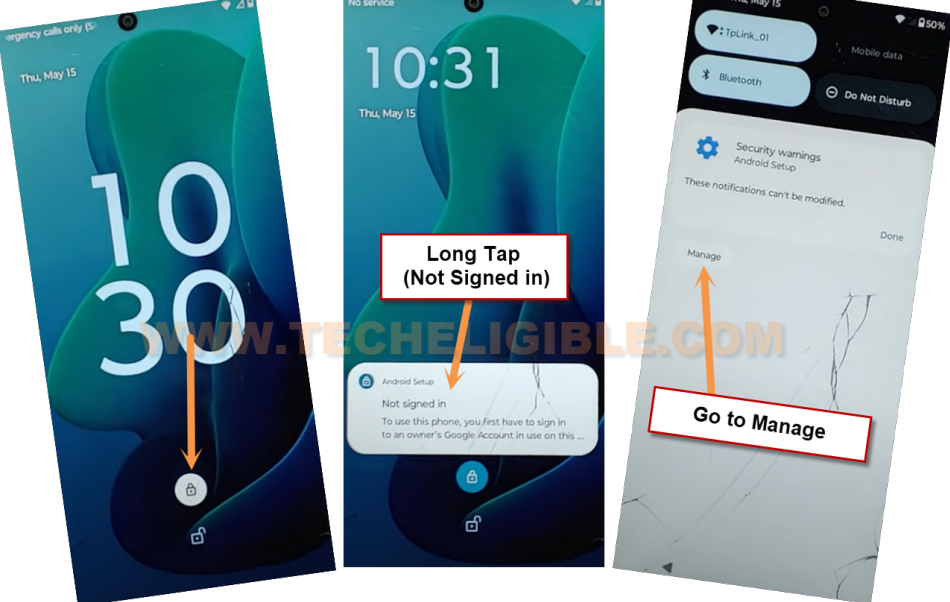
-Hit on a “Lock icon” from the lock screen.
-After that, long hold on a “Not Signed in” popup message.
-Hit on a “Manage”.
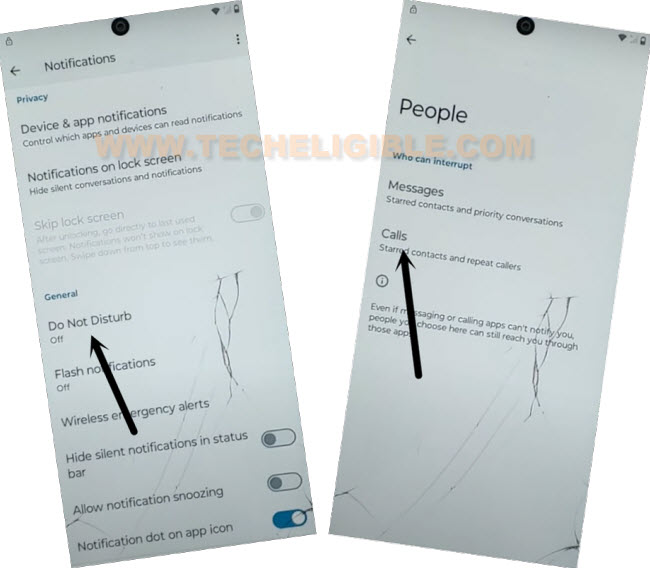
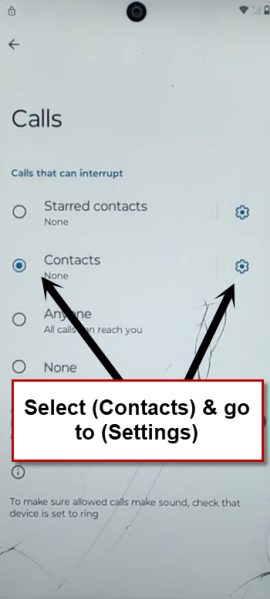
-Tap to > Do not disturb > People > Calls.
-After that, choose “Contacts” and then, hit on a “Settings” icon.
-Tap to “Skip” option from contacts screen.
-Tap on a “+” icon. After that, you will be taken to new contact save page.
-Save new contact with any random name and email address. Give any name in name field tab, enter also “[email protected]” or any Gmail address in email field tab. After that, save this contact detail by hitting on “Save” option.
-Tap on a “email address” which you saved recently. This will redirect you to the (Welcome to Gmail) page.

-Tap on a “Skip” option from there.
-After that, tap on “Learn more” link from next page.
-Tap on this blue link “Learn how to add another email account on you computer”.
-Scroll down from next page, after that, find and tap on this link “Create an app password”.
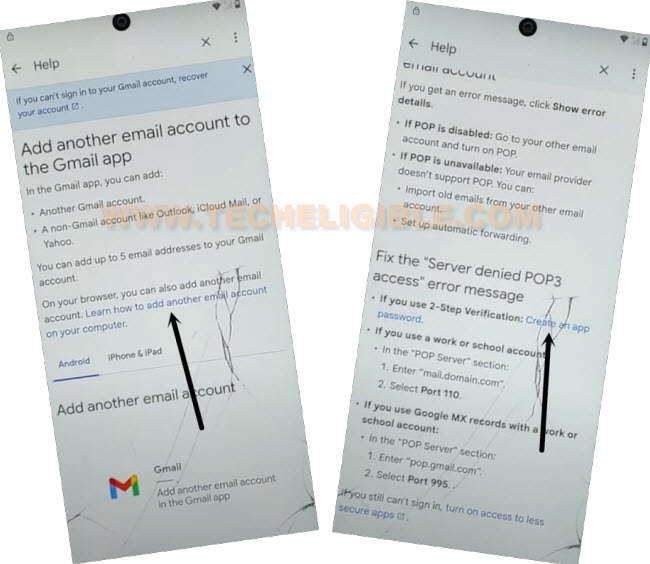
-Go to link “2-Steps Verification”.
-Tap to link “Change this default preference in your account settings”.
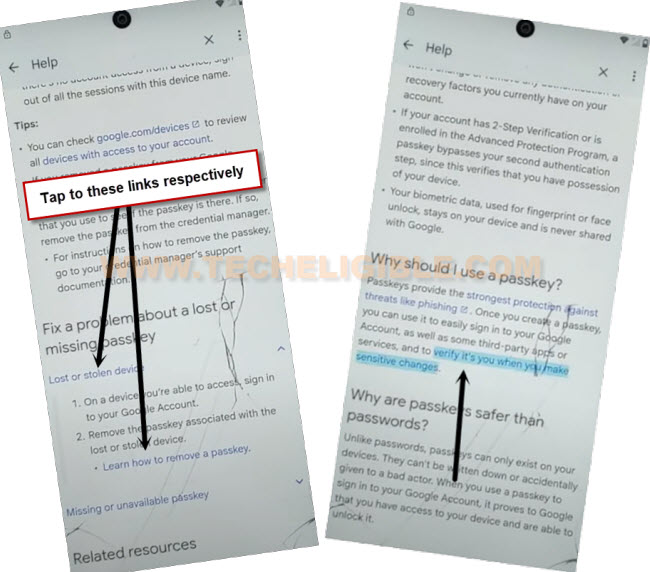
-Scroll down and tap on “Lost or Stolen Device” and then, tap on “Learn how to remove passkey”.
-Finally, tap to last link “Verify it’s you when you make sensitive changes”. This will launch a google chrome browser to Remove Google FRP Moto G 5G.
-From (Welcome to chrome) page, just choose an option “Use without an account” and then, tap on “No Thanks”.
Open up Dialer from FRP Tools Page:
-Access to techeligible website. After that, go to official frp tools page from there by hitting on “Menu icon” from top corner.
-Tap to “Download FRP Tools” text from sidebar menu.
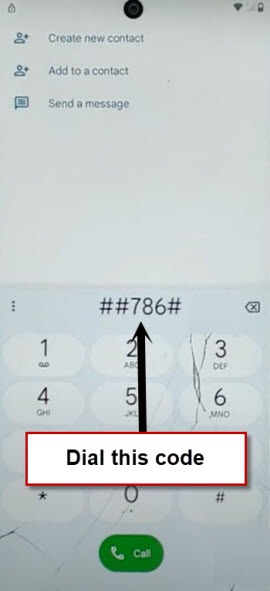
-Tap to “Open Dial Code” option from there. This will redirect you on dialer code screen.

-Dial this code now “##786#“. This will fetch a (Sprint RTN Reset Menu).
-Tap to “Reset”. After that, dial 6 times zero (000000). After that, hit on a “Verify” button.
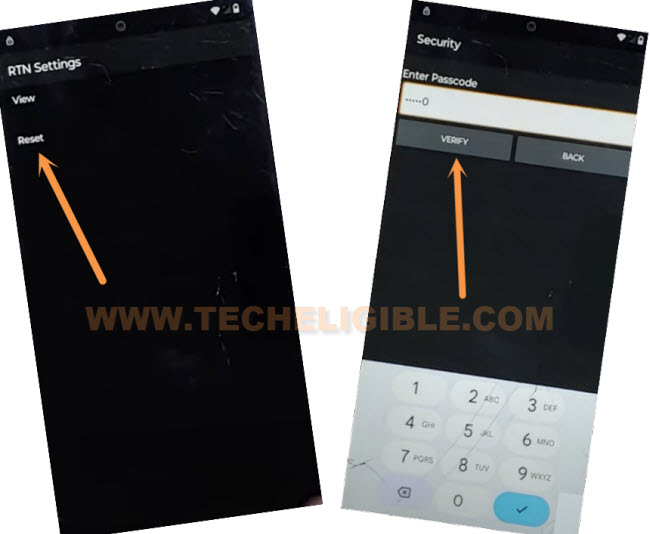
-After that, your device will auto restart and its all done from Remove Google FRP Moto G 5G.
-Allow several minutes for the factory data reset process to complete.
-After that, enter SIM card pin lock and tap to “NEXT” arrow icon to go to next.
-Swipe up the lock screen.
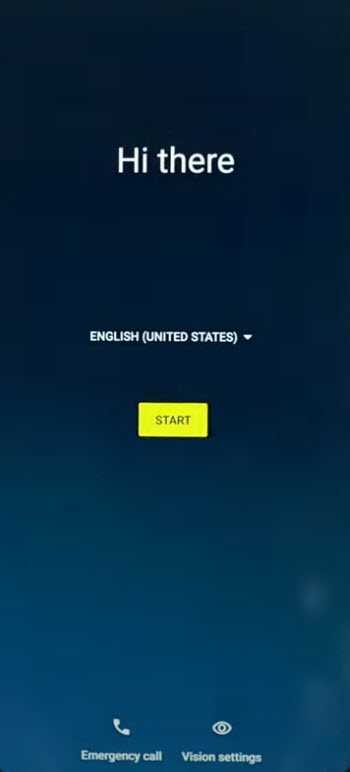
-From the first start up (Hi there) screen, just go to “Start” option.
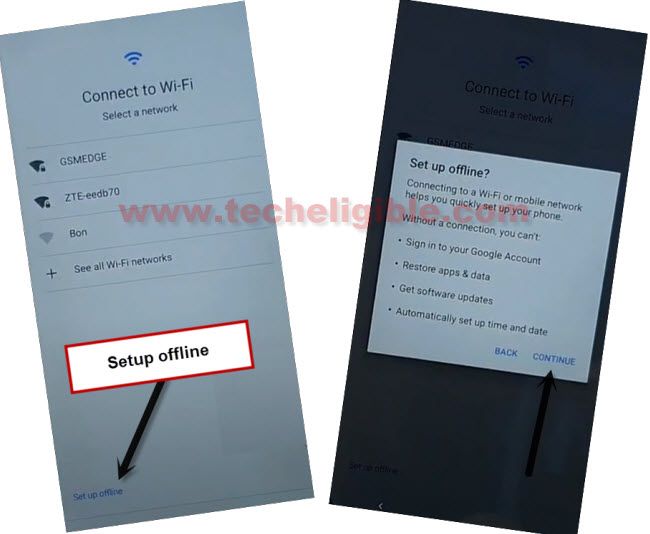
-Reach to (Connect to WiFi) page. From there, tap to > Setup offline > Continue.
-All remaining setup wizard steps can be done easily without any further instructions.