
If you have hard reset your device and unable to access back to your device main home-screen because of stuck on google sign in page. Then, you will have to follow up steps here to Bypass Google Account BLU J7. We will use a taking screen shot method. With the help of screen shot, you will be able to access to google chrome browser.
Disclaimer: We are creating this post to educate people about how to get back their lost device due to forgetting Google account. This method is only for device owner and for educational purpose only.
Let’s Start to Bypass Google Account BLU J7:
-Star this frp removal method by switching on your BLU device and connect WiFi.
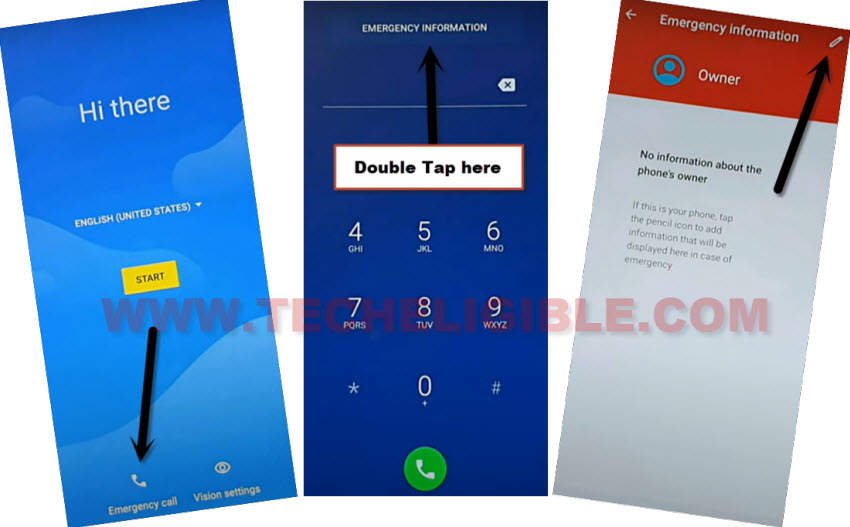
-Put your device back to first startup screen (Hi there). From there, go to “Emergency Call” option.
-After that, double tap on top center button “Emergency information”.
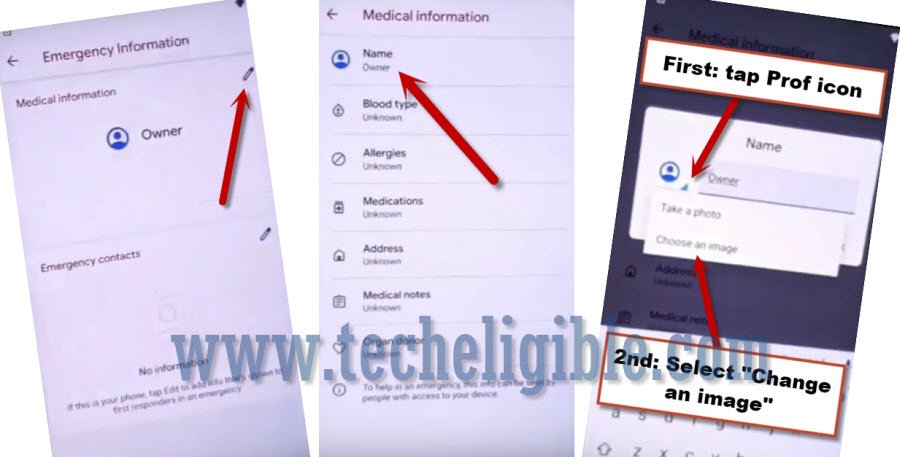
-Tap on a “Pencil” icon from top corner.
-Let’s hit over the “Name” from top of the medical information page.
-Tap to small “Down Arrow” icon from popup window same as shown in below image. After that, tap to “Choose an image”.
-Get up sidebar option by tapping on the “Menu” icon from top corner. After that, long hold at “Gallery Go”.
-Tap to “Open” option from next page.
-Hit on a “Continue” option from popup window.

-Take a screen shot from gallery go page by long pressing both “Volume Down + Power” key.
-After that, your screen shot taken image will appear up there.
-Tap on that screen shot image, and go to “Share” icon.

-Choose “Message” application and tap to “New Message” from popup window to reach to new message typing screen.
-Let’s create new message with any random number and send “www.youtube.com” url as text message to any random number.
-Tap on the youtube.com url same as shown in below image.

-You will be redirected to youtube official screen. From here, we can access to google chrome browser to easily Bypass Google Account BLU J7.
-Let’s hit over the “Account” icon from top corner and tap on “Settings”.

-Go to > About > Google Privacy Policy.
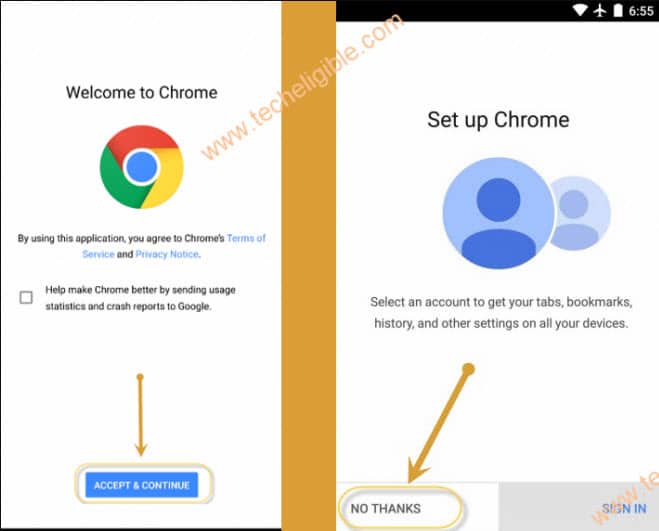
-Lets open with google chrome browser by tapping to > Accept & Continue > No Thanks.
Setup Pattern lock on BLU J7 to Bypass FRP:
-Access to techeligible website. After that, go to official frp tools page from there by hitting on “Menu icon” from top corner.
-Tap to “Download FRP Tools” text from sidebar menu.

-From frp tools screen, just tap on “Setup Pattern Lock” option.
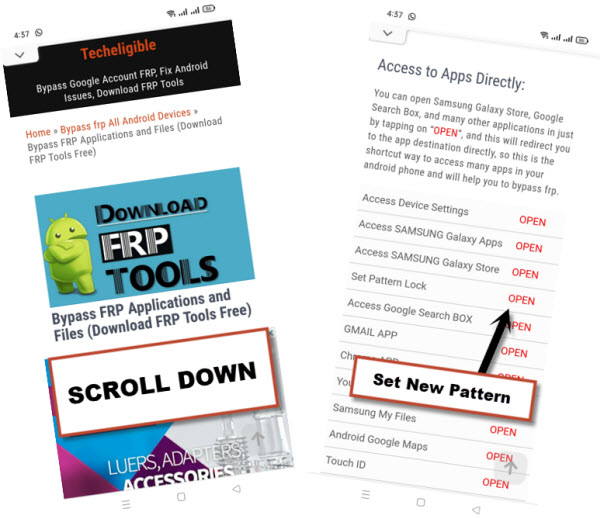
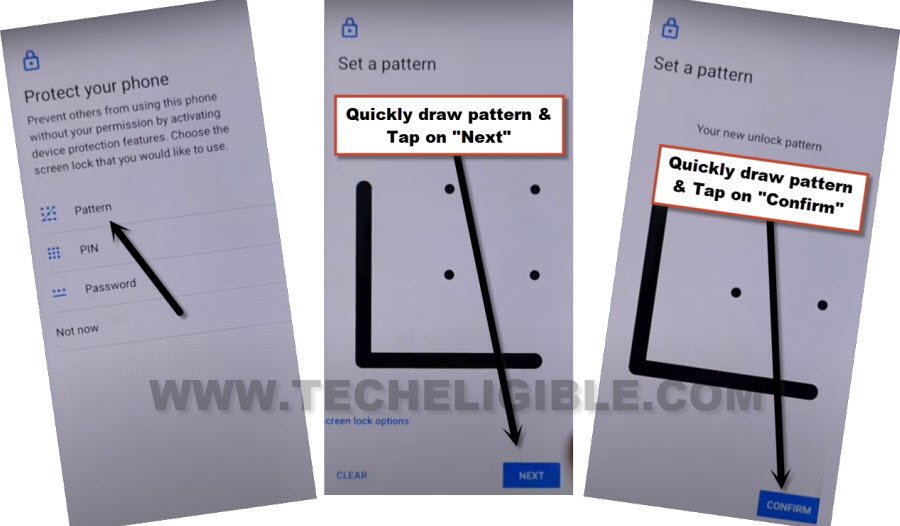
-You are now on a (Protect your phone) page. Choose “Pattern” option.
-Draw your any desire pattern lock and tap to “Next”.
-Draw again same pattern lock, and tap to “Confirm”.
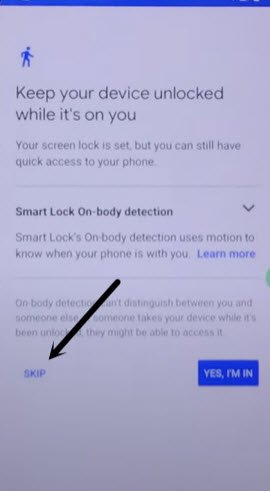
-Once the pattern lock is accepted by the device, you will be displayed another screen of (keep your device unlocked while its on you). From there, tap to “Skip” option.
-Its all done from Bypass Google Account BLU J7. We can go all the way back to first startup screen (Hi there / Hello).
-Complete setup wizard steps on your own. Once you reach to (Verify pattern) page. Just, draw your recently setup pattern lock over there to complete verification process.
-After that, you will be taken on a google sign in page.
-From there, hit on > Skip > Skip.
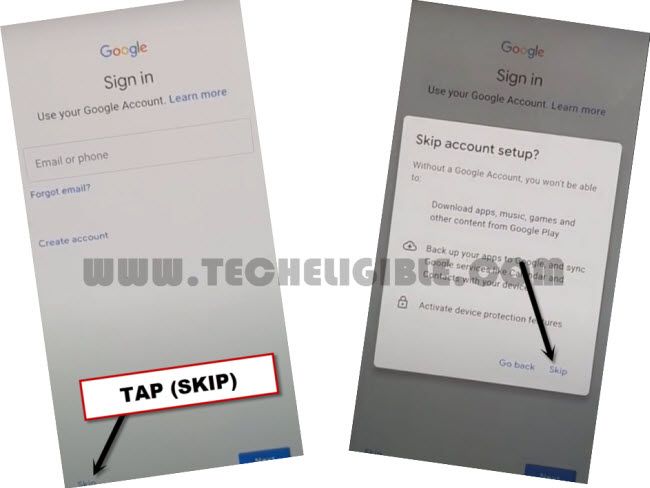
-You have successfully bypassed frp account. Other all remaining steps can be completed on your own easily without facing any trouble.