
It has been very common for many users to bypass frp on Alcatel Glimpse in these days because of people getting their devices locked right after hard reset. That usually occurs with those, who purchase 2nd hand android phone without knowing what google account was setup or previous owner of this device. If you are the one of those, and you are facing FRP locking issue, then follow up this way for Cricket Wireless Alcatel Glimpse FRP Bypass.
Are you unable to bypass google sign-in screen? No worry! follow up steps from this post and reach back to your device using PIN/Pattern lock setup from settings.
Cricket Wireless Alcatel Glimpse FRP Bypass Guideline:
-Turn on device Alcatel Glimpse and go to WiFi screen to connect WiFi.
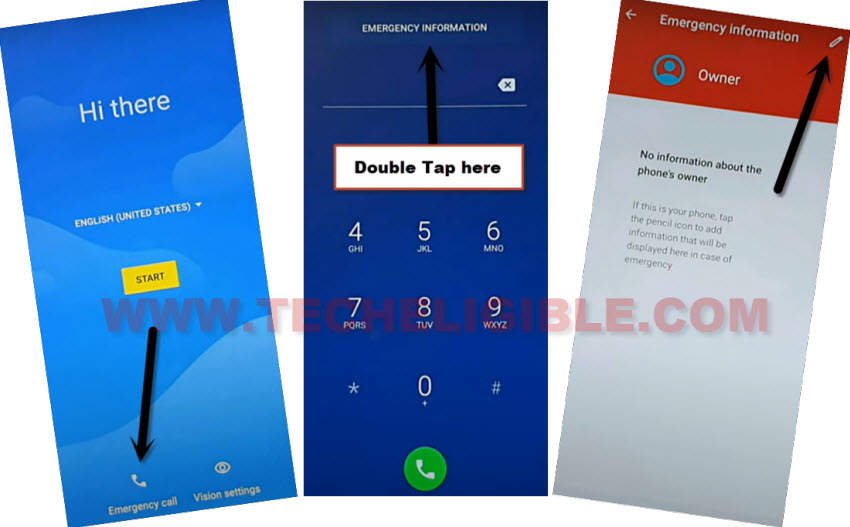
-Go back on (Hi there) home-screen and tap over the “Vision Settings” option from there.
-Let’s double tap on “Emergency information” button from top center and go to “Edit” icon from top corner.
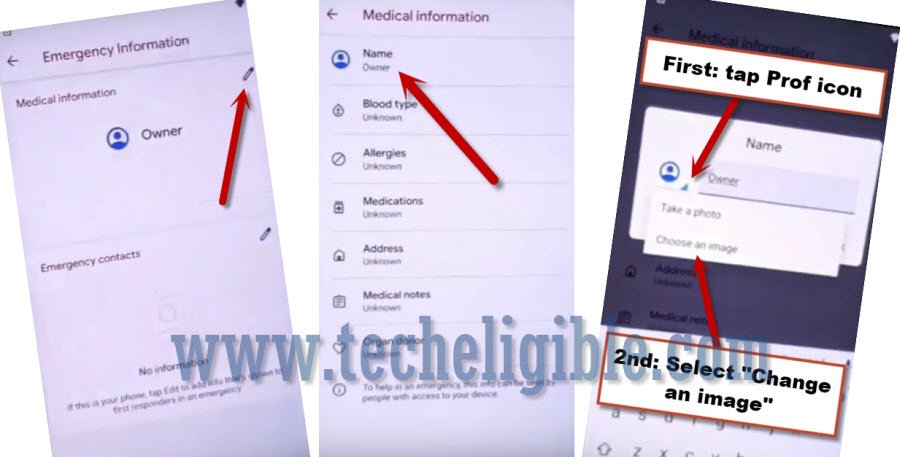
-Once you reach to information screen, tap over the “Name” option.
-From popup screen, just go to “Down Arrow” from there same as shown in below image. After that, you have to hit on “Choose an image”.
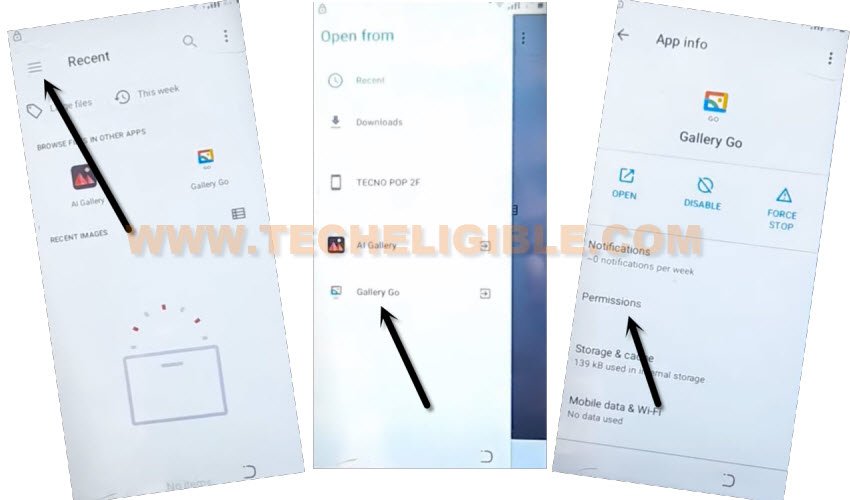
-You will access to (Recent) screen. From there, hit on a “Menu” icon. This will popup a sidebar menu, just long hold at “Gallery Go”.
-After that, hit over the “Permissions”.
-Search there “Settings” and tap on a “Settings app info”.
-Let’s hit on a “Open” link to access to main settings screen. From there, we will be able to bypass frp on Cricket Wireless Alcatel Glimpse.

Setup Screen Locking to Bypass FRP:
-You have to hit on a “Security” option.
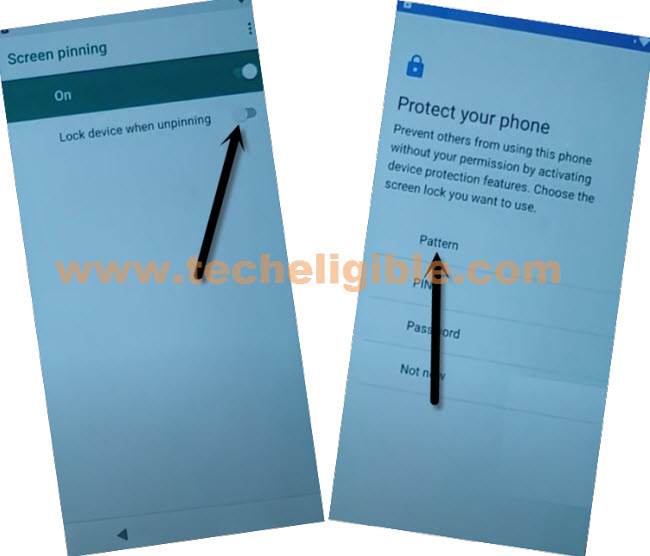
-Scroll down and tap over the “Screen Pinning” option and turn on option from top corner to bypass frp.
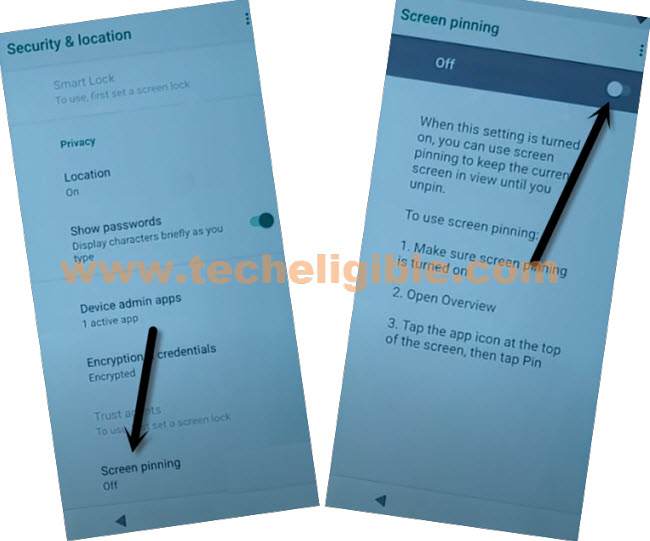
-We can access to screen lock setup screen by turning on “Lock Device When unpinning”.
-After that, tap to “Pattern” option and then, hit on “Yes”.
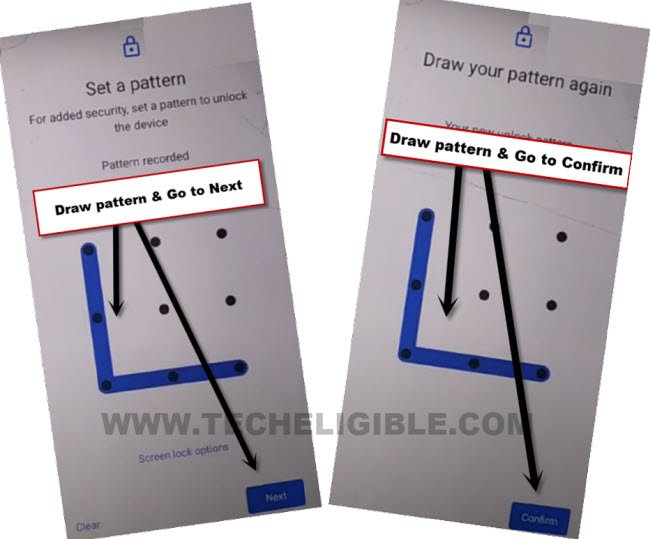
-Let’s draw a pattern and tap to “Next”.
-After that, draw same pattern again and then, hit on “Confirm” option. That means, your new security lock has been setup and its all done from Cricket Wireless Alcatel Glimpse FRP Bypass.
-Long press “Power button” and restart your device.
-We have to finish-up setup wizard steps just by tapping on > Start > Skip > Don’t Copy.
-After that, you will be redirected to the screen lock verification page. From there, draw your recently setup pattern to complete the verification step.
-You will access again on google sign-in screen. But, you will not stuck over there, because, you have already completed verification process. Hit on a > Skip > Skip from google sign-in screen.