
The Google Verification Screen appears solely for individuals who have performed a factory reset or hard reset on their mobile device and cannot recall the Google account that was signed in on that phone. These users encounter difficulties when trying to regain access to their Android device because they are locked out due to FRP lock security protection. You have two options available to use your device again after losing access to your Google account: one is to recover your forgotten account, or the other is to follow up a method to Bypass Google Account ZTE Grand X Max 2 (Z988).
Disclaimer: This FRP Unlocking method is only for the device owner to educate them, how to recover their FRP locked phone after attempting factory reset.
Bypass Google Account on ZTE Grand X Max 2:
In below frp bypass steps, we used talkback function on ZTE Grand X Max 2, after that, we successfully accessed to main menu of the phone and launched (Lookout) application, which is pre-installed app on ZTE Z981 device. Then, we just downloaded and installed (Test DPC) application, finally bypassed FRP completely through factory reset the phone again from main (Settings) interface.
Continue FRP Bypass Steps:
-First, connect to “Wi-Fi” to your ZTE frp locked device.
-Return to the “Welcome screen,” and long hold with two fingers on screen until “EXIT and Next” Options appear at the bottom of your display. After that, double tap on “Exit” option from there.
-Make “L” shape on the (Welcome Screen) by swiping down to right. Then, you will notice the “Google Search Bar” at the top of your display.

Let’s Disable the Talkback Function:
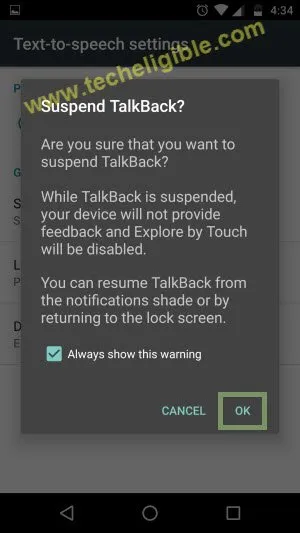
-After getting the (Search bar) at the top of the screen, we don’t need talkback function anymore. Disable this talkback by long holding both buttons “Volume UP + Volume Down”.
-Release keys once you see (Suspend Talkback?) screen, just double tap to “Ok” from there.
-Tap on “Google Search Bar”, after that tap on “NO THANKS”.
-Type “Android” in google search bar.
-Select “Android Stock” from search result, and then tap on “Location Permission”, after that “Allow.
-Congrats!, You have accessed to your ZTE Grand X Max 2 main home-screen.
Launch the (Lookout App) From Main Menu:
-Go to “Menu”, and tap on “Lookout” icon from there.

-Tap on “Get Started”, and then un-check “Enable Security”, and then tap on “Next”.
-Again un-check “Enable Backup”, and then tap on “Next”.
-Un-check “Enable Mobile Threat Network”, and tap on “NEXT”.
-Un-check “Enable Signals Flare”, and tap on “New User”.
-Go back to “MENU” by tapping several times on “Back Key” from ZMAX device.
Download FRP Bypass App on ZTE Grand X Max 2:
-Tap on “Chrome Icon” to open chrome browser.
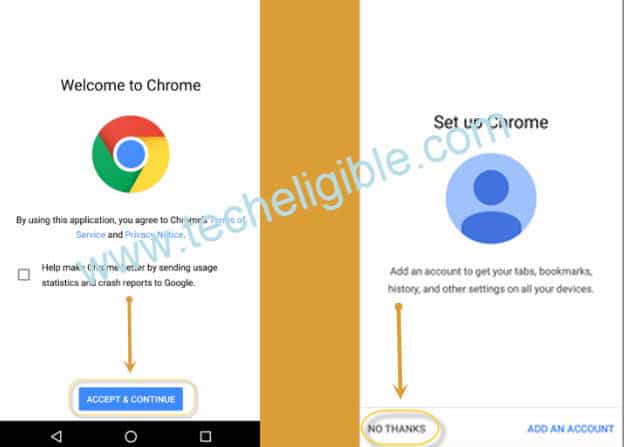
-Now tap “Accept & Continue”, and then “No Thanks”.
-Type in the Google search field “Google.com” and press “enter” on your Android keyboard.
-Next, input “Techeligible” in the search bar. Following that, click on the website that appears in the results.
-Select the “Menu” icon located in the upper right corner and choose “Download FRP Tools”.
-From there, download the application (Test DPC 4.0.5) onto your device.

-Return to the “MENU” by pressing the “Back Key” multiple times.
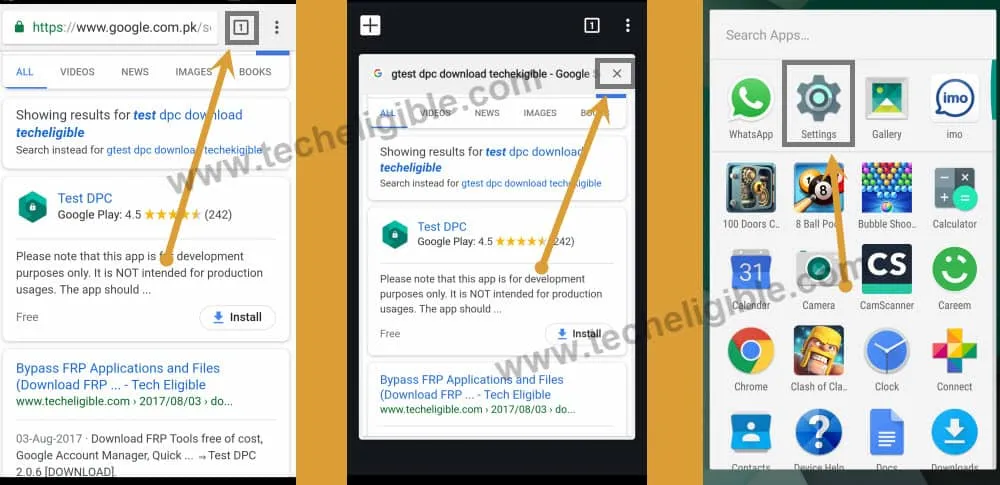
Reminder: If you find yourself stuck on the “Chrome browser,” simply select the “Tab” icon located in the upper right corner, as illustrated in the image below, and exit it.
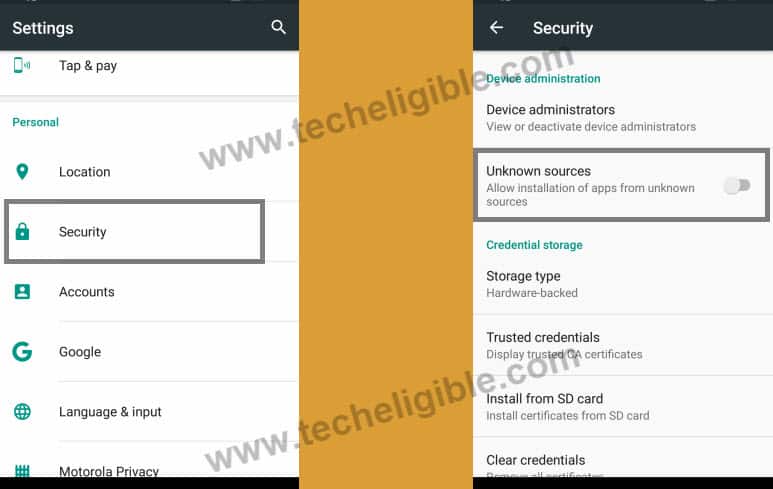
Turn on Unknown Sources from Settings:
– After returning to the “MENU,” select the “Settings icon” from the menu display.
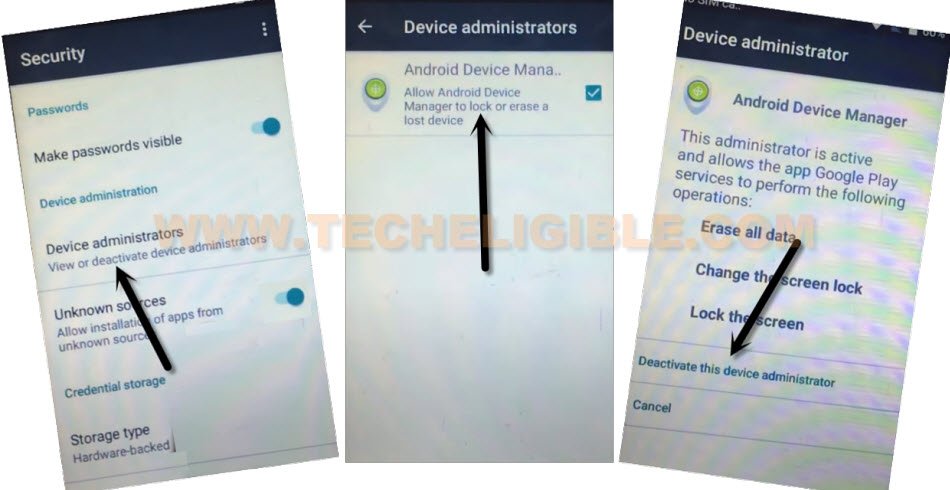
– Select “Security.”
– Choose “Device Administrator,” then select “Android Device Manager.”
– Next, press “Deactivate.” (Ensure that Android Device Manager is no longer checked).
-Go back to “Security” by tapping back key.
-Enable “Unknown Sources” from there.
Install Downloaded Test DPC App:
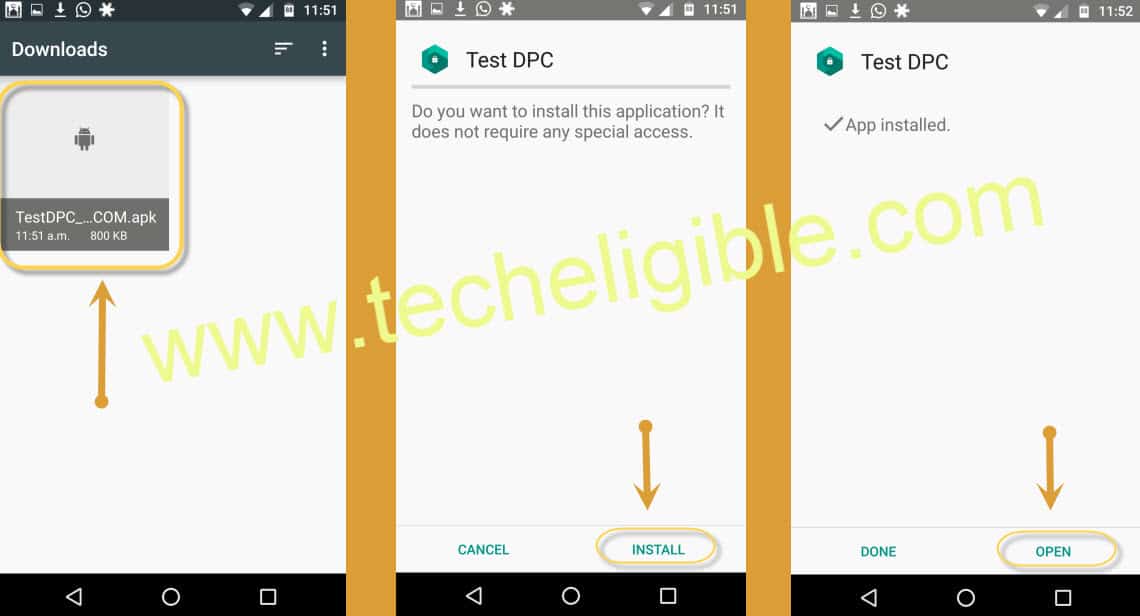
-To install this app easily on your device, reach back to (Menu) screen of the phone by tapping on back arrow icon. After that, open up (File Manager) app. Then, go to “Download” folder.
-Install now Test DPC app by tapping on > Test DPC > Install > Open.
Note: If you are unable to install “Test DPC”, don’t worry, look at below installation method.
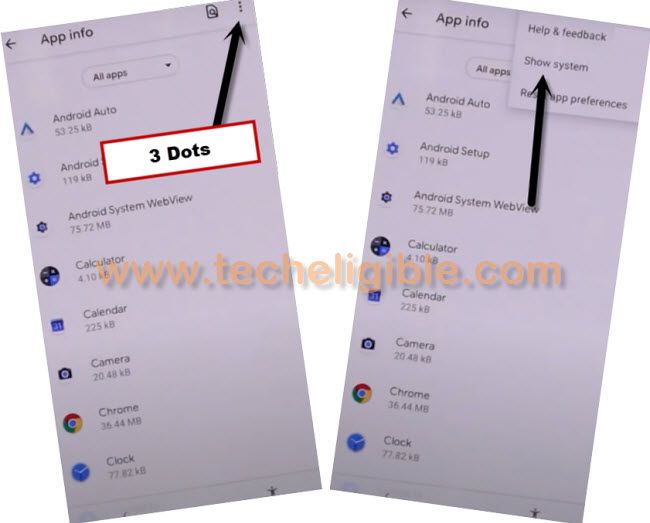
How to Install Test DPC Successfully:-Go to “Settings”. From there, tap to > Security > Deactivate Administrators > Make sure it is deactivate. -Go back to “Settings”. After that, scroll down little bit, and go to > Google > Security > Turn off “Important Harmful App Detection + Scan Device for Security Threats. -Now again go back to “Settings”. From there, tap to > Apps > File Manager > Storage > Clear Data > FORCE STOP. -Now go back to “APPS”. From app list screen, find and hit on > Lookout > Disable. -From “Apps”, tap on “3 Dots” at top right corner, after that tap on “Show Systems”.
-From Apps > Package Access Helper > Storage > Clear Data > FORCE STOP. -Now go back to “File Manager”, and then “Download Folder”, tap on “Test DPC” i hope this time you will be able to install it easily without having any error. -Now select “Setup Device Owner”, and then tap on “SET UP”. -Again tap on “SET UP”. -It will take some time to be setup, and you will be redirected back to “MENU” screen. |
Execute Factory Reset to Delete Old Account:
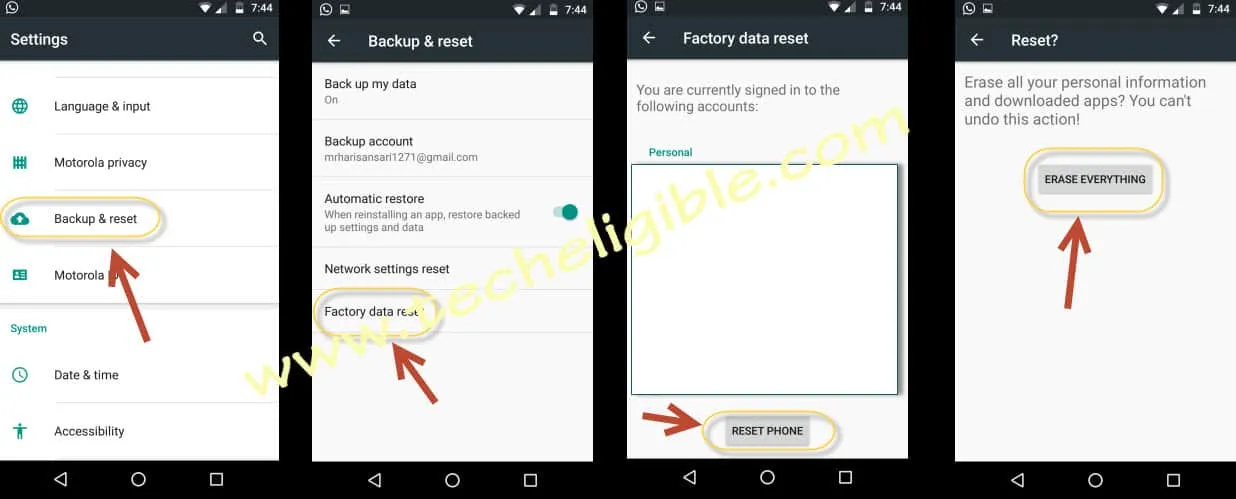
-We are going to factory reset our device to successfully Bypass Google Account on ZTE Grand X Max 2. This will delete old synchronized Gmail account.
-Firstly, go to main “Settings” screen of the ZTE phone. From there go to “Backup & Reset” option. Where, you will be able to see “Factory Data Reset” option. Just tap on that.
-After that, tap on > Reset Phone > ERASE EVERYTHING.
Conclusion
We simply got help with (Talkback Function) by enabling this and got the (Search bar) at the top of the screen. After that, we just disabled the talkback function. Then, we searched and access to (Android Stock) app from the google search bar. With the help of this android stock, we successfully reached to main home screen of the ZTE Grand X Max 2 device. From there, disabled some options from (Lookout) app. After that, used (TEST DPC) application to bypass frp account completely.