
Doing a factory reset on a Motorola android 15 device, it is necessary to sign in again with the previously linked Google account in order to finalize the verification steps. If this is not done, the device will stay stuck on the Google sign-in page, preventing you from accessing it once more. To resolve the issue of the FRP lock, you can either retrieve your forgotten Gmail ID or follow the steps to bypass frp All Motorola Android 15 phone.
In this guideline, we do require a (Sprint USA SIM) card. If you have this card even without signal, it will work perfectly, otherwise, you can arrange this card by online purchasing from eBay or any other renowned platform.
Note: The Motorola Android 15 must be from US provider: AT&T, CRK, SPR, TMO, or VZW.
Disclaimer: We highly recommend you to apply this method only on your own device. If you are not owner of this device, or you found this from some where, you must return to its real owner.
Bypass FRP All Motorola Android 15 (By Sprint USA SIM)
-Before starting this process, must read some important info from above.
-Add 4 digits PIN lock code on your Sprint USA sim card using any other android phone. You can google it or visit our post about how to setup pin lock code.
-Turn on Motorola android 15 phone and connect to WiFi network.
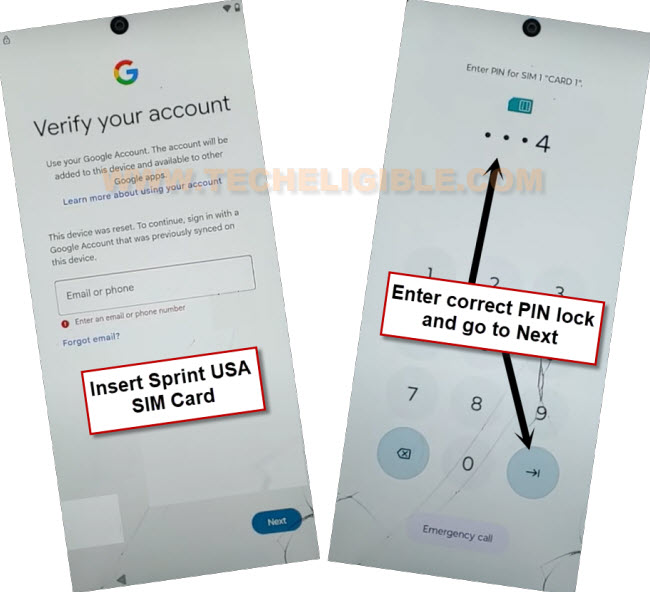
-Afterwards, we are going to insert the pin locked setup (Sprint USA sim card). After that, you will be shown a (Lock Screen). Simply enter your correct 4 digits pin lock code to unlock it.
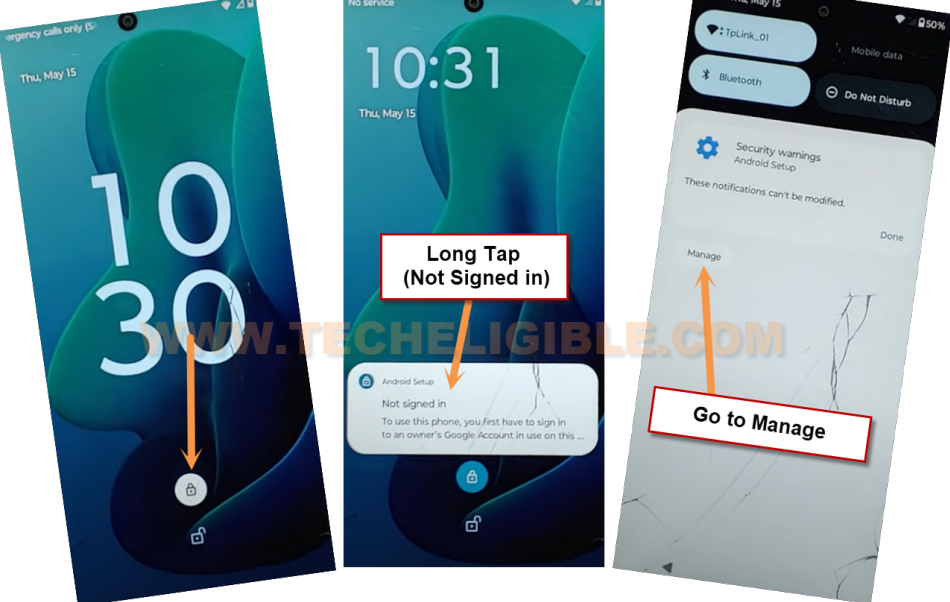
-You will receive a lock screen, tap on “Lock icon” and then, long tap at the “Not signed in” message. Then, tap at “Manage” option.
Note: If you are not seeing same screen as shown in below, re-insert sim card and try again.
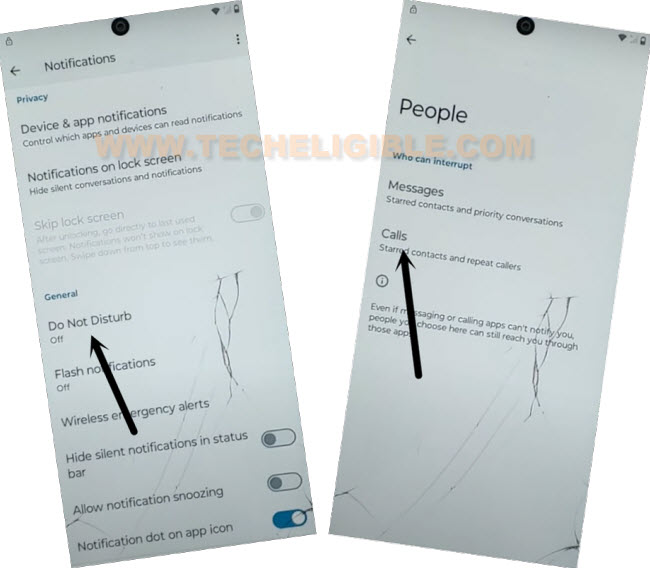
-From the (Notifications) screen, let’s go ahead by tapping > Do not disturb > People > Calls.
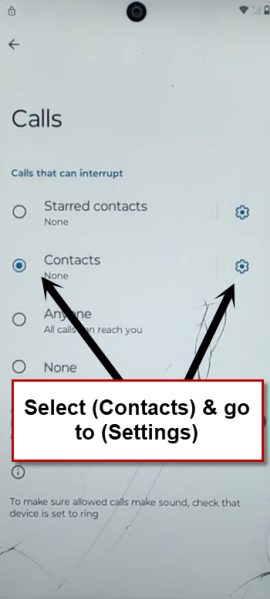
-Check mark the “Contacts” option, then, tap at “Settings” gear icon same as illustrated in below image.
-Tap to “Allow” from popup screen.
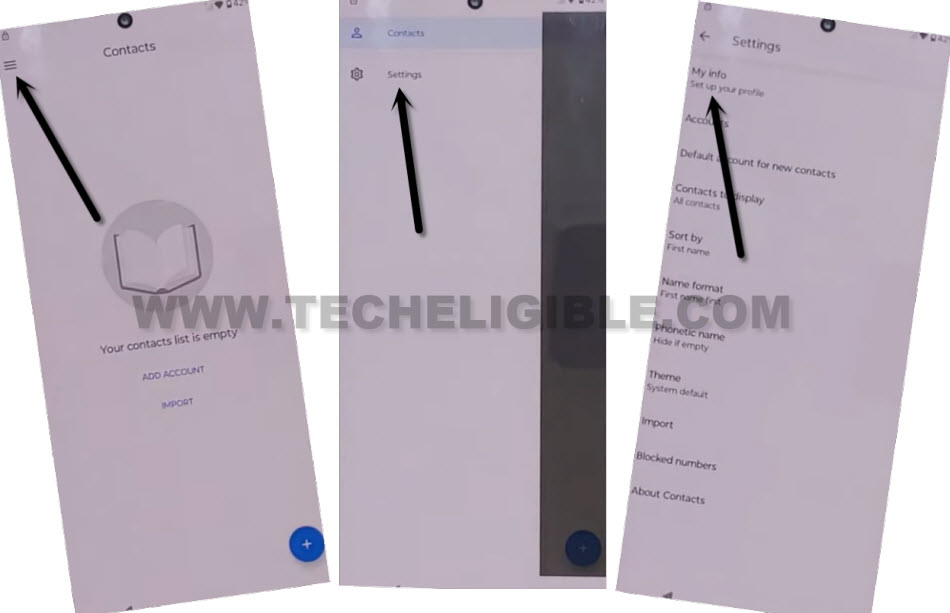
-Let’s go to > Menu > Settings > My Info.
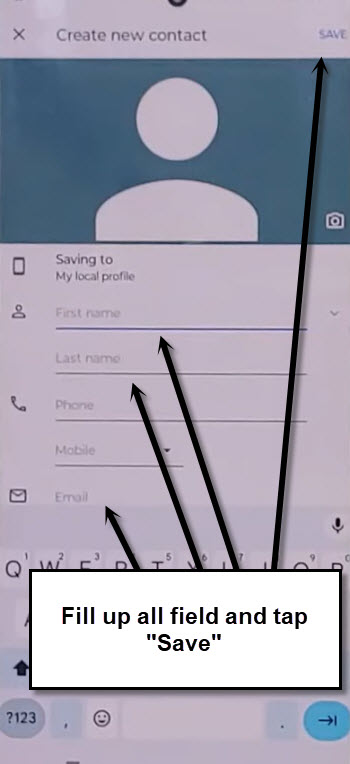
-Setup new contact by giving details (First Name, Last Name, Email address). Once its done, just tap to “Save” from top corner.
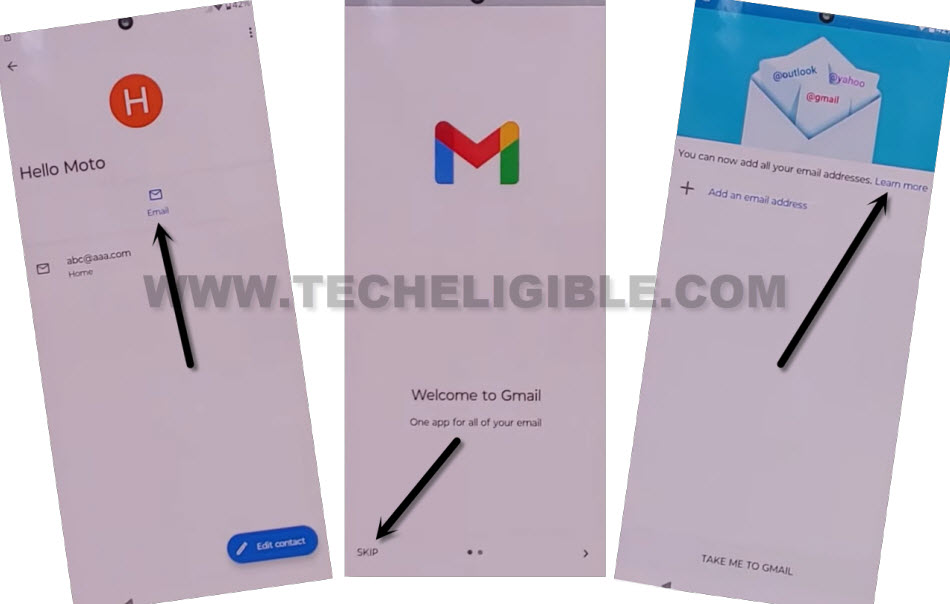
-Tap to “Email” icon, then, this will open up the gmail screen, from there, tap “Skip”.
-Let’s tap “Learn More” link.
-Tap further links named > Learn how to add another email on your computer > Create an app password > 2 step verifications > Change this default preference in your account settings.
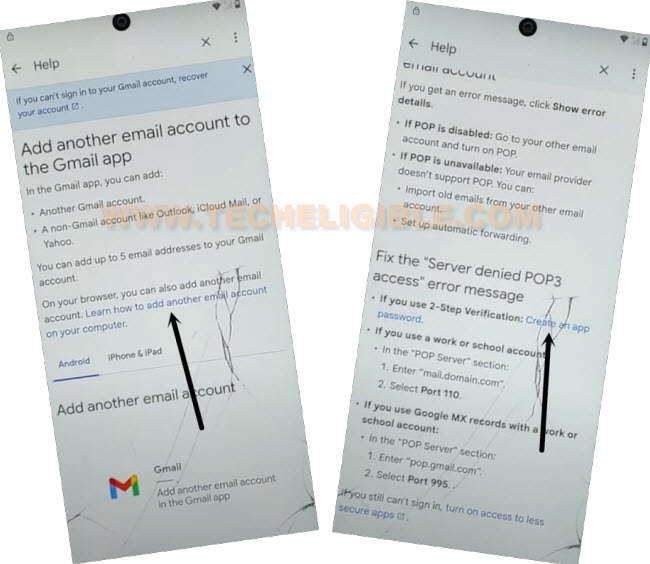
-From next screen, just scroll down little bit and tap another blue link > Lost or stolen device > Learn how to remove a passkey. After that, this link as well “Verify its you when you make sensitive changes”.
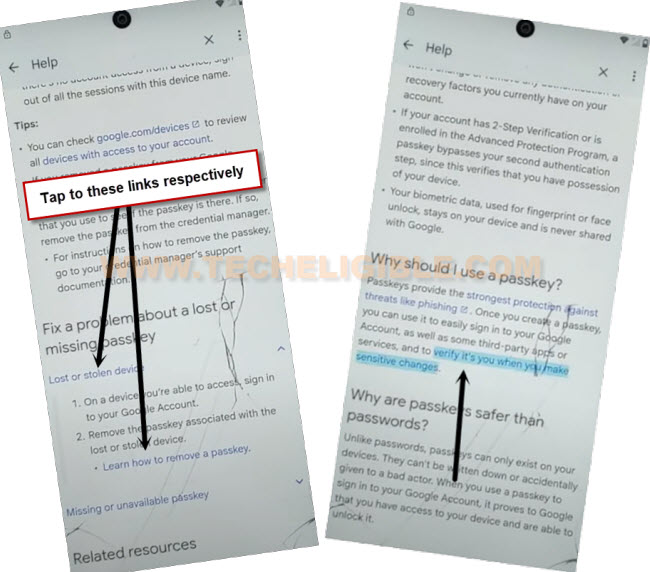
-You will reach at the google chrome browser screen. From there, hit on > Use without an account > No Thanks.
Dial Code to Access RTN Menu:
-Search in browser with “Techeligible”, after that, go to first searched result of the our site.
-Open up the sidebar (Menu) and go to “Download FRP Tools”.

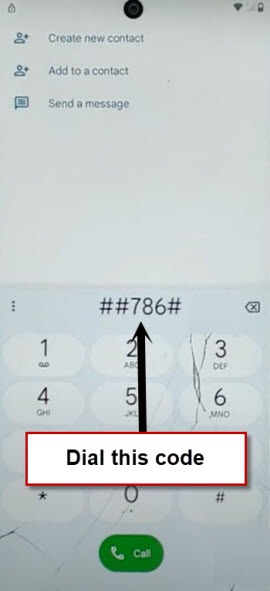
-Scroll down little bit and tap on “Open Dial Code” option. Finally, dial the code there ##786#.
Reset Phone Completely
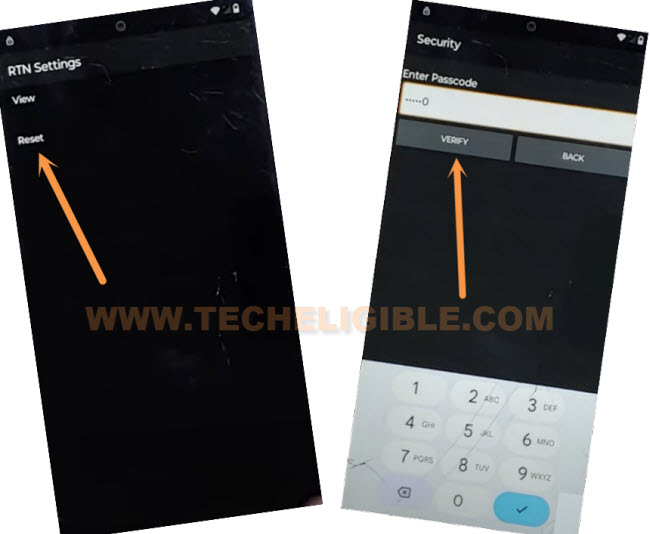
-If you are using Sprint USA SIM card, then, the (Sprint RTN Reset Menu) will be displayed on screen.
-We can soft reset the phone easily by going “Reset” option.
-Enter sim times 0 digits on screen (000000). Then, hit on “Verify” option.
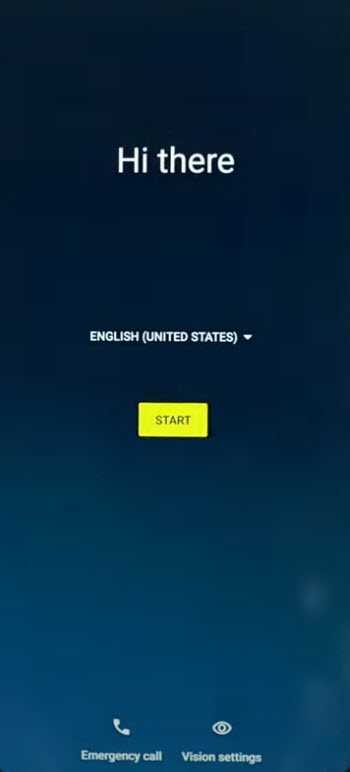
-Wait until the factory reset procedure completes and you have a (Hello) start up screen after entering the pin lock code again.
-Tap at “Start” option.
-After tapping some (Next/Start/Skip) options, you will reach at (Connect to WiFi) page. From there, tap > Setup offline > Continue.
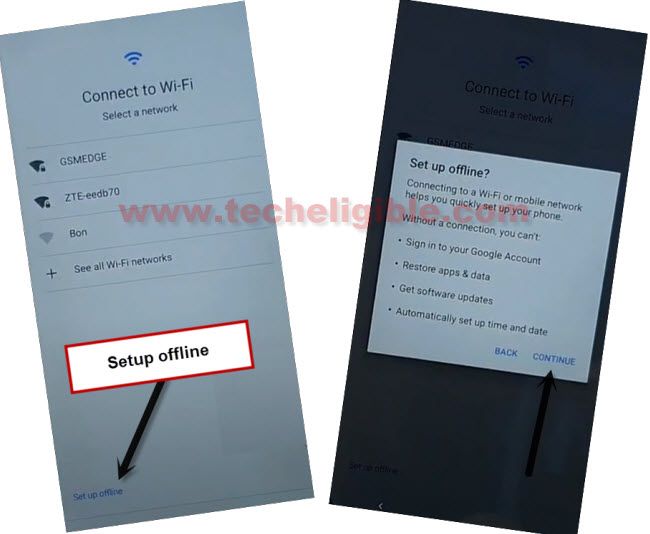
-You are all done now from bypass frp Motoroloa Android 15, let’s finish up the remaining startup steps on your own without stuck on the google verification screen. Your old Gmail account has been removed completely through factory reset.
FAQs About Motorola (Android 15):
I am not from USA, how do i get Sprint USA SIM?
This sim card can be purchased online and signal is not required. We just need a SIM card and your device should be from USA provider.
I am not getting RTN Menu even after inserting Sprint USA SIM Card?
Your device must from US provide, such as (AT&T, CRK, SPR, TMO, or VZW).
How do i setup 4 digits PIN lock code?
The Bottom Line:
We arranged and setup 4 digits Pin code on a (Sprint USA SIM card). After that, inserted the SIM on a USA Provider Moto Android 15 phone. After that, accessed to main chrome browser by tapping some hyperlinks from the help page of the phone. Then, we just accessed to main (Settings) page of the phone from techeligible official frp tools page. Finally, we brought up the SIM RTN Menu and reset the phone completely to delete old setup google account.