
Forgot your Gmail ID that was previously configured on the phone after a hard reset? Factory Reset Protection will activate and prevent access to your device until you verify ownership by logging back into your Google account. To resolve this, you can either recover your Google account or check our steps to Bypass FRP Moto Edge 2024 Android 14 Without any need of PC & Paid services.
Remember: This method is only for those, whose Moto Edge (2024) belong to (USA Services Provider), such as Verizon, T-Mobile, AT&T, U.S. Cellular. You must own a (Sprint USA SIM) sim card. If you don’t, you can purchase this online from (eBay etc).
Disclaimer: We strongly suggest that you utilize this technique solely on your own gadget. In the event that you do not possess this gadget, or if you obtained it from another source, you should give it back to its rightful owner.
Let’s Start to Bypass FRP Moto Edge 2024 (Android 14):
-Obtain a Sprint USA SIM card and set up a four-digit PIN lock code on it, so that we can utilize this SIM for bypassing FRP.
Note: Your Moto Edge 2024 device must originate from a USA carrier.
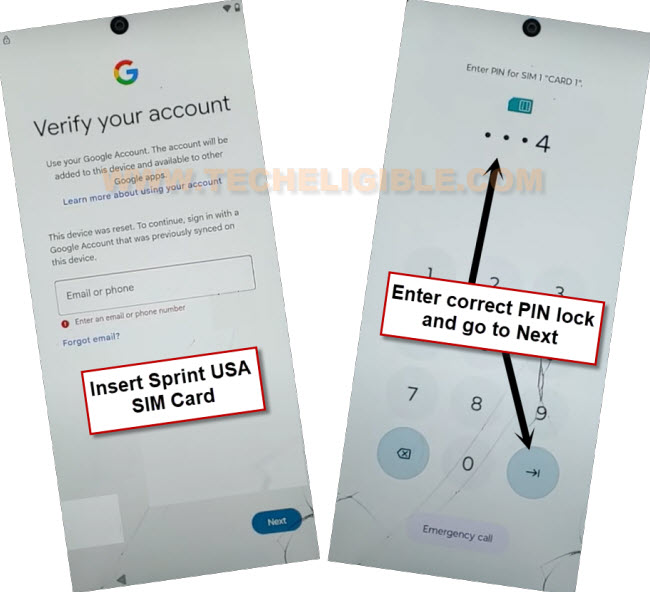
-Let’s continue by connect WiFi and reach (Verify your account) page. Finally, insert the pin locked sim and enter your sim pin code to unlock, then, tap to “Next” option.
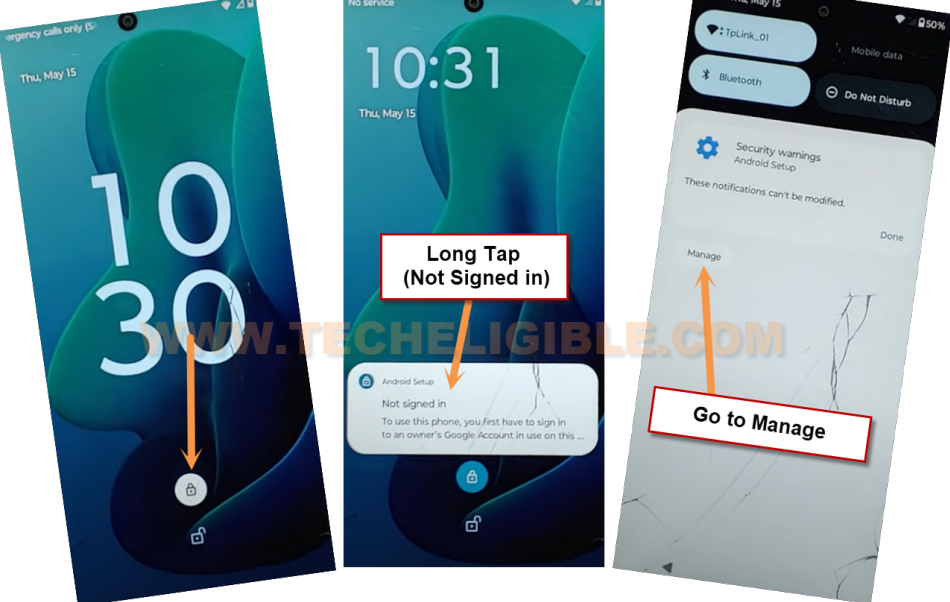
-When you arrive at the lock screen, simply tap the lock icon, then press and hold the “Not Signed in” message. After that, from notification bar, go to “Manage”.
Note: If the screen you see differs from the one shown below, reinsert the SIM card and attempt the process again.
Save New Contact
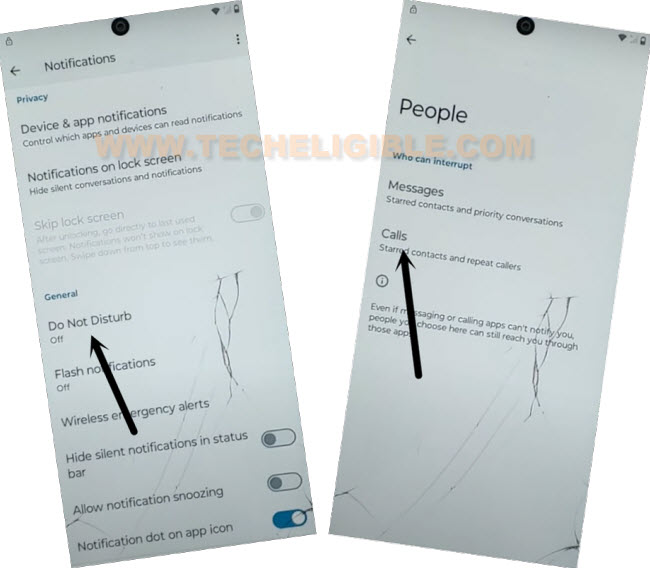
-Select the option for “Do not disturb”. Following that, navigate to > People > Calls.
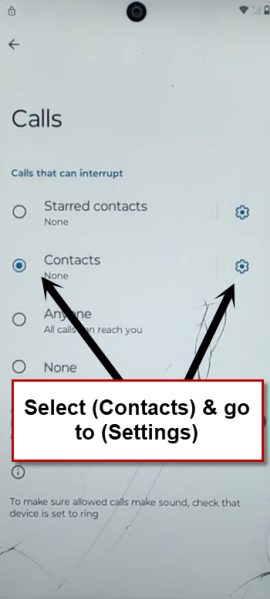
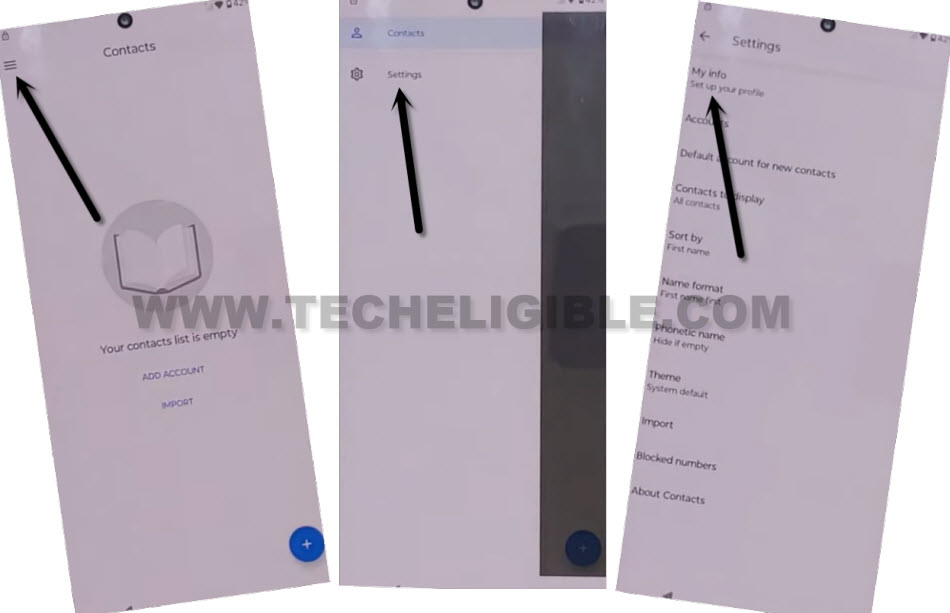
-Choose “Contact” and proceed to “Settings”.
-When a popup window appears, select the “Allow” option to continue the FRP bypass procedure. Next, click on the “Menu” option located at the extreme top left corner.
-Afterwards, go to “Settings” and select “My info”.
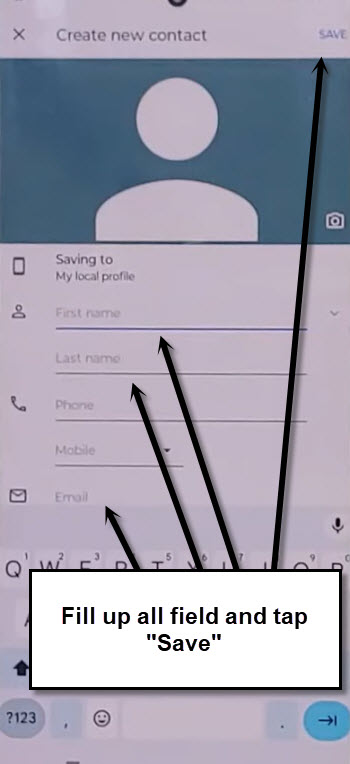
-We have to setup latest contact by assigning any random name and email address. Save this contact information by tapping on the “Save” option.
Go to Gmail Help Page
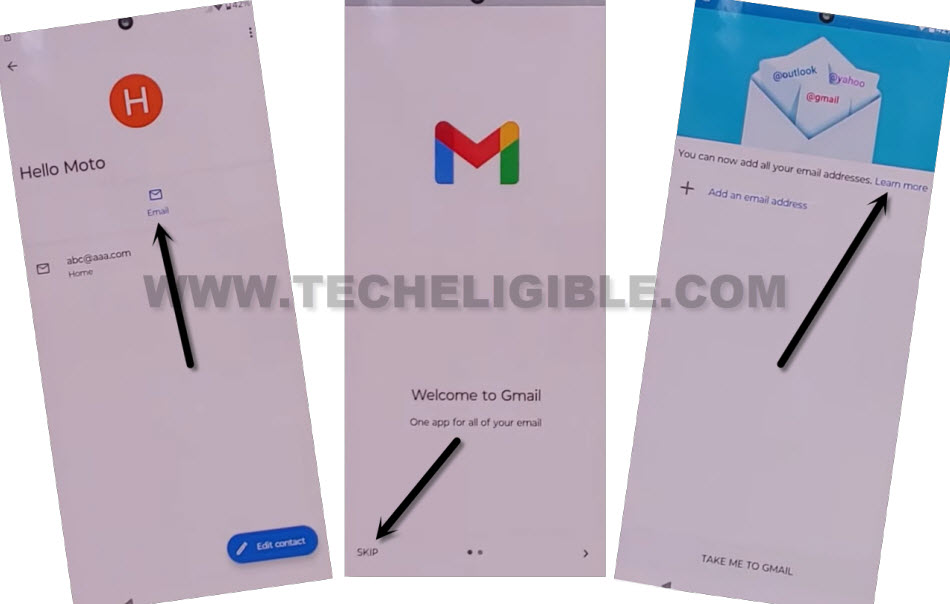
-You will see the saved contact information page, from which you should click the “Email” icon at the top.
-After that, tap on > Skip > Learn More.
-Tap the following links > Learn how to add another email on your computer > Create an app password > 2 step verifications > Change this default preference in your account settings.
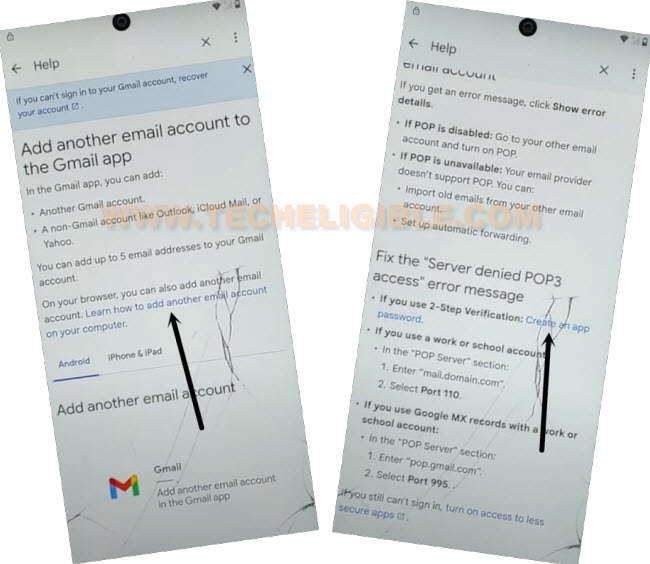
-Next, click on the “Lost or stolen device” link to expand it. Then tap the link > Learn how to remove a passkey > Verify its you when you make sensitive changes.
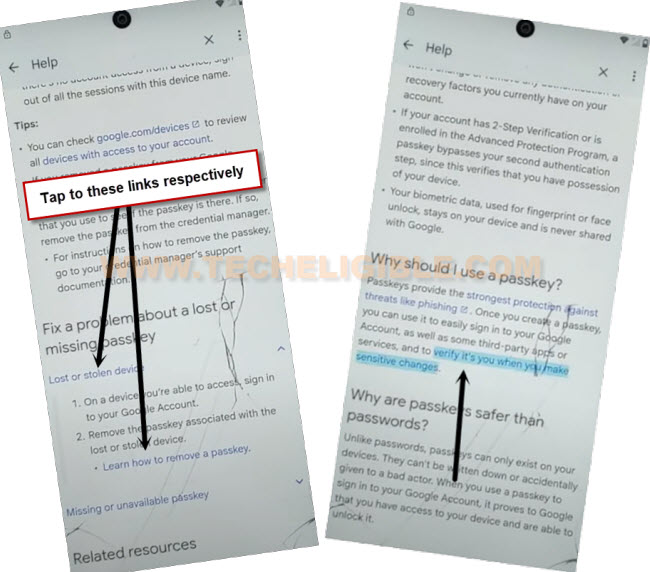
-In the Chrome popup, go to > Use without an account > No Thanks.
Factory Reset through SIM Menu:
-Once you arrive at the Chrome browser page, search for “Techeligible” and click on our site from the search results. After that, you have to go to > Menu option > Download frp tools.

-Launch the dialer directly by tapping on “Open Dial Code” from the frp tools display.
-Let’s dial the code ##786#.
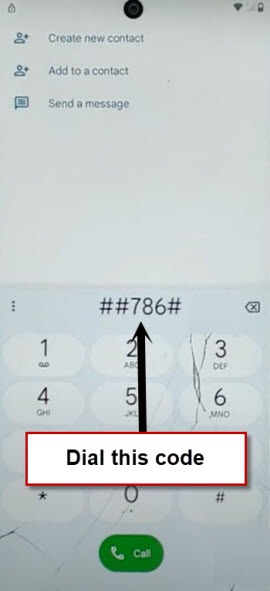
-After successfully dialing the code, you will be redirected to the RTN Settings screen. This setting is only available with a Sprint USA SIM. Then, just tap “Reset” function and complete this process by dialing “000000” code. Tap at “Verify”.
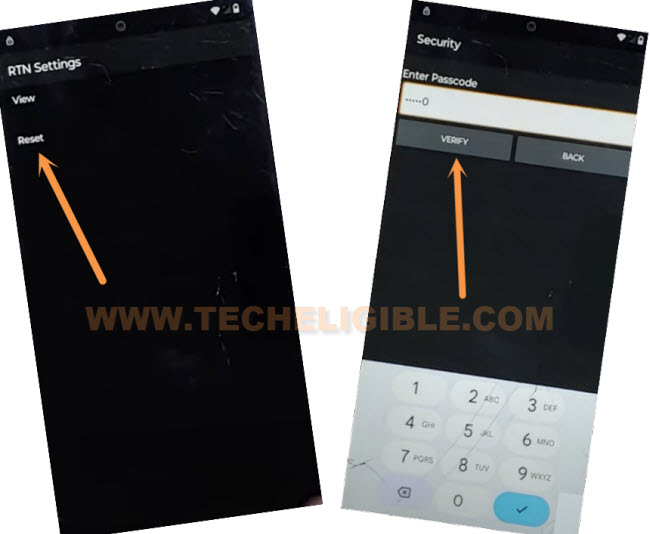
-The Moto edge 2024 will restart and prompt you to wait until the factory reset process is completed successfully. Afterward, you will see the SIM Card Lock Screen again. Enter the correct four-digit PIN code and proceed to unlock it.
-On the initial startup (Hi there) screen, press the “Start” button.
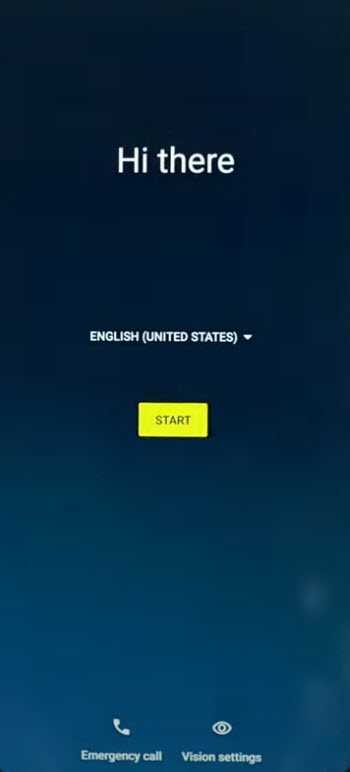
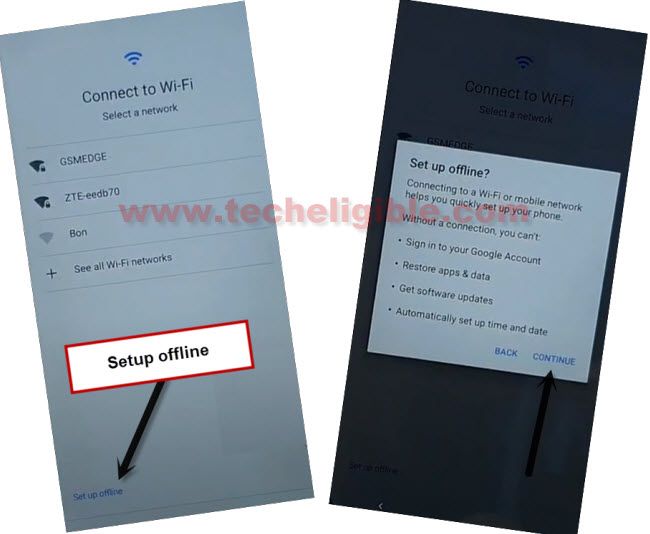
-Arrive at the Connect to WiFi page and complete all setup wizard steps in offline mode by pressing > Setup offline > Continue.
You are able to finish the other startup procedures by yourself. This is because you have already finished bypass frp Moto Edge 2024.
The Bottom Line:
We successfully accessed to the main home-screen on Moto Edge 2024 after bypassing the frp lock protection through (Sprint USA SIM card). This card is must to use and reset the phone with. We simply inserted the sim card and accessed to frp tools screen. From there, launched the dialer screen and dialed there to fetch the SIM card menu. Where from, we just chose the (Reset) option to factory reset and deleted the forgotten google account.