
Forgot the Gmail account that was logged in earlier and cant get through the google sign-in screen? If you have performed a hard reset on your device by accessing the Android Recovery Mode, you will need to enter the previously configured Google account to verify ownership of the phone. This is a feature known as FRP Locking, which activates when a factory reset is done forcibly. If you are struggling to remember and regain access to your Gmail account, follow this guide to bypass Google FRP on the Cubot Note 20Pro.
Some individuals reset their phones forcefully to gain access to stolen devices or to bypass the owner’s screen lock. This behavior has led to the introduction of the FRP locking mechanism to prevent such actions and secure the phone with the owner’s Google account.
Disclaimer: This FRP method should not be attempted on a stolen device, as it is a serious offense. Attempting to bypass FRP on a stolen device could lead to imprisonment. This process is meant solely for the rightful device owner and for educational purposes.
How to Bypass Google FRP Cubot Note 20 Pro
– Begin this straightforward process by powering on the Cubot phone and ensuring you have a stable WiFi connection.
– Next, return to the startup screen that displays “Hi there.” Now change the phone’s language to Russian or any language relevant to your region.
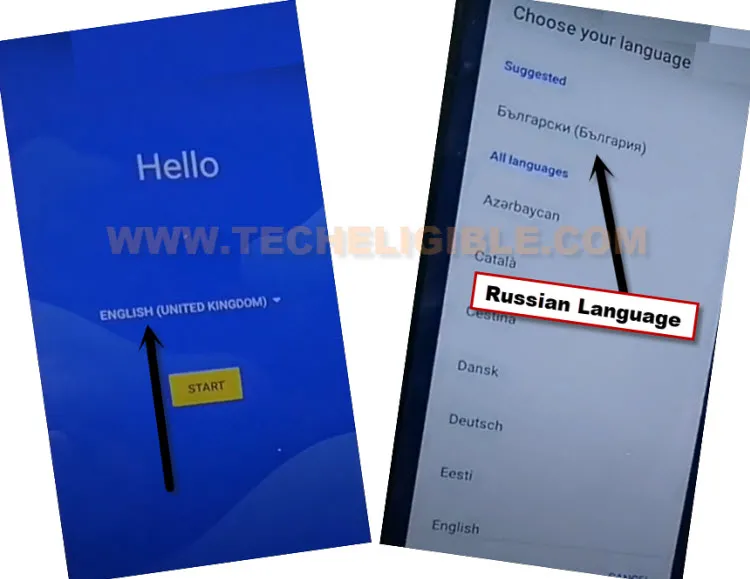
– Once the phone’s language has been successfully altered, let’s proceed by selecting the yellow option displayed.
– Tap on the option located at the bottom left corner.

– Wait for the loading screen to complete, then tap the bottom left option once more.
– On the next screen, click the link that is labeled “Google”.
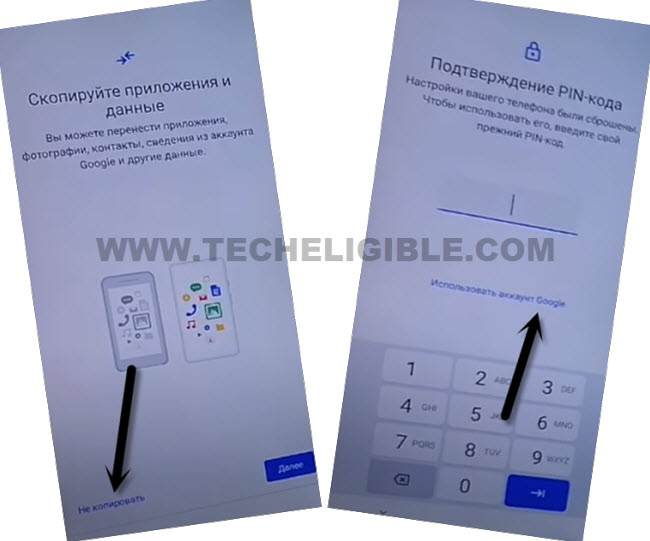
Include Keyboard Languages
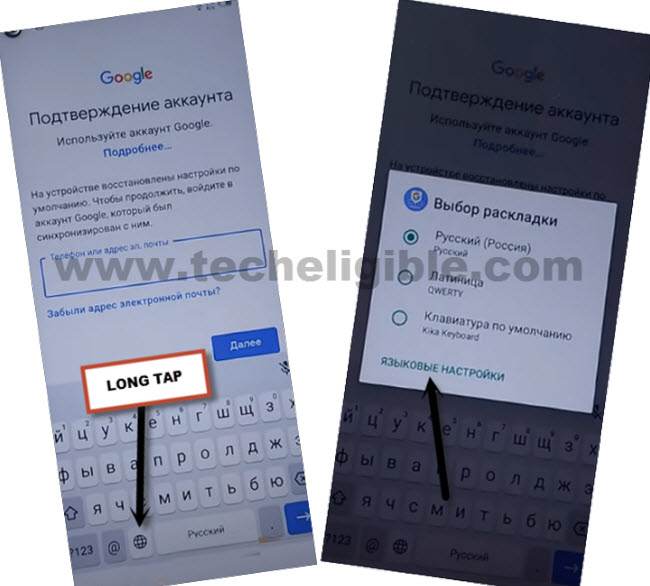
– A Google verification page will appear. From this page, press and hold the “World” icon on your phone’s keyboard.
– A pop-up window will present itself; just tap on the last link available there.
– You will be redirected to the add keyboard page; just press the blue button located at the center at the bottom.
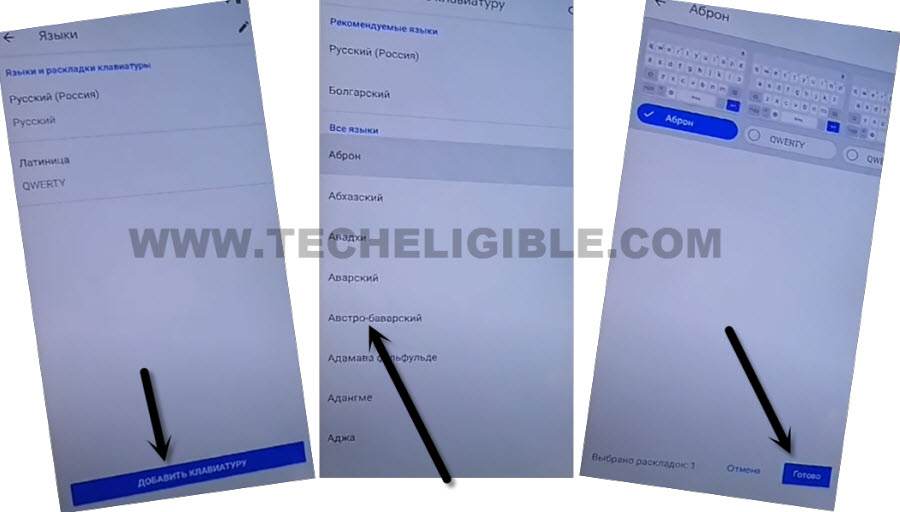
– Select the language that is in the third position and then tap on the option located at the bottom right.
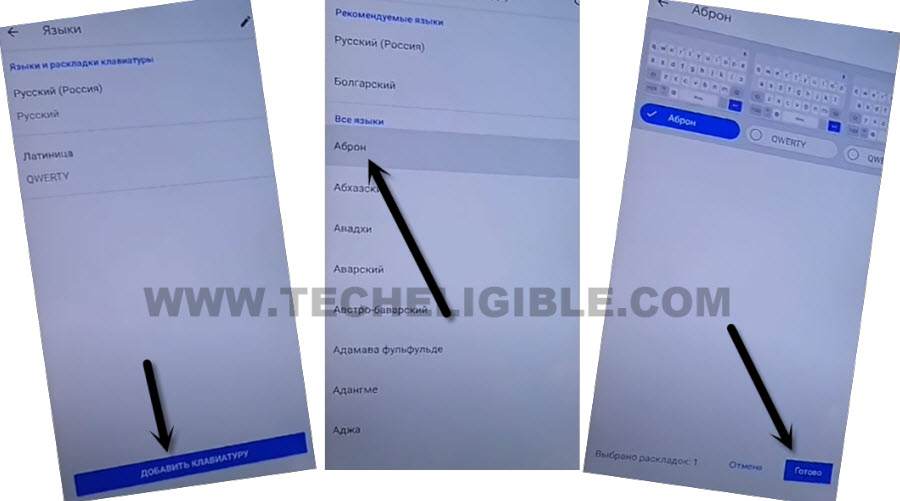
– After this, select the center option again and choose the language that is in the fourth position. Then tap on the bottom right option.
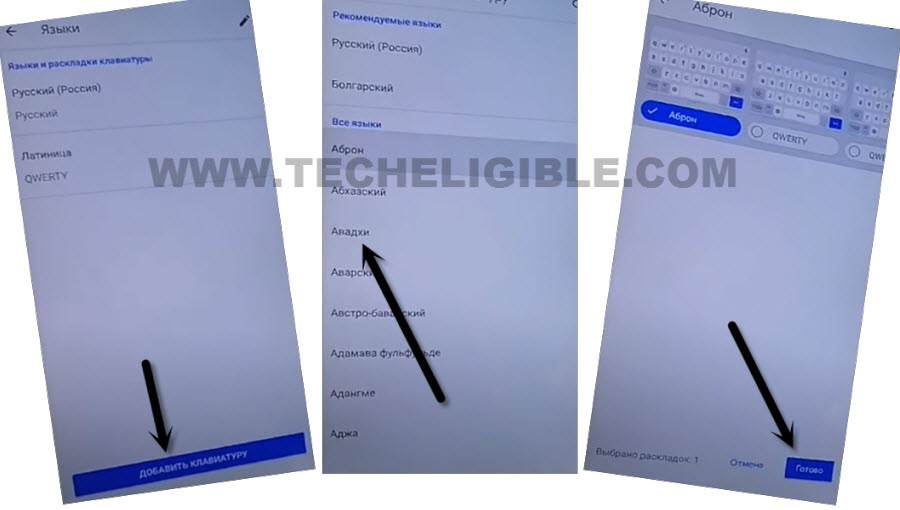
– We will add yet another language by tapping on the blue option, then selecting the fifth language, followed by the bottom right option.
Modify Language to Access the FRP Tools Page
– Now, we need to revert the phone’s language back to English. Return to the startup (Hi there) page and change it to English.

– Afterwards, let’s go back to the (Verify your account) screen as indicated in the screenshot provided below.
– Then, press and hold the “World” icon and select the last blue link from the pop-up menu.
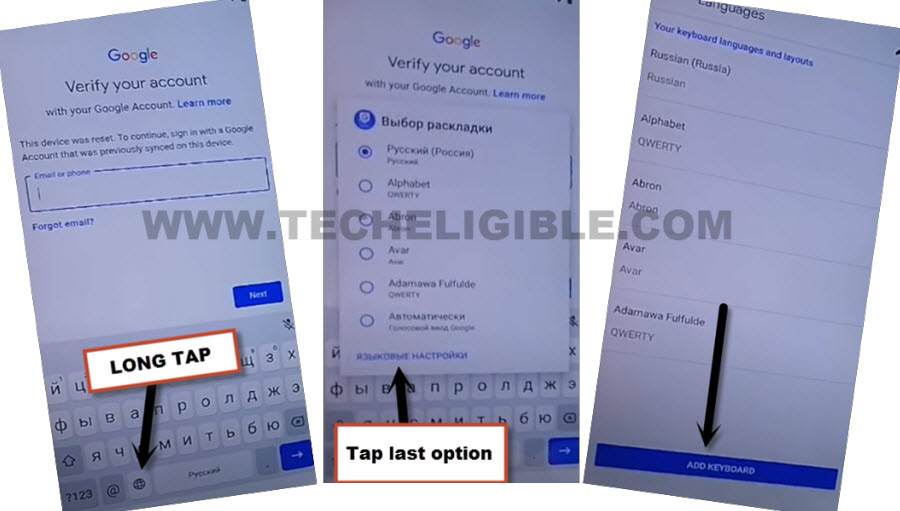
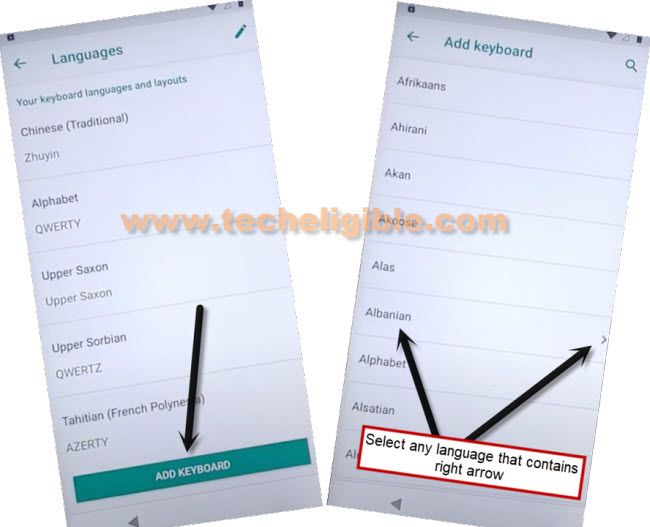
-You have to hit over the “Add Keyboard” button. Subsequently, pick any language mentioned with an arrow icon.
– Bring up the pop-up options by clicking on the menu with the “3 dots” and navigate to “Help & Feedback” option from top corner.
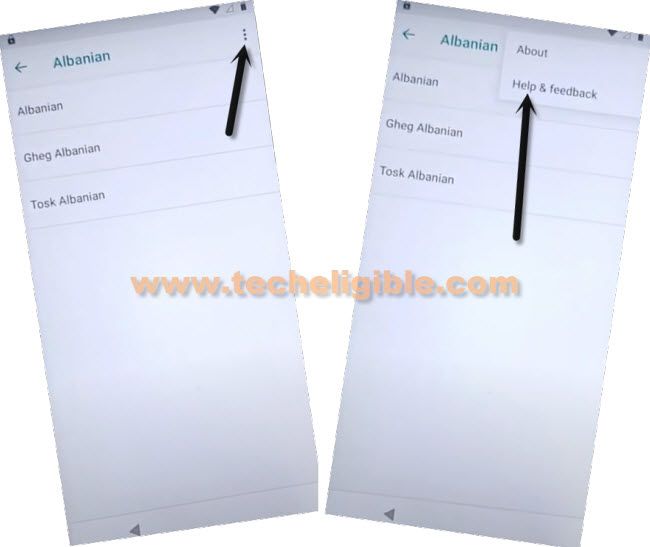
– Lastly, search for “Use Morse Code” and select the first result that appears.
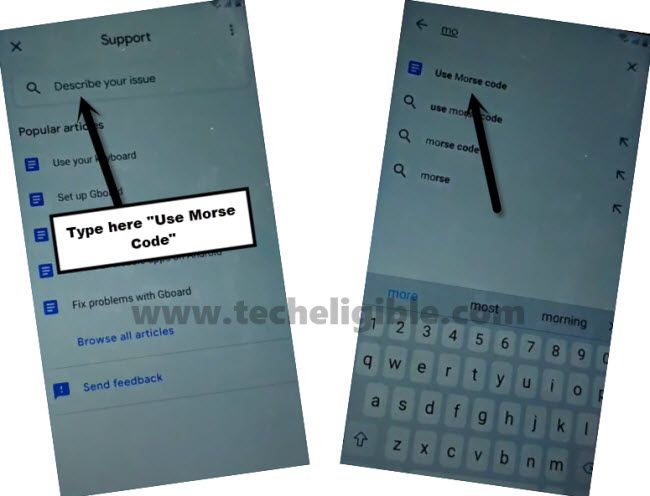
-Let’s easily navigate the YouTube website by selecting the “Play option” on the video.
-Next, click on > Share > 3 dots.
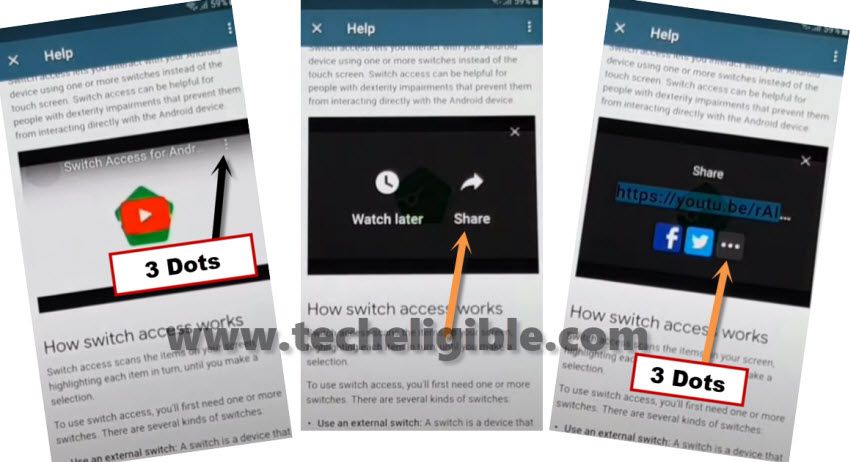
-If YouTube does not redirect you, just also press on the video title.
-To remove the video from the YouTube display, swipe it down. Then, click on the “Profile icon / 3 dots” located in the upper corner of the screen and then, proceed to “Settings” option.
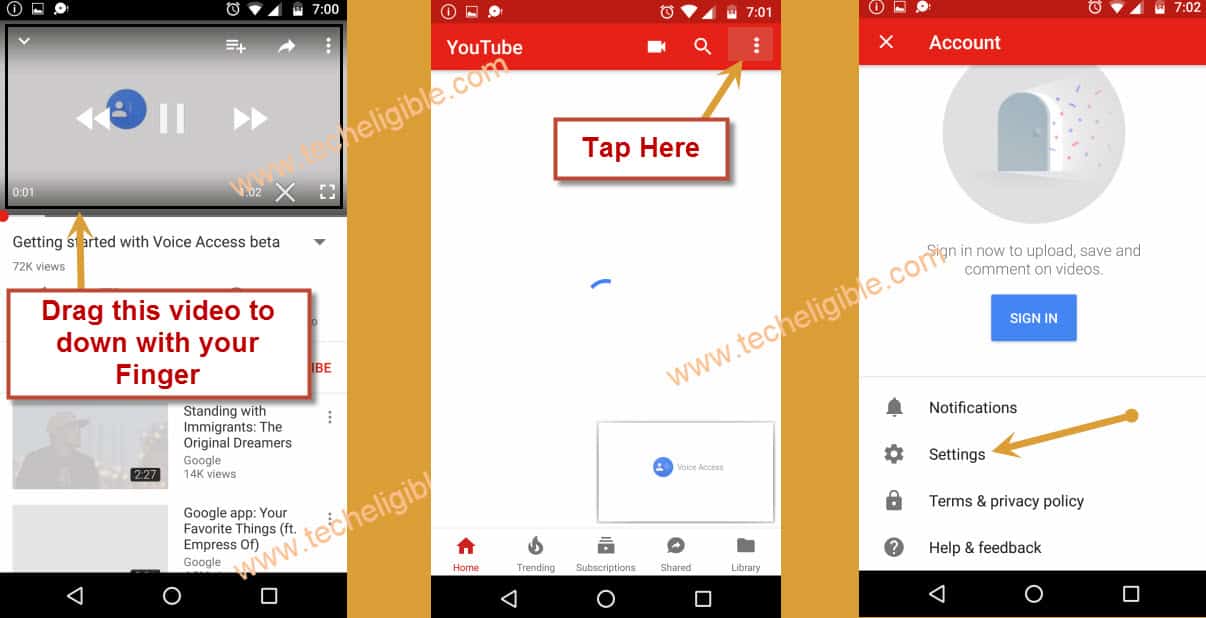
-From the very next screen, you just need to navigate on > About > YouTube terms of services.
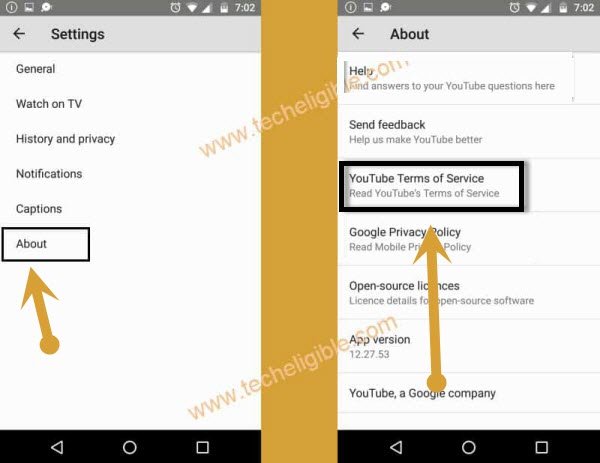
-Once you get to the Chrome browser, simply open it fully by selecting the “Accept & Continue” option.
-After that, go to > Next > No Thanks.
Activate (Screen Pinning) to Setup Pattern Lock
-We are going to search for “Techeligible“, then, go to the first result as shown in the screenshot.
-From that page, click on “Site Menu” and then tap on “Download FRP Tools”.

-We have to get full access on the primary settings page of the Cubot phone, from this, from the frp tools page, just tap on “Access Device Settings” option.
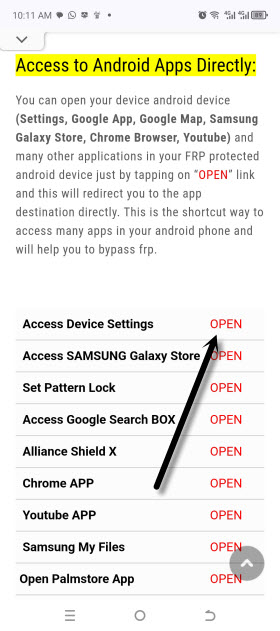
-After arriving at the main settings screen of your device, scroll down and select the “Security” option.
-Let’s activate the (Screen Pinning) option as illustrated in the image below.
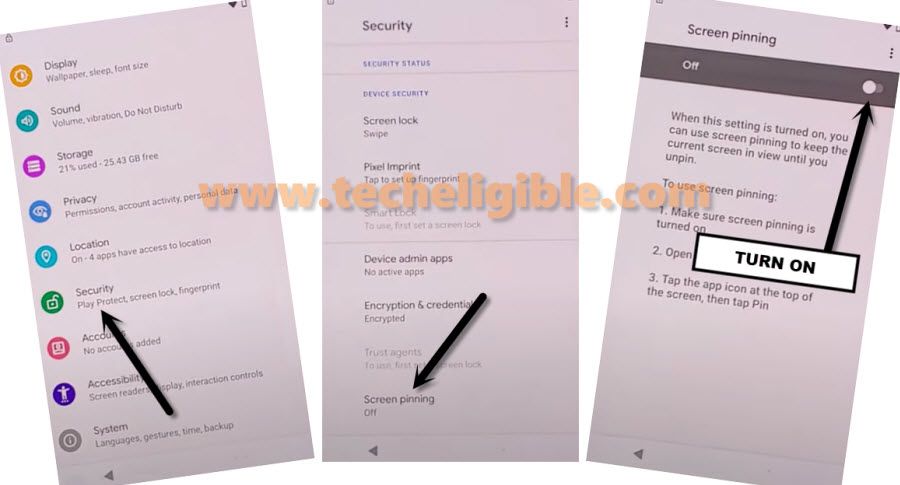
-Also enable the “Lock device when unpinning” feature.

-We will create a new pattern for this device, so select the “Pattern” option.
-Simply draw any pattern and select “Next”.
-Then redraw the same pattern and select “Confirm”.
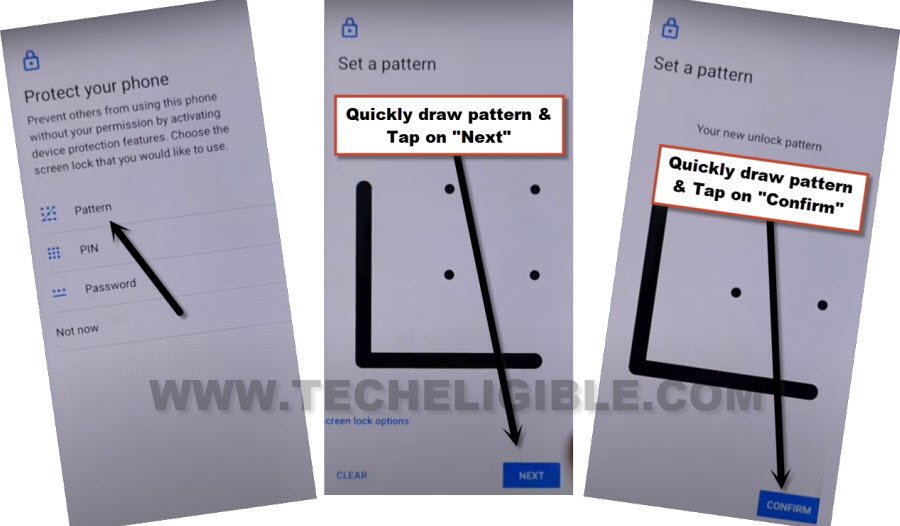
-After setting up the security lock protection with (Pattern lock) successfully, return to the initial startup (Hi there) screen.
Skip Google Sign-in & Reset Phone
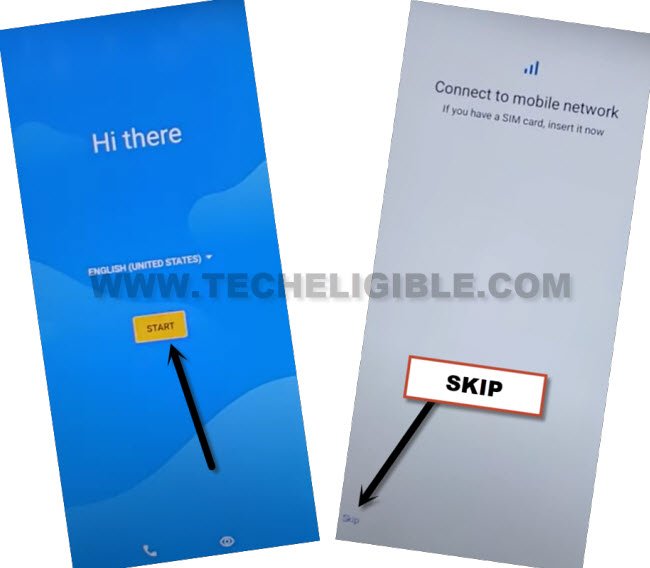
-Tap on > Start > Skip > Don’t Copy.
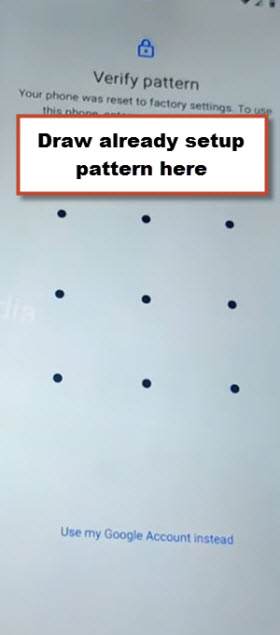
-Enter the newly created pattern lock to finish the verification process.
-After arriving at the (Google Sign In) screen, go to > Skip > Skip.
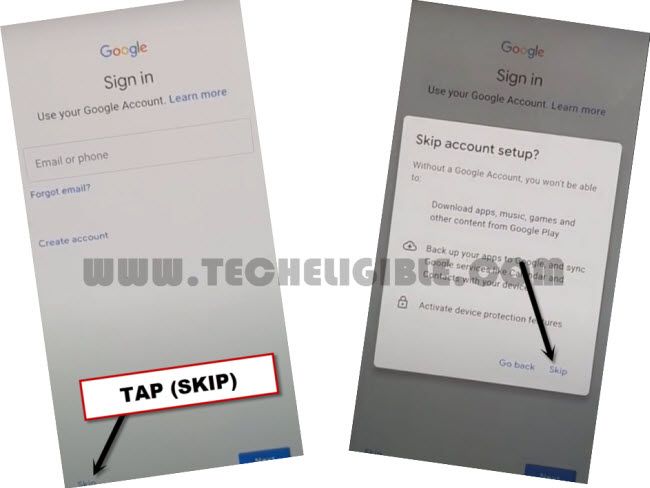
-It’s all set; complete any remaining steps by yourself.
-Let’s open up the phone “Settings”.
-Then select > System > Reset Options > Erase All Data.
-Afterward, enter the new pattern lock to finalize the factory reset process.
Final Words
We modified the language of the device to a local language apart from (English). Then, we navigated to the keyboard language configuration page and included three different keyboard options. Following that, we went back to the (Hi there) screen and changed the phone’s language to (English) again. Afterward, we opened the Chrome browser via the YouTube settings section. Ultimately, we arrived at the (Security Lock Setup) screen to establish a new pattern lock for the device and successfully finished the verification procedure.