
Are you experiencing FRP lock difficulties on your phone despite being the legitimate owner? It is possible that you performed a factory reset on this device and lost access to the previously established Google account. Fortunately, Google offers straightforward steps to help you regain your lost account by utilizing your recovery options. If your Gmail account remains irrecoverable, refer to this guide for Bypass FRP Cubot X19.
Disclaimer: We are creating this post to educate people about how to get back their lost device due to forgetting Google account. This method is only for device owner and for educational purpose only.
How to Bypass FRP Cubot X19 With Easy Steps
-Insert any SIM card on the phone. Then, switch on the phone and connect to WiFi.
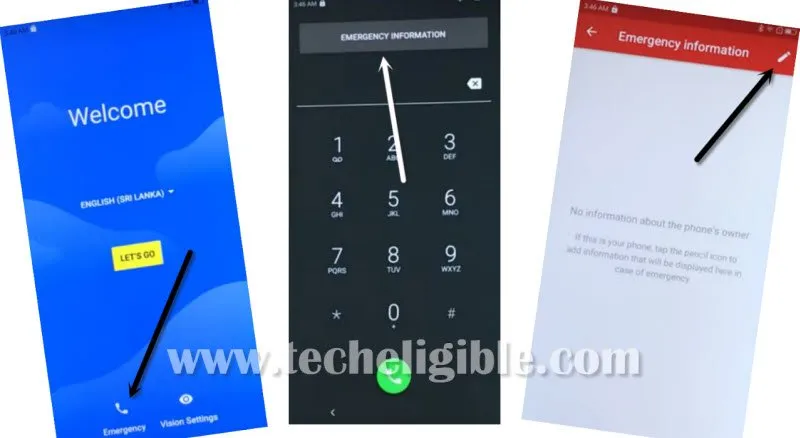
-Go back on the (Hi there) page. After that, go to “Emergency” option.
-Tap twice over the “Emergency Information” button.
-Go on the edit page by hitting on the “Edit” option.
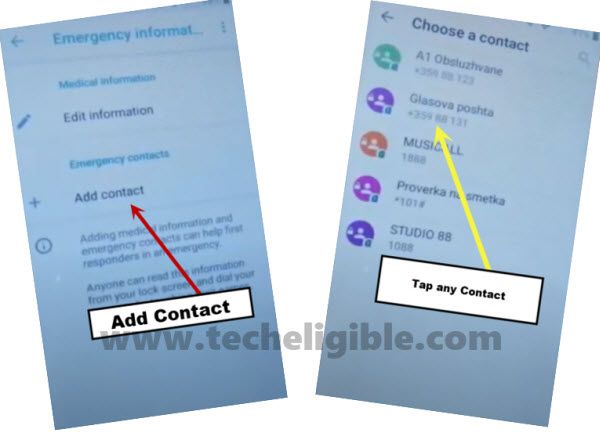
Go on Contact Page
-Click over the “Add contact” option. There, you will be displayed a list of already saved contacts of your sim card.
-Tap on any random “Contact Name”.
-Once more, tap on same “Contact Name” from next screen.
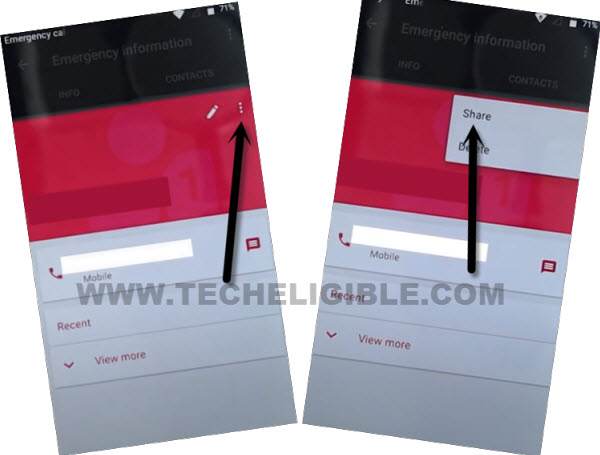
-You will successfully have access over the contact editing popup window, just choose “3 dots” option and hit over the “Share” option.
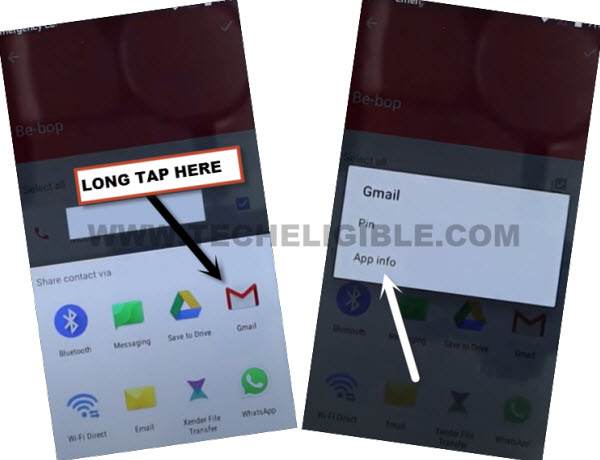
-You will see popup screen with some social icons listed. Long hold at the “Gmail” app and go to on the “App info”.
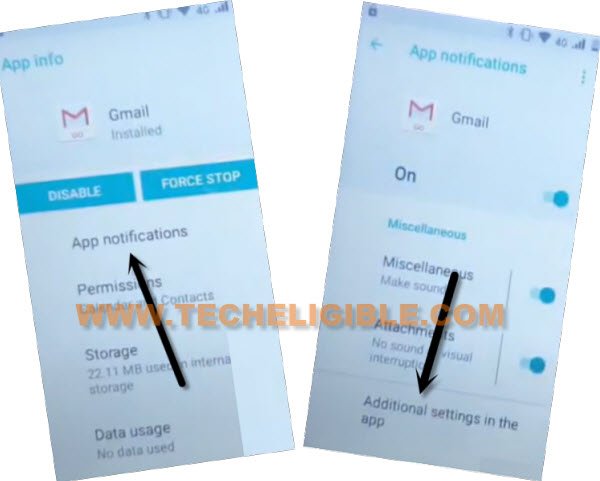
-On a app info screen, go over the > App Notification > Additional Settings in the app.
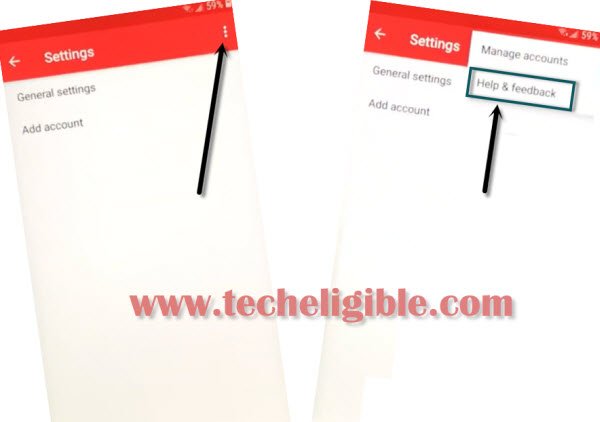
-From settings page of the Gmail application, let’s tap on the “3 dots” option from upper right corner.
-Finally, hit on “Help & feedback”.
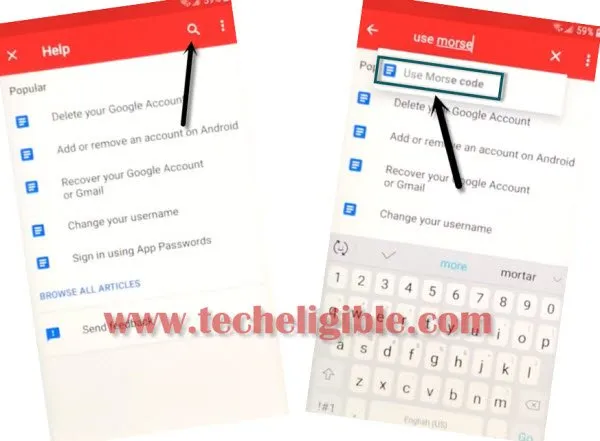
Search and go (Use Morse Code)
-Search there with “Morse”. Then, choose the result of “Use Morse Code” to access on the article page.
-There, a youtube video will be displayed, just tap to “Play icon” from that video and then, hit on video title.
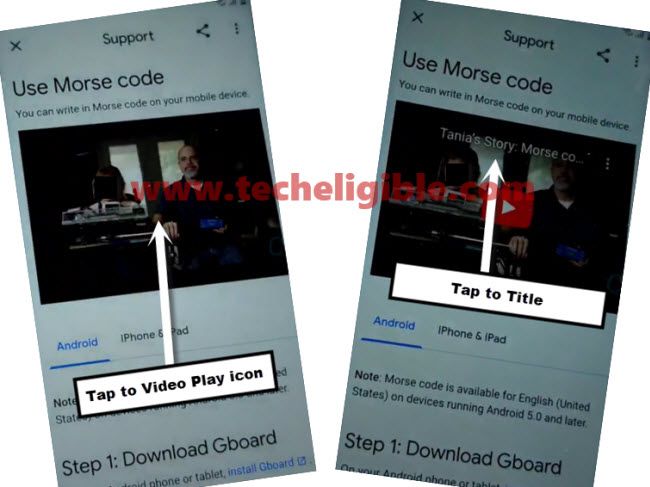
-On next page, the chrome browser will be launched, just tap on the > Accept & Continue > No Thanks.
Download Apps for FRP Bypass
-Type “Techeligible” in top search bar and go to first searched result.
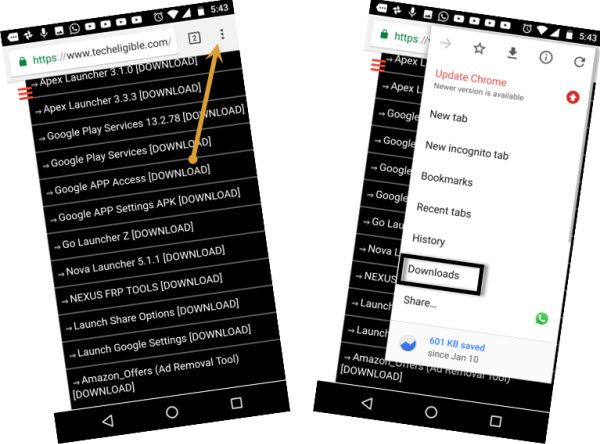
-After reaching to the official techeligible site, just open up the site menu by hitting on “Menu” icon from upper corner and tap on “Download FRP Tools”.

-Download from there “Google Account Manager 6” app.
-Once downloading progress is completed, let’s download another app “Account Login“.
-Next, we need to install both downloaded application to setup google account on the frp locked Cubot X18 phone.
-For this, go to top of the frp tools page and hit on > 3 dots > Download.
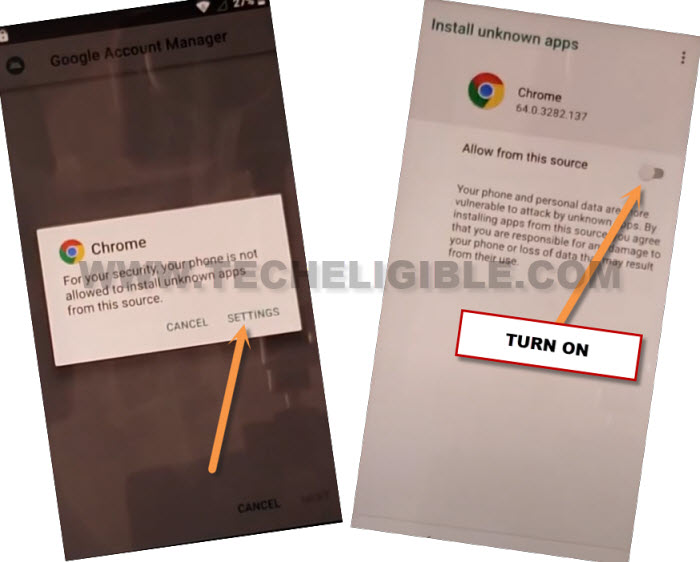
-Tap on the “Google Account Manager 6”. You will get the popup window, just hit over the “Settings” and turn on “Allow from this sources”.
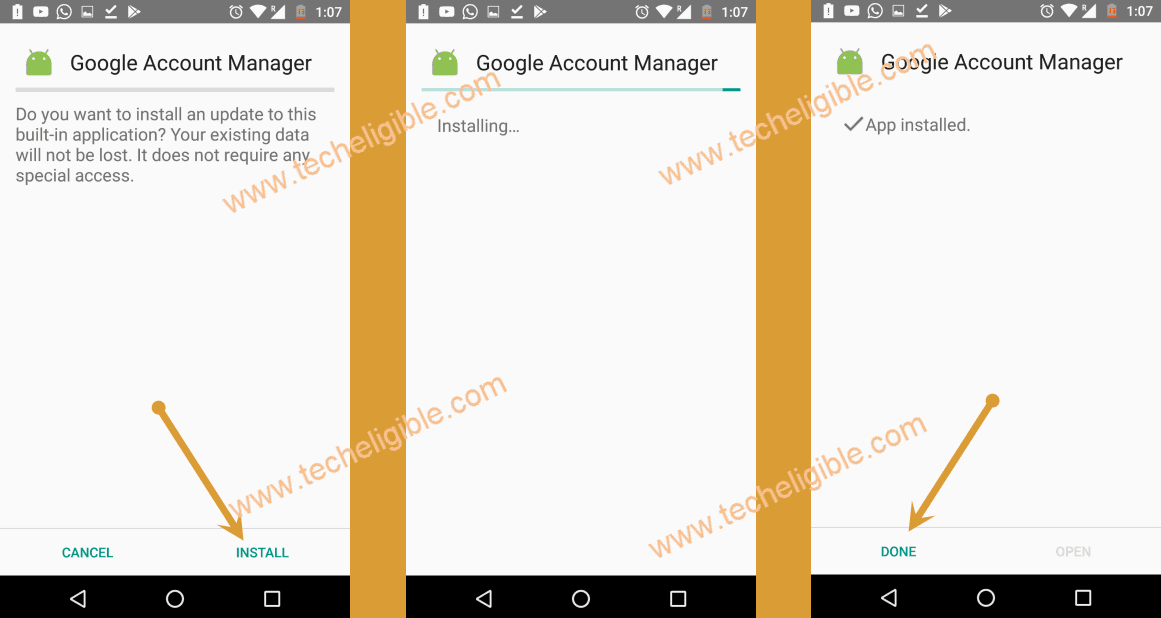
-Let’s get back to download screen from there, hit again on > Google Account Manager > Install > Done.
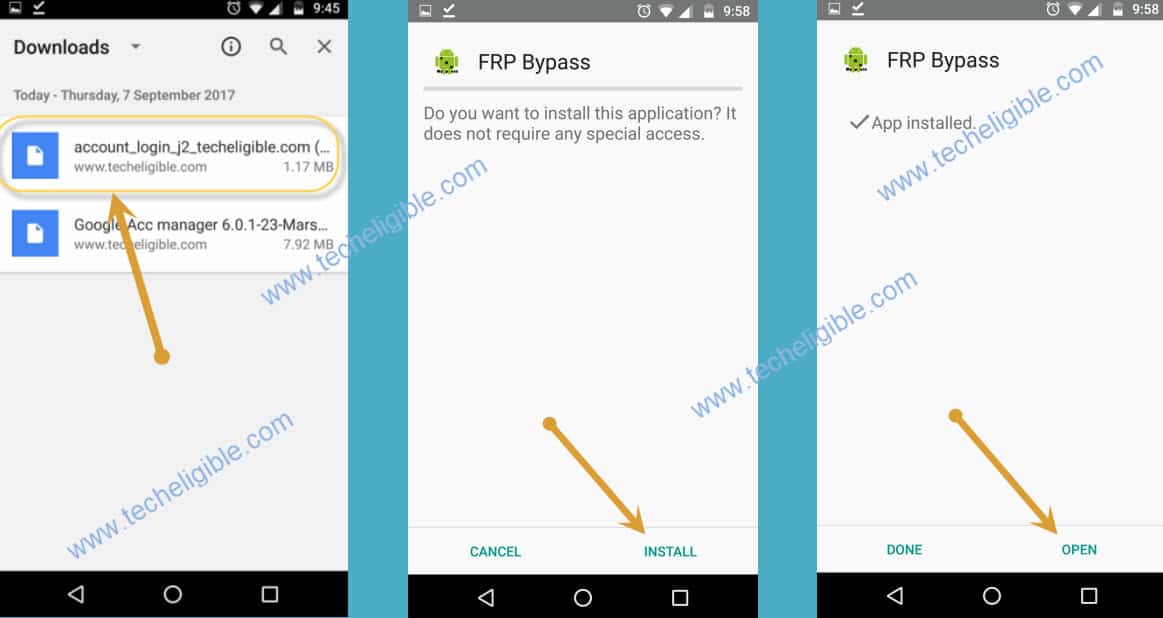
-Let’s install 2nd downloaded app, just hit on “Account Login”.
-To continue the installation process, hit on the “Install” button.
-Finally, tap to “Open” to launch this app on the phone.
-From the upper right corner, we need to hit on the “3 dots” icon and go to “Browser Sign-in”.
-Let’s login with any Gmail id to completely bypass frp account on Cubot X18 phone.
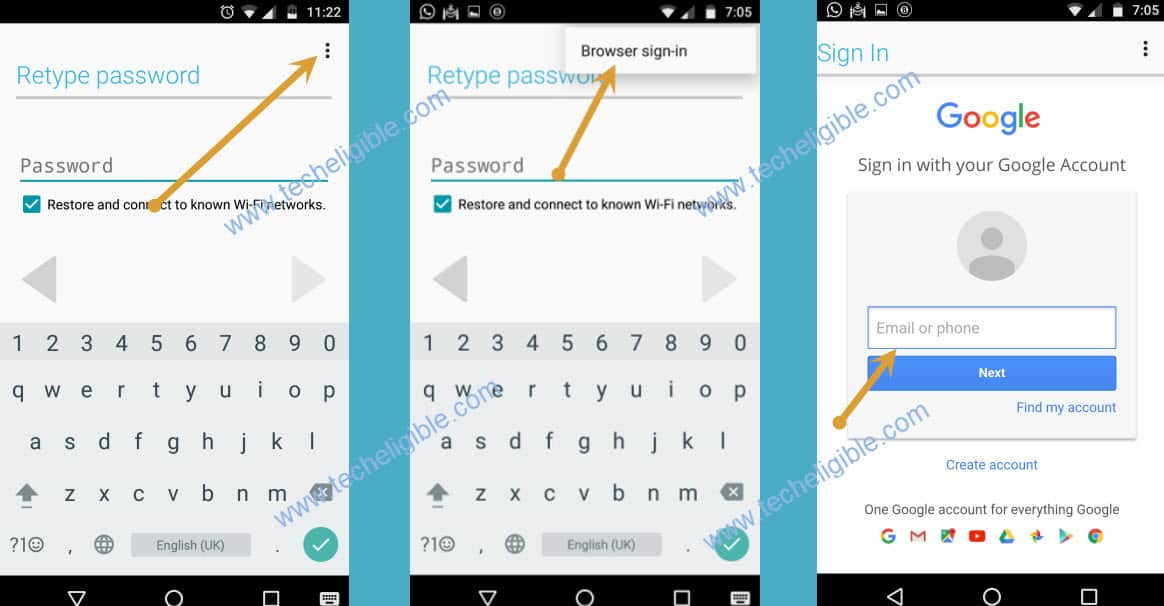
-After you completed login the another google account, you can restart your device without any hassle and finish setup wizard steps.
Final Words
We simply connected our phone to WiFi. Afterwards, we accessed on the (Add Contact) option to see available contact list. Then, through the contact named edit page, we successfully got the (Gmail app) icon. Then, we reached over the chrome browser page and installed frp applications. After that, logged with another google account to shift the frp locking feature with newly logged in account.