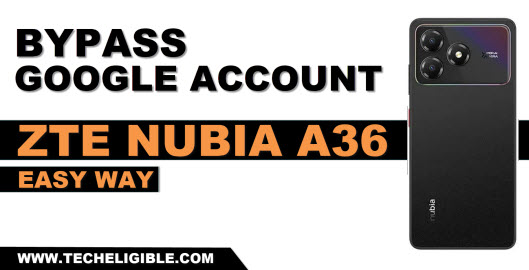
Getting difficult going through the google sign in screen right after performing hard reset on your phone? Then, you must be asking to login with the same google account that was setup already. Otherwise, your phone will remain on FRP locking state. If you are not able to remember your lost account, then, you can choose alternate way to regain access your device, that is through Bypass FRP ZTE Nubia A36.
Disclaimer: We highly recommend you to apply this method only on your own device, if you are not owner of this device, or you found this from some where, you must return to its real owner. This method is for educational purpose only.
Let’s Start to Bypass FRP ZTE Nubia A36
-You’ve to get the tool on your PC first. For this, hit the link below and continue downloading process.
| ⇒ BFT Tool V1.7 [DOWNLOAD] |
Note: Before using the tool, you’ve to disable the (@ntivirus software) from the PC. Once you are done using this tool and bypass frp, after that, you can enable back your @ntivirus software.
Install & Launch the BFT Tool
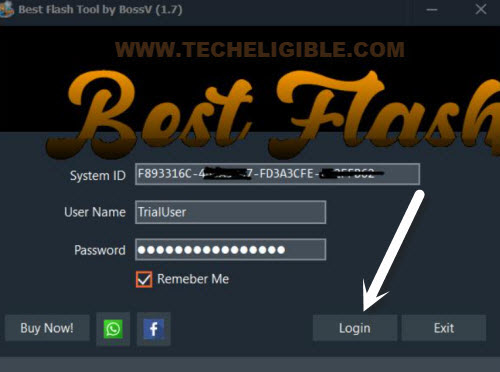
-After installation is completed, let’s run this tool on PC by double clicking on (BFT Tool) icon. From the popup screen, hit on the “Login” option and you will be logged in automatically with their default user id and password.
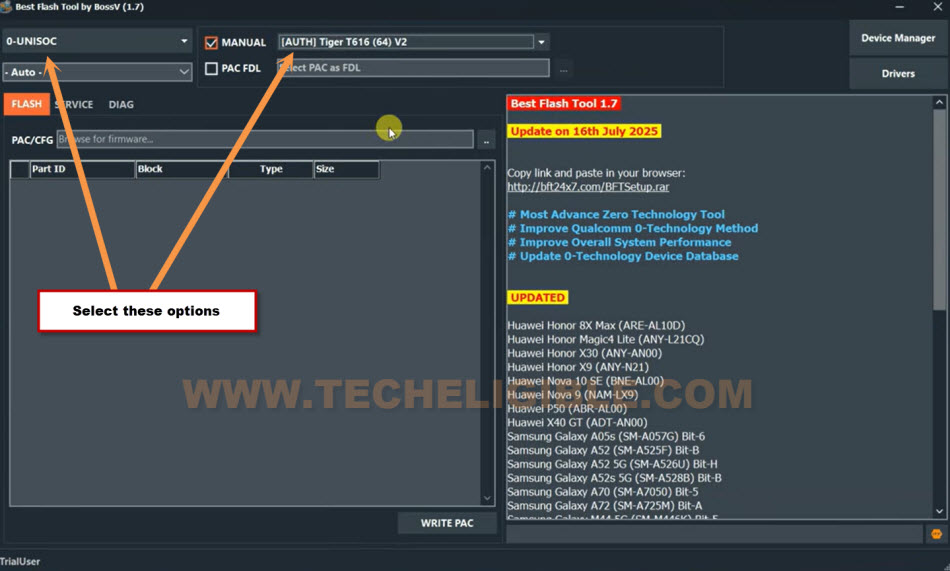
-From top left corner, select the option “0-UNISOC”.
-After that, select the “[AUTH] Tiger T616 (64)V2”.
Get the right USB Drivers for the ZTE Phone
-This is very crucial steps, you have to download and install SPD + LibUSB driver on your computer. So that, you don’t face any connectivity issue while connecting phone with tool.
-To get this procedure go smoothly, just click to “Drivers” option from top left corner of the tool interface.
-Choose “Install SPD Driver“. Install this tool by clicking on > Next > Next. etc.
-After that, get one more driver named “Install LibUSB Filter Driver“.

-Firstly install and launch the (LibUSB driver) on PC by clicking on (Next) options few times.
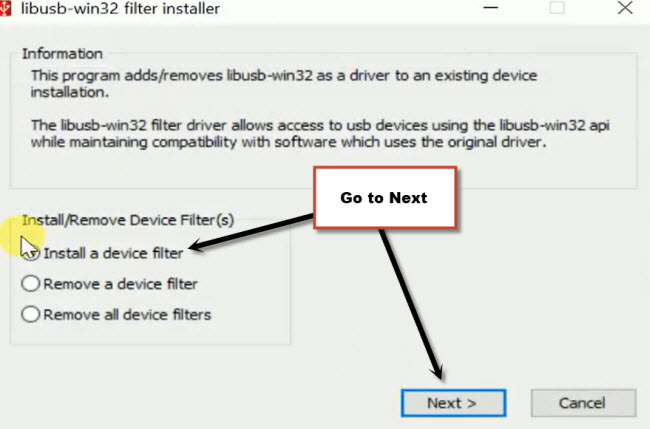
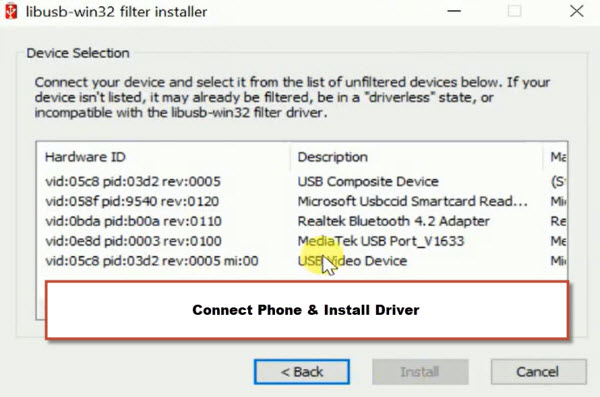
-After that, you will have a (libusb-win32…) popup window. From there, select option “Install a device filter”.
-Then, click over the “Next” button.
-On next window, you will see some drivers list (See below image).
-Turn off your ZTE Nubia A36 device completely and wait for 10 seconds.
-Afterwards, connect the phone to PC while keep holding the “Volume Down” button.
-As soon as, you connected the device to PC, you will see a new driver will come up on the popup window of libusb-win32. Let’s select that driver and install it.
Note: If nothing popup, just close (Libusb-win32) and launch this again. After that, check any (Mediatek or USB driver or Unisoc) driver is listed, just install those drivers one by one. If nothing is shown up even after 1-2 tries, don’t worry, your computer may have those drivers already.
Go to (Service) Option & Click to Reset FRP
-After proper installation of the drivers, disconnect the phone from PC.
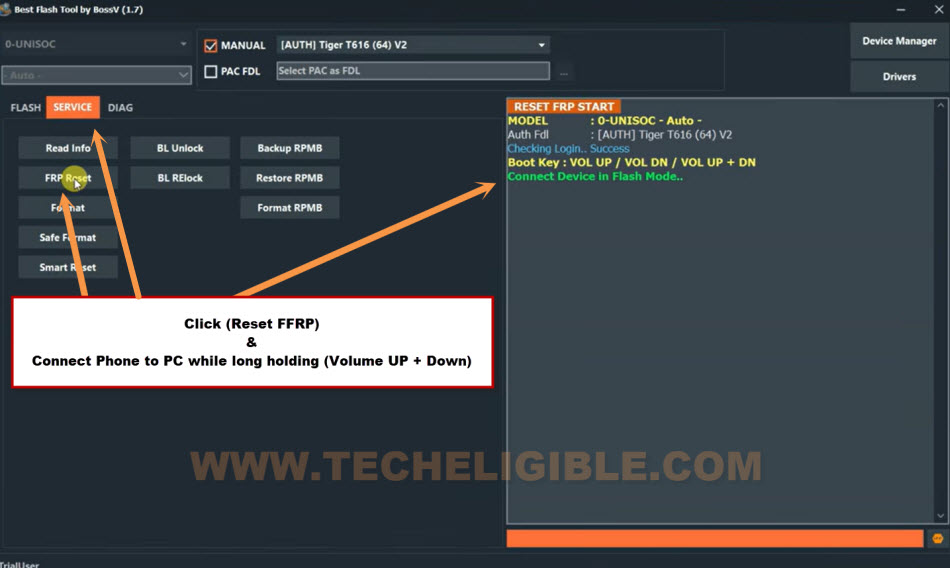
-Let’s continue FRP Bypass procedure, just go to your BFT Tool interface. From there, click over the “Service” option.
-Then, hit on “Reset FRP” button. After that, you will be asked to connect the phone with PC.
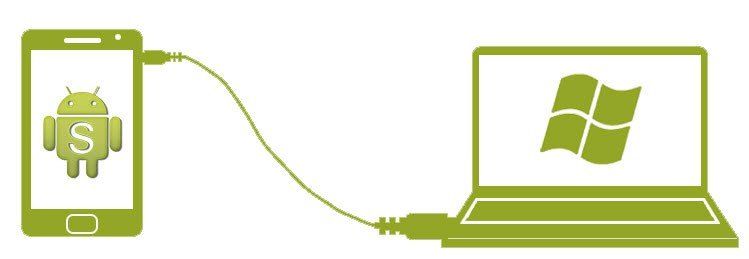
-Firstly, do make sure, your phone is fully switched off.
-Connect Phone with PC while keep holding the (Volume Down) button.
-Once the device is detected by the tool, you can release the volume down key.
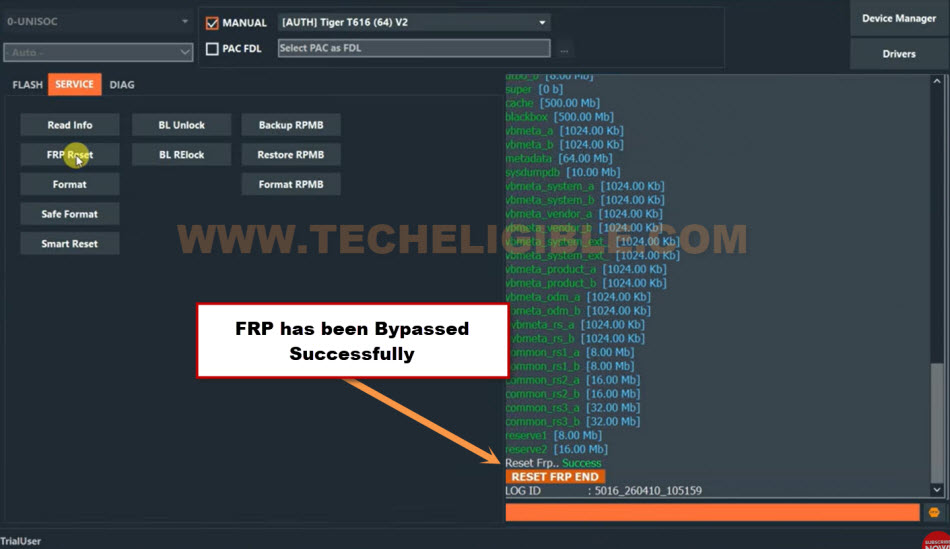
-Wait until this FRP Bypassing process is completed and you get message on the tool screen.
-On completion the FRP process, you will see (FRP Reset END) message on screen.
Disconnect Phone & Setup Again
-Its all done, disconnect your device from PC and close the BFT tool software. Enable back your (@ntvirus Software).
-Turn on the Phone and setup device again without facing the (Google Verification) screen.
Note: If you see the (Google Verification) screen, you can skip this page easily by hitting over the “Skip” from bottom corner.
| Note: If your device is frozen on a loading display after overcoming FRP. There’s no need for concern; just switch your phone to recovery mode and perform a hard reset (Wipe Data/Factory Reset). Once completed, go through the setup wizard steps once more. |
The Final Words:
We just used the free tool (BFT V1.7) to bypass frp account easily. Firstly, downloaded the tool and installed proper (SPD) driver on computer. Then, launched the tool and setup some options according to the phone processor and chipset. Once its done, clicked over the (Reset FRP) button and connected the phone to PC to complete the FRP bypass process.