Are you looking for a working method to setup new google account on your device after forgetting old one? If you have hard reset your device and unable to complete initial setup wizard due to forgetting google account. That means, your Wiko phone is on a FRP protection and you won’t be allowed to use back your device till you remember your account and login again. To resolve this issue, follow up our guideline to Remove Google FRP Wiko Voix (Android 12).
Warning: Do not try this frp method on a stolen phone, this is a serious crime, if you are trying to bypass frp on a stolen phone, you may also be jailed, this process is for device owner and for educational purpose only.
Let’s Start to Remove Google FRP Wiko Voix:
-Turn on Wiko Voix phone & Connect WiFi first. After that, put your device back over the first startup page (Hi there).
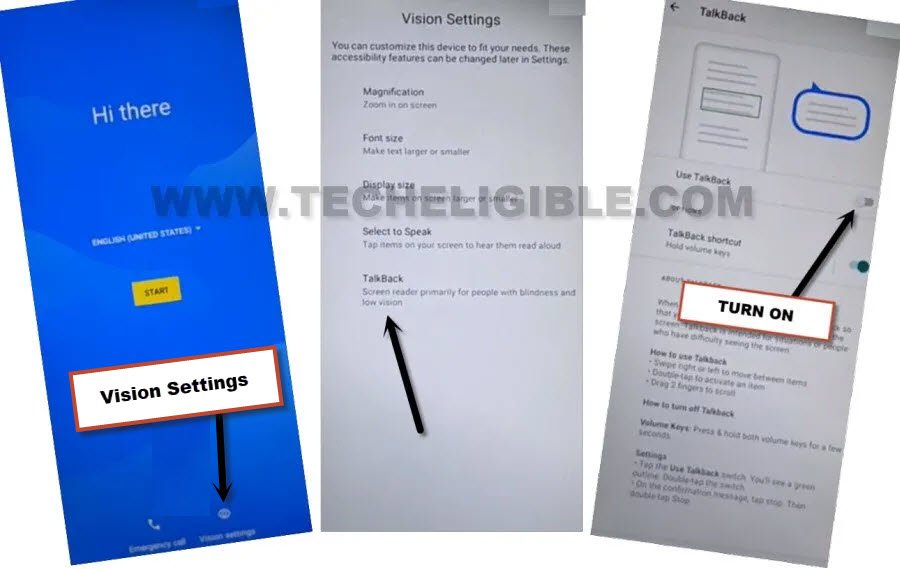
-We are gonna turn on talkback function by going to > Vision Settings > Talkback.
-Afterwards, turn on “Use Talkback” option.
-You will be taken to the (Talkback Tutorial) screen, from there, just swipe right and swipe up on screen (Same as shown in below image).
-By making this type of gesture, you will be able to have another popup screen of (Use voice commands to control talkback). From there, double tap to > While using the app > Use Voice Command.
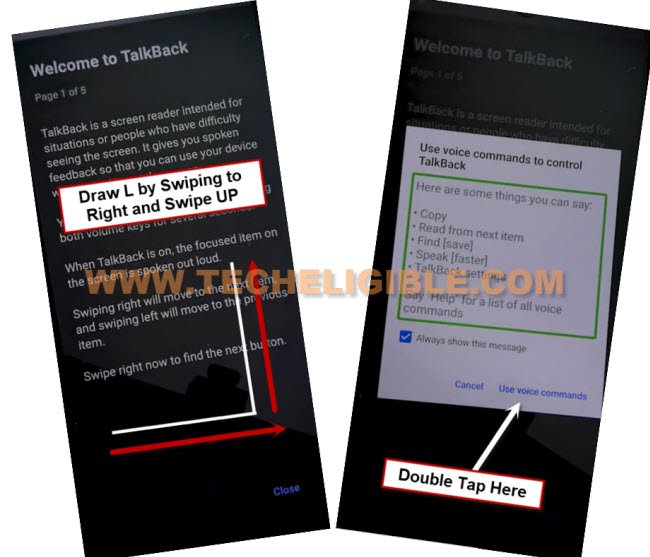
| Note: If the (Voice Command) window do not popup, swipe right and swipe up again, and this time the popup window will appear up, so double tap on “Use Voice Commands”. |
-After that, just speak loudly “Open Google Assistant”. You will be displayed (Try Saying) popup screen.
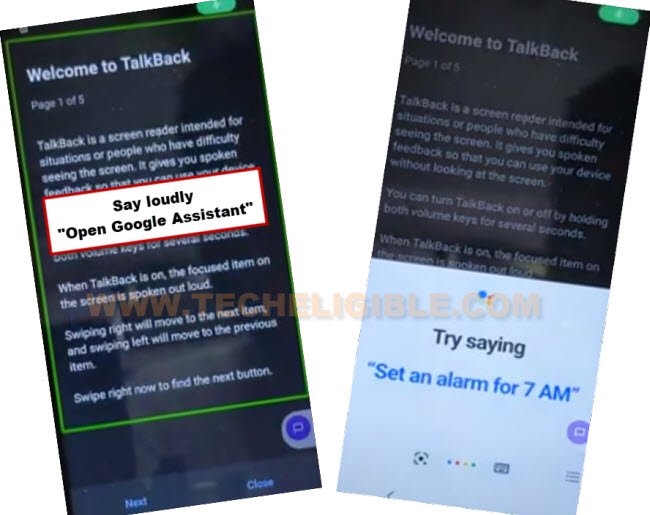
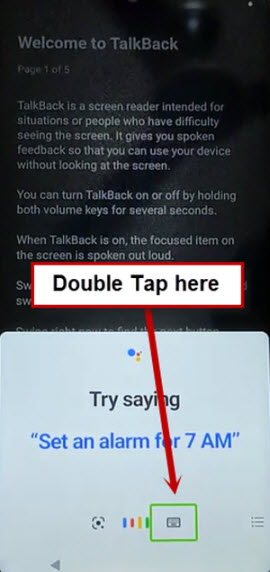
-You will have a (Try saying) popup screen, from there, just double hit on “Keyboard” icon.
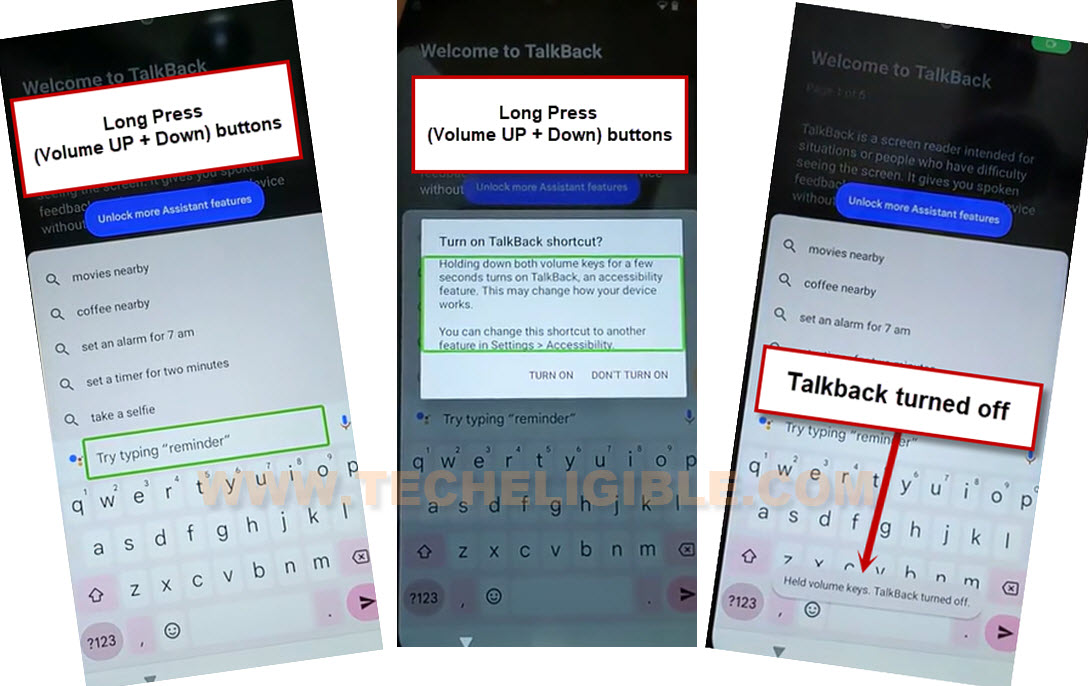
-We are gonna disable talkback now just by long press both keys (Volume UP + Down). After long press both keys, you must see another popup screen of (Turn on Talkback Shortcut?). Simple, long press again both (Volume UP + Down) keys at the same time. This time, this talkback function will be off completely.
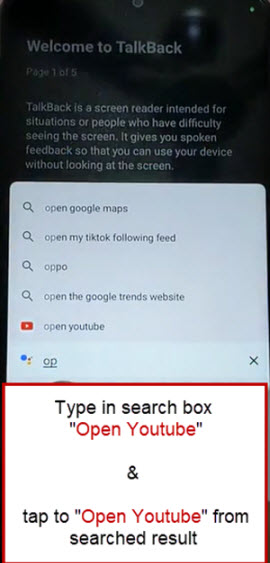
-Search with “Open Youtube” and tap to “Youtube” from searched result.
-You will reach to (Youtube) website, from there, just hit on a “Account” icon from top right corner. Afterwards, go to “Settings”.

-Tap on > About > Youtube terms of service.
-You will have a google chrome screen, just go to > Accept & Continue > Next > No Thanks.
Create new Pattern Lock from Settings:
-You need to type “Techeligible” in the google chrome browser search bar. Go to same searched result as instructed in below screen shot.
-After that, tap over the “3 Parallel lines” icon from top corner and go to “Download FRP Tools” option from there to reach the official frp tools page.

-Tap to “Set Pattern Lock” option to access directly to the security lock setup page.
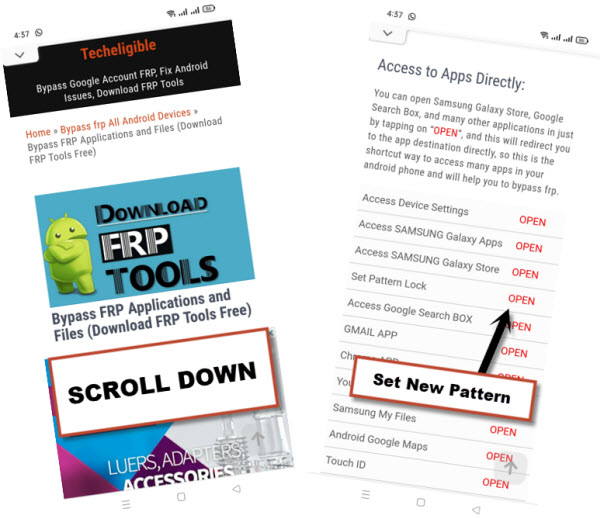
-Keep trying below pattern lock setup steps multiple times and very fast until you reach on a page (Keep your device unlocked while its on you).
-Follow these steps quickly and repeatedly for about 10-20 times, tap to > Pattern > Quickly draw pattern > Next > Quickly draw pattern > Confirm.
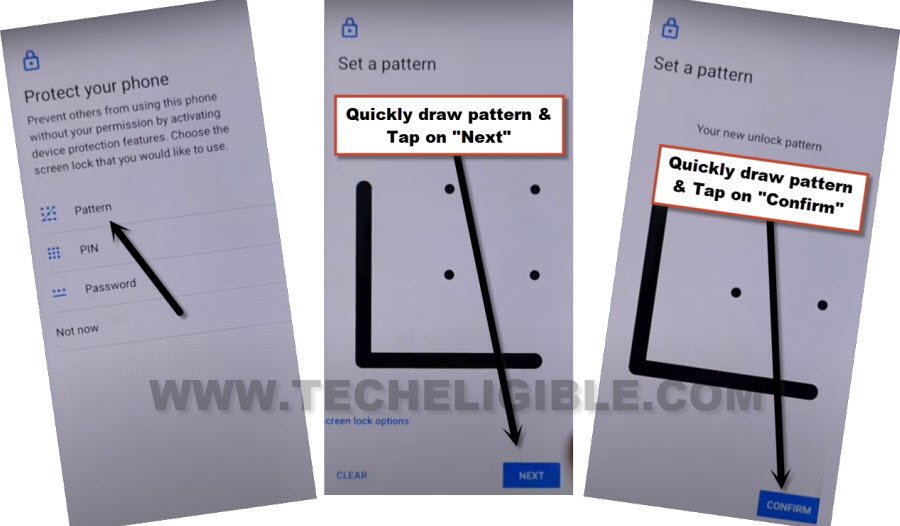
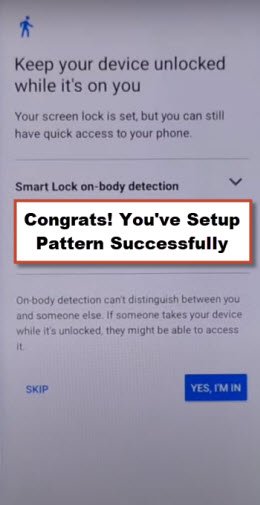
-After multiple tries, once you get this screen (Keep your device unlocked while its on you), that the proof that, your device has been setup with new pattern lock.
-Tap on “Skip” option.
-We can easily complete all setup wizards steps now easily, just go back to first (Hi there) screen by hitting on back arrow multiple times.
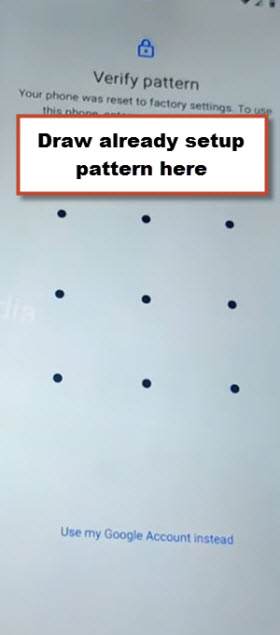
-You can complete steps on your own, while completing setup wizard steps, you will face (Verify pattern) page. Complete your verification by giving recently setup pattern lock to Remove Google FRP Wiko Voix.
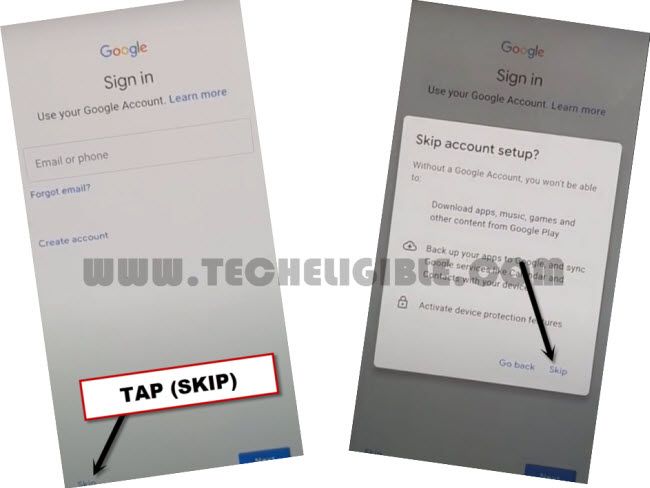
-Once you reach to (Google Sign in) page, just skip that screen by hitting on > Skip > Skip.
-Remaining steps can be down on your own without any extra help.