New methods available here to Remove FRP Poco X3 Pro Miui 14 without PC, and android setup app. Because, this is the latest MIUI version device. So, you would need a latest method to get your device back with updated google account, and we will use a (Xiaomi Account), and another same brand POCO device.
After that, we will connect both POCO devices each other with (Activity Launcher) app. That will allow you to finish setup wizard from your FRP protected Xiaomi POCO X3 Pro device.
Warning: Do not try this frp method on a stolen phone, this is a serious crime, if you are trying to bypass frp on a stolen phone, you may also be jailed, this process is for device owner and for educational purpose only.
Tools You need Before Starting Steps:
⇒ WiFi connection.
⇒ Another Same Brand POCO Device.
(You must need any other model of POCO phone to connect with POCO X3 Pro)
⇒ Xiaomi Account. (If you don’t have any, Click here to Create Free Mi Account).
Let’s Start to Remove FRP Poco X3 Pro MIUI 14:
-Turn on phone & Connect WiFi, after that, go back on “Choose your region” screen.
-Turn on talkback feature by long holding both buttons (Volume UP + Down) at the same time.
-Tap over “Turn on” option.
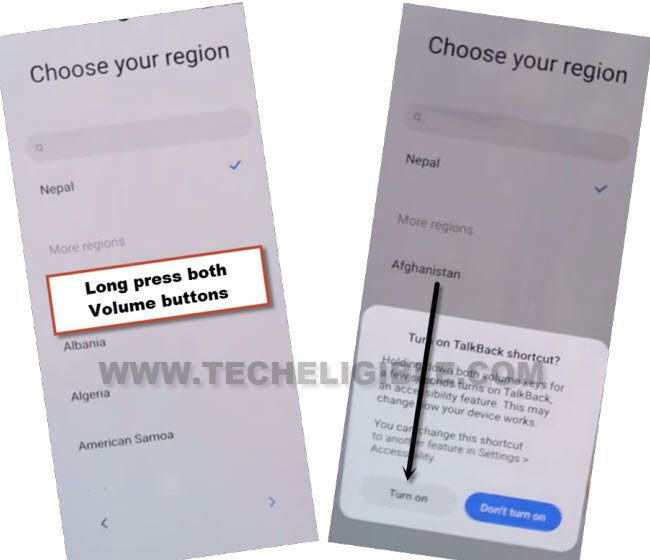
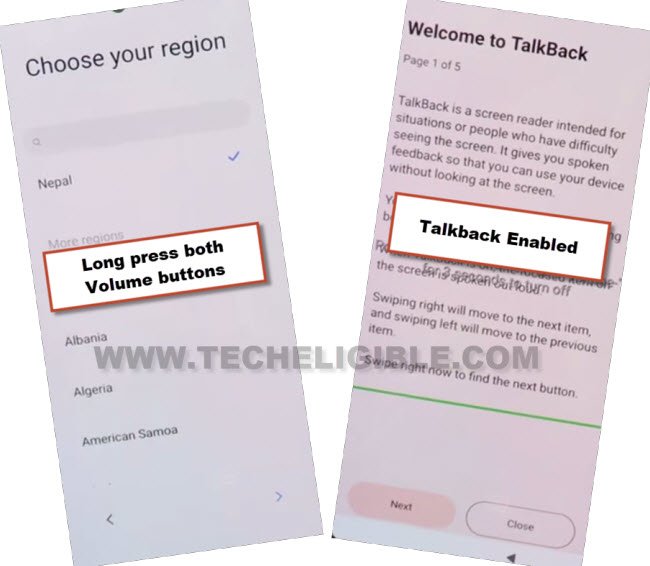
-Once again, long press both (Volume UP + Down) buttons simultaneously, this time, the talkback will be turned on successfully, and you will see (Talkback) screen there.
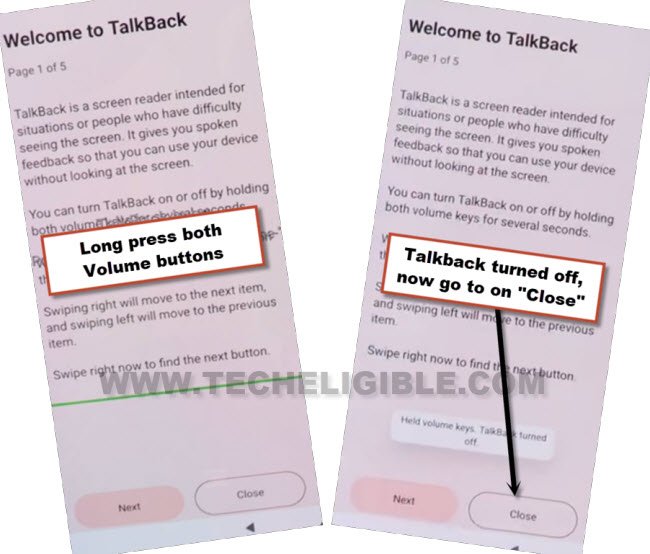
-Disable talkback by long press both (Volume UP + Down), after that tap over > Close > Close.
-You will reach back on (MIUI 14) screen, just tap to > Next > Next > Next.
-Select “Talkback braille keyboard”, after that, tap to “Next”.
-Select “i have read and agree…”, after that go to “Next”.
-Hit on “Skip this step”, and hit on “Next”.
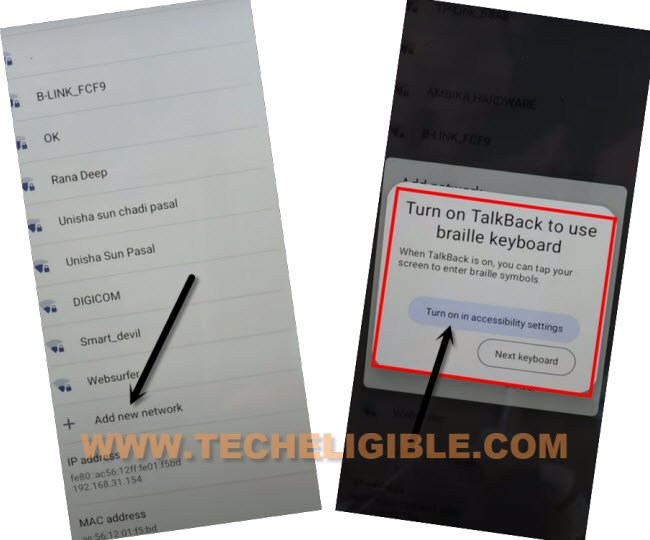
-Y0u will reach on (Connect to Network) Screen, just, scroll down and go to “Add network”, after that, tap on “SSID” field tab.
-Hit over “Turn on in accessibility Settings” from popup.
-Go to > Accessibility Menu > turn on “Accessibility Menu Shortcut”, after that, tap to “Allow” from popup, and then hit on “Got it.”.
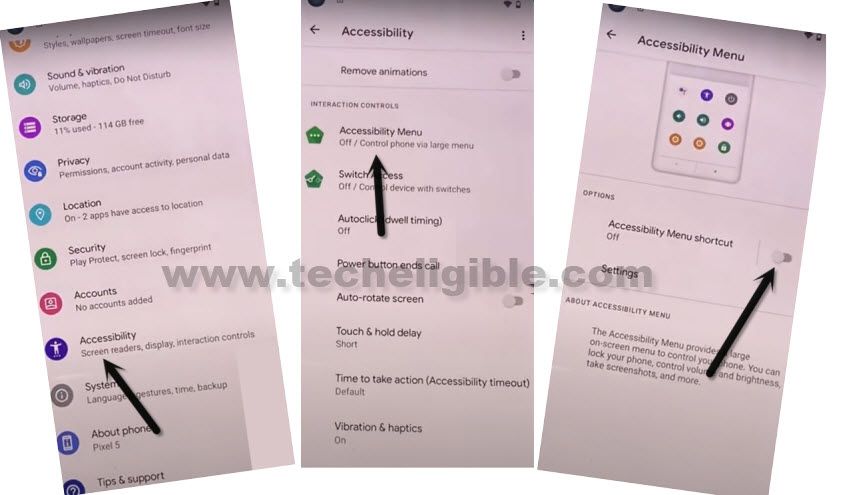
-Right after turning on (MENU Shortcut), the Human icon will start showing at bottom right corner of screen.
-Hit on “Human icon”, and then go to “Google Assistant”, after that hit on a “Keyboard” icon.
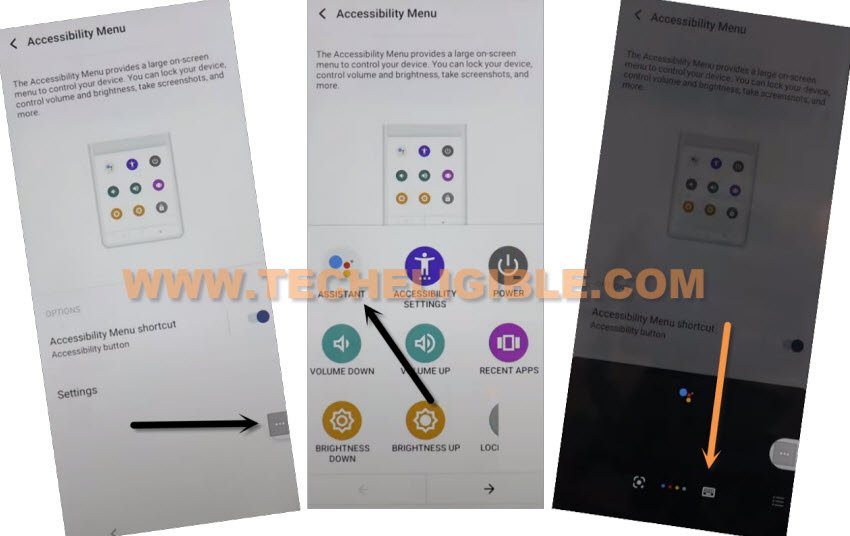
-From popup, just tap on “Next Keyboard”.
-Search and visit “Settings” option, after that, hit on “Open Settings”.
Follow Steps in Other POCO Device:
-Follow below all steps in other Mi, redmi and poco device, because without other device, you can’t Remove FRP Poco X3 Pro Miui 14.
-We are required here another Mi device, that could be whether of your any sibling, or any friend.
-As we have already mentioned above to create a (Xiaomi Account), that can easily be created from their website in free of cost.
-Open “Chrome browser” in other device, and search there “Download frp tools Techeligible”, and go to our website frp tools page.

-Download & Install both below apps from our frp tools page in your other xiaomi device.
1/ Activity Launcher App.
2/ Apex Launcher App.
-After installing apps, just go to > Settings > Xiaomi Account > Sign in (using your Xiaomi account).
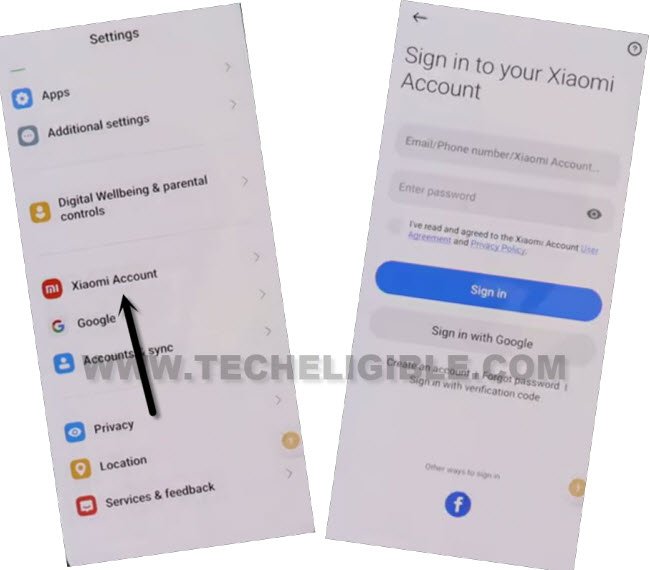
-Go to “Xiaomi Cloud”, and hit on “Continue”.
-Scroll down, and tap over > Back Up > Back Up Now.
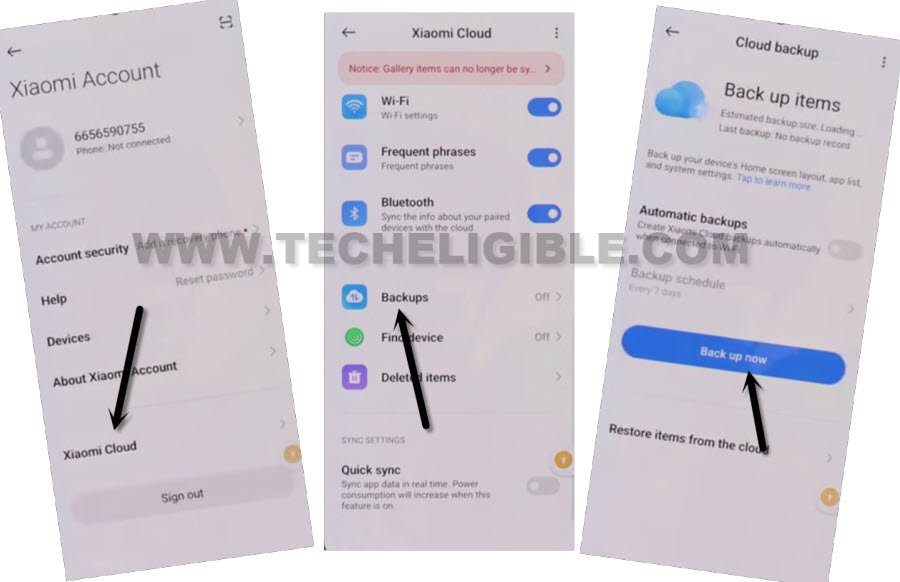
-Tap over “Done” from backup process completed screen.
Follow Steps in POCO X3 Pro:
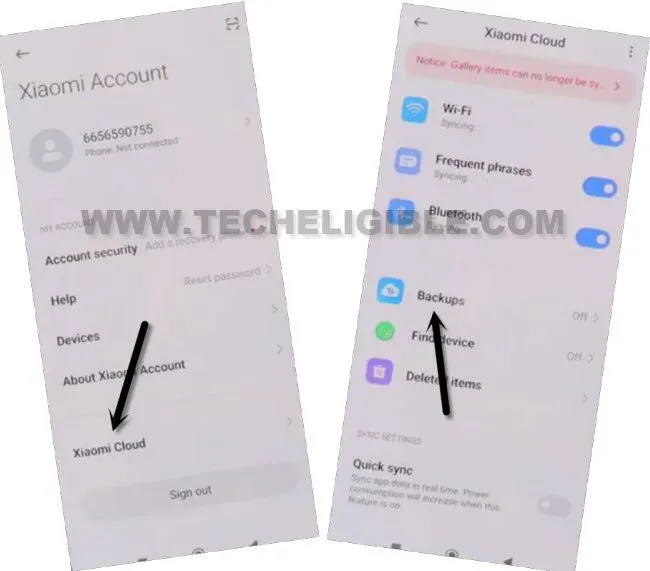
-Sign in with same Xiaomi Account, that you used for other xiaomi device, both devices should be on same Xiaomi account, so just go to > Xiaomi Account > Sign in there.
-After signed in with the account, just hit on > Xiaomi Cloud > Got it > Got it.
-Hit on “Allow” few times, and go to > Continue > Got it > Backups.
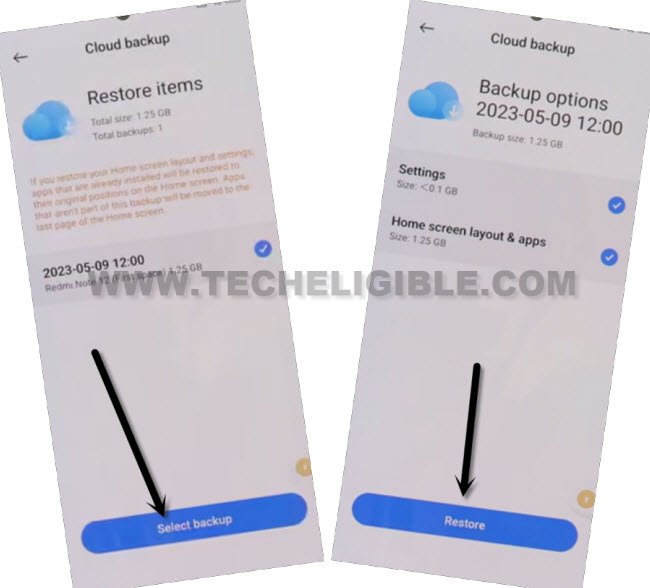
-Tap to “Restore item from the cloud”, now tap to “Select Backup”.
-Do make sure, both (Settings & Home screen, Layout & Apps) is checked mark.
-Tap to > Restore > Restore, and wait there till the restoring process is done, after that, tap over “Done.
Launch Apex Launcher App:
-Hit on “Human” icon from right corner, and tap on “Google Assistant” option.
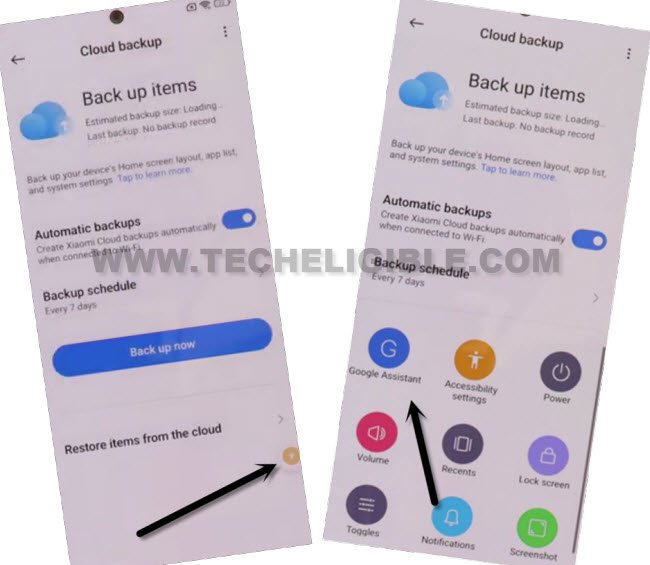
-Tap over “Keyboard icon”, Search and go to “Apex Launcher” app.
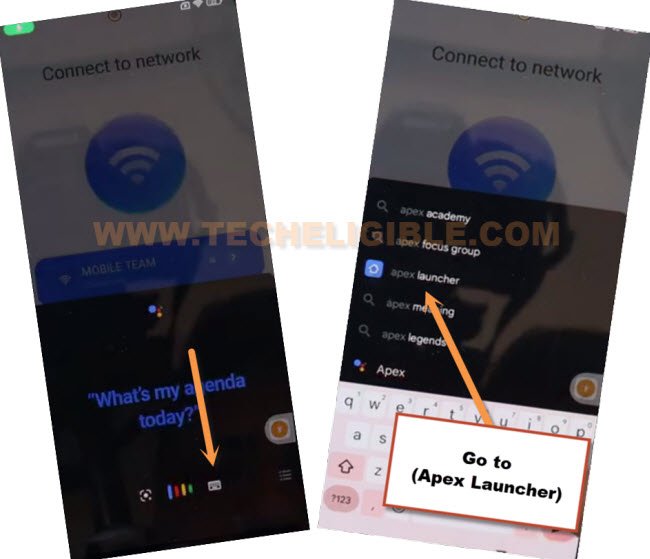
-Hit on “Skip” from top right corner, and go to “Homescreen”, congrats, you have accessed inside the device homescreen without enter any google account.
-You may face a popup window, just tap to “Free trial” option.
-Go to device menu, and tap open “Activity Launcher” app from there.
-Tap on “Android Setup”, now scroll down, and tap on an option, that is without settings icon, follow below screen shot to Remove FRP POCO X3 Pro MIUI 14.
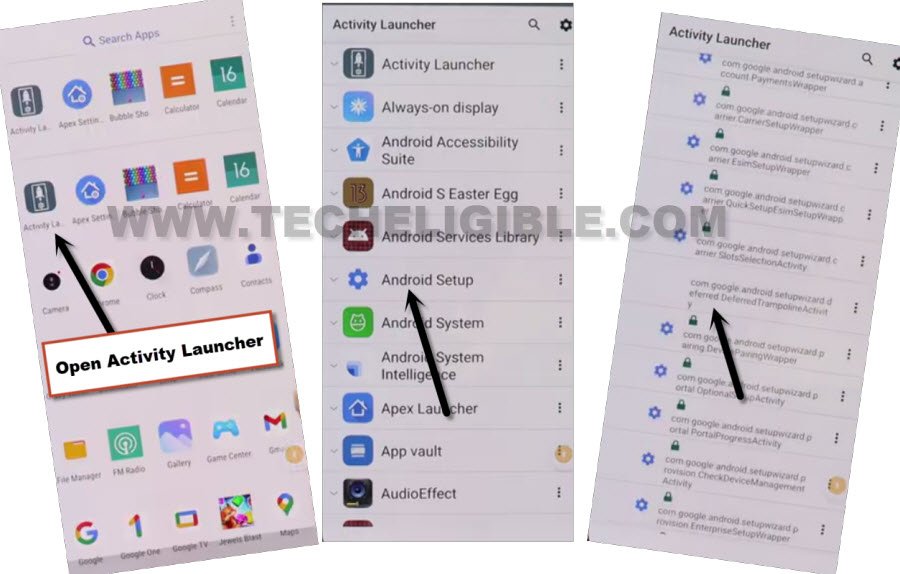
-Tap to > Start > Skip > Next > Next > No Cable > Copy without cable > Next.
-Hit on “Use my google account instead”, after that, tap over > Next > Next.
-You will be having there a screen of “Verify your Device”.
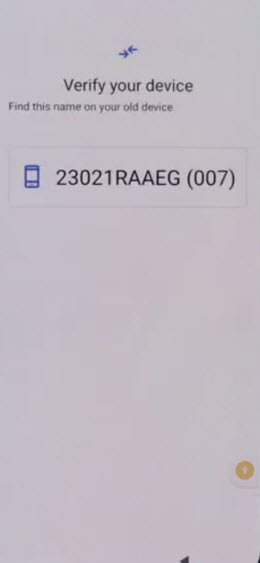
-Let’s bring again your other Xiaomi device, from other device, open “Google App”, and search and go to “Set up my device”.
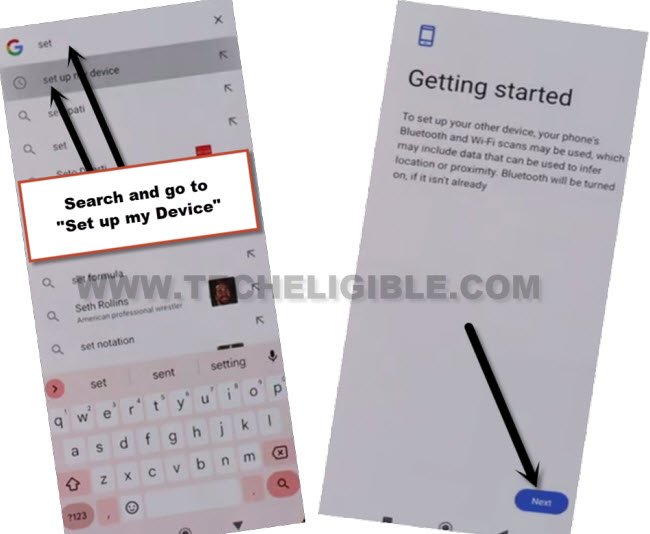
-Tap on > Next > Next > Copy.
-After completing the copying your account, you may be asked for verifying account. So, give there same password of same Xiaomi account, that is already signed in both devices.
-This is how, you can remove frp Xiaomi POCO X3 Pro, just go back to first MIUI 14 screen and complete your setup wizard easily, thanks for visiting us.
Read More FRP Ways on Xiomi, Redmi, Poco Phones: