We have top 2 method here on single device to easily Bypass FRP Xiaomi POCO M4, M4 Pro without using any 3rd party paid service. If you wanna fix this problem on your own, and wanna setup new google account to bypass frp protection completely. So, follow this easy guideline from below.
Note: We highly recommend you to apply this method only on your own device, if you are not owner of this Xiaomi POCO device, or you found this from somewhere, you must return this device to its real owner.
| Method 1: Remove Google FRP POCO M4 | M4 Pro [Android 13] New |
| Method 2: Remove Google FRP POCO M4 | M4 Pro [Old] |
Method 1: Bypass FRP Xiaomi POCO M4, M4 Pro [Android 13]
-Turn on phone & connect WiFi first.
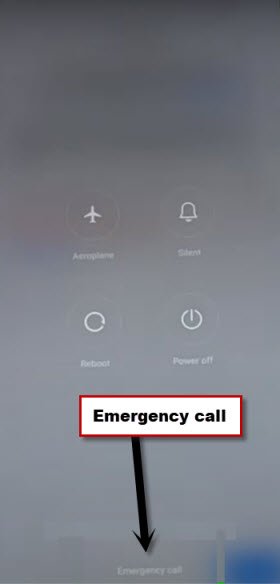
-Long hold (Power button), and then, tap few times “Emergency call” option until you go to next screen.
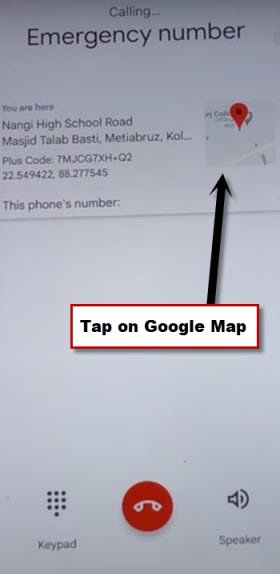
-Keep tapping on “Google Map” until you reach on next screen, from there, hit on “Skip”.
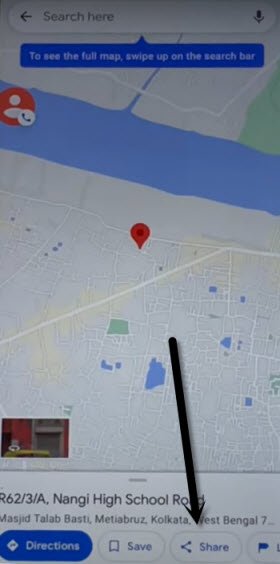
-Tap over “Allow”, and then, hit on “Share” option.
-We’ve to reach on youtube website to open google chrome browser. From popup window, just go to > Message > New Message.
-Send “www.youtube.com” as text message to any random number.
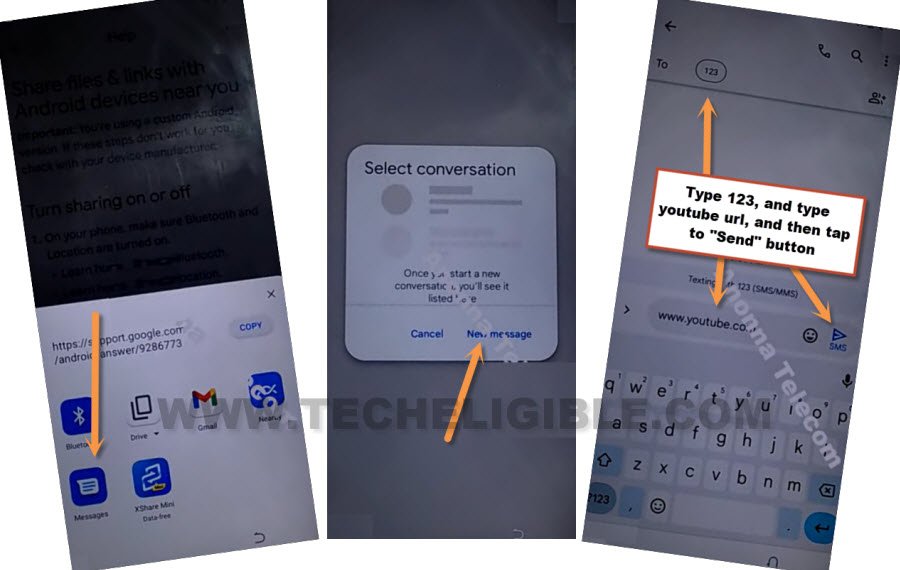
-Once the url is convert to a hyperlink, just tap to “Tap to load preview”, after that, hit on “Youtube” thumbnail image.
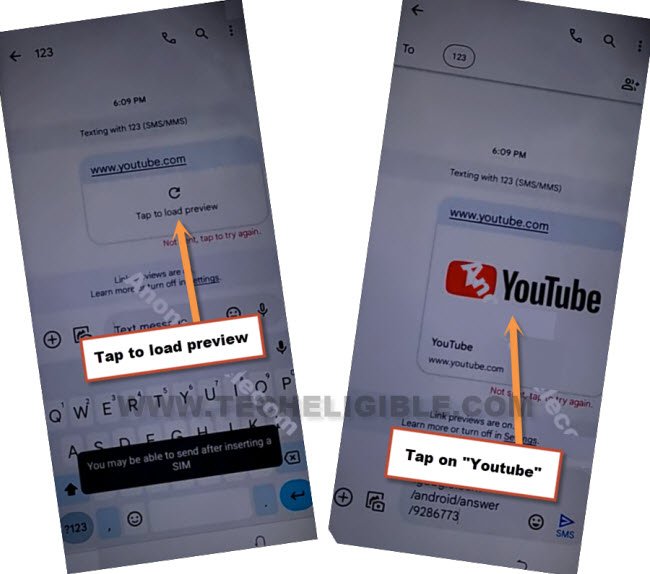
-Once you reach on youtube website, from there, hit on > Profile icon > Settings.

-Hit over > Youtube terms of services > Use without an account > No Thanks.
Access FRP Tools Page:
-We can easily access to techeligibe website frp tools, search in browser . And, visit our website 1st searched result from there.
-Tap on a “Menu” icon upright corner to bring up the sidebar menu. From there, hit on “Download FRP Tools“.

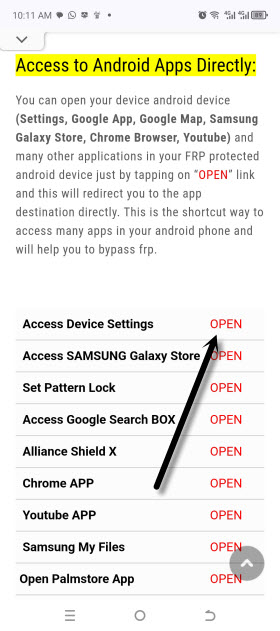
-Tap over “Access Device Settings” to Bypass FRP Xiaomi POCO M4, M4 Pro.
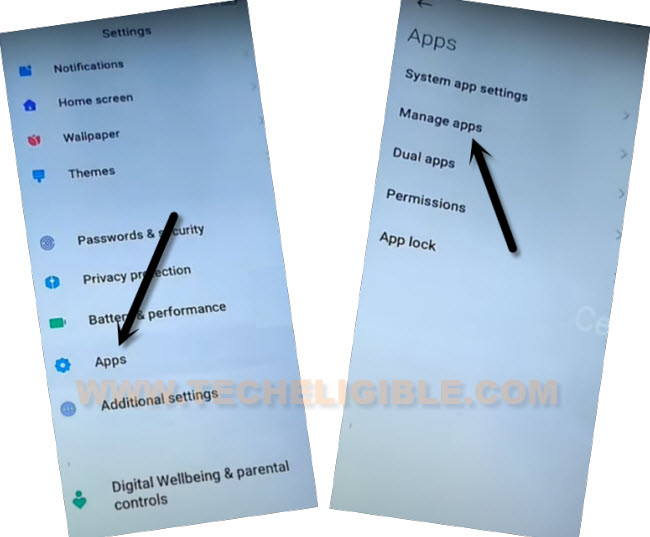
-From POCO M4 settings, go over > Apps > Manage Apps.
-Hit on > Find Apps > Skip from top right corner.
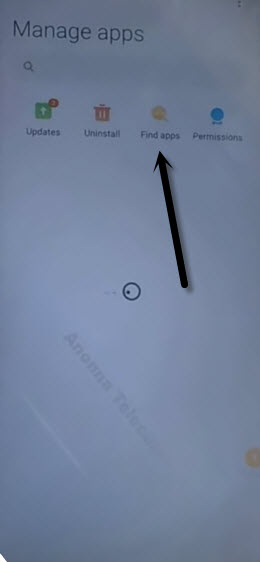
Install & Open Activity Launcher App:
-Search & install & open “Activity Launcher” app.
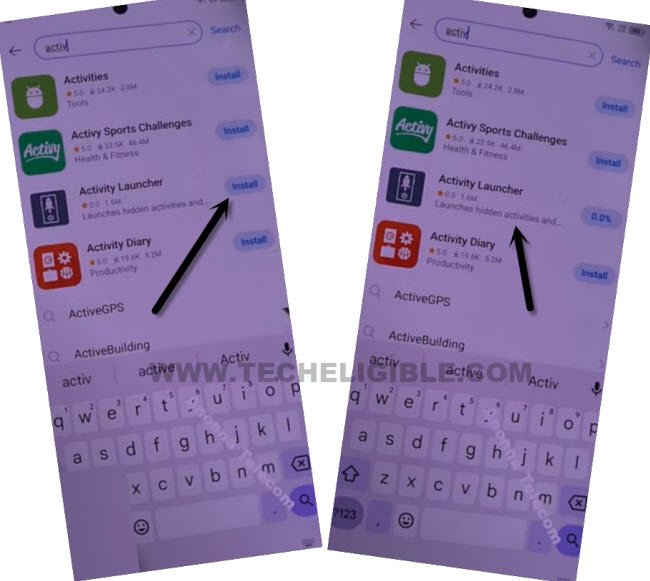
-Once the installing process is done, just tap to “Open” to launch activity launcher app, so that, we could easily bypass frp.
-Tap to “Ok”, and wait on loading screen.
-After opening activity launcher application, just hit over “Search icon” from top right corner.
-Search there with “Space ” after typing (Space) give also space by pressing space button
-Afterwards, tap on “Second Space Fingerprint”, and then hit on “Skip”.
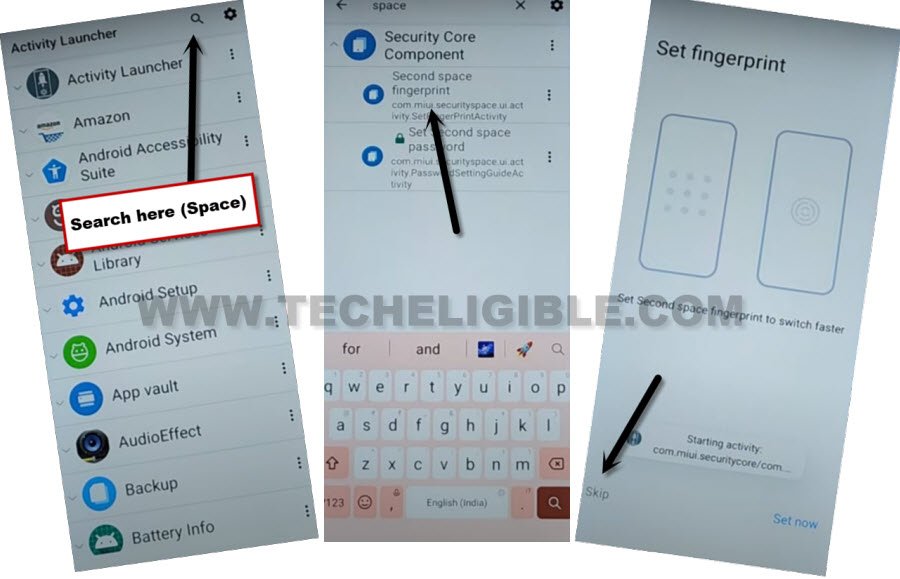
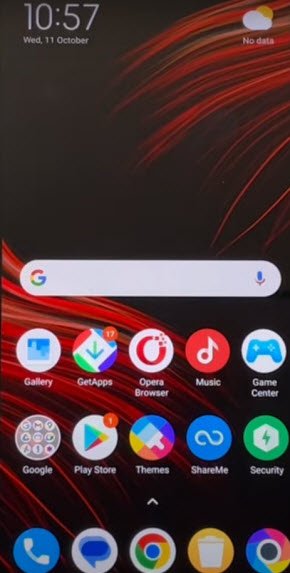
-After hitting on (Skip) option, you will be redirected inside your device main home-screen without completing initial setup wizard. That means, you are all done from Bypass FRP Xiaomi POCO M4, M4 Pro without using any PC and paid tool.
Method 2: Bypass FRP Xiaomi POCO M4, M4 Pro:
Hey, are you frustrated because of getting FRP protection on your own personal device, follow this way to Bypass FRP on POCO M4, M4 Pro through disabling few by default installed apps from this device settings, afterwards, you would be able to reach inside your device homescreen and setup latest google account to get back Xiaomi device.
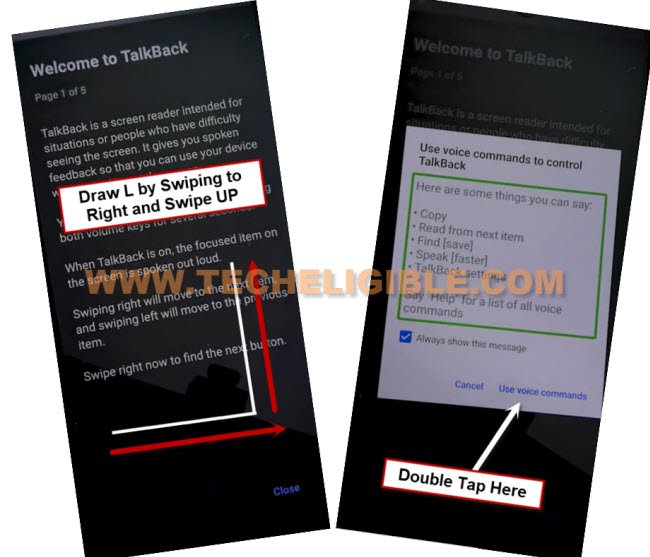
-Connect WiFi, now long hold both (Volume UP + Down) keys same time from (Choose Language) screen, this will turn on talkback feature in Xiaomi device.
-Swipe a reverse “L” on screen by swiping right, and then swipe up.
Note: You may have a popup window of (Allow android accessibility…), just hit on “While using the app”.
-Double tap on “Use Command Voice”.
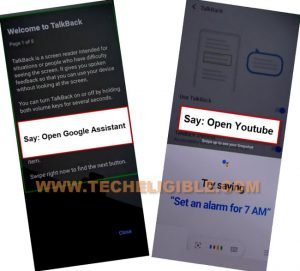
-Lets just Speak loudly “Open Google Assistant”, once the assistant is launched, speak again “Open Youtube”.
Note: You can also open youtube just by hitting over (Keyboard icon), and then search and go to “Youtube” website from there.
-Once you reach to (Youtube) website, just hit on “Profile” icon from up-right, and tap to “Settings” icon.
-Go to > About > Youtube terms of service > Accept & Continue > No Thanks.
Download & Install FRP Tools:
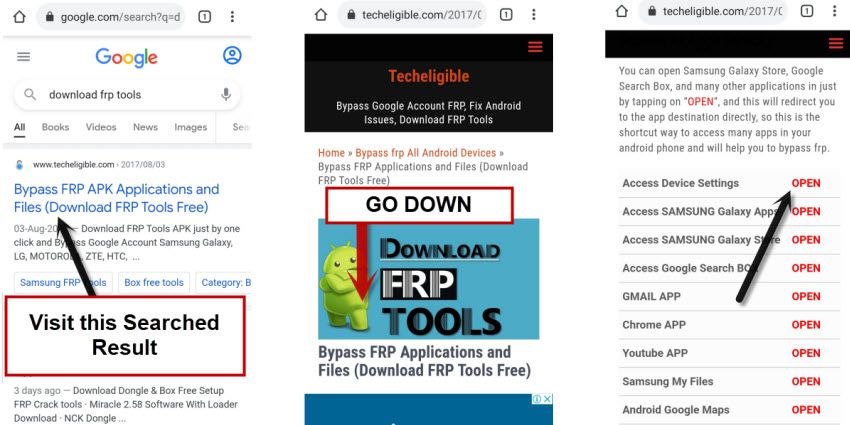
-Search in top search bar “Download frp tools Techeligible“, and go to our website searched result from there.
-Go down, and tap on “Access Device Settings“, this will redirect inside device settings to Bypass Google Account.
-After reaching inside your device settings, just tap over “Additional Settings”.
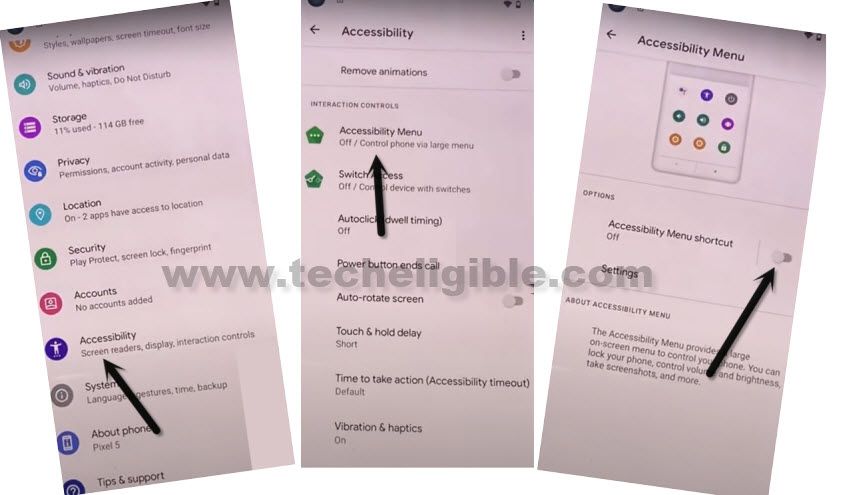
-G to > Accessibility > Accessibility MENU, after that, turn on “Accessibility Menu Shortcut”.
-Tap to “Allow” button from popup, after that, tap on “Ok”.
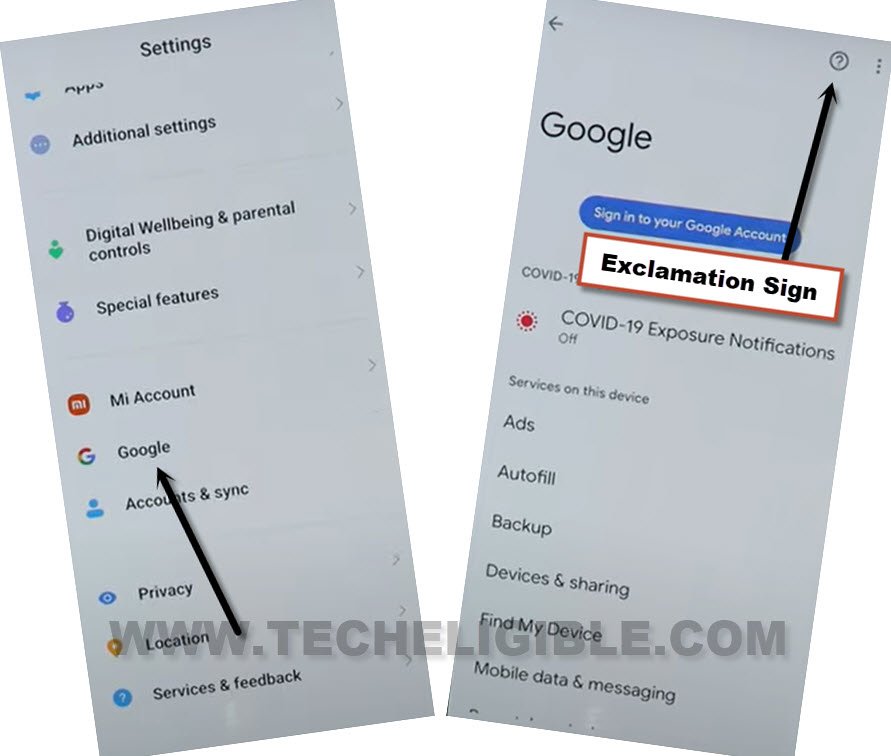
-Go back to “Settings”, from there, scroll down, and tap on “Google”.
-Hit over “Exclamation Sign” from top right corner to Bypass FRP Xiaomi POCO M4, M4 Pro.
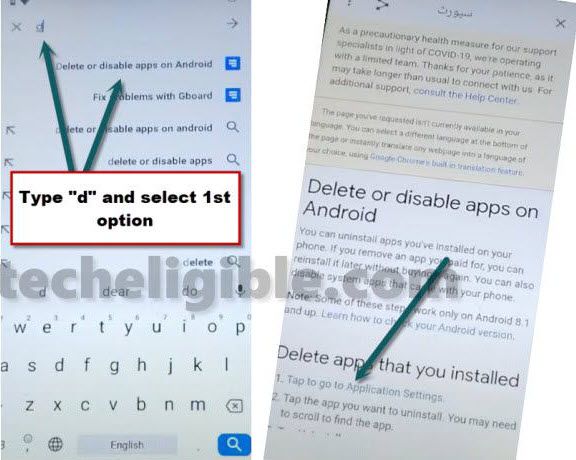
-Search and access to (Delete or disable app on android) same as shown in below image.
-Now hit on “Tap to go to application settings”.
-After accessing inside installed app list, just tap to “More” from bottom center, and then hit on “Show system”.
Disable 3 Apps from App List:
-Tap to “Android Auto”, now hit on > Force Stop > Ok.
-After that, tap on > Disable > Disable App.
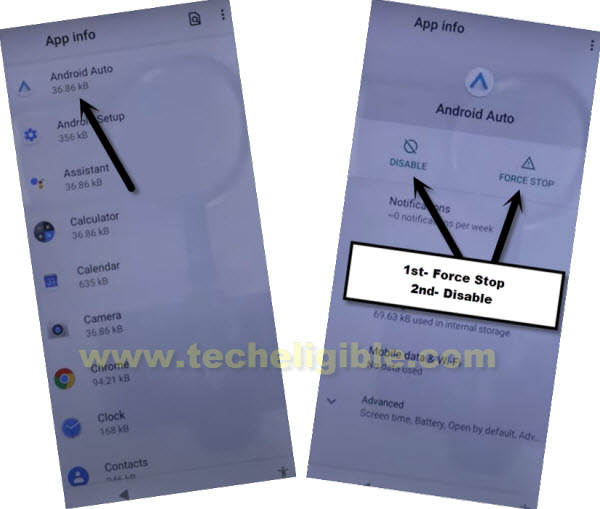
-Hit on “Storage & Cache”, from there, clear both (Clear Cache, and Clear Storage).
-Tap to > Android Setup > Force Stop > OK.
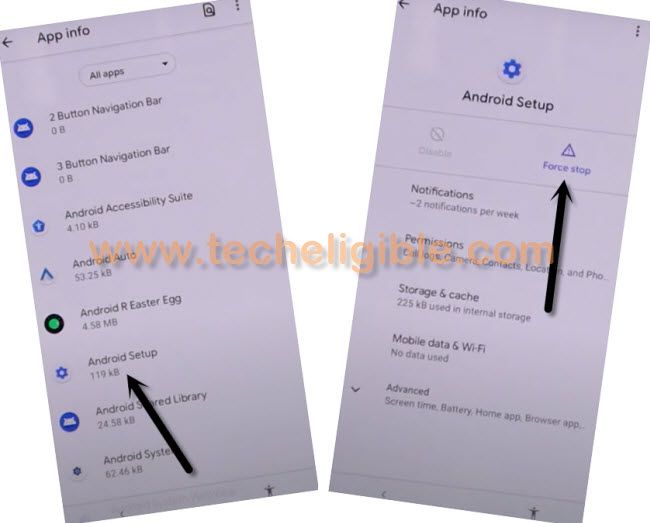
-Find and tap over > Carrier Services > Force Stop > Ok.
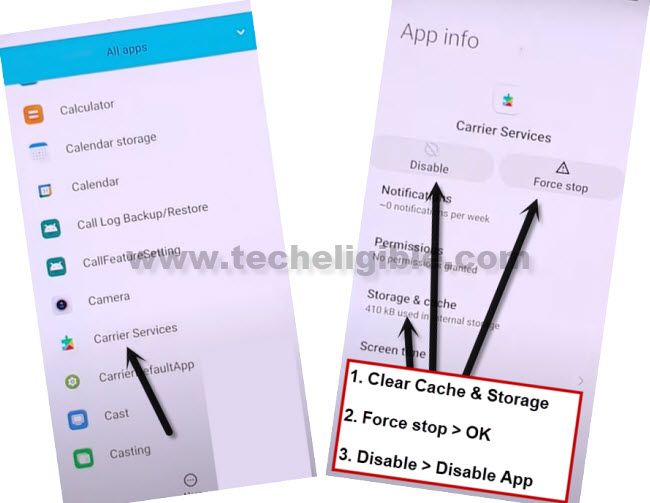
-Find and tap to > Google Play Services > Force Stop > OK.
-Now tap to > Disable > OK.
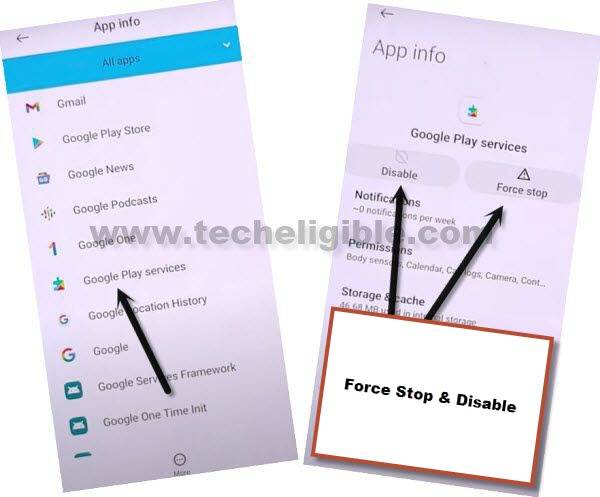
-Clear Cache and Storage of (Google Play Services) app too.
-Restart device by long press power button, and choose to restart.
Enable Google Play Services App:
-Once the restarting process is done, just go to > Next > Next, check mark “i have read and agree..”, and then hit again on “Next”.
-Tap to > Skip this step > Next > Next > Don’t Copy.
-We have to enable (Google Play Services) app, and this is a bit tricky and difficult task to do, because you have to very quickly tap few options as quick as possible and keep repeating steps until you enable back (Google Play Services) app.
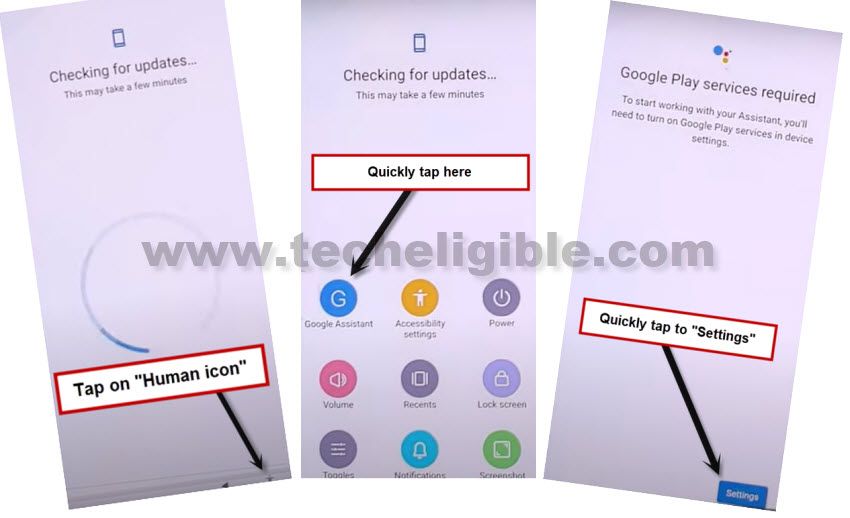
-You will see there a (Checking for update) screen wait there for 20-30 seconds only, after that, quickly tap over “Human” icon, and then quickly hit on > Google Assistant > Settings > Enable (Google Play Services).
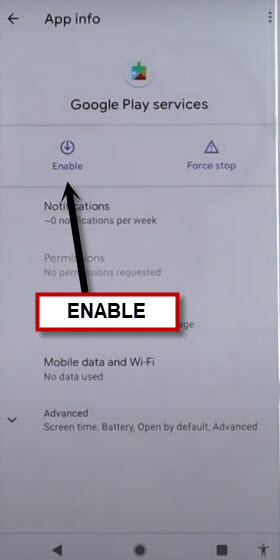
-Tap on “Enable” to enable google app.
Trick to Enable App: Keep your hands stand by for next options, as soon as you hit on “Human” icon, just keep your both hands fingers stand by on a (Google Assistant) option, and after that on a “Settings” option, once you successfully hit over “Settings”, you will get new screen of (Google Play Services), and this screen will also disappear if you did not hit any option from there timely.
Note: If, after 15-20 tries, you are unable to enable (Google Play Services) app, just restart device, and try again to Bypass FRP Xiaomi POCO M4, M4 Pro.
-After enabling google play services app, you are all done, now you will have a (Google Services) screen, from there tap over > More > More > Accept.
-Finish setup wizard now easily, and you can now setup your new google account easily, thanks for visiting us.