
If you have forgotten your signed in google ID after performing hard reset, then, you won’t be able to access your device main home-screen. To gain access to this device, you will have to follow up the instructions from here for the Bypass FRP Redmi Note 13 Pro Plus 5G (MIUI 14). We will go to (Verify your account) screen, from there, we can easily access to main settings. After that, with some more steps, you will be able to main home-screen.
Disclaimer: Do not try this frp method on a stolen phone, this is a serious crime, if you are trying to bypass frp on a stolen phone, you may also be jailed, this process is for device owner and for educational purpose only.
Continue to Bypass FRP Redmi Note 13 Pro Plus 5G:
-Turn on device & Connect WiFi.
-After that, go to (Verify your account) screen. Hit on “Email or Phone” field tab to open your device keyboard.
-From there, tap to “4 box” icon from keyboard corner. Go to “More” option.

-Tap over “Human” icon from upright corner of the screen.
-Tap on already check marked theme screen to get share option
-Hit on “Share” icon.

Go to Youtube through Message App
-You will get some share options in popup window.
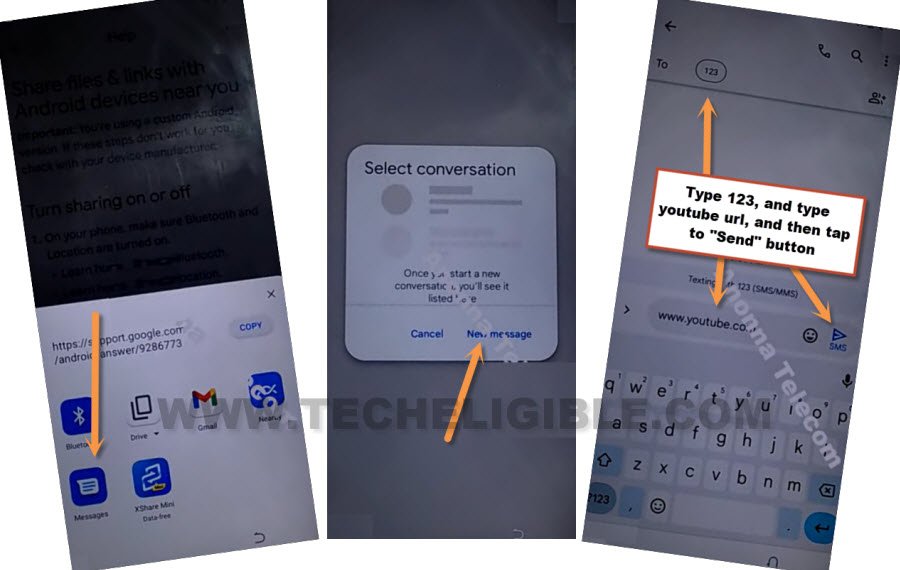
-Tap on “Message” icon from share window, after that, hit on “New Message” from popup window.
-Lets type url “www.youtube.com“, and send this url to any random number as text.
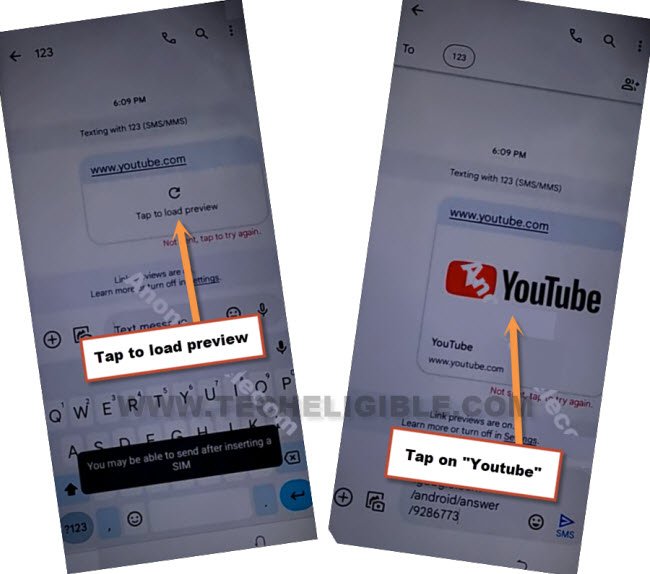
-Wait 10-20 seconds, after that, hit on “Tap to load preview”. Once you get youtube thumbnail, just tap on that “Youtube” thumbnail to get inside youtube website to Bypass FRP Redmi Note 13 Pro Plus 5G.
-The Youtube website will be launched, just hit over “Profile” icon from top corner.
-Go to “Settings”.

-Go to > History & Privacy > Youtube terms of services > Use without an account > No Thanks.
Access to Redmi Phone Settings
-You will get a search box at the of the device screen, let’s reach to frp tools page by searching in browser with “Techeligible“. After that, tap to 1st searched result to access techeligible site.
-From there, hit on a > Menu icon > Download FRP Tools.

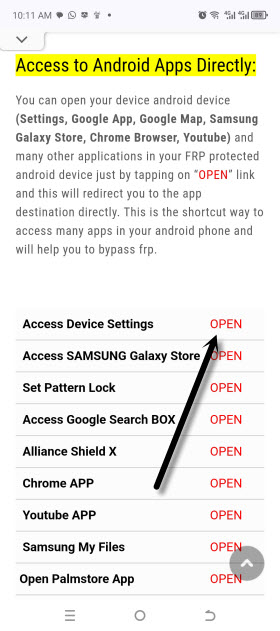
-Go down, and tap to “Access Device Settings”
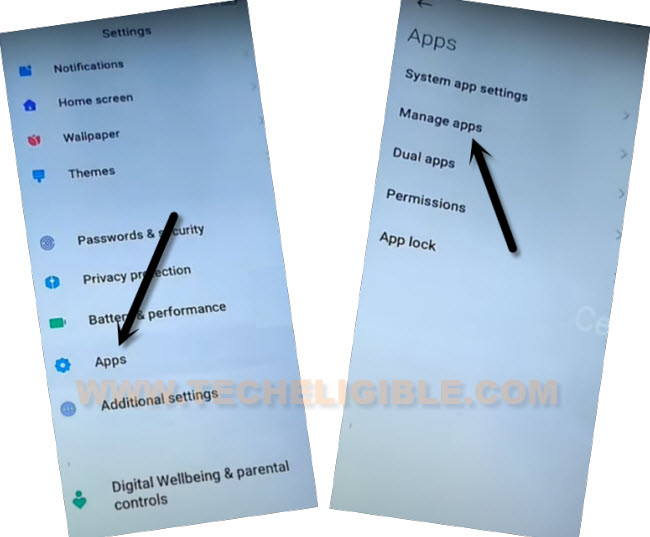
-From the device settings, just go > Apps > Manage Apps.
-Tap to “Find Apps” option from the top of the list.
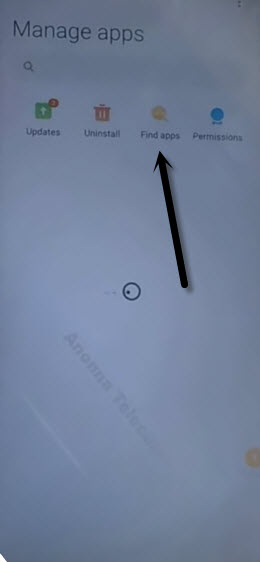
-Hit on “Skip” from top right corner, if you are on (Essential Apps) page.
Install & Access to Activity Launcher
-We have to install and launch “Activity Launcher” app in our device to Bypass FRP Redmi Note 13 Pro Plus 5G.
-Let’s search there with “Activity Launcher”. After that, tap to “Install” option.
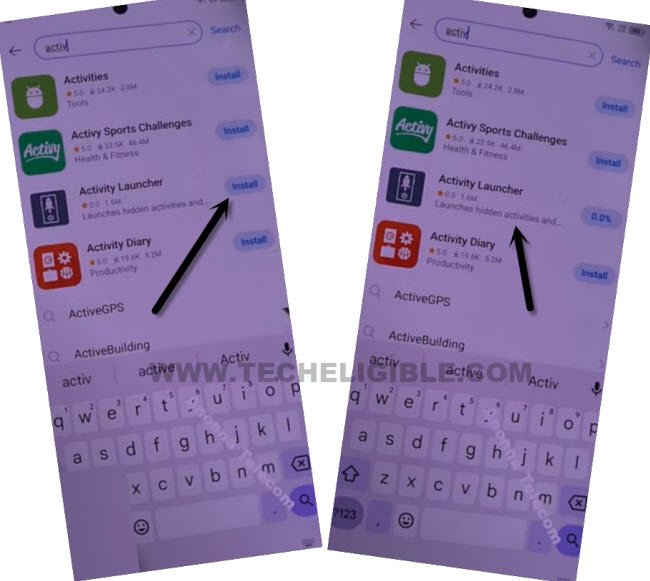
-Once the installing process is done, just hit over “Activity Launcher” app to launch.
-Hit over “Ok” from (Disclaimer) popup window, after that, wait till the loading process is finished.
-Tap on “Search icon” from top corner.
-Type there “Space ” after typing (Space) give also space by pressing space button, then you will be able to get “Second Space Fingerprint” searched result.
-From the list of (Second Space), just hit on a “Second Space fingerprint” option.
-You will be redirected on (Set fingerprint) screen, just hit on “Skip”.
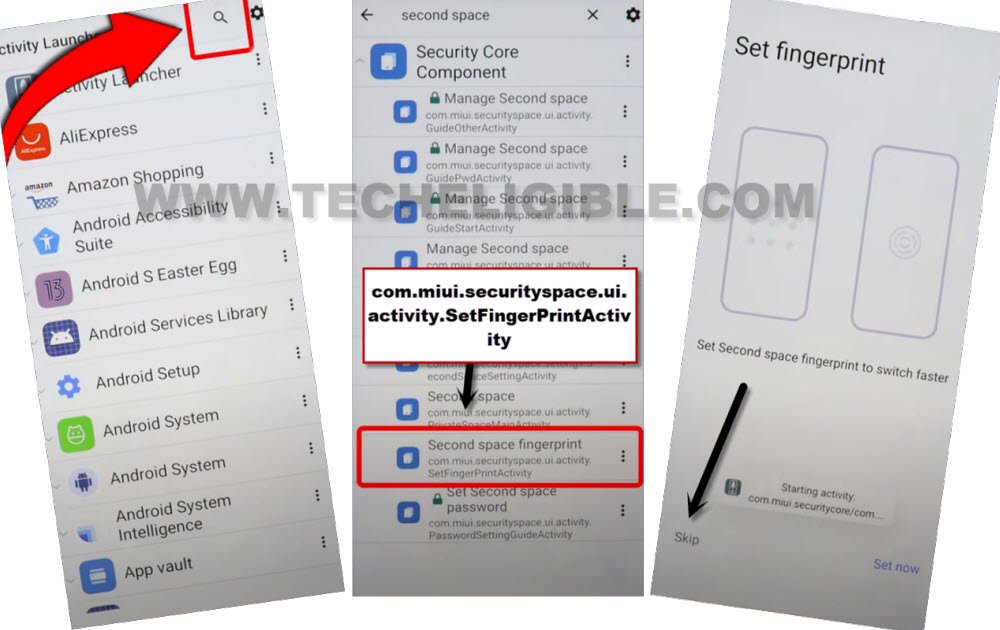
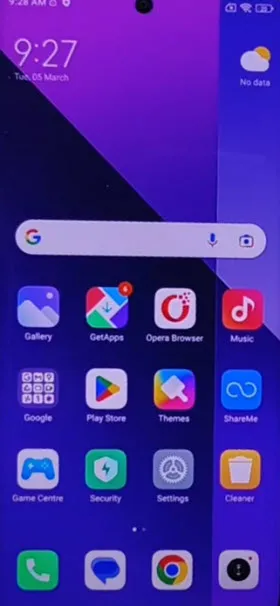
-After that, you will be inside your device main home-screen without completing setup wizard and without signing in with google account.
-Now, you can setup new google account and new fingerprint lock on this phone from the device settings.
Conclusion:
With the help of (Keyboard) option, accessed to the message application. Typed and sent the (Youutube.com) url in text message. Later, we reached on the main youtube webpage. From there, reach at the frp tools page and launched (Settings) of the readmi phone. After that, installed and run (Activity Launcher) application and created second space on the phone to bypass frp.