If you have a POCO device, and you have forgotten your own account, or because of any reason, you have got FRP protection on your own device. To resolve and gain access to your device, you need to verify your ownership by giving pattern lock or Gmail account. If you don’t remember any of your device security lock. You have only once choice here, that is to Bypass FRP Xiaomi POCO X6 Neo 5G MIUI 14 (Android 14, 13) Without spending money, and using any paid services, you can get back your device and setup new security lock. Follow steps from below.
Remember: Do not try this frp method on a stolen phone, this is a serious crime, if you are trying to bypass frp on a stolen phone, you may also be jailed, this process is for device owner and for educational purpose only.
Let’s Start to Bypass FRP Xiaomi POCO X6 Neo 5G:
-You have to connect WiFi first to your device in order to bypass frp easily.
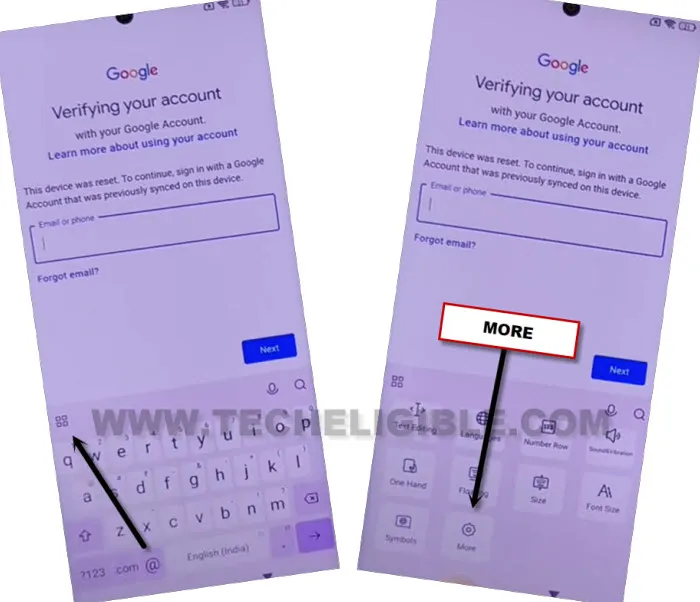
-After that, go to (Verify your account) page, where you are asked to sign in with already added google account.
-Tap to “Email or Phone” field tab to get keyboard.
-From there, tap over “4 box icon” from keyboard up left corner, after that, go down, and tap on “More” option.
-Go to > About > Privacy Policy.
-Long hold over any text from the page, and go to “Share” option.
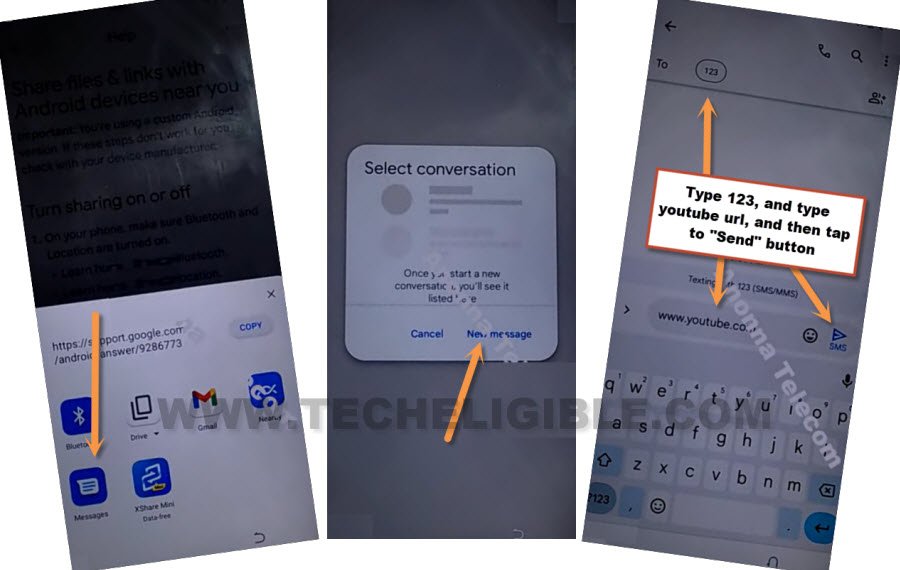
-You will be shown some share icons, just choose “Message” icon same as shown in below image.
-Tap to “New message” option from popup.
-Send “www.youtube.com” url as text message to any random number.
-Once the url is sent successfully, you will see that url will convert to a hyperlink in blue color. After that, hit on “Allow” from popup.
-Tap to > Human icon > Settings > About > Youtube terms of services.

-From chrome windwo, tap to > Use without an account > No Thanks.
Go to POCO X6 Neo Settings Page:
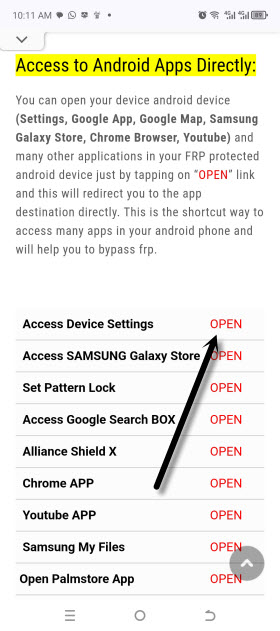
-Search in top search bar of the browser with “Techeligible“. Go to our website 1st searched result same shown in below screen shot.
-From there, you need to go to “Menu” icon and tap on “Download FRP Tools” option to access frp tools page directly.

-From there, tap to “Access Device Settings“.
-After reaching to your main settings page, from there, go to > Apps > Manage Apps.
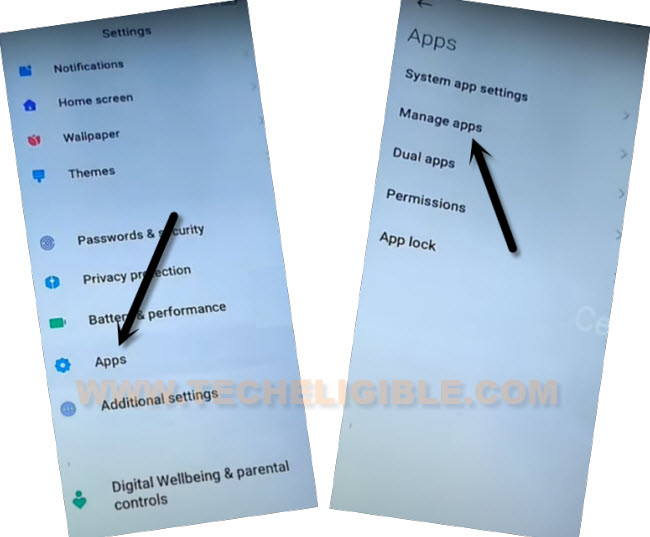
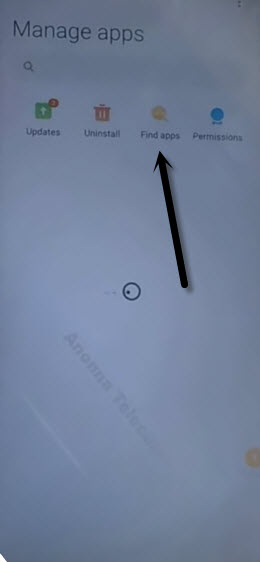
-Hit over a (Find Apps) option from there. After that, tap over “Skip” from top right corner on a (Essential App) screen.
-Tap to “Find Apps” option from the top of the list.
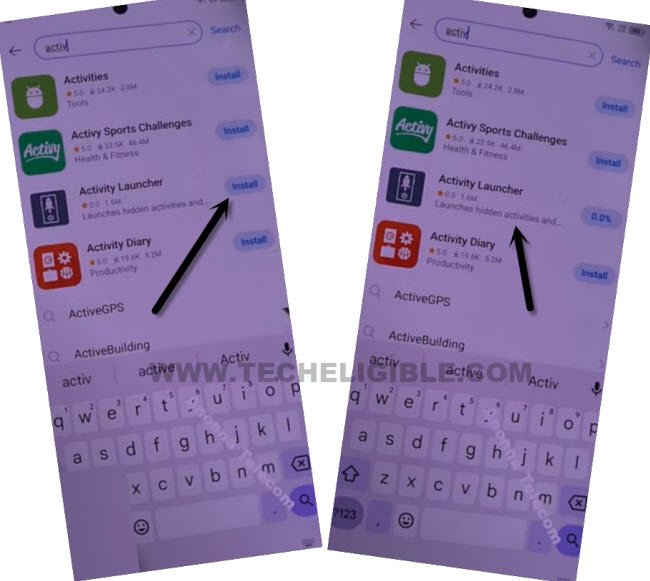
-Find & Install “Activity Launcher” app from there.
-Once the installing process is done, just launch your (Activity launcher) application.
-Hit over “Ok” from popup window. You will be displayed a (Loading..) screen, just wait till its done.
-Hit on “Search” icon from top corner, and type there “Space ” after typing (Space) give also space by pressing space button, then you will be able to get “Second Space Fingerprint” searched result. Tap over that searched result, and then hit on “Skip”.
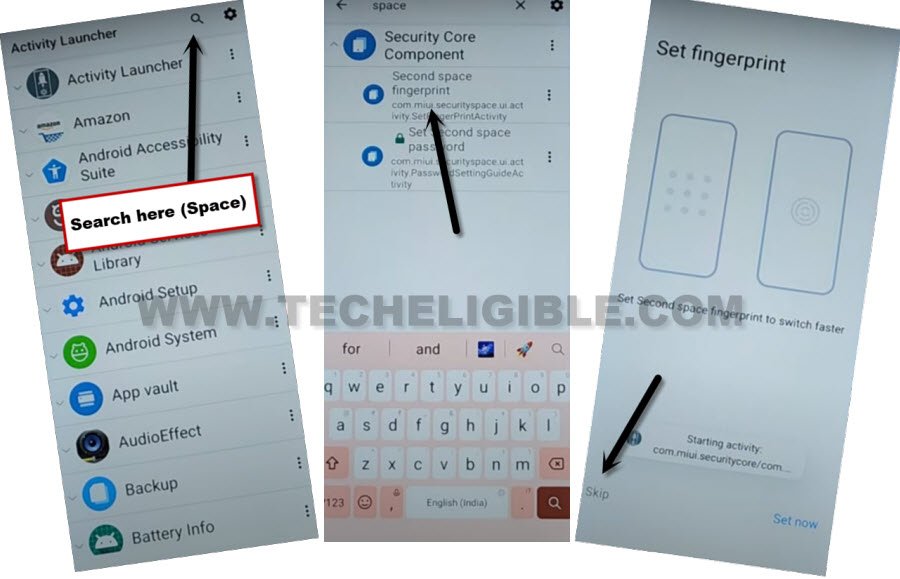
-After hitting over “Skip” option, you will be redirected back to your device main home-screen without signing in with forgotten google account. This is how, you can easily Bypass FRP Xiaomi POCO X6 Neo 5G without any paid services. Thanks for visiting us.