You can access back to your device even if you don’t remember already signed in google account. If you are an owner of this phone, and wanna get back Mintt A6 with working Gmail account. Follow up this method to Remove FRP Mintt Ultramintt A6. That happens with lots of people, that they don’t remember their Google account after hard reset the device.
Warning: This method is only for a real device owner, who has lost his/her Gmail account after hard reset. If you are unknown to this phone & trying to gain access, you will be jailed once the device is traced. This is a serious crime & Sin. You must return this phone to its real owner.
Let’s Start to Remove FRP Mintt Ultramintt A6:
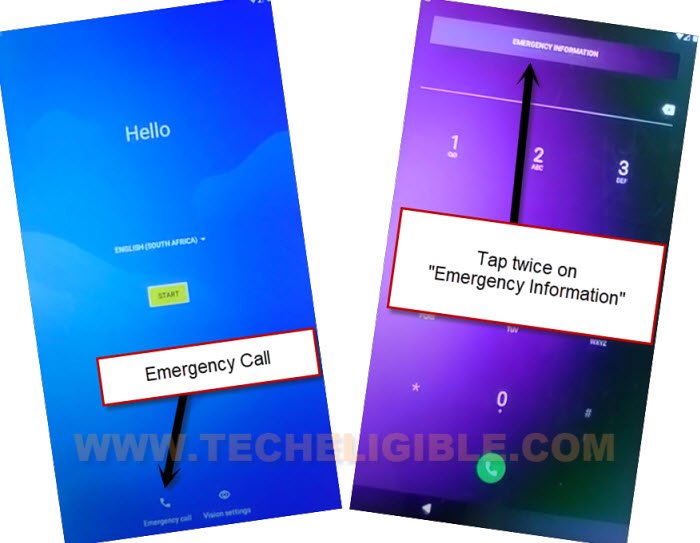
-We have a simple way to fixup this issue easily without facing any trouble. After that, you will be able to setup new google account. Firstly of all, connect WIFI. After that, go back on first (Hello) screen.
-You are now on a very first startup page. Just go to “Emergency Call” option. After that, double hit on “Emergency information”.
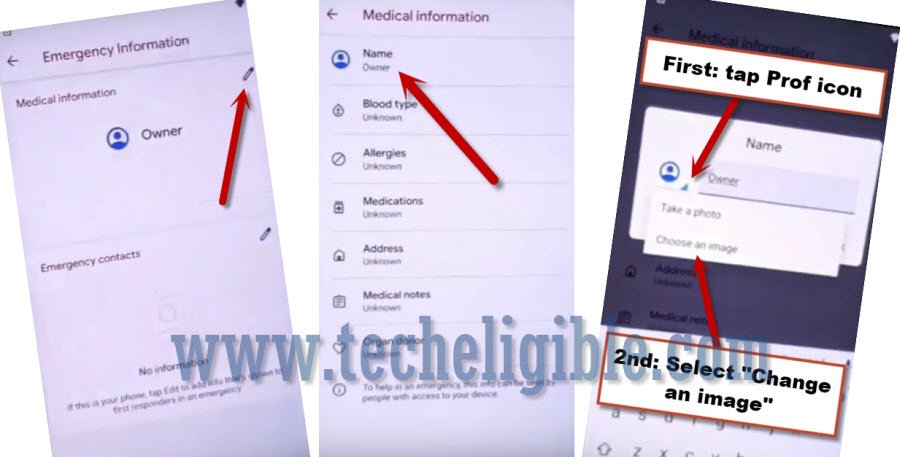
-Go to “Edit” option from top corner. Tap on > Name > Down Arrow (See below screen shot).
-Tap on “Choose an image” option to access (Recent) page.
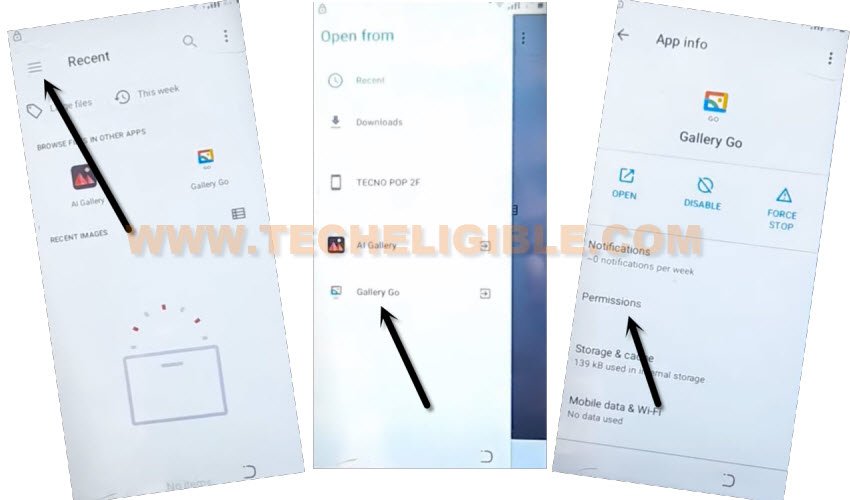
-From there, get sidebar menu by hitting on “3 lines” from top corner. After that, long tap at “Gallery Go” option.
-Tap to “Permissions”.
-Hit on “Search” icon from top bar, and search there “Settings”, now tap to “Settings” gear icon.
-Hit on “Open” to go inside this device settings.
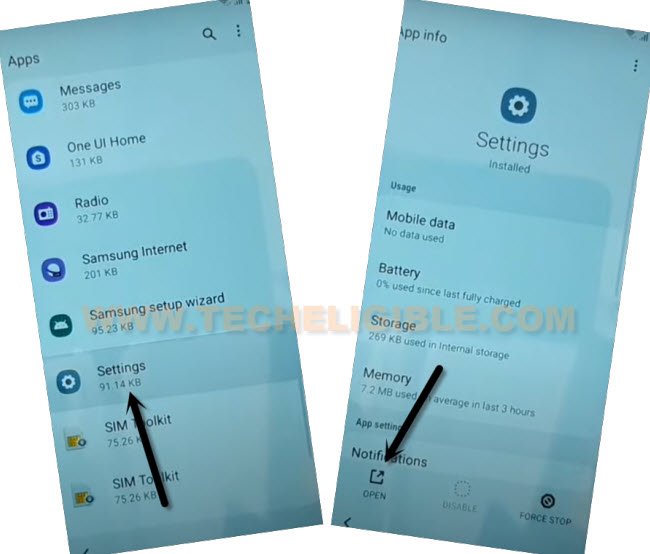
-After that, tap to > Security > Device Admin app.
-Hit on “Find my device”. After that, tap to “Deactivate this device admin app”.
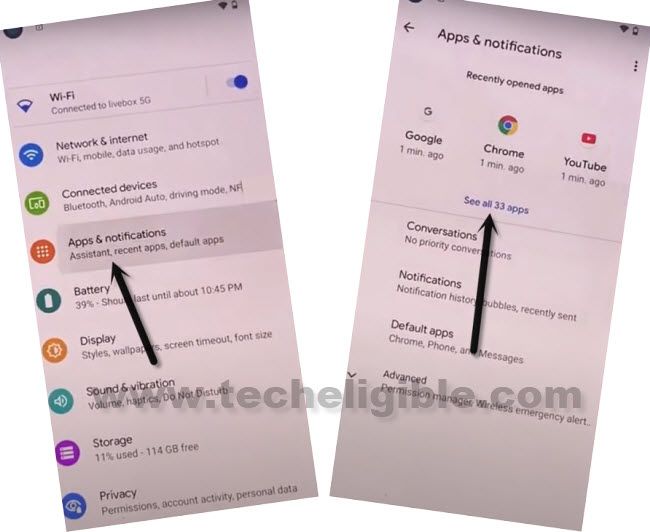
-Let’s go back to main settings page. From there, hit on > Apps & Notifications > See All Apps.
Let’s Disable Some Apps to Successfully Bypass FRP:
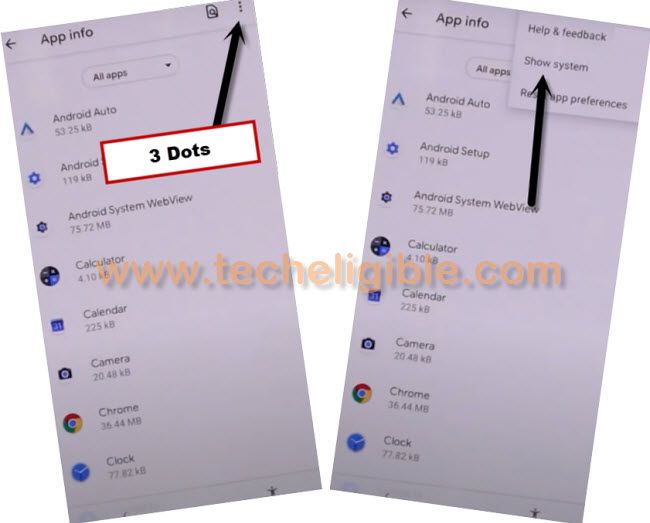
-Firstly, we are gonna get displayed hidden apps by tapping > 3 dots > Show system.
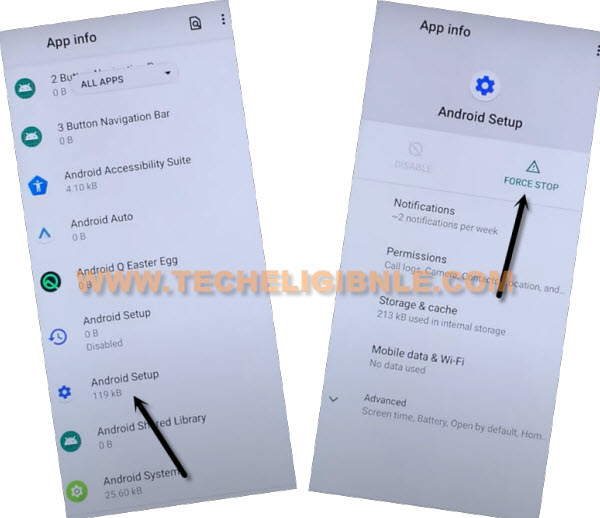
-Scroll and find out gear icon > Android Setup > Force Stop > Ok.
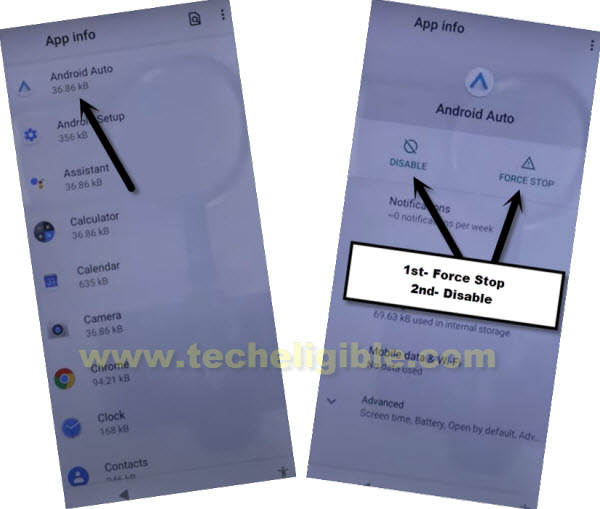
-Get back to app list page again by hitting back arrow from bottom. Afterwards, find and go to > Android Auto > Disable > Disable App.
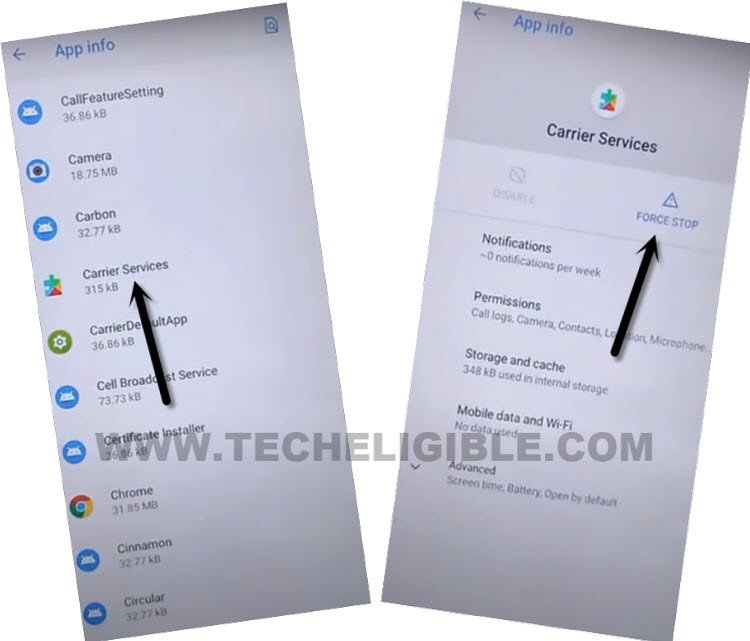
-Go back to app list page again. Find out another app and tap to > Carrier Services > Force Stop > Ok.
-We have to disable our final application now to successfully Remove FRP Mintt Ultramintt A6.
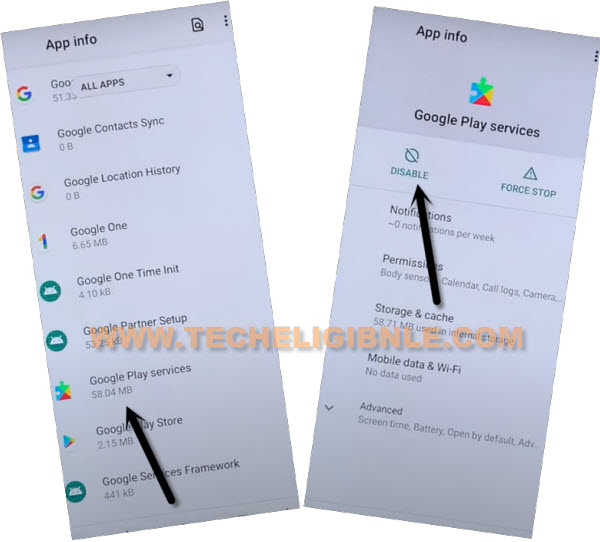
-Find out and tap to > Google Play Services > Force Stop > Ok.
-After that, tap to > Disable > Disable App.
Go all the way back to (Hello) homepage:
-From first (Hello) page, just tap to > Start > Skip. Afterwards, hit on “Back Arrow” from loading page to get back to (Connect to WiFi) screen.

-You are now on a WiFi page, just tap to > Setup offline > Continue.
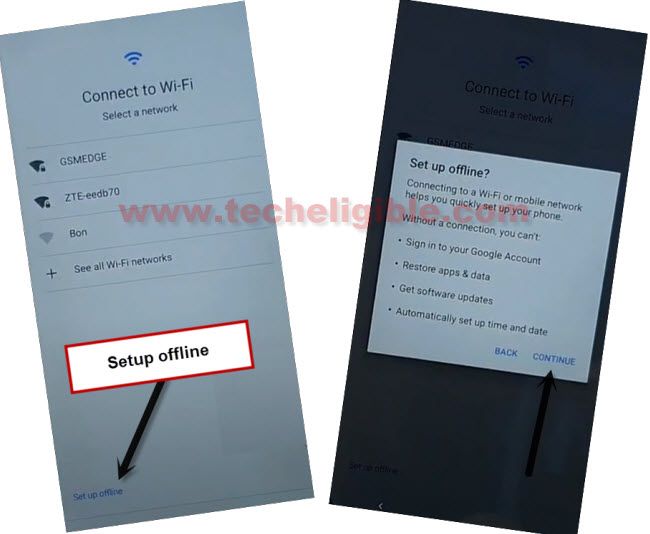
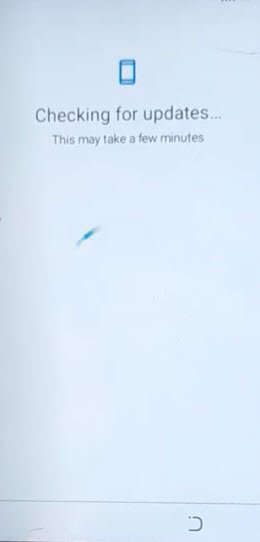
-You will have a loading page. But, this will not finish until you enable back google play services application.
Enable Again Google Play Services App:
-Let’s go back to (Hello) page again. From there, tap over “Emergency Call” option. After that, double hit on “Emergency information”.
-Go to “Edit” option from top corner. Tap on > Name > Down Arrow (See below screen shot).
-Tap on “Choose an image” option to access (Recent) page.
-From there, get sidebar menu by hitting on “3 lines” from top corner. After that, long tap at “Gallery Go” option.
-Tap to “Permissions”.
-Hit on “Search” icon from top bar, and search there “Settings”, now tap to “Settings” gear icon to Remove FRP Mintt Ultramintt A6.
-Hit on “Open” to go inside this device settings.
-Let’s go back to main settings page. From there, hit on > Apps & Notifications > See All Apps.
-You are now on an app list page again. Lets reset app by hitting on > 3 dots > Reset app preference > Reset apps.
-Hit again on > 3 dots > Reset app preference > Reset apps.

-Find out “Google Play Services” app from app list. Tap on that app. Do make sure, the app is enabled already.
-After enabling google app, just go all the way back to first (Hello) homepage. From there, tap to > Start > Skip > Back Arrow.
-Tap to > Setup offline > Continue. After that, you will be taken to (Google Services) page. From there, tap over > More > More > Accept.
-After that, from PIN setup page, simply tap to > Skip > Skip.
-Congrats, you are now inside the device main home-screen without signing in with forgotten Gmail account. Thanks for visiting us.