
Are you looking for a way to fix frp issue from your latest android version oneplus device? We will show you easy way to Bypass FRP All Oneplus Android 15 without using any pc and paid tool. You don’t need any frp bypass app for this method. Simply, connect WiFi to your device and start following steps from below.
Disclaimer: We highly recommend you to apply this method only on your own device, if you are not owner of this device, or you found this from some where, you must return to its real owner. This method is for educational purpose only.
Let’s Start to Bypass FRP All Oneplus Android 15:
-We will use a simple code on this phone to access chrome browser page first.
-First of all, connect WiFi to your Oneplus Android 15 phone. After that, return back to first (Hello) screen.
-Hit on a “Emergency Call” option and dial this code there *#899#

-After the code is dialed successfully, you will have same screen as shown in below image. From there, go to “Manual Test” option.
-Hit on a “CAMERA” from top bar menu same as shown below. After that, tap on “Camera Test”.

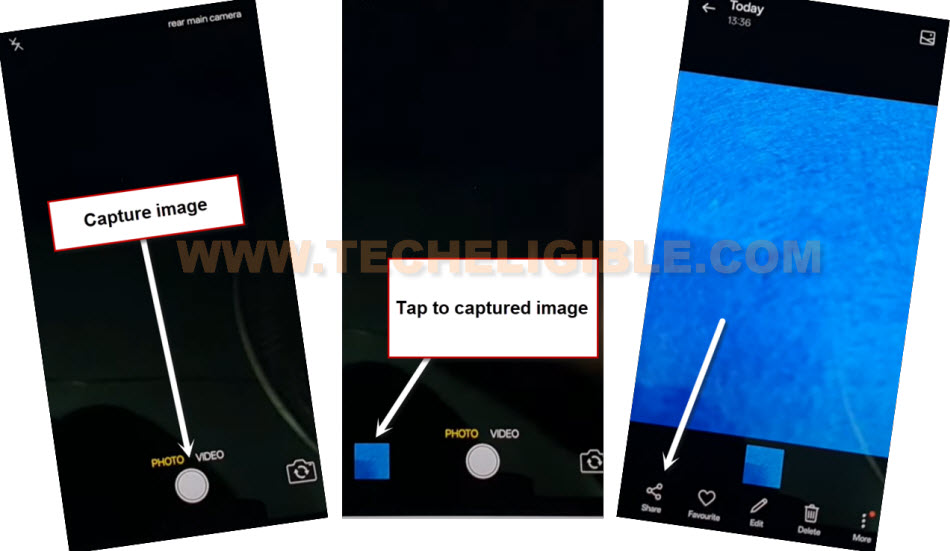
-Capture any image from your device. After capturing image, just tap on your captured image and hit on “Agree and continue”.
-Go to “Share” option from bottom of your image.
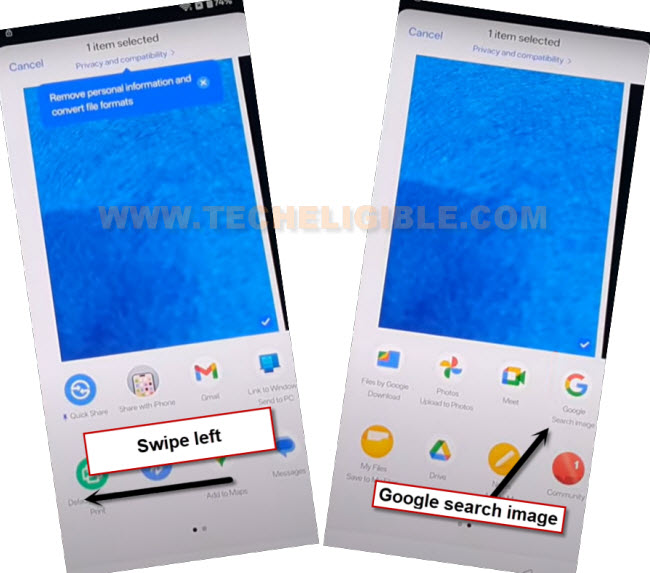
-You will have a popup window at bottom, just swipe to left and tap on “google search image” app.
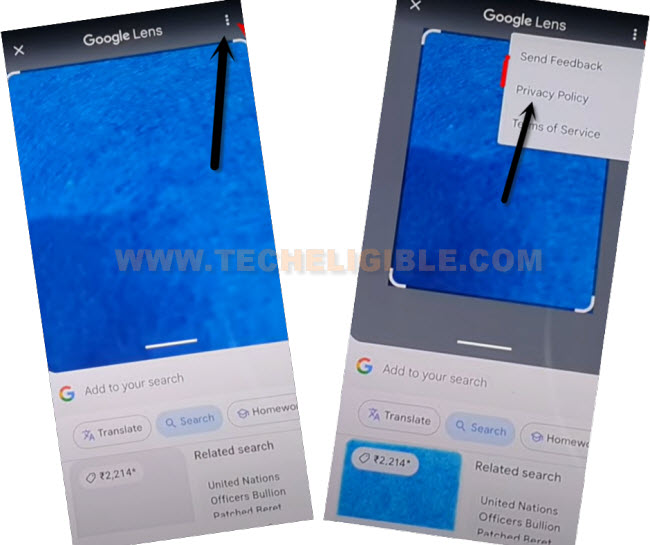
-You will reach to google lens screen, from there, go to > 3 dots > Privacy Policy.
-From chrome page, just go to “Use without an account”.
-Afterwards, you’ve to tap on “Menu” icon from top corner and tap on “Google Search” icon same as shown in below image.

Launch Oneplus Clone App:
-Search in chrome browser search bar with “Techeligible“. After that, visit same searched result as shown in below screen shot to access our official site.
-After accessing there, just go to “Menu” icon from upright corner. After that, tap on “Download FRP Tools” option.

-Hit on a “Access Device Settings” option from there to reach your device main settings screen directly to Bypass FRP All Oneplus Android 15.
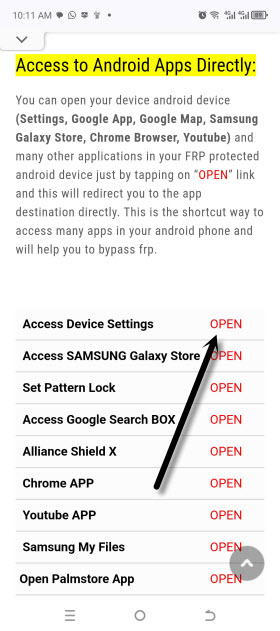
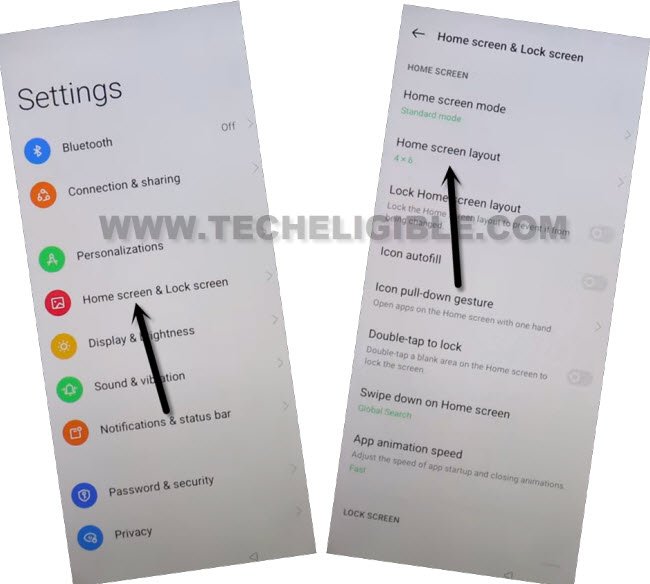
-We can access to our device main menu page easily just by tapping on “Home screen & Lock Screen” from settings screen.
-After that, go to “Home Screen Layout” option same as shown in below image.
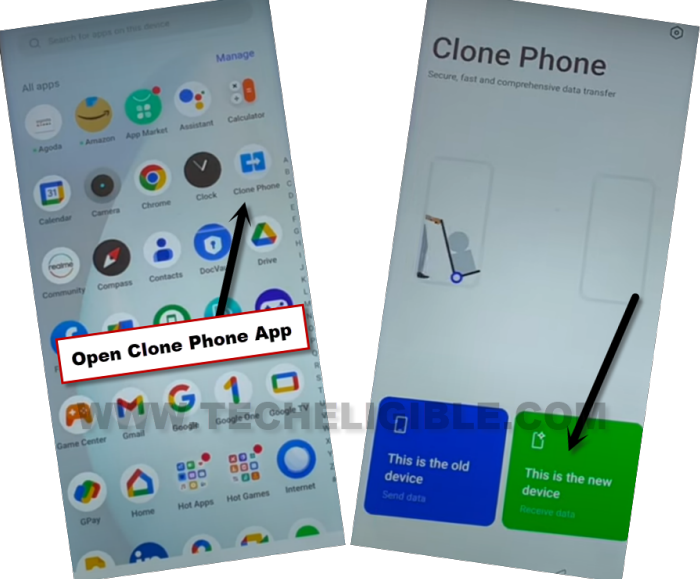
-Open up your device main menu and tap on “Clone Phone” app from there.
-Once the app is fully launched, jut go to “This is the new device” option.
-Afterwards, hit on a > Allow > Other Android.
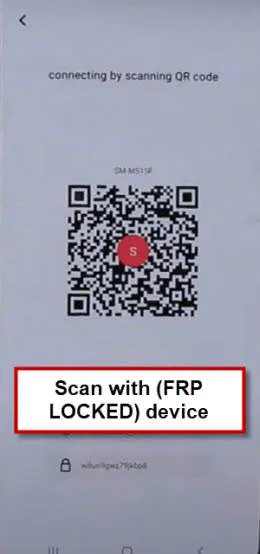
-You will have a (QR Code) on your Oneplus android 15 device screen.
Lets install & Open OnePlus in Other Phone:
-We’ve to use another android device to install this same clone phone app there. Because, we have to transfer any single random app from other android device to our (Oneplus Android 15) phone to bypass frp easily.
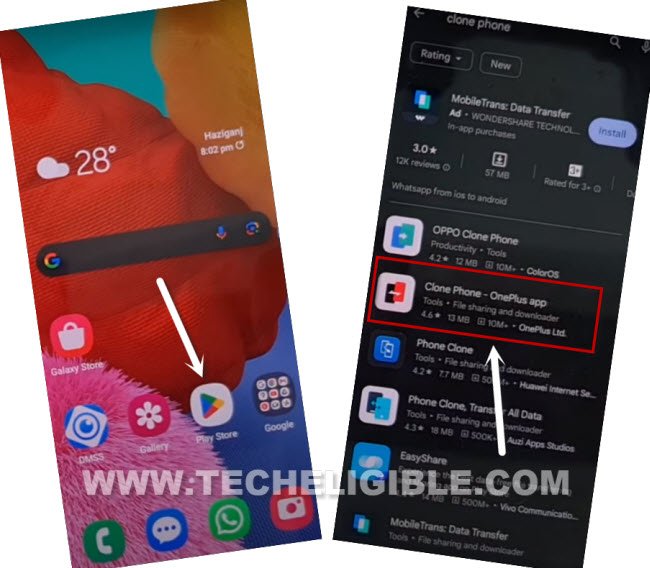
-In your other android device, just open google play store application. Search there “Clone Phone – Oneplus” app. After that, tap to “Install” button to start installation process of this application.
| Note: If you’re unable to find out this same app, you can install also (OPPO Clone Phone) app or any other clone phone application. |
-After the installing process is completed, just tap to “Open” option.
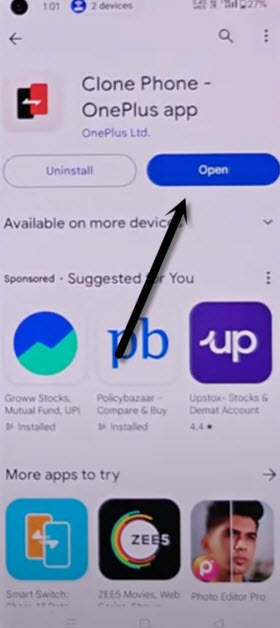
-Give all required permissions to use this app. After giving all permissions, this app will be fully launched.
-Just tap on “This is the old device” option same as shown in below image.
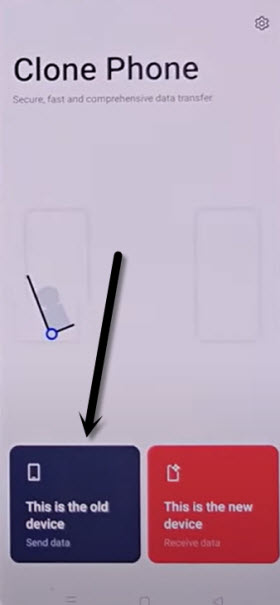
-You may have to give some more permissions to this app in order to use this app fluently to Bypass FRP All Oneplus Android 15.
| Note: You may have to this few times, from popup screen, go to “Settings” and turn on permission from there and go back. Keep doing this this popup window stops appearing up. |
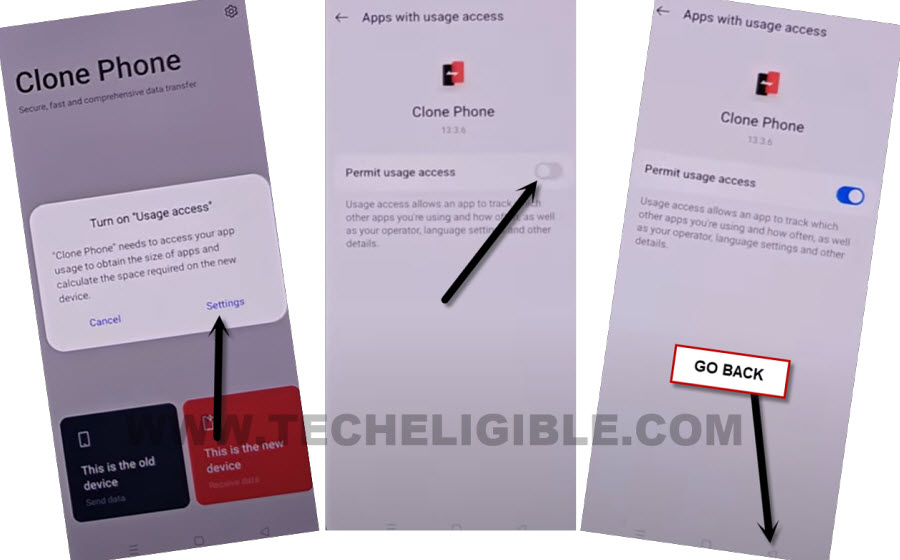
-After that, tap to “Start Migration” button. You will reach to this screen after giving all required permissions.
-You may also have to give more permissions by tapping on “Allow & While using the app”.
-Finally, you will be able to see (QR Scanning) screen same as shown in below image.
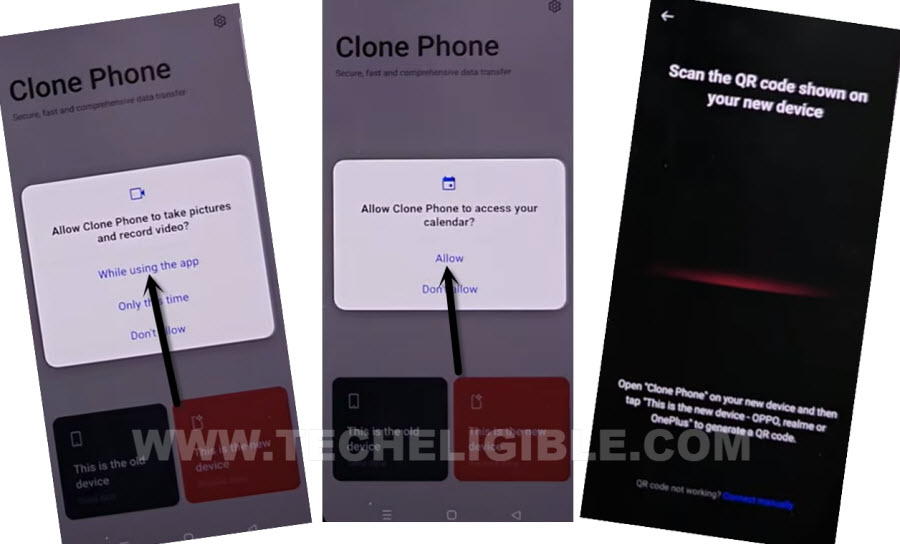
-Let’s scan QR Code from (OPPO Android 15) using your other android device QR scanner.
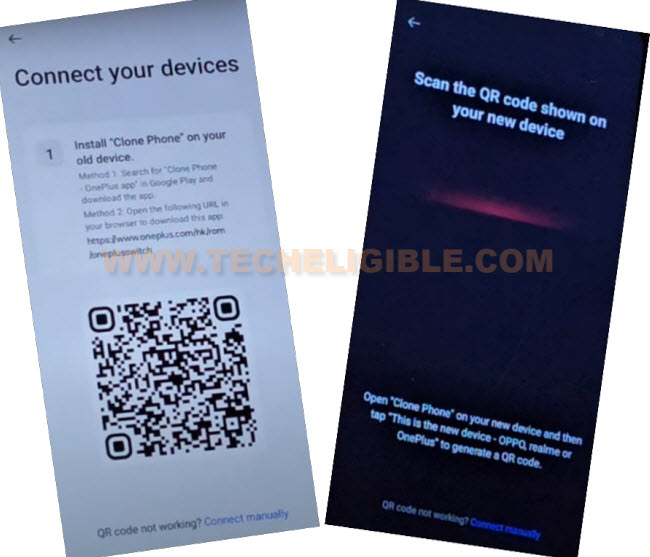
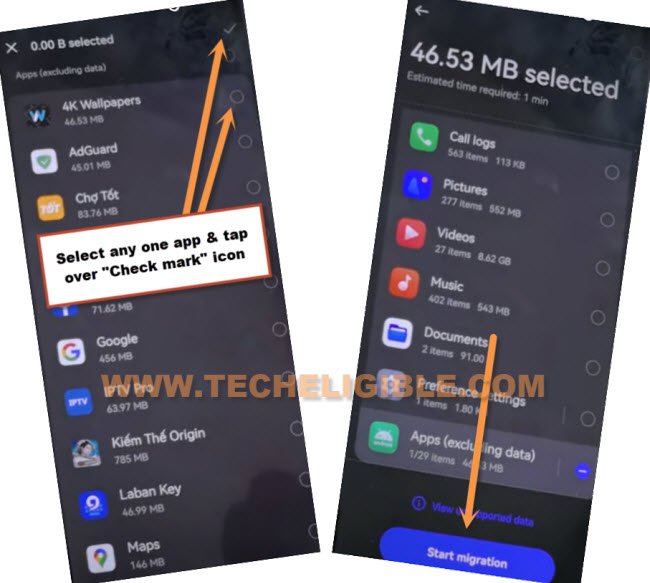
-You will see app list page on your other android phone after both devices connected successfully.
-Un-check all apps. After that, check mark any one small mbs random app from app list screen and tap to > Next > Start Migration.
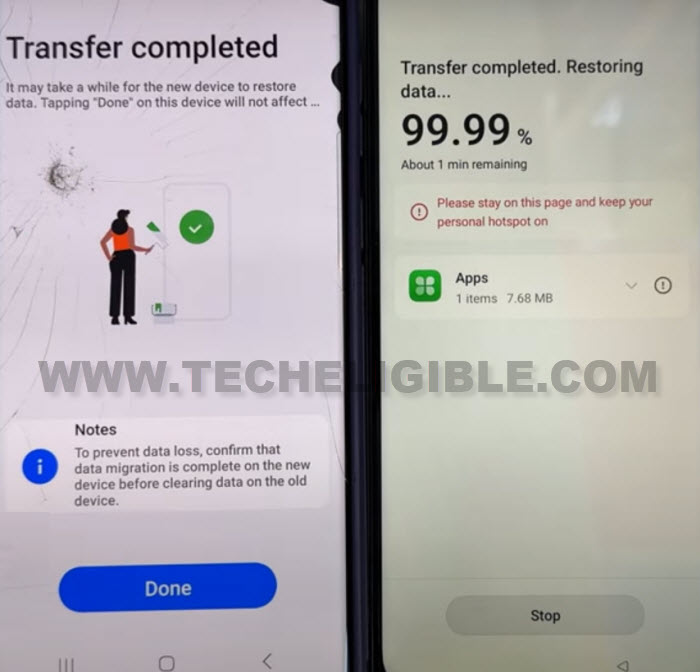
-Wait until the app is transferred successfully. You can hit on “Done” option from other android device screen. We no longer other android phone now.
Follow Up steps on Oneplus Android 15:
-Tap to > Resume > Done > Skip.
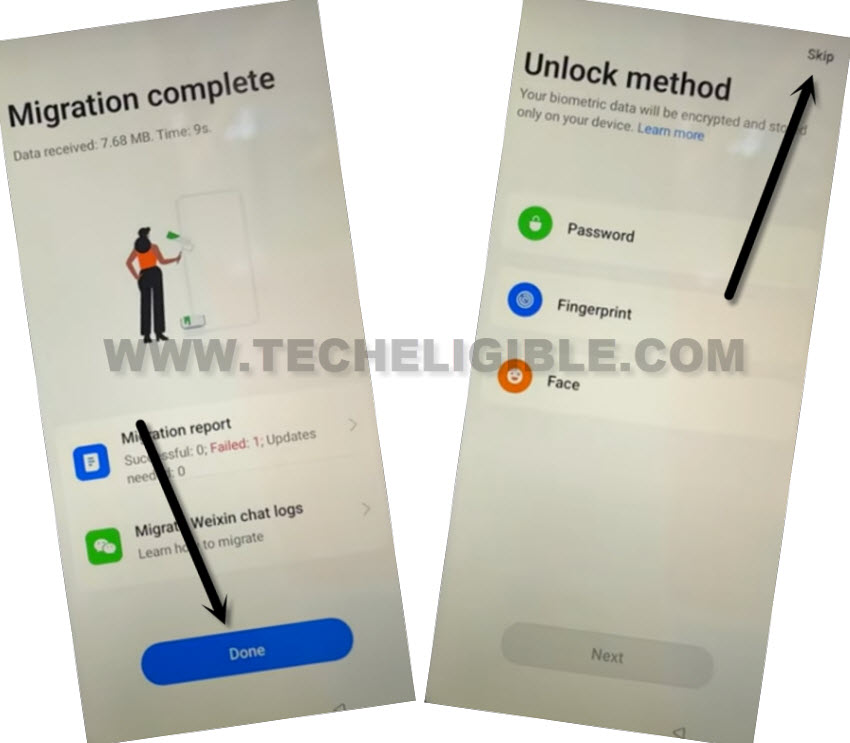
-Hit on > More > Agree > Done.
-Choose “Button” and tap to “Done”.
-You will have a (You’re all setup!) screen. From there, tap to “Let’s go” button.
-Its all done now from Bypass FRP All Oneplus Android 15 without using any PC and paid frp apps. Thanks for visiting us.