
You can access back to your xiaomi phone even after hard reset your device. If you are not aware of previously setup google ID on this phone and you are not being allowed to go to next screen from google verification page. That means, your device is on a FRP protection. You need to follow up this way to Bypass FRP Xiaomi Civi 2 without getting help of any paid services and computer.
Disclaimer: We highly recommend you to apply this method only on your own device. If you are not owner of this device, or you found this from some where, you must return to its real owner.
Let’s Start to Bypass FRP Xiaomi Civi 2:
-Prepare a PIN lock setup SIM card. You can use any other android phone to activate PIN on your sim card. Follow up guideline from here.
-Once the PIN lock is setup successfully. Simply switch on your Xiaomi Civi 2 device and connect WiFi.
-Insert the SIM on your xiaomi phone. After that, you will be shown a (Enter SIM PIN) screen.
-Remove SIM card by just ejecting sim tray.

-After ejecting SIM tray, you will see a lock phone screen.
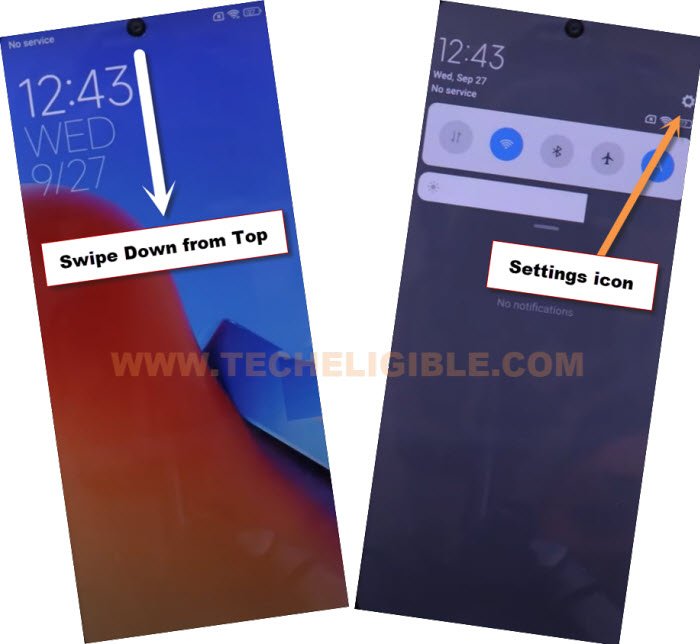
-Let’s bring up top notification bar by just swiping down from top. Tap over a “Bell” icon from top right corner.

-Go to “Control central style” and choose “Old version” from there. By doing this, you will be able to see (Settings) icon from top notification bar.

-Let’s insert again PIN lock activated sim card on this phone.
-Once you see (Enter SIM PIN) screen. Just, eject sim tray again.
-Bring up top notification bar again by swiping down from top.
-After setup (Old version) successfully, you will be able to see (Settings) gear icon there on top notification bar. Just tap on that “Settings” icon to reach your device main settings screen to Bypass FRP Xiaomi Civi 2.
-Scroll down on settings page and tap on “Additional Settings” option.
-Go to “Region” and chance your device region language to “India”.

-After that, go back to main “Settings” page again by hitting on “Back Arrow” icon from top left corner.
Install & Open Activity Launcher App:
-Go to > Apps > Manage Apps.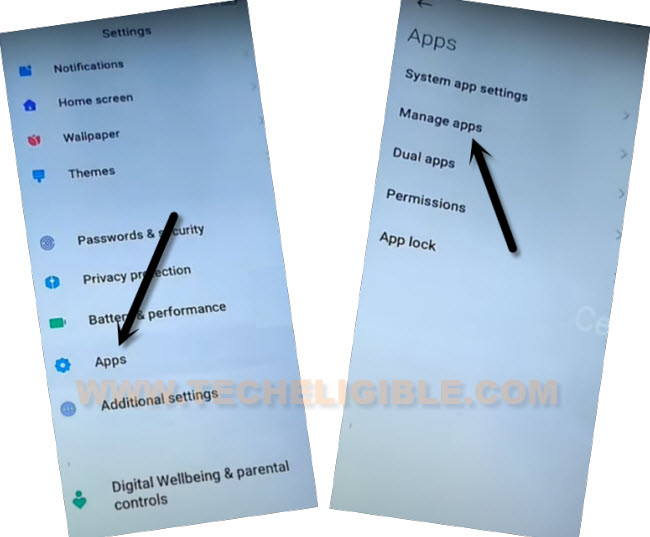
-Finally, go to “Find Apps” from top.
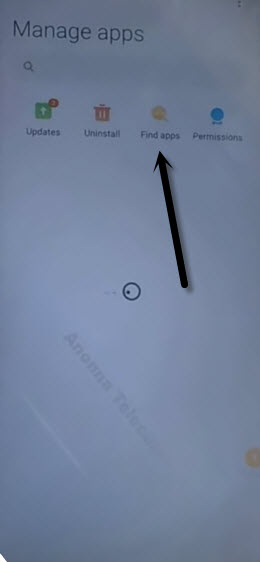
-Skip the essential app page.
-If you get any popup window asking you to update, just tap to “Update” from there.
| Note: If you see another popup window of (Close GetApps), just tap to “Not now” option. |
-Type in top search bar “Activity” and tap to “Activity Launcher” from searched result.
-Tap on “Install” button. Wait until installing process is done of this app.
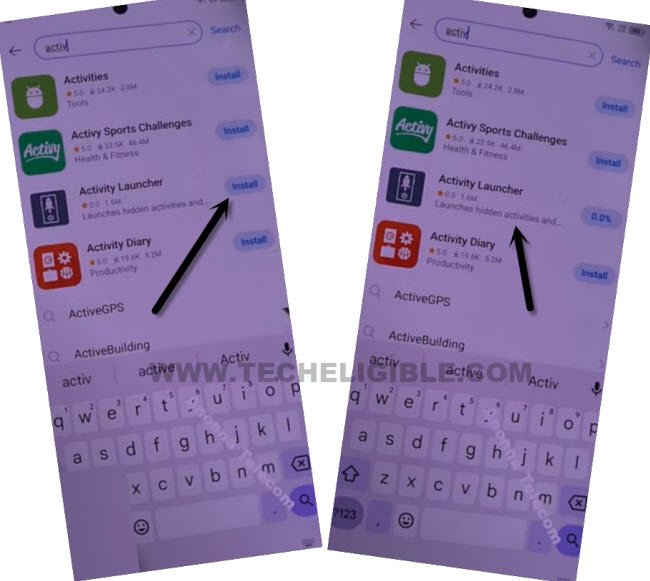
-After that, tap to “Open” option to launch this app. So that, we could easily Bypass FRP Xiaomi Civi 2.

-Hit on a “Ok” from popup window.
-Tap on a “Search” icon from top corner of the activity launcher app.
-Search there with “Second ” and tap on a (Space) button from keyboard to give space after typing (Second). After that, you will be shown a huge second space list.
-After that, hit on “Down Arrow” icon to close your opened keyboard.
-From the list of second space just tap on a “Second Space fingerprint”. (See below image).

-You will be redirected to the (Set Fingerprint) screen. Just tap on “Skip” option.
-After that, you will be redirected on your device main home-screen.
Note: If you see (Settings keep stopping) popup screen, just tap on “Cancel” option from there.
-Congrats, you have reached to your device main home-screen without using any paid frp bypass app. Just go to your device settings and setup new security protection.