If you have a Premio phone and forgot your already added Gmail account after hard reset the device. That means, your device is not considering you as a device owner because of you are unable to sign in again with same Gmail account. To get resolved this issue, and gain access to your device again, simply follow up this method to Bypass FRP Account Premio S70.
Warning: Do not try this frp method on a stolen phone, this is a serious crime, If you are trying to bypass frp on a stolen phone, you may also be jailed. This process is for device owner and for educational purpose only.
Let’s Start to Bypass FRP Account Premio S70:
-We are gonna switch on this device & Connect WIFI first. After that, put your device back over the first page (Hello).
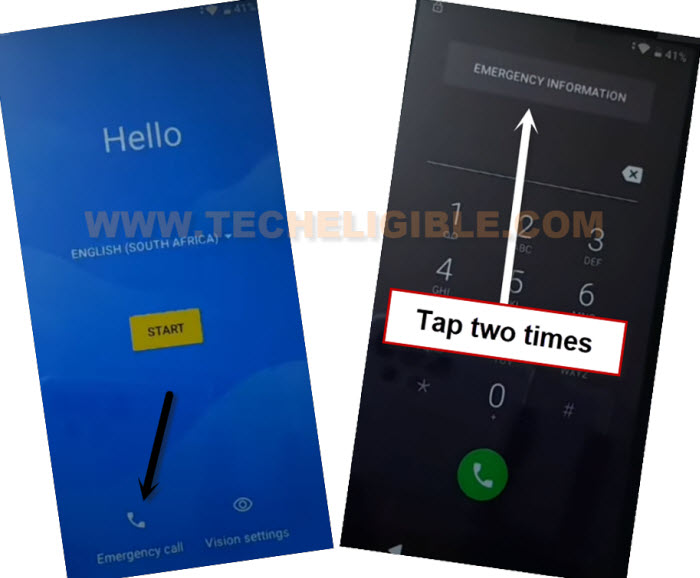
-Go on “Emergency Call” icon from bottom. Tap twice on “Emergency information” option.
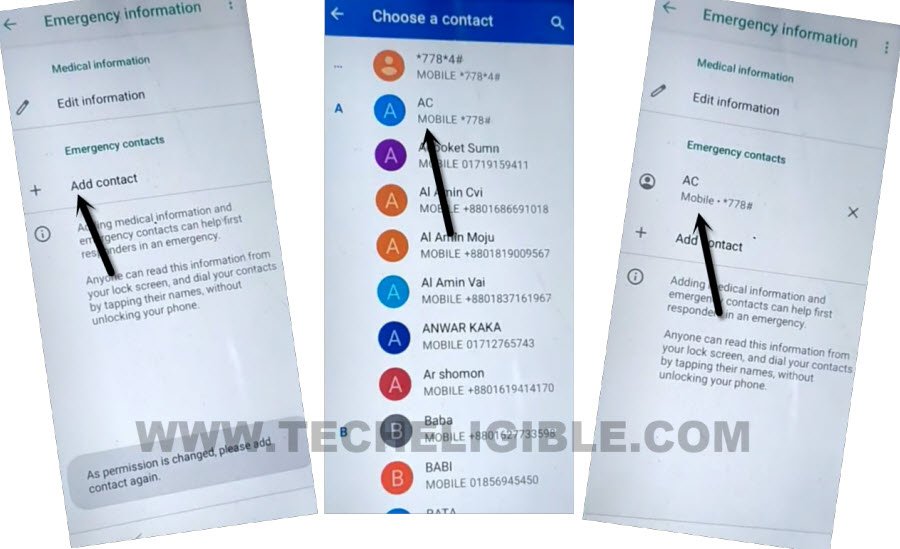
-Afterwards, tap to “Pencil” icon from top right corner.
-Insert SIM card in your device. After that, go to “Add contact”. Choose any random contact number from contact list.
-Tap again on same “Contact Name”.
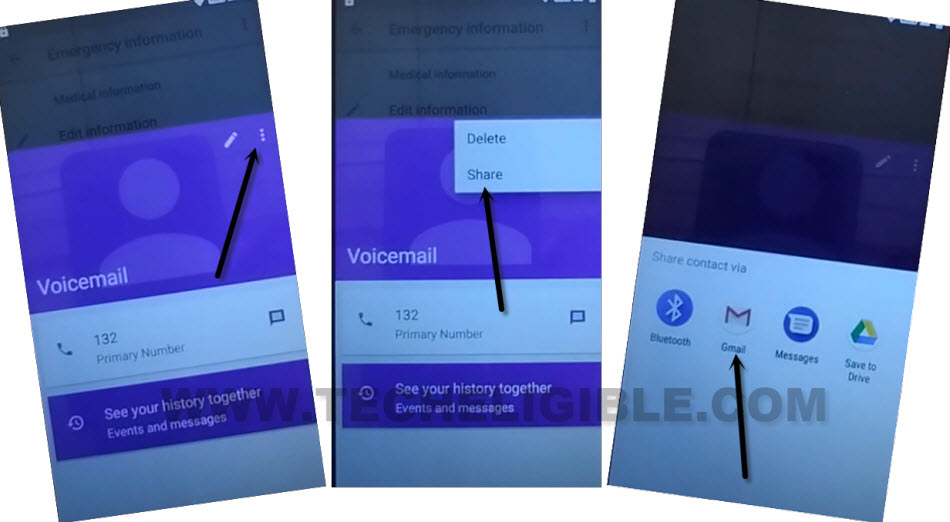
-From popup screen, go over “3 dots” icon from upright corner. Afterwards, tap to “Share” option.
-You will be shown popup screen, tap once on “Gmail” icon.
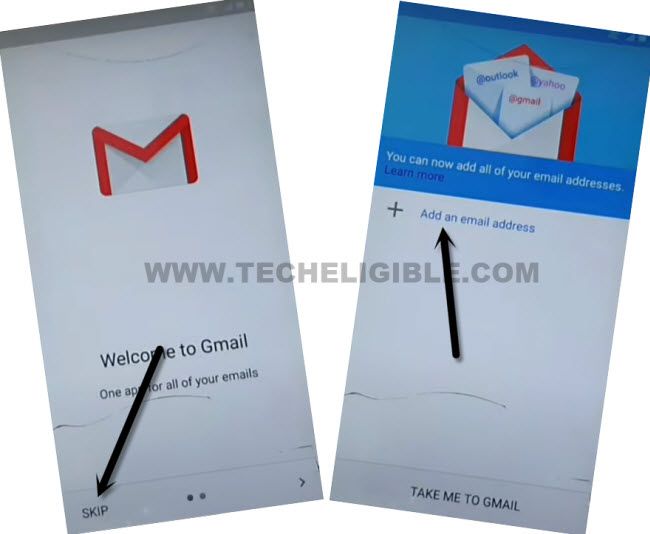
-From Gmail screen, go to > Skip > Add an email address > Other.
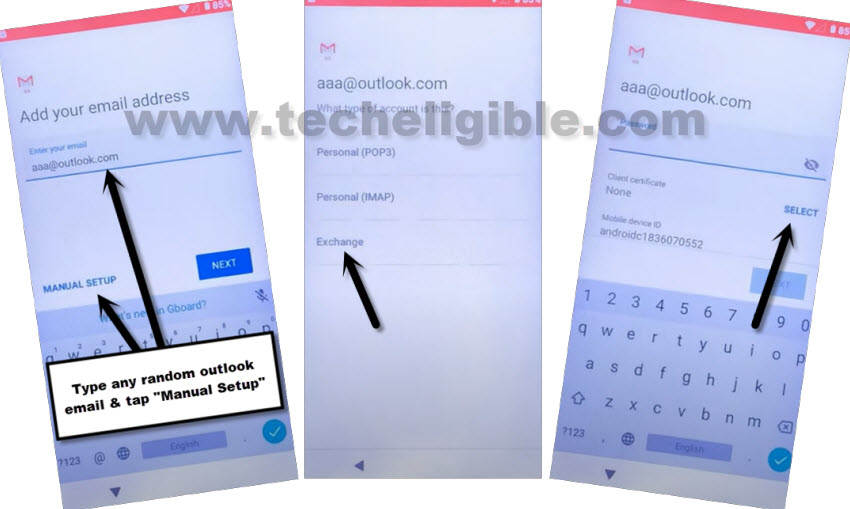
-After that, you can give any email address in email field tab, simply type “[email protected]”. After that giving email address, the manual setup option will be highlighted. Just tap on “Manual Setup”. After that, go to “Select”.
-You will be displayed a (Attention) popup window of asking you to setup pattern lock first. Just tap on “Ok”.
Add Latest PIN Lock to Bypass FRP:
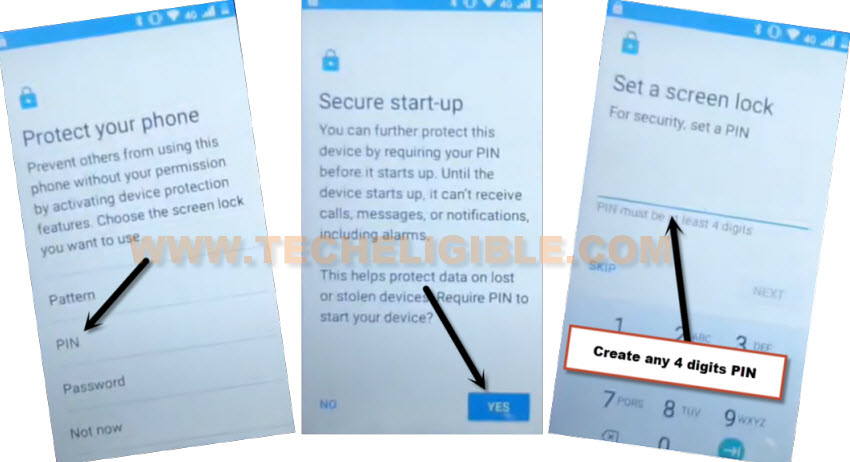
-We can now easily setup new PIN lock to successfully Bypass FRP Account Premio S70.
-Tap to > PIN > Give any 4 digits PIN code > Next.
‘
-Re-enter your PIN, after that, tap to “OK”.
-Restart your device by long hold (Power key), and tap on “Restart” option from popup window.
-You can easily complete setup wizard steps on your own. If you are asked to verify yourself through PIN, just give already setup PIN code there.
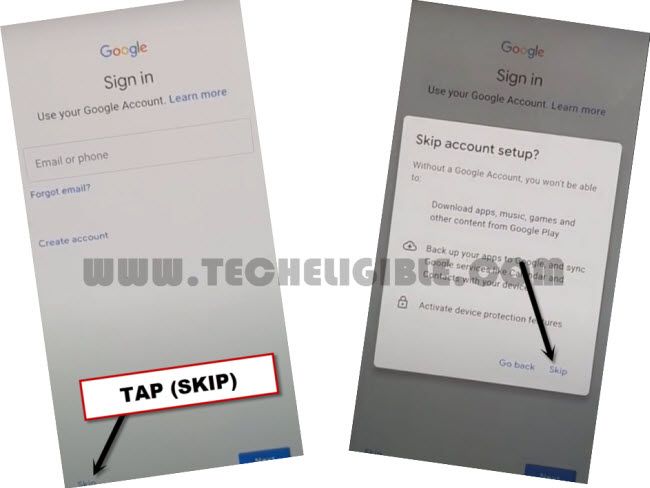
-You may get back to (Google Sign in) page, this page can easily be skipped because you’ve already verified your device ownership through PIN.