
Have you got yourself stuck over the (Google Sign in) page and you are unable to complete your device ownership authorization just because of forgetting your Gmail account. We will assist you to get resolve your issue with few minutes, and login back to your device with your new Google account. Follow up your guideline to Bypass FRP T-Mobile REVVL V+ 5G without using any paid tool.
How FRP Lock Works on T-Mobile REVVL V+ 5G?
FRP lock serves as a protective measure to safeguard your mobile phone from unauthorized access. Typically, individuals attempt to regain access to a lost or stolen phone by utilizing the factory reset technique. However, the FRP lock restricts access to the device by requiring verification through the Gmail account that was previously logged in. If you are the legitimate owner dealing with FRP lock restrictions on your T-Mobile Android device, simply look at the below frp bypass instructions.
Disclaimer: Do not try this frp method on a stolen phone, this is a serious crime. If you are trying to bypass frp on a stolen phone, you may also be jailed, this process is for device owner and for educational purpose only.
How to Bypass FRP T-Mobile REVVL V+ 5G:
-Turn on phone. Connect WiFi first.
-Get back main (Hi there) homepage to start frp bypass process. From there, tap to a “Call” icon from bottom. After that, tap two times on “Emergency information” option.
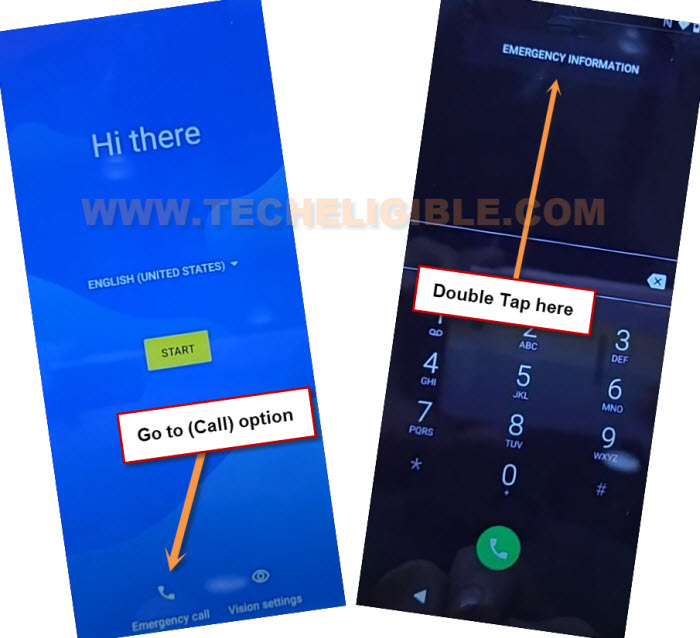
-From upright corner screen, just tap to “Edit” option. After that, tap at 1st “Name” option.
-Go to small “Down Arrow” icon from profile image, and tap to “Choose an image” option to search icon.
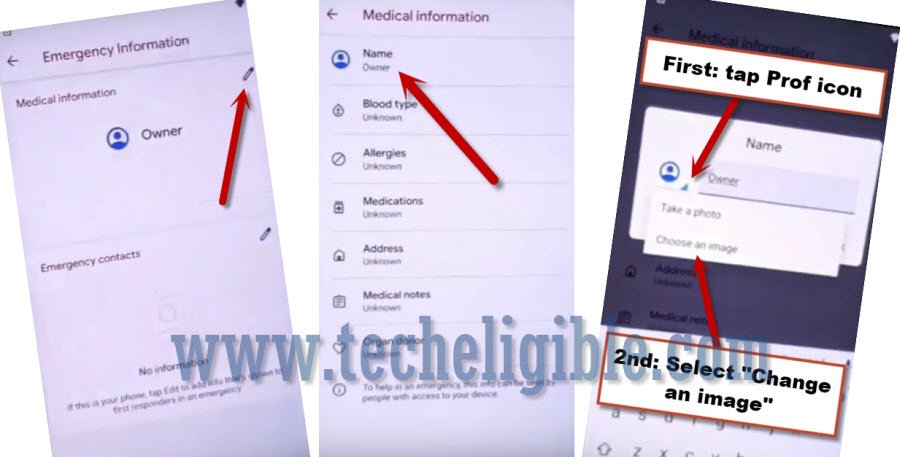
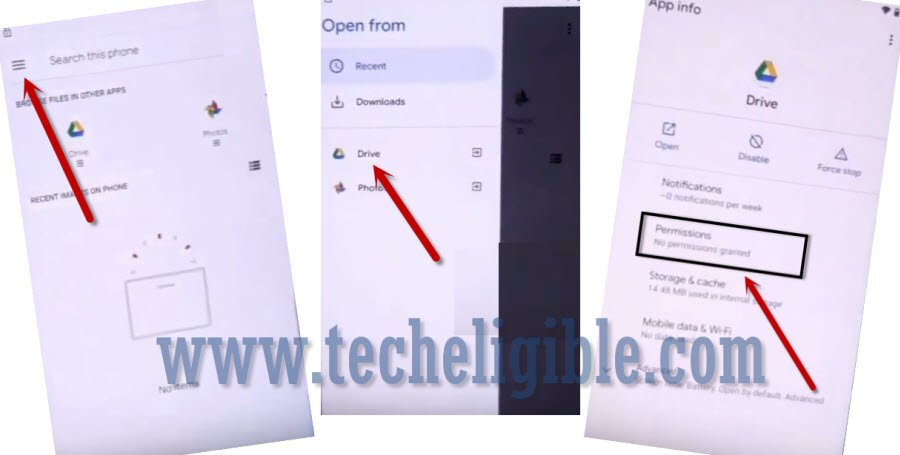
-Lets bring up sidebar options by hitting “Menu” button from up right corner of the page. Long tap at “Drive” option. Afterwards, tap on “Permissions”.
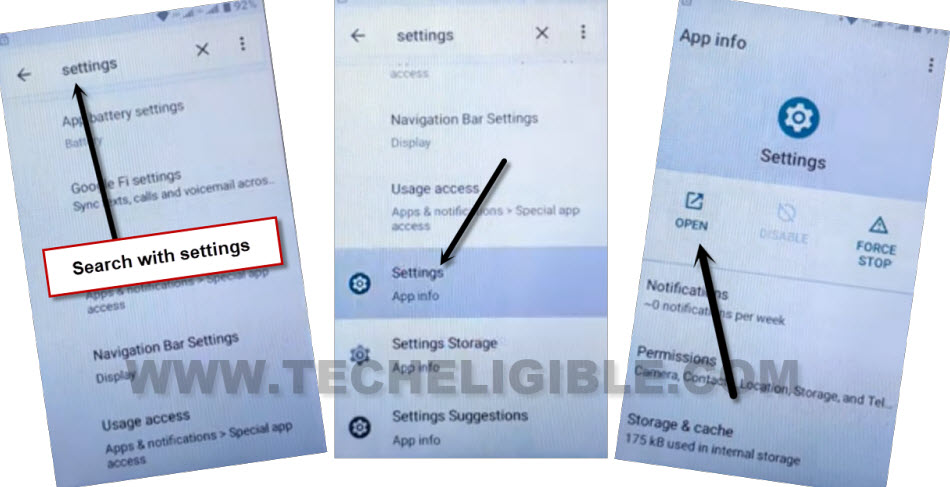
-You will have a “Search” icon at the top right corner page. Just hit on that “Search” icon & Search with “Settings”.
-Scroll down and tap to “Settings”. After that, tap to “Open” to reach inside device main settings page to perform further steps to Bypass FRP T-Mobile REVVL V+ 5G.
Enable Accessibility Human icon to Bypass FRP:
-From main settings page, just scroll down and tap to > Accessibility > Accessibility MENU.
- -Toggle on “Accessibility Menu Shortcut” option from there same as shown below.
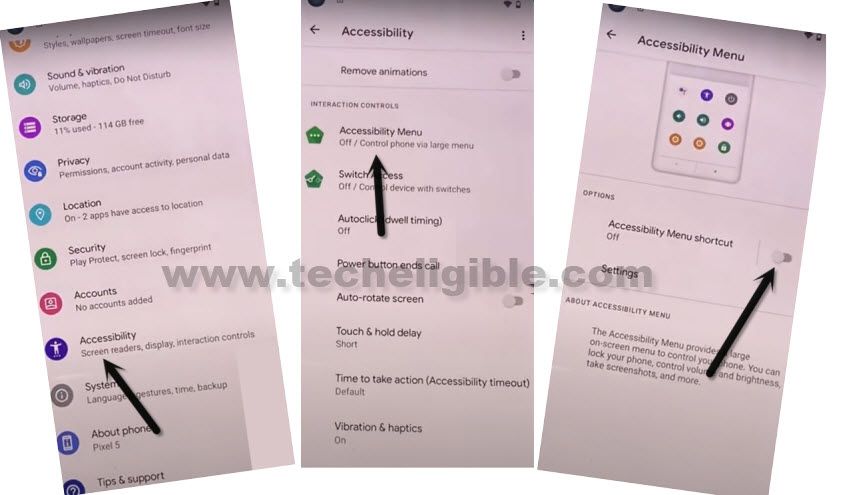
-Afterwards, from popup window, just go to > Allow > Got it. You will start having a (Human) icon at the bottom corner of your screen. We will use this option while finishing up setup wizard.
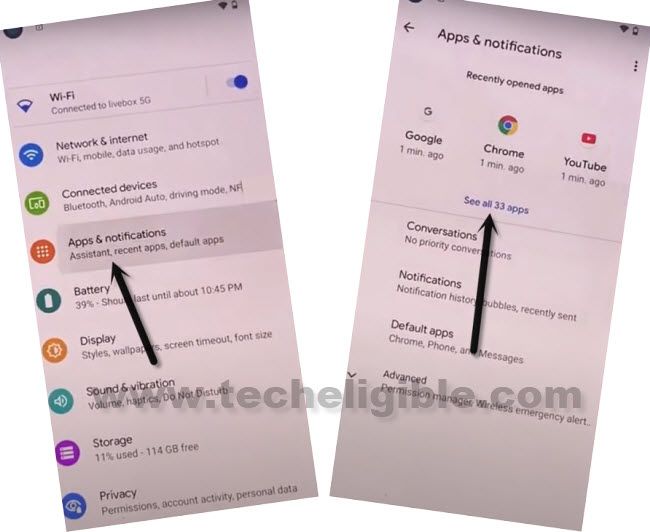
-Go back on “Settings” page. After that, tap over > Apps & Notifications > See All Apps.
Go to App List for Disabling Apps:
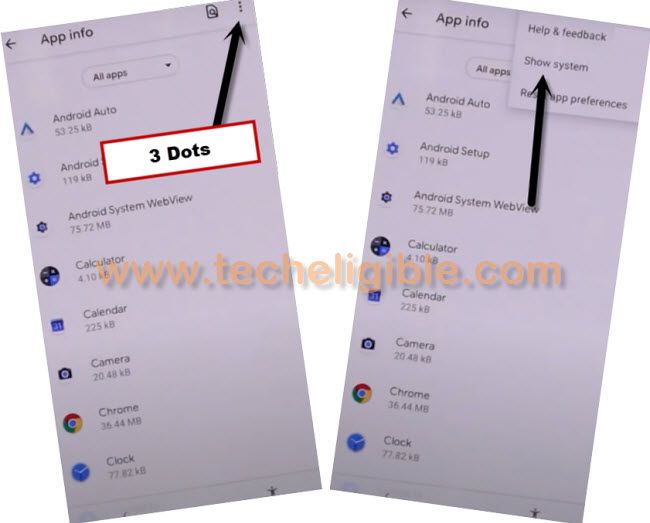
-Lets get displayed hidden apps first by going to > 3 dots > Show system.
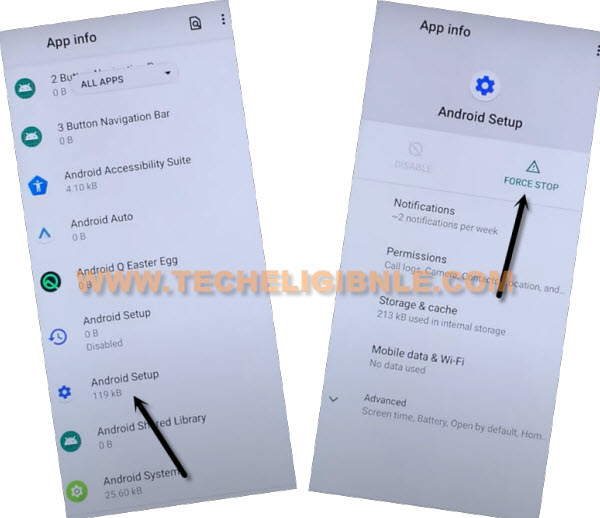
-Lets disable few apps, so that, we could easily bypass frp account without any facing any trouble. First of all, find and tap to > Android Setup > Force Stop > Ok.
-After that, go back to (App list) page again by tapping back arrow from bottom of your device.
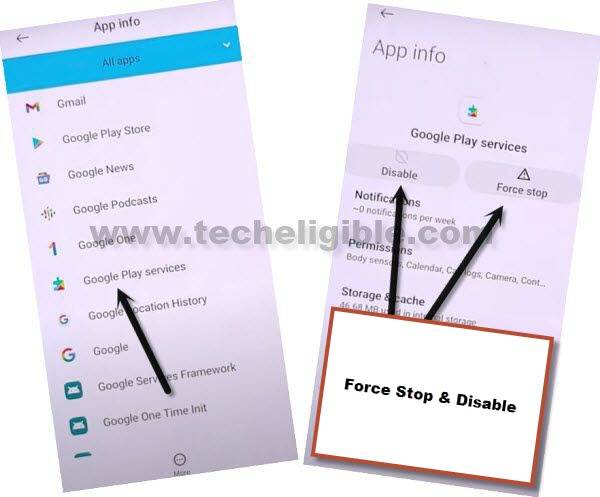
-Lets’ find out another app “Google Play Service”. After that, tap over > Force Stop > Ok.
-Tap also over > Disable > Disable App.
Get Back to (Hi there) Screen:
-Its all done now, lets get back to main (Hi there) homepage to finish up setup wizard steps using accessibility menu shortcut option.
-Go all the way back to first (Hi there) screen, from there tap to > Start > Skip > Don’t Copy.
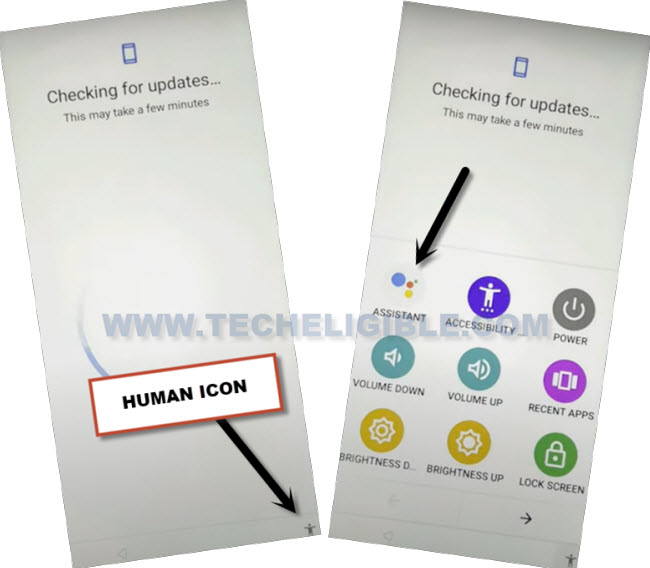
-As soon as you see, checking for update…. screen, just tap on “Back Arrow” from bottom 1-2 times. After that, you will be on a (Connect to WiFi) screen. On that page, you must have (Setup offline) option. But, we will not hit on this option right now.
-Lets use (Accessibiltiy) feature to enable back (Google Play Service) app.
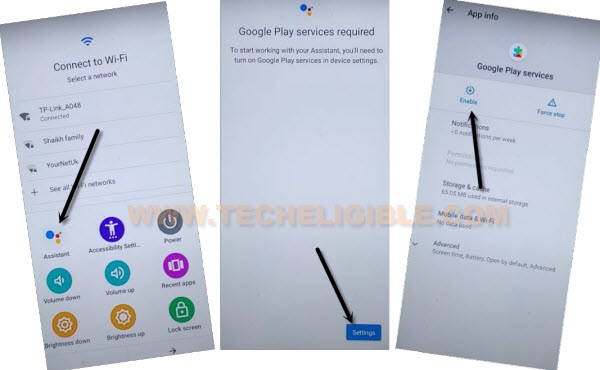
-Quickly tap to > Human icon > Assistant > Settings > Enable.
-After that, tap to > Settings > Enable.
| Note: If the (Settings) disappear before you hit on that option, that means, you will have to repeat steps again, and do it as fast as possible, just repeat steps by tapping again > Human icon > Assistant > Settings. Keep repeating, you may have to repeat for about 10-20 times. Once you reach on (Google Play Services) page, just tap to “Enable” button. Its all done. |
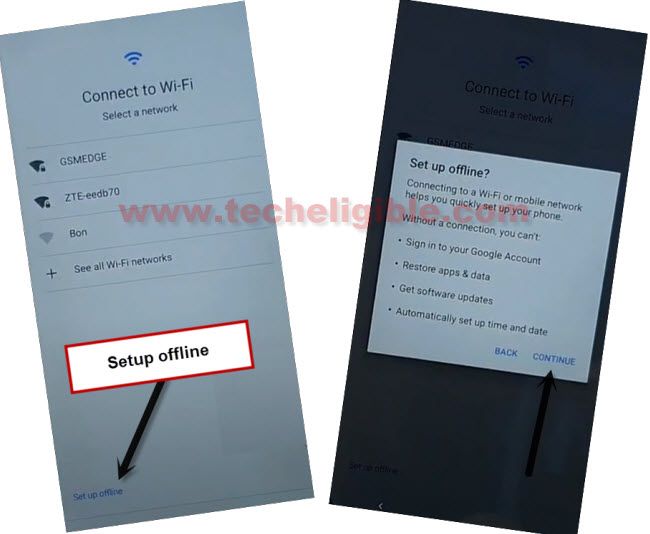
-Let’s get back to (Connect to WiFi) page, from there, tap over > Setup offline > Continue. After that, you can easily complete all setup wizard steps on your own without facing any google verification page, you are all done from Bypass FRP T-Mobile REVVL V+ 5G.
Summary:
Bypassing frp account is an essential part for the device owner, if they have forgotten their account after performing factory reset on T-Mobile device. We just accessed to (Drive) application through the emergency calling option. From there, searched and launched the main (Settings) page of the FRP locked phone. After that, we just disabled (Android Setup + Google Play Services) application and set up our device again using in offline mode.