
If you are facing google sign in page before accessing to the device main hone-screen, that means, your device might have been hard reset recently and google asking to complete your verification process. That happens mostly due to forgetting current logged in google account details. You have only one way here to get back your Xiaomi device just through Bypass FRP Xiaomi Redmi 14C HyperOS (Android 14) without using any paid service. Follow steps from below.
Remember: Do not try this frp method on a stolen phone. This is a serious crime, if you are trying to bypass frp on a stolen phone. You may also be jailed, because this process is for device owner and for educational purpose only. Just to assist device owner, how they can recover back their phone and setup new account.
Let’s Start to Bypass FRP Xiaomi Redmi 14C:
-Prepare any PIN locked sim card using any other android device. If you don’t know, how to setup PIN code on SIM, you can try this PIN lock setup method here.
-Let’s turn on your Xiaomi device and connect WiFi first.
-Put your device back to first startup screen (Xiaomi HyperOS).
-Insert your PIN locked SIM in your FRP protected Redmi 14C.
-After that, enter correct 4 digits PIN code and tap to “Check mark” icon from there.
-You will have a (Not Signed in) page. Just swipe down from top to get top notification bar.

-Tap to “Data Usage option” same as shown in below screen. After that, tap to “Agree”.
-You will be redirected to the (Data Usage) page, from there, tap on > Data Usage Stats.

-Hit on > Share Me > Exclamation icon.

-Tap to > 3 dots > Share.
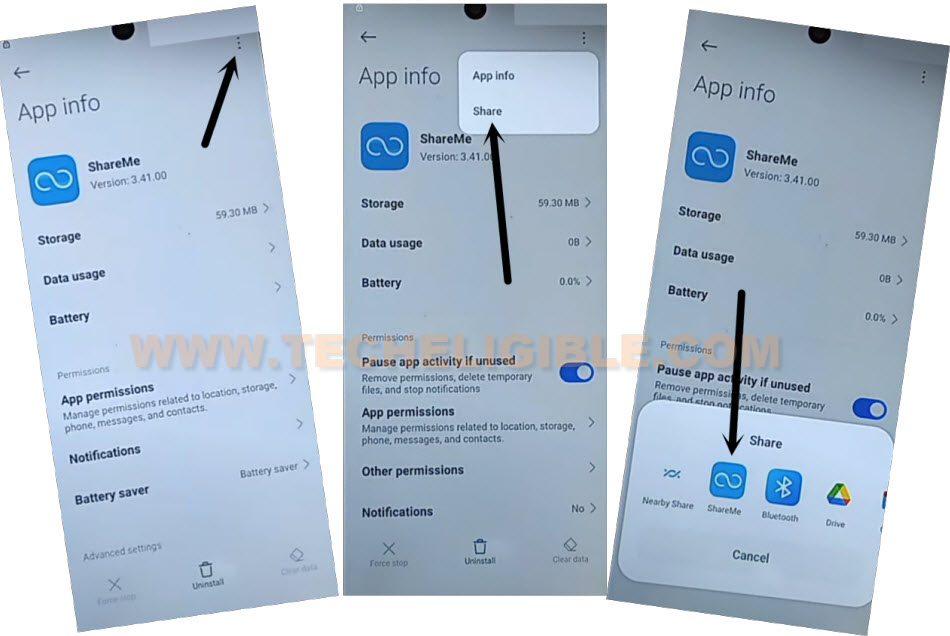
-After that, from bottom popup window, just tap to > ShareMe > Agree > Next.
-Give some permissions by hitting on (While using the app / Allow).
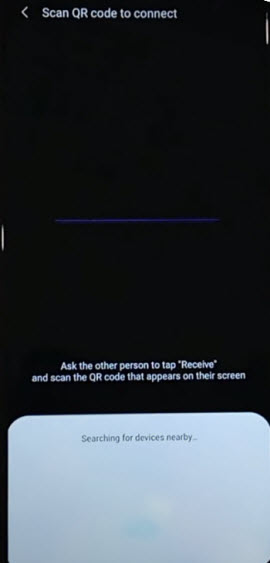
-After giving permissions, you will have a (QR Scanner) screen on your Xiaomi Redmi 14C screen.
-Eject your SIM tray and remove SIM card from the device.
Use Other Android Device to Connect With:
-We are gonna use another android device and will connect both devices each other using (ShareMe) app to Bypass FRP Xiaomi Redmi 14C.
-Install (Activity Launcher) in other android device by google play store.
-Install & Open another app (ShareMe) from same google play store app.

-Give some permission to successfully launch “ShareMe” app by tapping on > Open > Agree > Join > Next.
-Turn on option (Allow access to manage all files). After that, hit on “Back Arrow” icon from bottom to go to back screen.
-From popup window, tap to > While using the app > While using the app > Allow > Allow.
-Tap to “Receive” option.
-Before your receive app, you will have to allow some options, just tap to “Settings” option and turn on “Allow modifying system settings”.
-Hit on back arrow icon from bottom, after that, tap on > Turn on > Allow > Next.

| Note: In your device some options may be different, just follow up your own options to allow app and reach to (QR Scanner) page. |
-Tap to “Allow” from popup screen, after that, you will have a (QR Code) on screen.
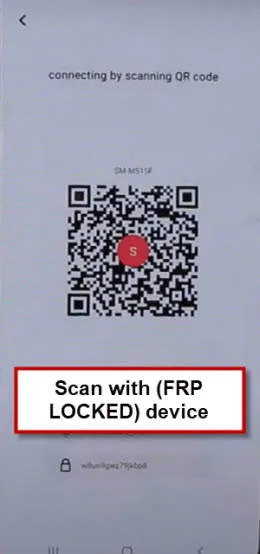
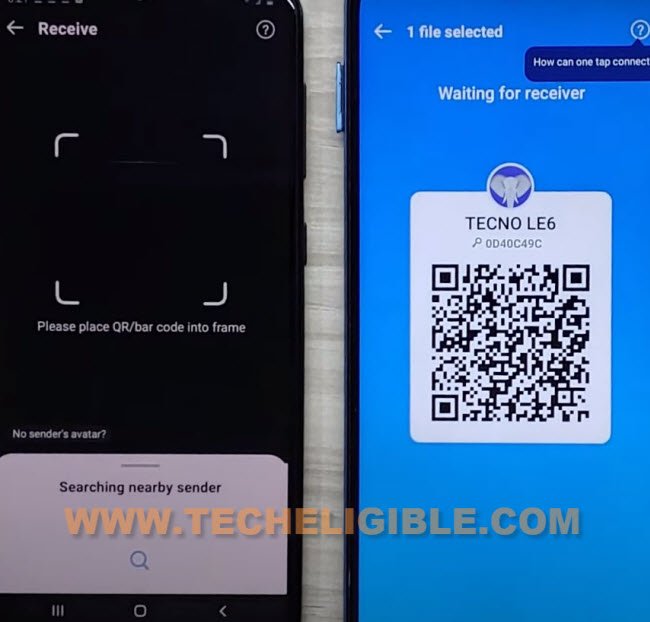
-Let’s scan this QR code through (Redmi 14C) device. After that, both devices will be connected and you will receive (ShareMe) app in your other android phone.
Send Activity Launcher App to Redmi 14C:
-Once file is received, just tap to “Share Files”‘ button from other phone.
-Go to “Apps” and select “Activity Launcher” app.
-Tap to “Send” button to send this app to your frp protected phone.

-Within few seconds, you will receive (Activity Launcher) app in your Redmi 14C phone.
-Its all done from other android device, just keep away your other android phone and follow up all below steps in your Redmi 14 device.
-Wait now till WiFi is connected again and you see proper WiFi icon over the top notification bar.
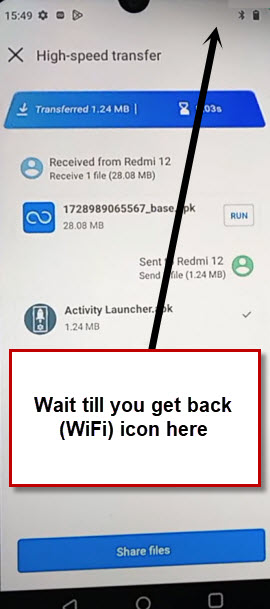
-After having a WiFi logo, just tap to “‘Install” option from activity launcher app. After that, tap to “RUN” option.

-Hit on “Ok” from popup screen and wait till loading process is done.
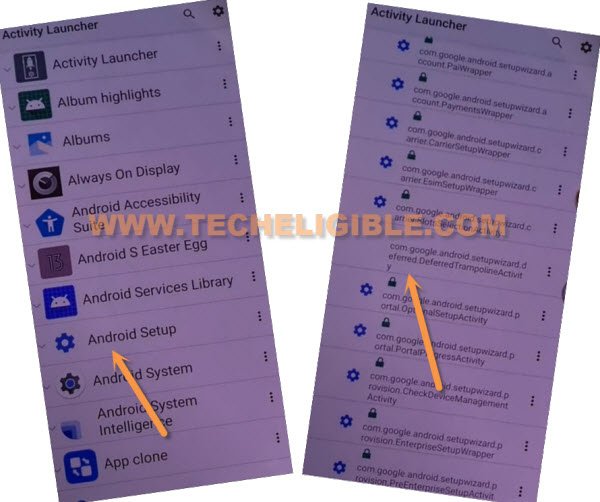
-Go to “Android Setup” app same as shown in app list page. After that, tap to “com.googel.android.setupwizard.deferredTramplineactivity” app same as shown in below image.
-You will see there a (Finish Redmi Setup) page, simple tap on “Start” option.
-After that, tap to “Skip”.
-Tap to > Next > Next > No Cable > Copy Without Cable.
-Hit on “Next”, this will show you (Verify pattern) screen, just tap on “Use my google account instead”, after that, go to > Next > Next.
-You will have a (Verify your device) screen.
Follow Below Steps in Other Android Device:
-In your other android phone, open up “Google” application same as shown in below screen shot.
-After that, tap to “Mic” icon and say loudly “Setup my device”.
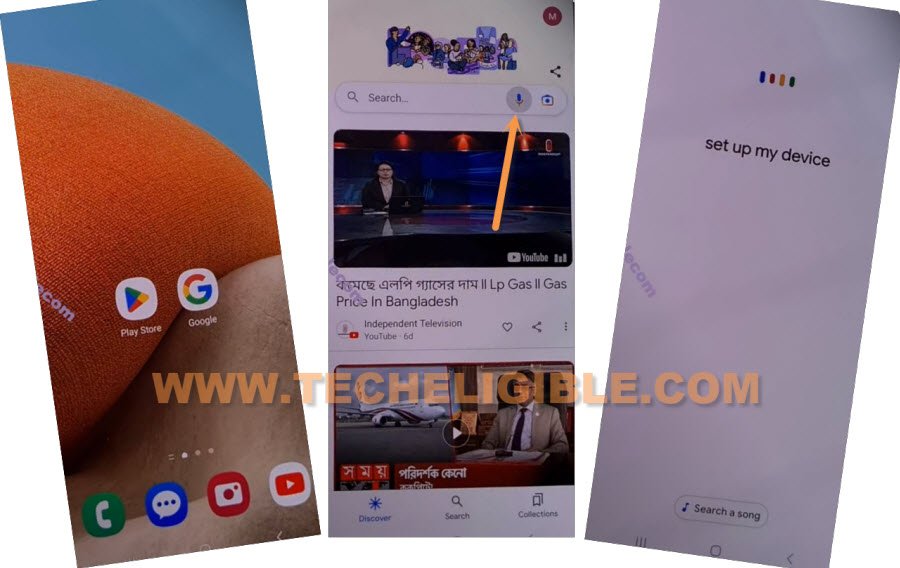
-Afterwards, you will be taken to (Getting started) screen, just tap on “Next” from there.
-Within few seconds, on your both devices screen, you will see (Verify the shape…) screen.
-From other android device, tap to > Next > Copy.

-Wait few minutes until (Copying your account) progress is done.
-After that, you will see (Verify its you) page on your Xiaomi Redmi 14C phone. You have enter correct password of your other android device Gmail account. After giving password, just tap to “Next”.
-Its all done now, from xiaomi redmi phone, just tap on > Don’t Copy > Don’t Copy > Next.
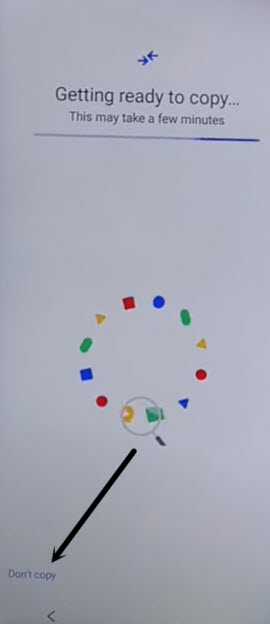
-Tap to > Don’t Backup > Confirm.
-Restart your device now. Its all done from Bypass FRP Xiaomi Redmi 14C without using any paid services.