Hey, are you unable to go through your device google verification page because of google is not accepting your giving Gmail account. That means, you have forgotten your gmail id. To regain access to your device, you can follow up guideline from below for Remove FRP Huawei P9 Lite. We access use (Quick Shortcut Maker) app to access device main settings screen and perform soft reset task.
Remember: Do not try this frp method on a stolen phone. This is a serious crime, if you are trying to bypass frp on a stolen phone. You may also be jailed, because this process is for device owner and for educational purpose only. Just to assist device owner, how they can recover back their phone and setup new account.
Let’s Start to Remove FRP Huawei P9 Lite:
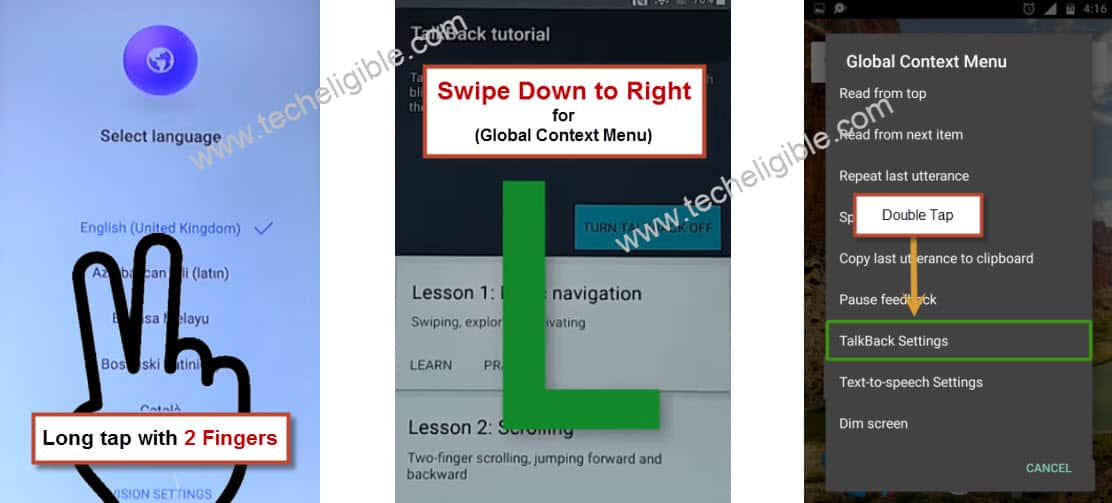
-Firstly, connect WiFi and go back on first (Select Language) startup page.
-Long tap with two fingers together on screen for about 20-30 sec until you have a “Talkback Tutorial” screen.
-Swipe down and swipe right on screen to get “Global Context MENU” popup screen (See below image).
-Double tap on “Talkback Settings” option.
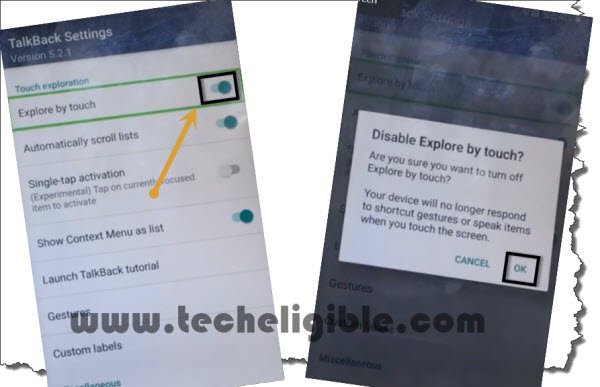
-Swipe up using two fingers, and double tap on “Explore by touch” option to disable this.
-Double tap to “Ok” from popup.
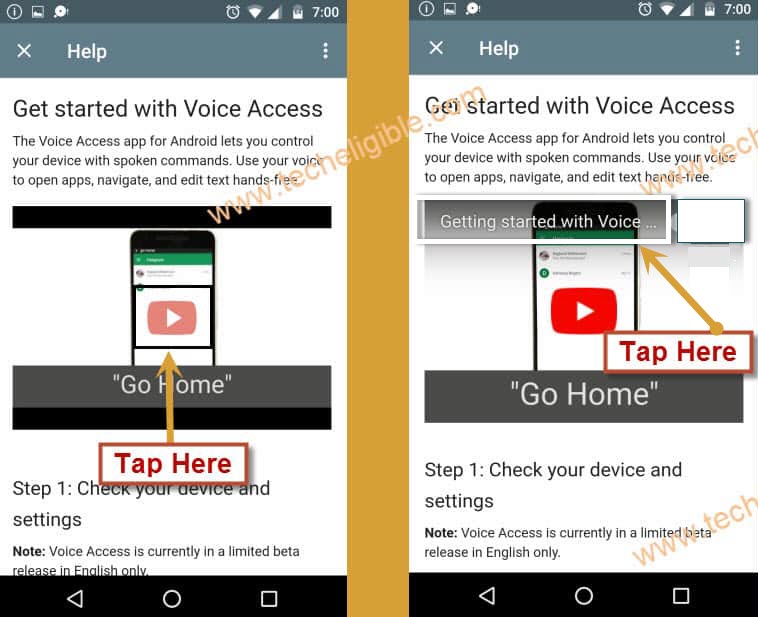
-Lets access to youtube webpage by tapping on “Help & feedback” option.
-Tap on “Get Started with voice access…”. Let’s hit on a “Play icon” from youtube video.
-Once you get video title, just tap on the video title “Get Started with voice access”.
-You will be redirected to youtube page.
-Tap to “Not Now” on youtube update screen.
-Tap to > Share icon > Email > Others.
-Tap on “Enable” option.
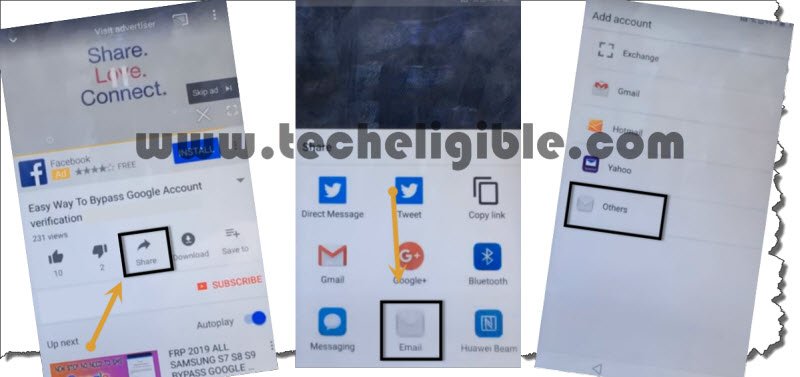
-Sign in with any Hotmail account.
Note: If you do not own any Hotmail account, you can create that in free just by visiting signup.live.com.
-Once the signing in process is done, just go to “Next”. After that, you will be taken to the (Inbox) of your Hotmail account.
Download Quick Shortcut Maker App in PC:
-Firstly, open chrome browser in your PC, and search there with “Quick Shortcut Maker Techeligible“.
-Visit first search result from the google (See below image).
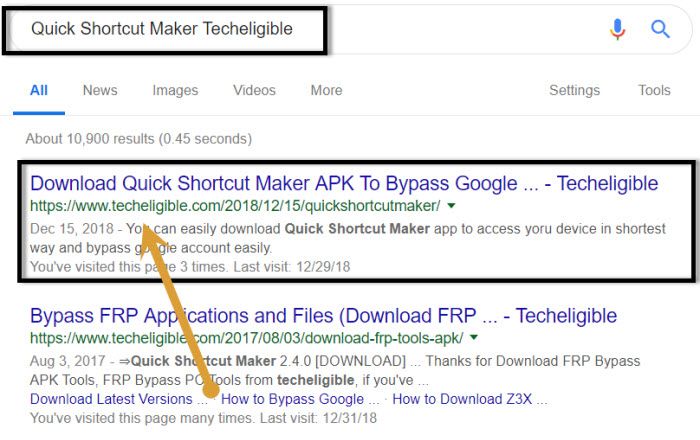
-After that, download from there “Quick Shortcut Maker 2.4.0” in your PC.
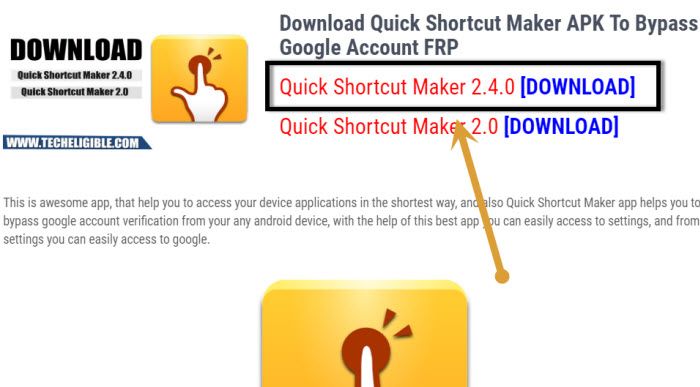
-Copy and past downloaded app (Quick Shortcut Maker) in your SD card. After that, insert that SD card in Huawei P9 lite device.
-Hit on a “Compose” option from bottom. After that, tap on “Attached” icon.
-Select “Quick Shortcut Maker” from SD card. After that, type any random email address in (TO) field tab.
-Tap to “Send” button from top right corner to send this email address (See below screen shot).
-Lets open up your sent email by going to “Menu” from top left corner of the screen.
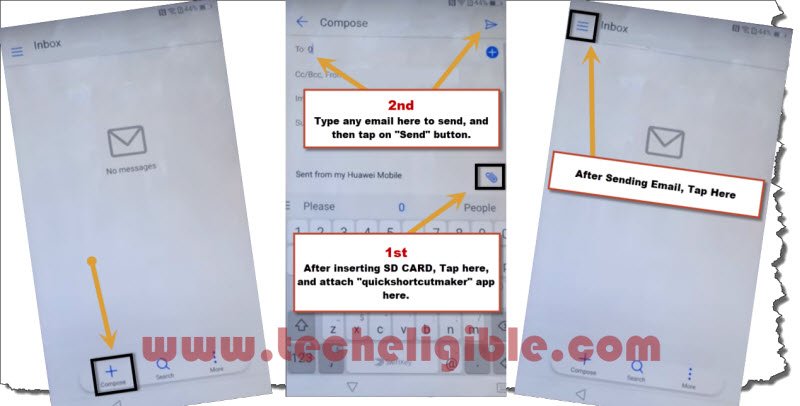
-From your sidebar menu, just tap on “Sent or “Outbox” folder to access your already sent email.
-Let’s install your attached app by hitting on “Quick Shortcut Maker”. After that, from popup screen, tap on “Settings” and turn on “Unknown Sources” option.
-Go back to your email, tap again on attached file “Quick Shortcut Maker”.
-After that, tap to > Install > Open.
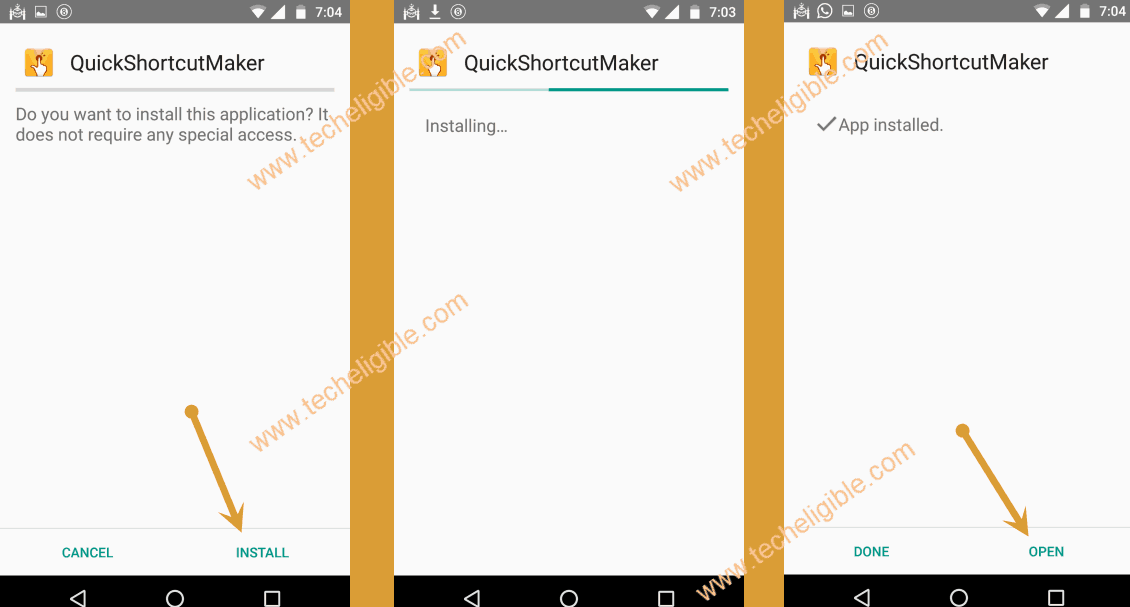
-Let’ find and tap on “HOME HUAWEI”.
-Tap on first “HOME HUAWEI”, after that, go to “Try” option. You will be inside main “Huawei Home Screen”.
Factory Data Reset Huawei P9 Lite:
-We have to soft reset this device in order delete previously setup google account. So that, you could update your google account to Remove FRP Huawei P9 Lite.
-Open up “Settings” from your device menu.
-Go to “About Phone” and tap 7 times quickly on a “Build Number” option.
-After that, you will have a flash message of “You are now a developer”. That means, you have turned on (Developer Option) successfully.
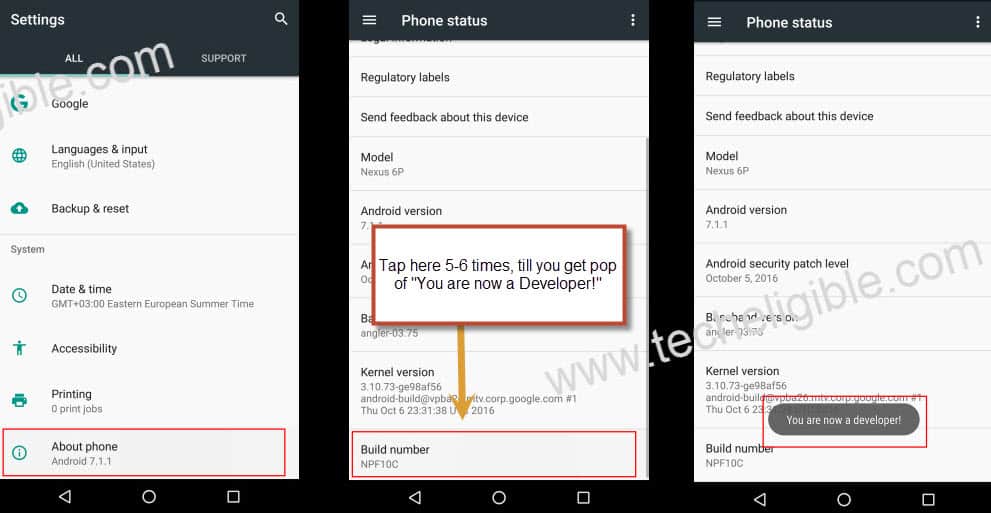
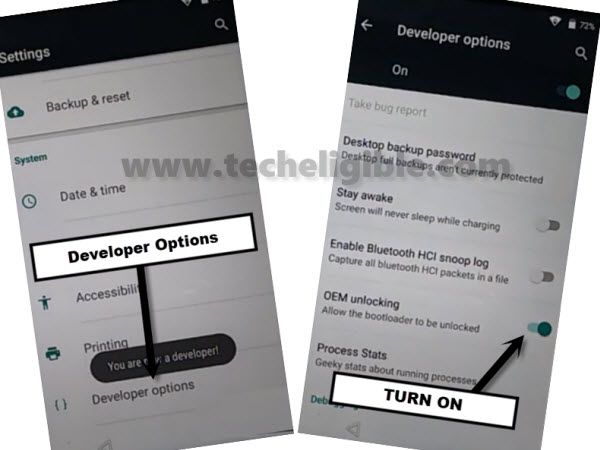
-Go back by hitting once on the “Back Arrow” icon from bottom. Form there, go to “Developer Options”.
-Let’s turn on “OEM Unlocking” option.
-Hit on back arrow to get back to main settings page. From there, hit on a “Advance Settings”. After that, tap to > Backup & Reset > Factory Data Reset > Reset Phone > Reset Phone.
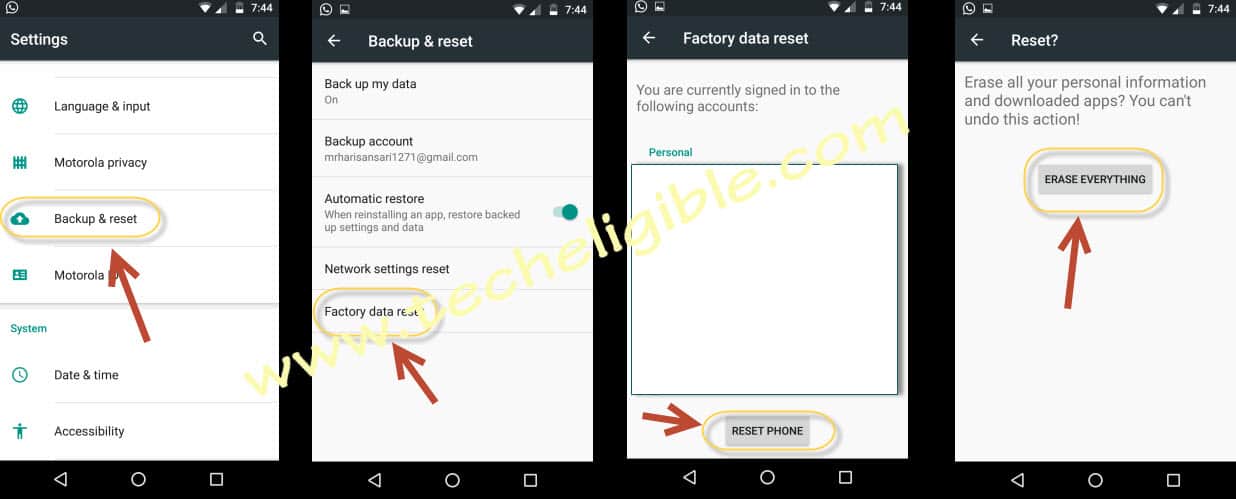
-Your device will restart automatically. After that, you will be able to complete setup wizard steps without having a google verification screen.