
Have you forgotten your symphony device current signed in google account? If you have hard reset your device and forgot your account, then, you will not be considered as device owner and you must face FRP issue on your device. FRP protection will not allow you to go through google sign in screen either you Bypass FRP Account Symphony Z25 (Android 9) or sign in back with your current account. You can follow up steps from here to bypass frp and setup new account.
Disclaimer: We highly recommend you to apply this method only on your own device, if you are not owner of this device, or you found this from some where, you must return to its real owner.
Let’s Start to Bypass FRP Account Symphony Z25:
-You do require a SIM card, in which, you have some contact saved already.
-Insert SIm card and start frp removal process by turning on device and connect WiFi.
-Go to “Emergency Call” option and tap twice on “Emergency information”.
-After that, tap on “Edit” icon from top corner.
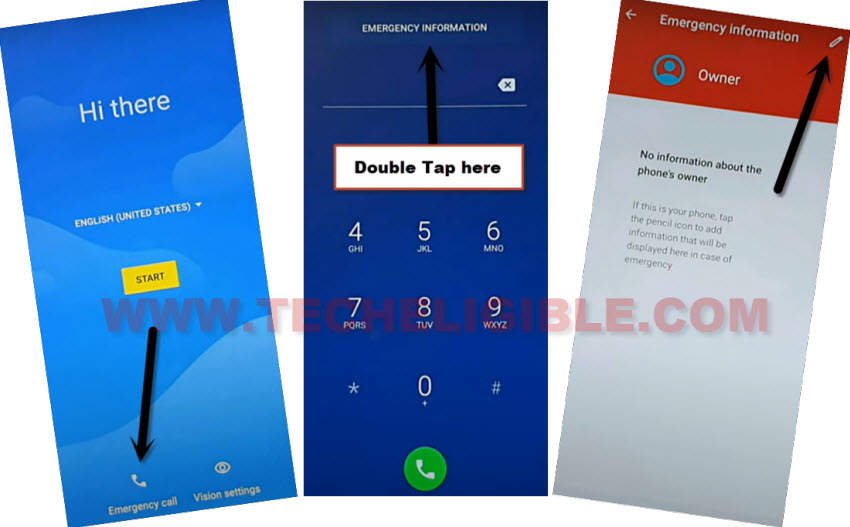
-We have to access to sim contact list screen by tapping on “Add contact”. After that, tap any random contact name from sim contact list page.
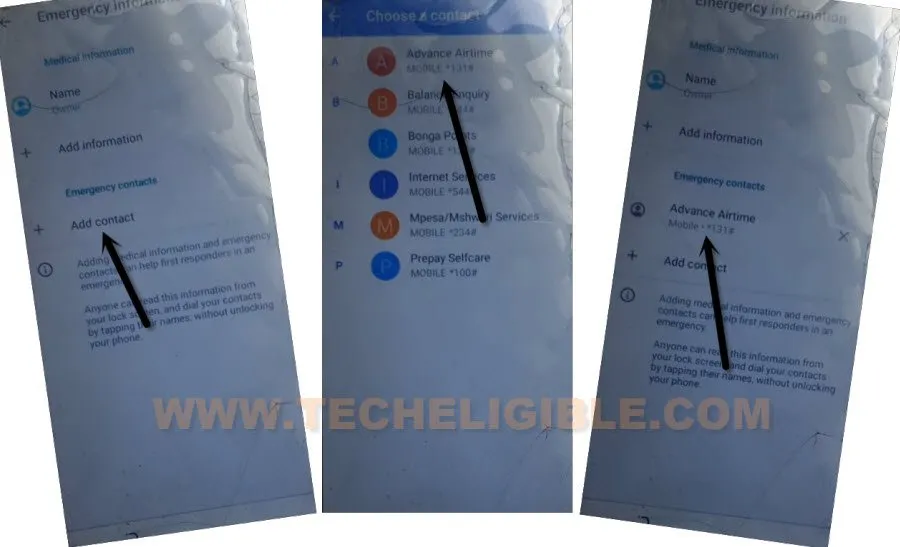
-Get SMS app by tapping on > 3 dots > Share.
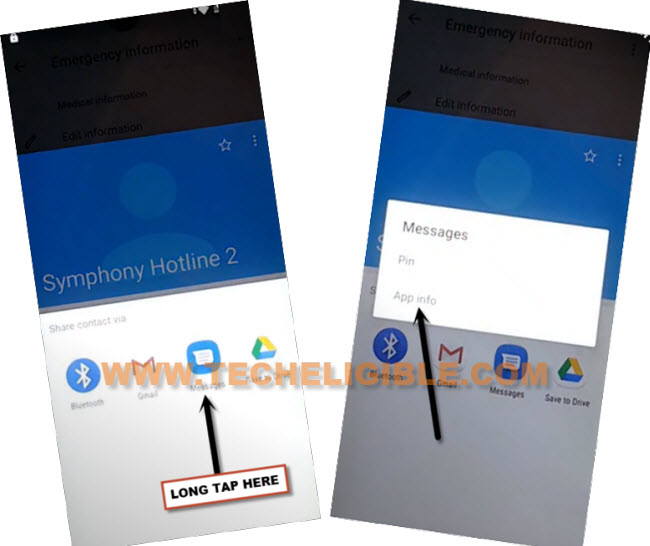
-You have to long hit on “Message” app from bottom popup screen. After that, tap on “App info” option.
-From SMS app info page, tap on “Advanced”.
-After that, you have to hit on “SMS App” option from there.
-Go to “Opening Links” from bottom of the screen.
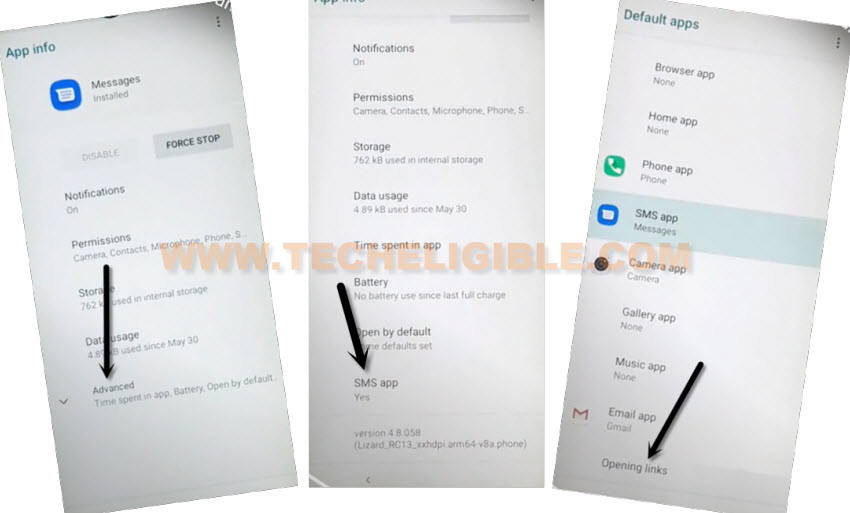
-Let’s hit over a “Youtube” application from bottom of the app list page. Afterwards, tap on “Youtube” icon from top.

-Access youtube app settings page by tapping on > Apps notifications > Advanced > Additional Settings in the app.

-Tap on > About > Youtube terms of service.
-We will reach to chrome browser page, from there, hit on > Accept & Continue > Next > No Thanks.
Download FRP Bypass Apk Apps in Symphony Z25:
-Search in browser with “Techeligible“. After that, go to same site as shown in below image.
-Let’s bring up sidebar menu by tapping on “Menu” icon from top corner and tap on “Download FRP Tools” option to access official frp tools page.

-You have to download below 2 apps from frp tools page.
1st app: Google Account Manager 8 or 9
2nd app: Account Login.
-After downloading both above apps respectively, just go over the top of the browser page.
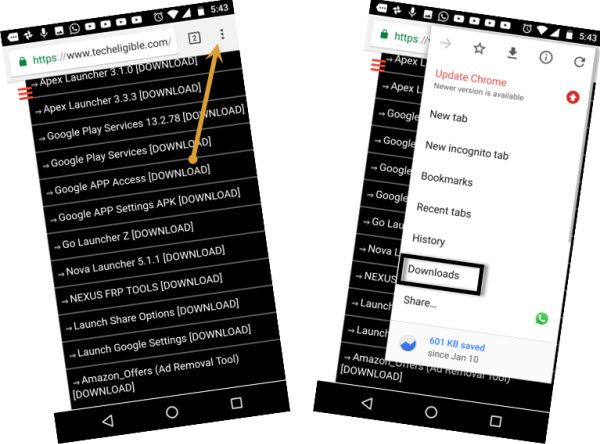
-Hit on “3 dots” menu from top corner. After that, tap on “Downloads” option to reach download folder and install apps one by one.
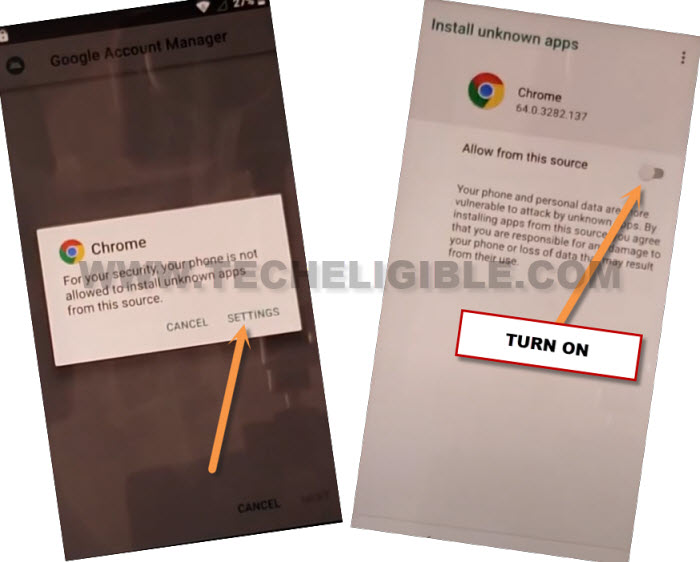
-Firstly, hit on “Google Account Manager” app. Before the installing process starts, you may have to allow some permission from chrome. From popup screen, go to “Settings” and turn on “Allow from this source”.
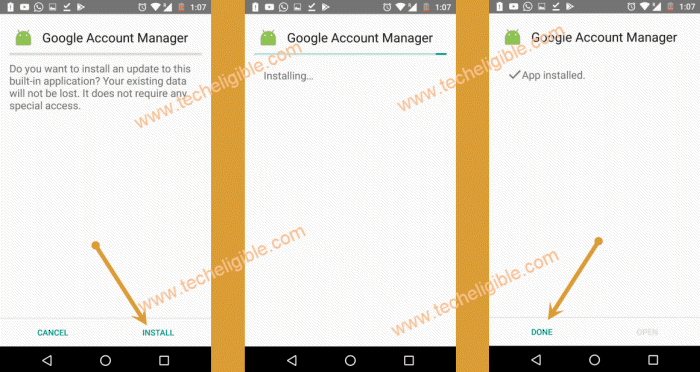
-Go back again to installation screen. Tap to > Install > Done.
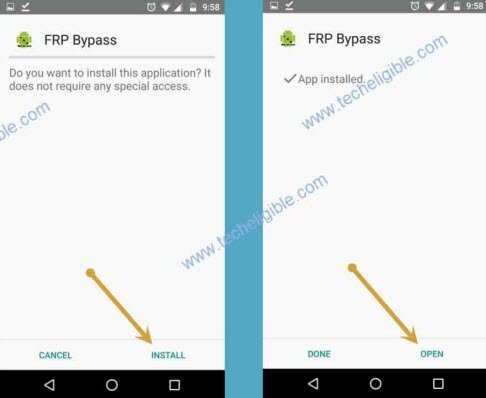
-We have to install 2nd application. Through this app, you will be able to setup new google account easily in your symphony device to Bypass FRP Account Symphony Z25.
-Go to > Account Login > Install > Open.
Setup new Account and Complete Setup wizard steps:
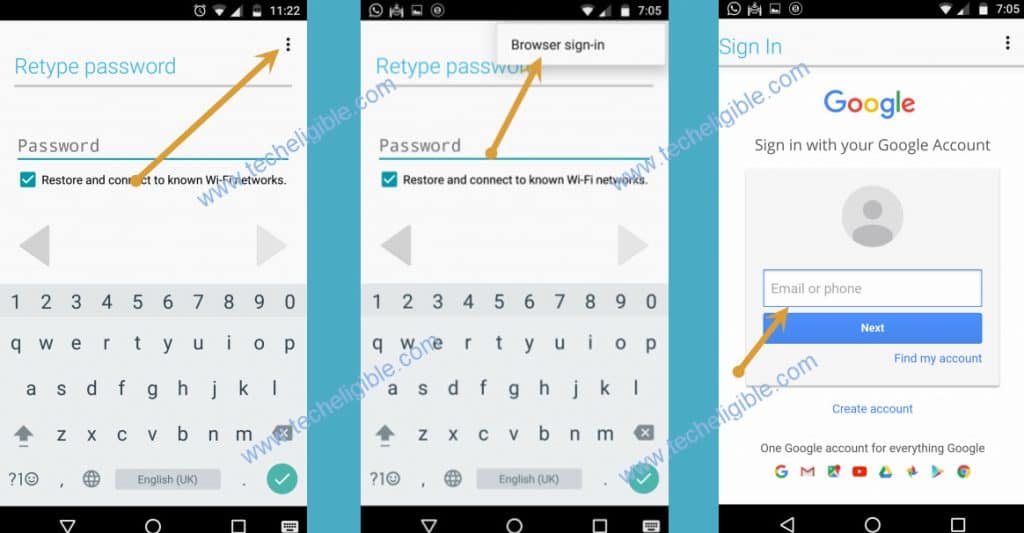
-You will be taken to the (Google sing in) screen. From there, tap to > 3 dots > Browser Sign-in.
-Sing in with your valid google account to setup new frp protection.
-Once signing in process is completed, you can easily get back to first (hi there) screen and complete setup wizard steps without facing any google verification page.