
Are you looking for a way to get back your device somehow after forgetting your own google account? You can give a try this another easy method to Bypass FRP Account Symphony Atom 3. We will use google assistant option here to access the device main settings page and disable google play service app from there in order to complete setup wizard without the need of forgotten account.
Disclaimer: We highly recommend you to apply this method only on your own device, if you are not owner of this device, or you found this from some where, you must return to its real owner.
Let’s Start to Bypass FRP Account Symphony Atom 3:
-Start steps by turning on phone and connect to WiFi.
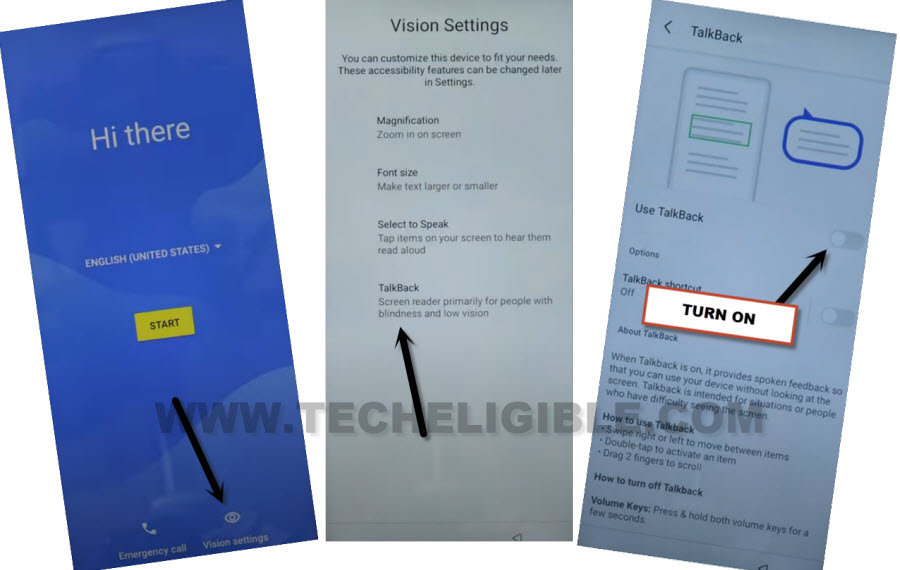
-Go back on (Hi there) screen. From there, tap on “Vision Settings” icon from bottom.
-Turn on talkback by tapping on “Talkback” and turn on “Use talkback” option.
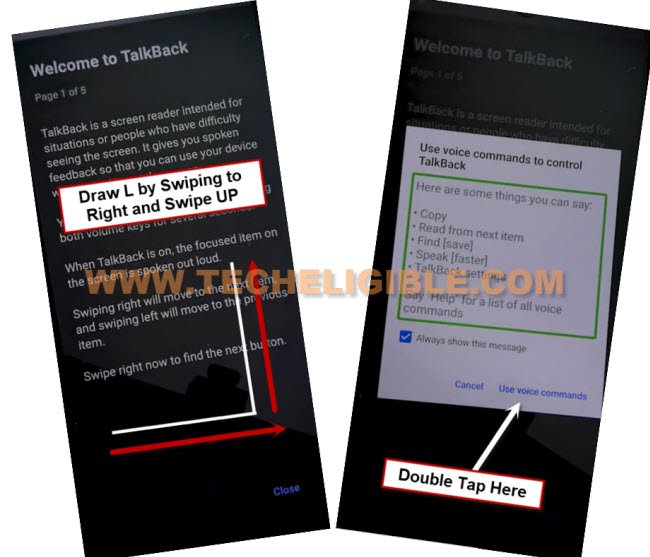
-After that, you will be redirected on a (Welcome to talkback) page.
-Swipe right and swipe up on screen same as mentioned in below screen shot.
-After that, double tap to > While using the app > Use Voice Command.
-After few seconds wait, you must have a (Green boarder) on screen, just say loudly “Open Google Assistant”.
-You will be displayed another popup window of (Try saying) same as shown. You have to say loudly there as well “Open Youtube”.
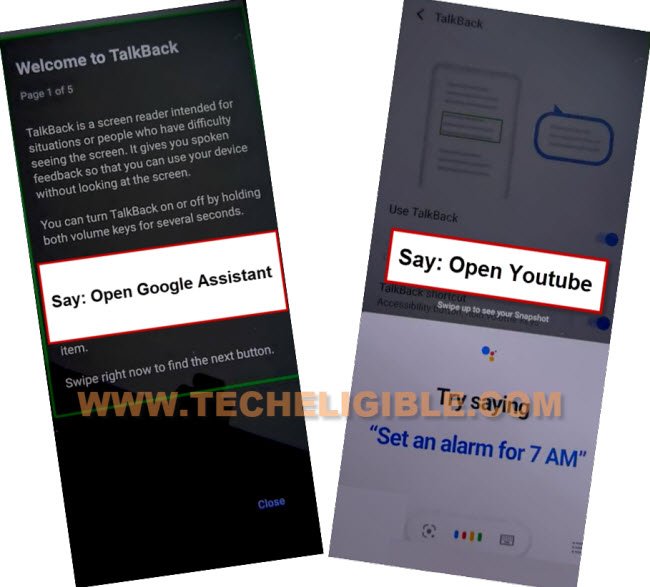
-You will be redirected to the youtube application.
-Lets turn off talkback function now by long holding both buttons (Volume UP + Down). After that, you will see a popup window (Turn on talkback shortcut?), just double tap to “Turn on” option.
-Let’s hold again both (Volume UP + Down). After that, talkback function will be turned off.
-Tap over a “Account” icon from top corner and go to “Settings”.

–Go to > About > Google Privacy Policy > Accept & Continue > Next > No Thanks.
Access to Symphony Settings By FRP Tools Page:
-Search in browser with “Techeligible“. After that, go to same site as shown in below image.
-Let’s bring up sidebar menu by tapping on “Menu” icon from top corner and tap on “Download FRP Tools” option to access official frp tools page.

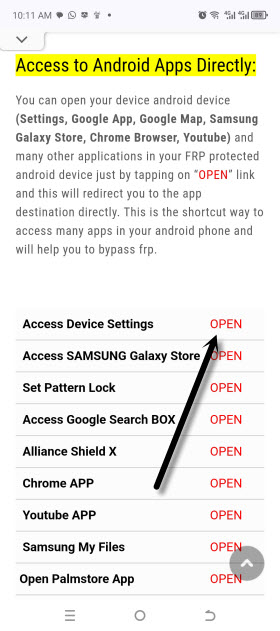
-After that, tap on “Access device settings” option to reach main settings page.
-Scroll down and tap on “Accessibility” option from there.
-Go to “Accessibility Menu” and turn on “Accessibility Menu Shortcut”.
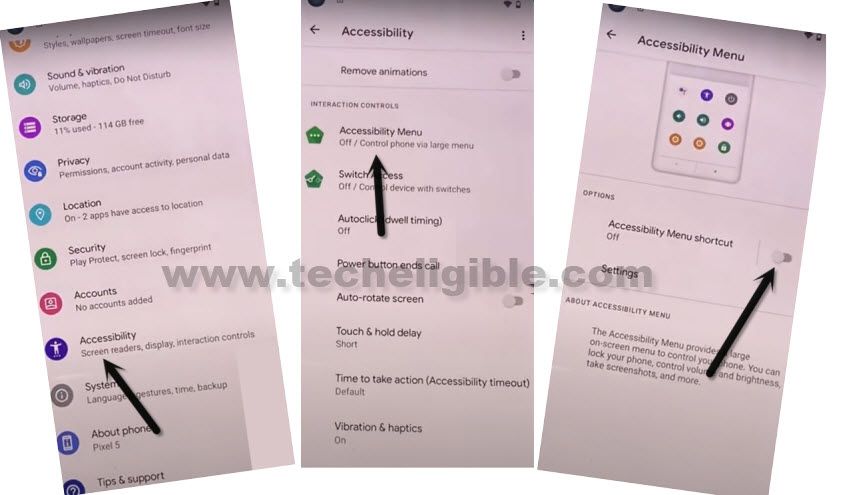
-From popup screen, tap also on > Allow > Got it.
-Go back to “Settings” screen again. After that, tap to > Apps > See all Apps.

-Tap on > 3 dots > Show system Apps.
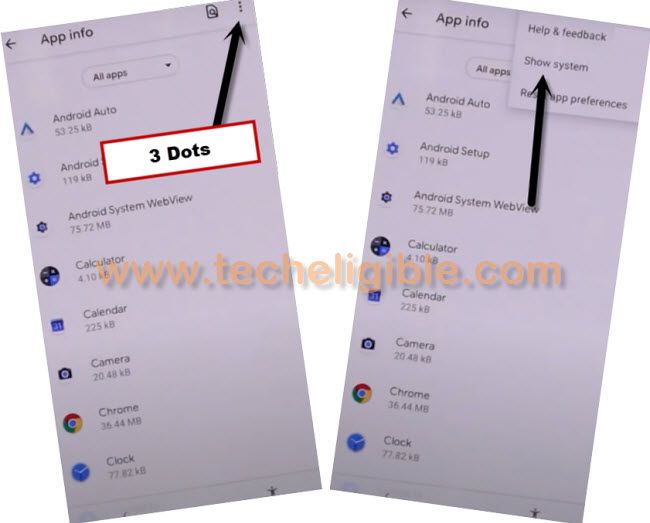
Disable Apps from App list page:
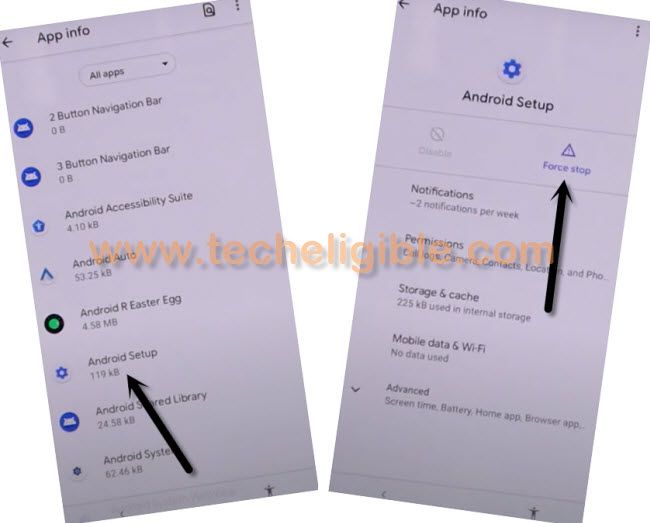
-Find and go to “Android Setup” same as shown in below image.
-Tap to > Force Stop > Ok.
-Go back to main app list page again by hitting on “Back Arrow” icon.
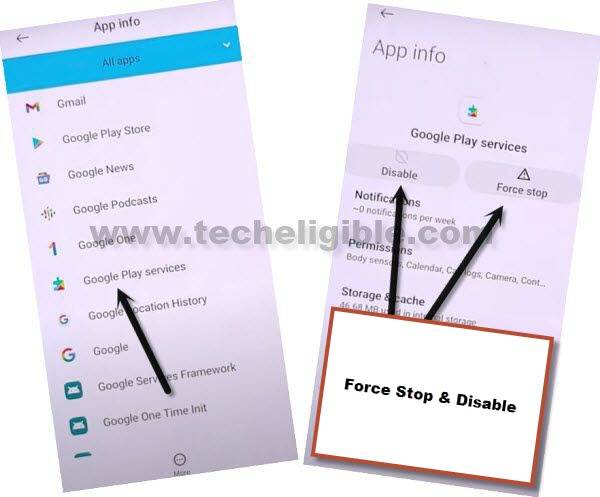
-From there, tap to “Google Play Services” application.
-Disable & Force stop this app too.
Go Back on first (Hi there) startup page:
-Let’s hit on > Start > Skip.
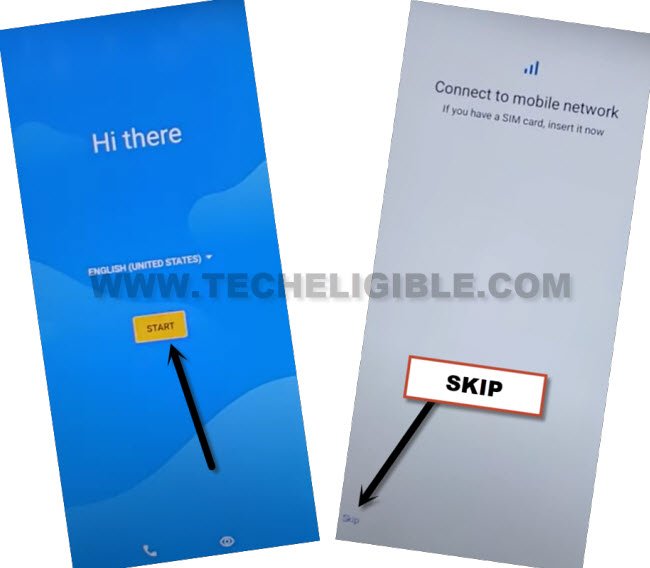
-You will have a loading screen. Just wait there. If it keeps on loading, then, just tap to “Back Arrow” icon from bottom.
-You will reach back to (WiFi) screen. Tap on “3 dots” icon.

-Tap to > Assistant > Settings > Enable (Google Play Services).
| Note: If (Settings) option disappear before you hit on, don’t worry. That happens sometimes, you just have repeat steps very fast and keep repeating until you successfully hit on “Settings” option. Repeat steps like this, tap again on > 3 dots > Assistant > Settings. |
-Once you reach to (Google Play Services) screen. Just tap to “Enable” option from there to Bypass FRP Account Symphony Atom 3.
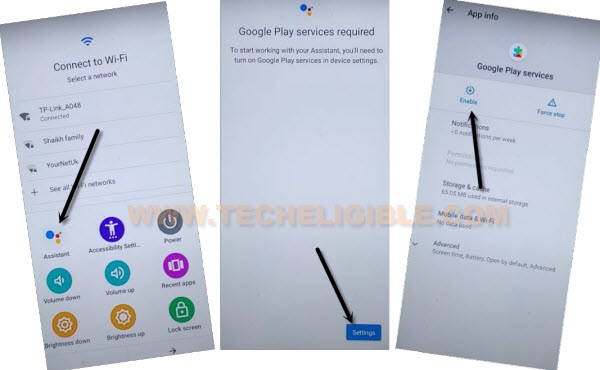
-After enabling google app successfully. Tap 1-2 times on back arrow, you will reach back to (Google Play Service) page. From there, hit on > More > More > Accept.
-Complete remaining steps on your own now. Its all done from bypass frp account on symphony device without using any pc and paid tool.