
We can easily regain access to our FRP protected device. If you are unable to recover back your forgotten Google ID, that was recently logged in on your Itel A80 device. Then, you can follow up this way to Bypass FRP Account Itel A80 (Android 14) without using any paid services and PC. We will use (Accessibility Function) to access back to our device main home-screen just by enabling an disabling google play services app.
Remember: Do not try this frp method on a stolen phone, this is a serious crime, if you are trying to bypass frp on a stolen phone, you may also be jailed, this process is for device owner and for educational purpose only.
Let’s Start to Bypass FRP Account Itel A80:
-Turn on device & Connect WiFi to your itel phone to start frp bypass process.
-After WiFi is connected successfully, you will reach on a (User agreement and services page).
-From there, hit on a link named “Privacy Policy of personalized recommendations”.
-You will see a popup window of chrome browser, just hit on a > Use without an account > No Thanks.

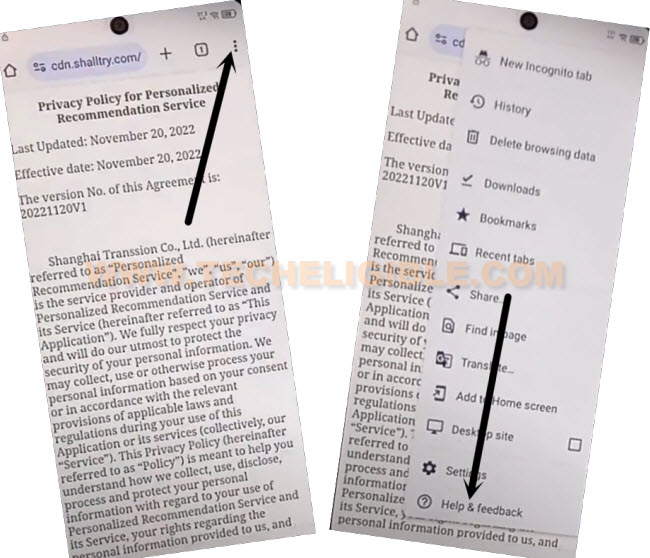
-Hit on “3 dots” menu icon from top corner. After that, go to “Help & Feedback”.
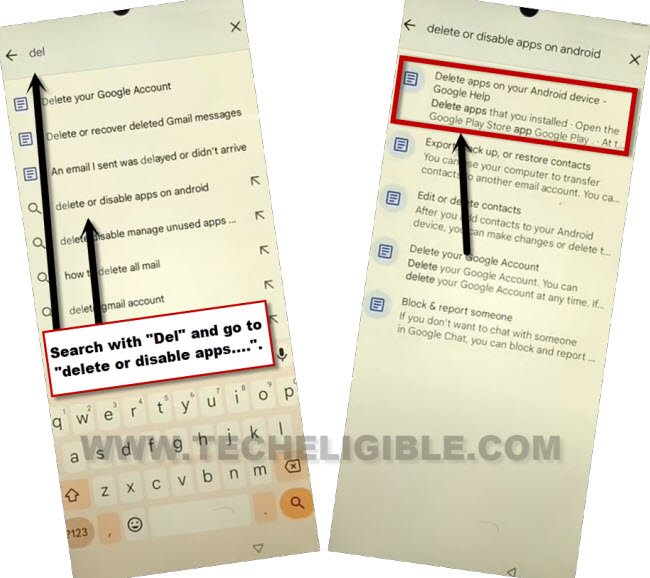
-From next screen, tap on “Search help” search bar & Search there with “Delete or”. You will be displayed same searched result as shown below. Just tap to “Delete or disable apps on android” from there.
-Tap again on an article page “Delete or disabled apps on android device”.
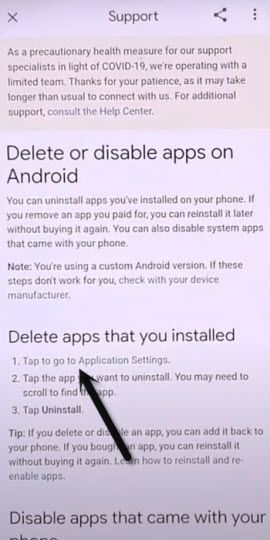
-We can now easily access to main app list page by tapping on a link “Tap to go to application settings”.
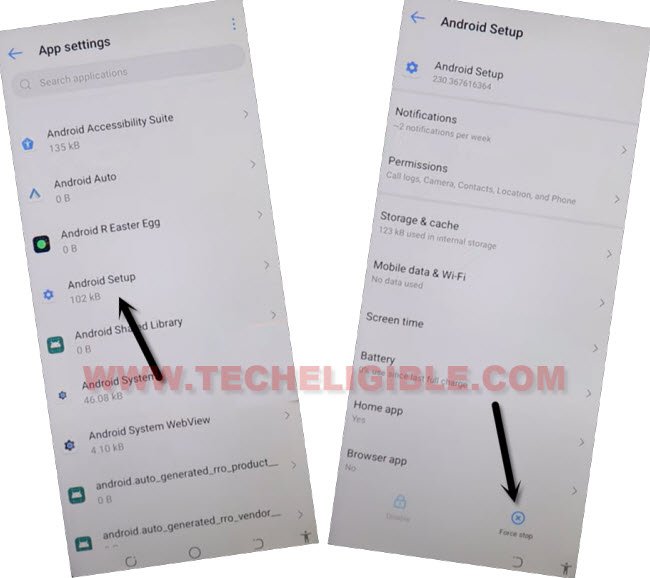
-From there, tap on a “Android Setup” app. After that, tap to > Force Stop > Ok.
-Go back to app list screen by tapping once on the “Back Arrow” icon from bottom.
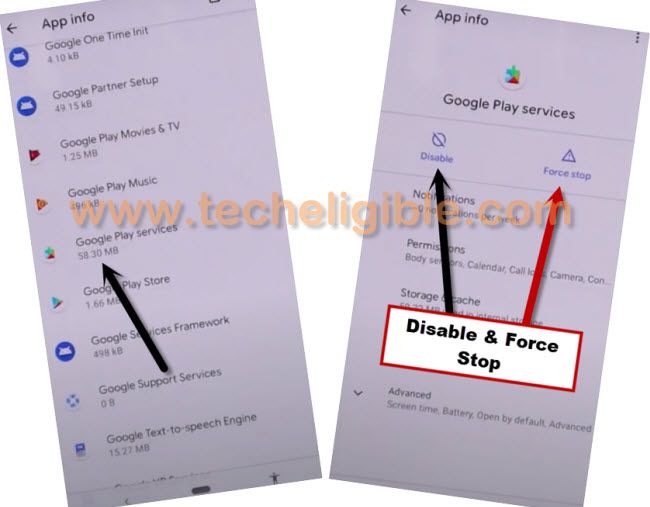
-From there, find and go to > Google Play Services > Force Stop > Ok.
-Tap also on a > Disable > Disable this app.
-After force stop & disabling google play services application. Just go back again on by tapping on a “Back Arrow” icon from bottom.
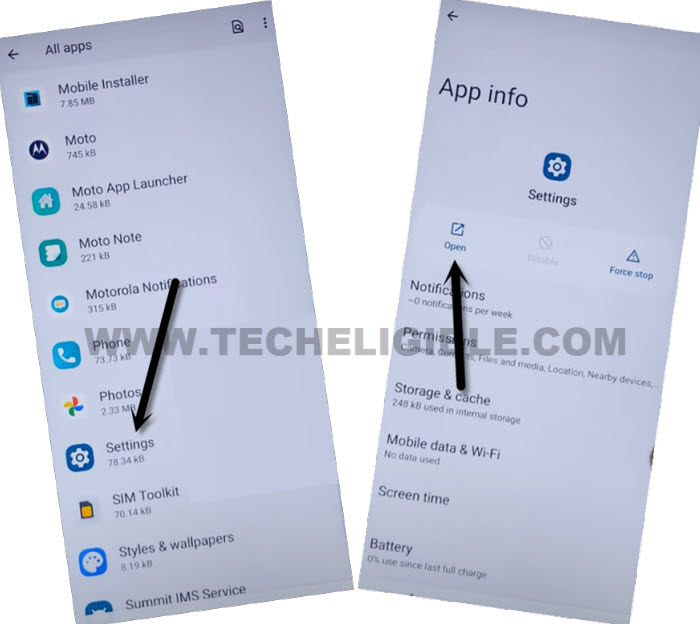
-Let’s access to main settings page by hitting on a > Settings > Open.
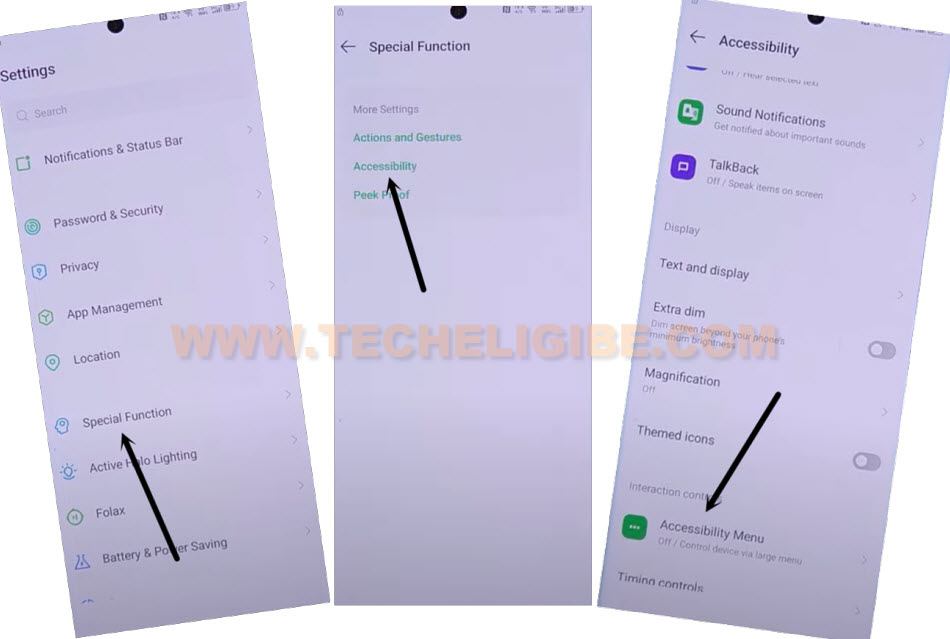
-From there, go to > Special function > Accessibility > Accessibility Menu.
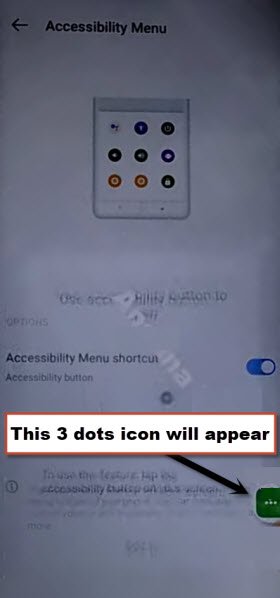
-Let’s switch on “Accessibility Menu Shortcut” function from there. From popup screen, go to > Allow > Got it.
-After that, you will start having a “3 dots” green colored icon at the right side edge of your device screen to Bypass FRP Account Itel A80 .
| Note: If you don’t see any 3 dots icon, just tap again on a “Accessibility Menu Shortcut” function and check mark “Tap accessibility button” box from there. After that, hit on a “Save” option. |
-Let’s get back to (User agreement and services) page. Wait on a loading screen. After that, you will see (Copy apps & data) screen. Just hit on a “Don’t Copy” option.
-Wait for a minute on a (Checking for updates….) loading page.
Use Accessibility Function to Enable Google Play Services:
-Go to > 3 dots > Accessibility Settings.
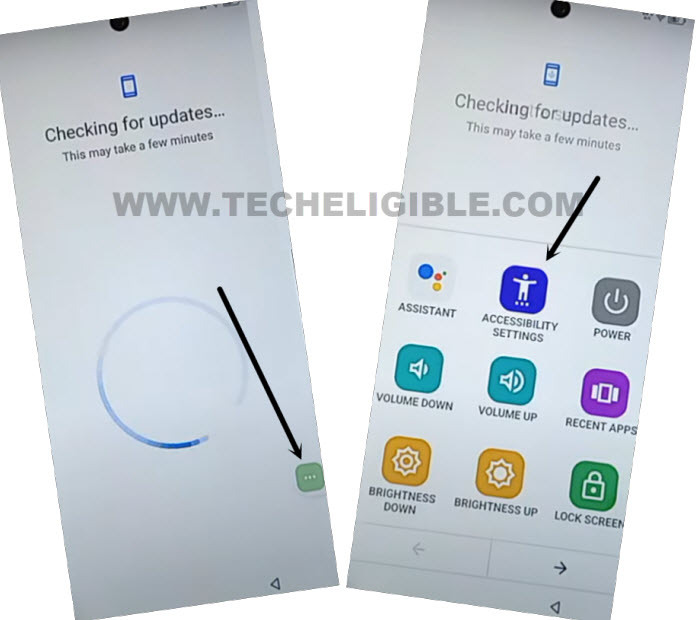
-Once reach to (Accessibility) page. From there, tap again on a > 3 dots > Assistant.

-From popup window, tap to > Use without a google account > English > Done.
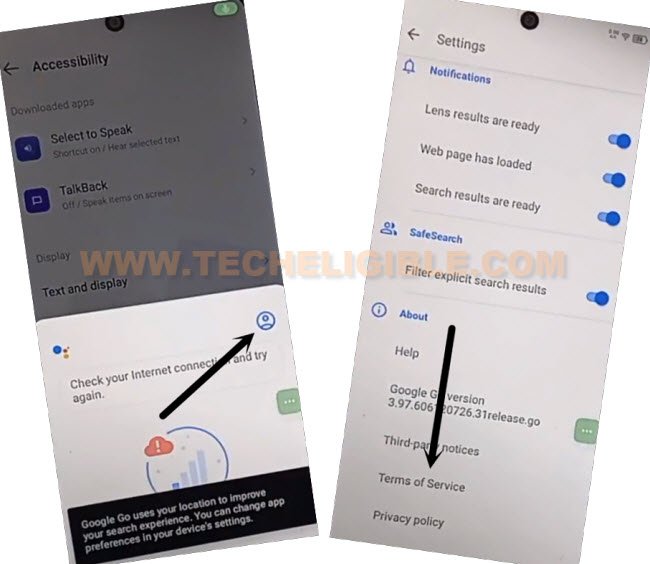
-Afterwards, you will have same popup screen as shown below, from there, tap to “‘Profile” icon.
-After that, go to “Terms of services”.
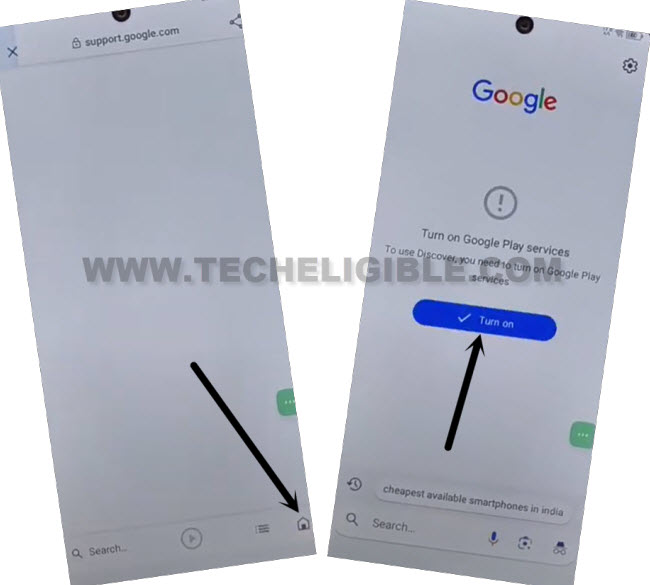
-Let’s hit on a “Home” icon from bottom corner and tap to “Turn on” button.
-You will be redirected on a google play services page. From there, tap to “Enable” option from bottom corner.
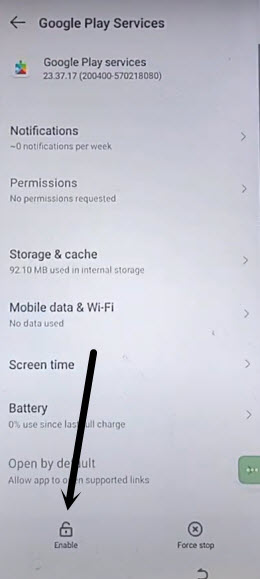
-After enabling back google play services, we will be able to complete setup wizard steps easily to Bypass FRP Account Itel A80 .
-Let’s get back to (Checking for update….) page by hitting 4-5 times on back arrow icon from bottom.
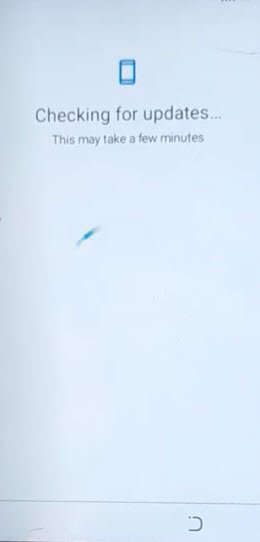
-The loading screen will complete within few seconds. You will be redirected on a (Google Services) page. Just hit on a > More > More > Accept.
-Hit on a > Ok > Skip > Ok > Skip > Skip.
-Tap to “Next Arrow” icon from (Itel) screen. Finally, you will reach to your device main home-screen.