Have you lost your device access due to forgetting google account and hard reset the device?. FRP protection will not allow any strange person to access back to your device without login back with previously setup google ID. If you are device owner and unable to verify your ownership due to forgetting google ID. Then, follow up this way to Remove FRP Account HTC U PLAY (Android 6).
Disclaimer: We highly recommend you to apply this method only on your own device, if you are not owner of this device, or you found this from some where, you must return to its real owner. This method is for educational purpose only.
Let’s Start to Remove FRP Account HTC U PLAY:
-Access to (Setup internet Access) page and connect WiFi to your device first.
-After that, from the same WiFi screen, scroll down and tap on an option “Add another network”.

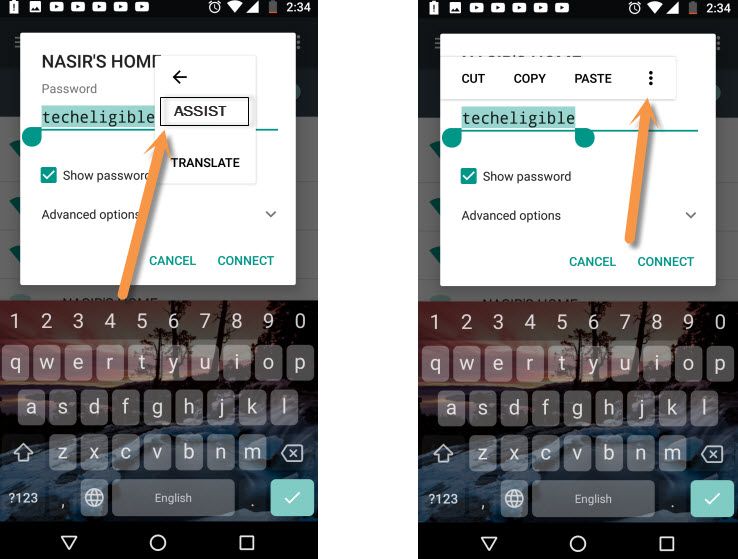
-Type any text in (Network name) field tab and long hold on your typed text. After that, you will be displayed some option there.
-Tap to > 3 dos > Assist.
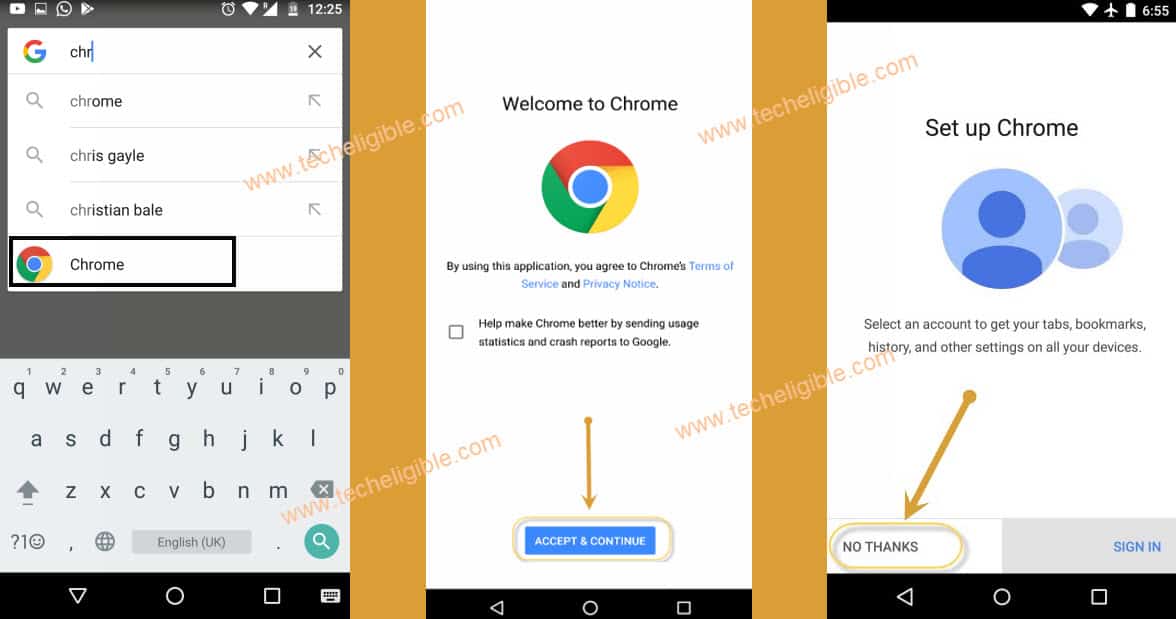
-Let’s hit on a “No Thanks” from google page.
-After that, search and go to “Chrome” application.
-Hit over a > Accept & Continue > No Thank.
Go to Official FRP Tools Page:
-You have to type in chrome browse search bar “Techeligible“. After that, visit same searched result as shown in below screen shot.
-From official site, go to “Menu” icon from top corner and hit over the “Download FRP Tools” option to access to frp tools page.

-Scroll down from there and download below 2 apps.
1st: Google Account Manager 6.
2nd: Account Login.
-Once the downloading process is done, you will see (Open) option in bottom bar.
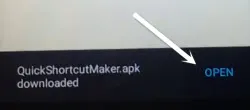
-Just tap over the “Open” option to reach to download folder, where, you can see both downloaded apps.
-Let’s install app now by tapping on “Google Account Manager 6”.
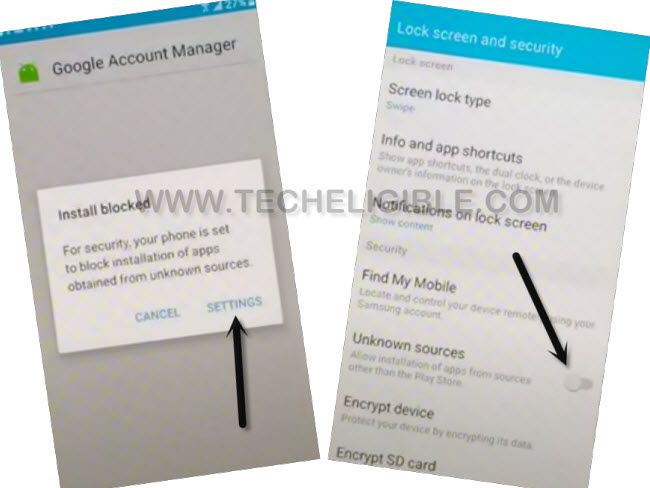
-From popup window, tap to “Settings” option from there and tap on a “Unknown Sources” option. After that, tap on “Ok”. This unknown sources option will be enabled.
-Tap on “Back Arrow” icon from bottom to reach back to (Download) folder.
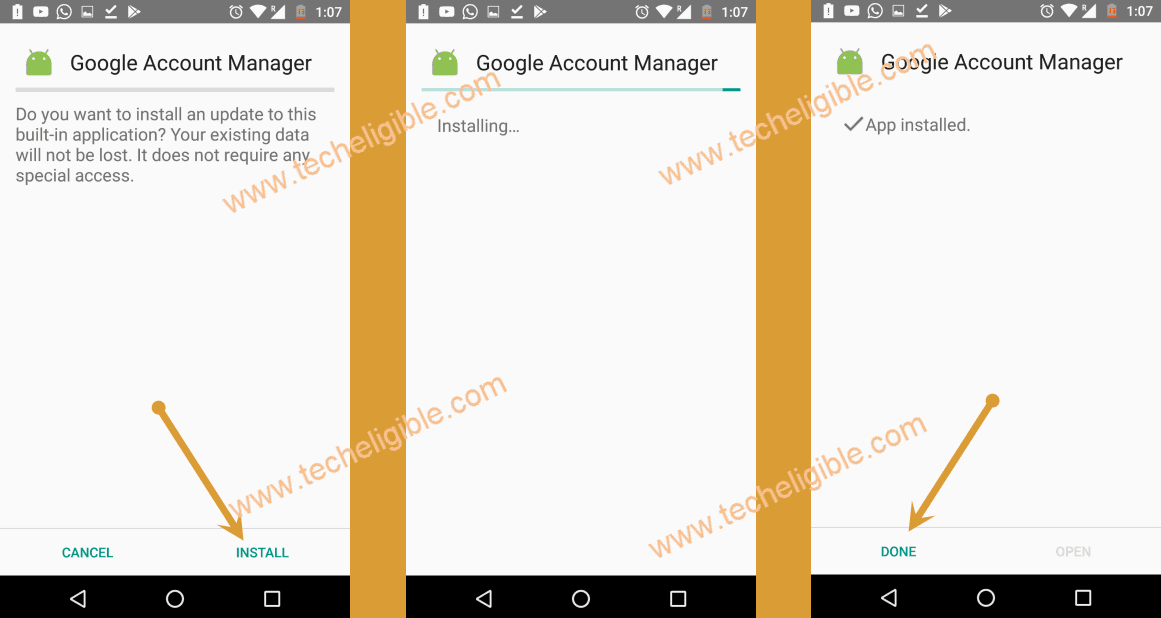
-Install again this app by hitting on a > Google Account Manager > Install > Done.
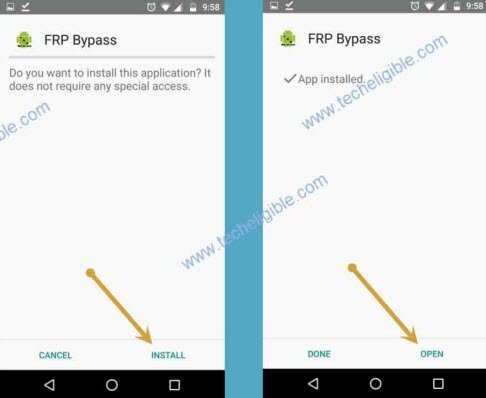
-Install another app by hitting on > Account Login > Install > Open.
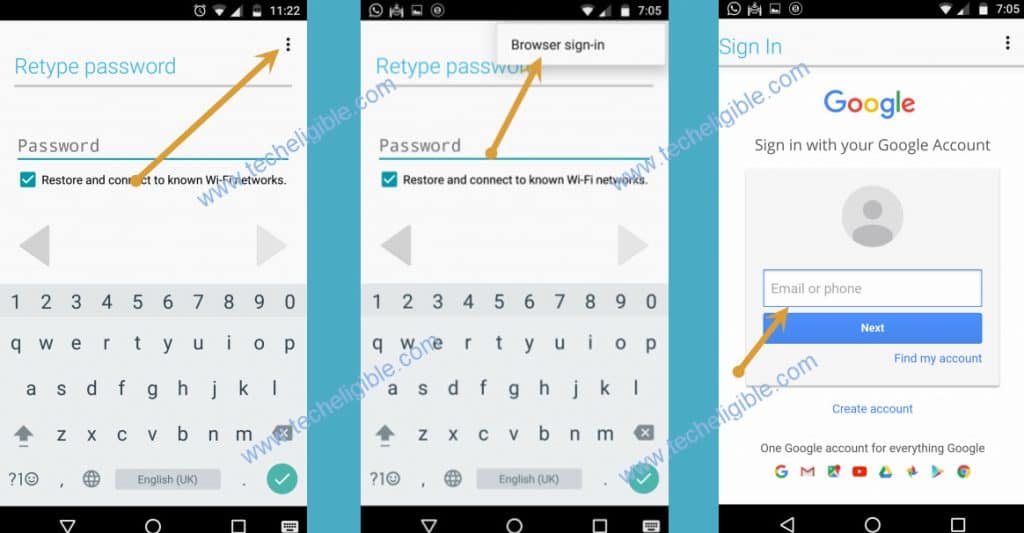
-You will be taken to the account login page. From there, hit over a “3 dots” icon and tap to “Browser Sign-in”.
-Let’s sign in with your any valid google account to Remove FRP Account HTC U PLAY.
-Congrats, new account has been setup successfully. You can restart your device now without any hesitation.