You must be facing google FRP on your HTC phone after hard reset, if you have forgotten your old signed in google account and unable to recover it. To resolve this type of issue, you can follow up this guideline to Bypass FRP HTC Desire 626 with help of (Talkback) function.
Disclaimer: We highly recommend you to apply this method only on your own device, if you are not owner of this device, or you found this from some where, you must return to its real owner. This method is for educational purpose only.
Let’s Start to Bypass FRP HTC Desire 626:
-Turn on phone & Connect WiFi to this phone. After that, go back to (Welcome) screen.
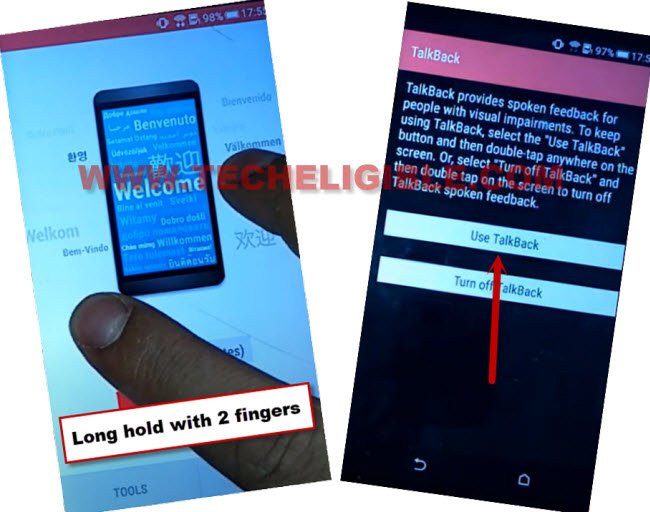
-Let’s long hold with two fingers on screen until you reach on a (Talkback) screen.
-Double tap on a “Use talkback” option.
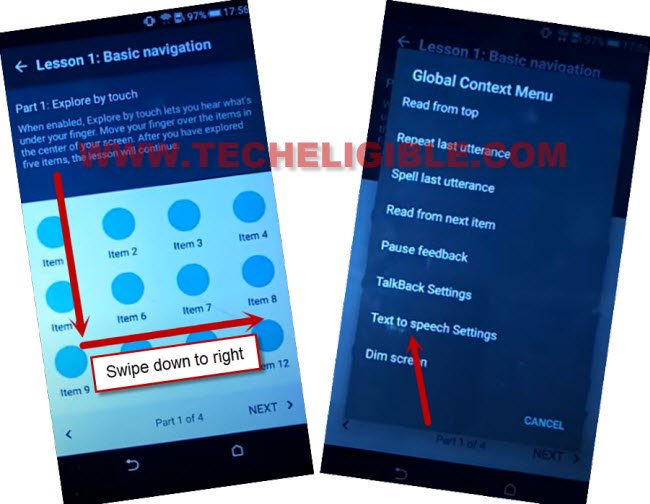
-Make “L” shape again on screen by swiping down to right.
-Let’s access text to speech settings page by double tapping on “Text to speech settings” option.
-We don’t need talkback function anymore. Let’s turn off this talkback now by long pressing both “Volume up + down” button.
-After pressing both keys, you will be shown a popup screen of (Suspend talkback?). Let’s double tap to “Ok” from there.
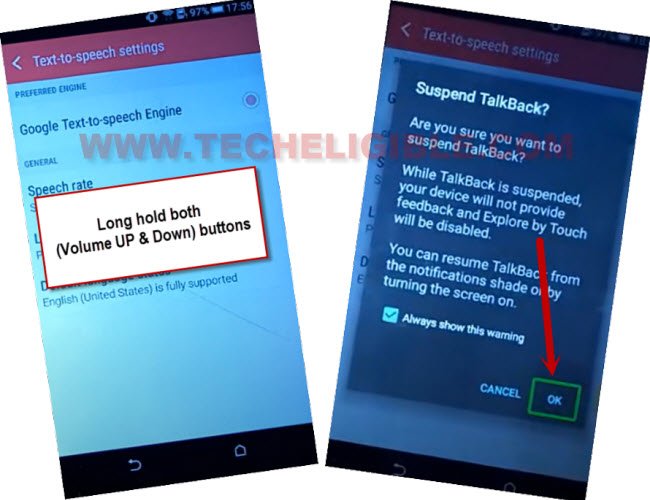
-Let’s tap over a “Back Arrow” from top corner to access HTC main settings page.
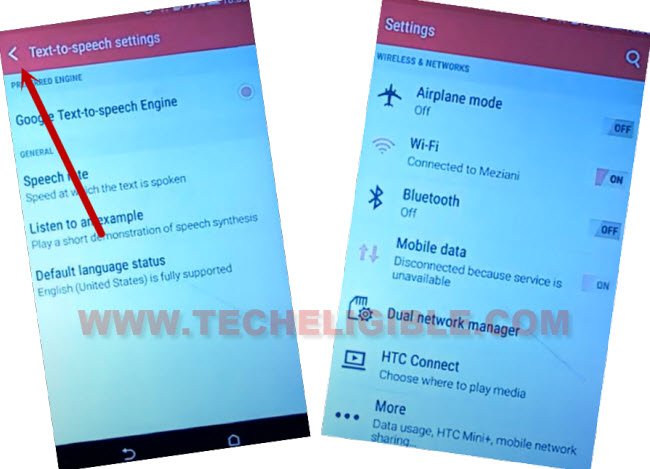
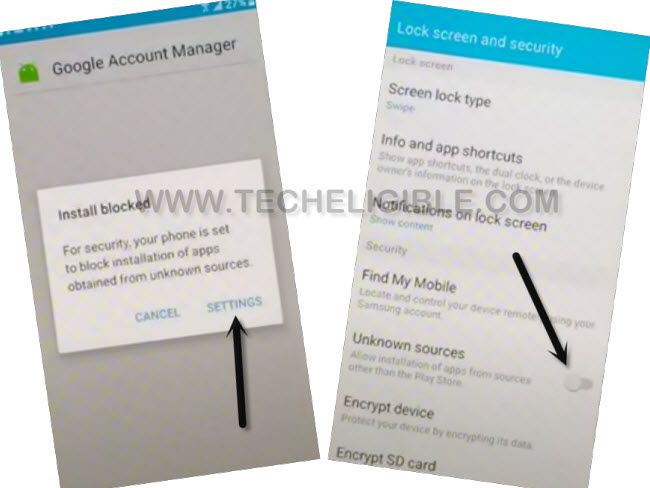
-Scroll down little bit from settings screen and go to > Security > Unknown Sources > Ok. After that, unknown sources option will be checked mark. That means, we have successfully enabled (Unknown Sources) option. Later on, we will not face any installation blocked popup while installing frp bypass app.
-Go back to (Main Settings) screen again by tapping once on the “Back Arrow” from top left corner.
-Go all the way down from Settings page and tap to “About”.
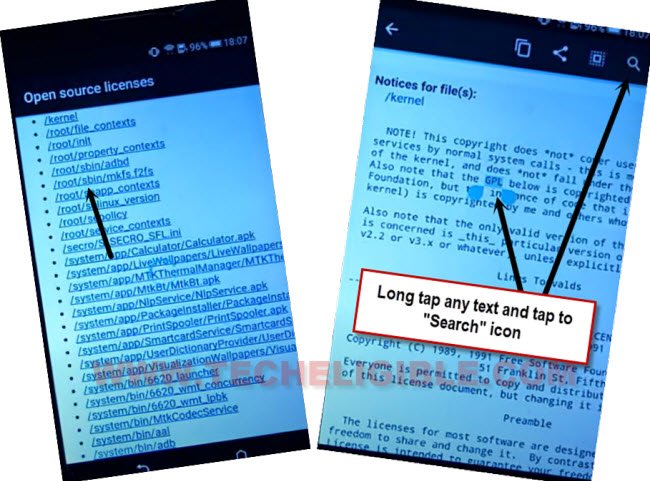
-Tap on > Legal information > Open source licenses.
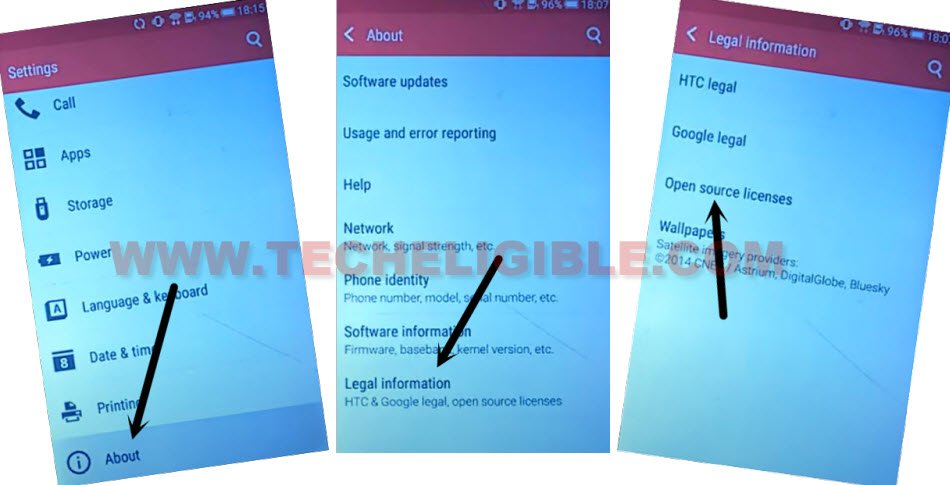
-You will see a (Link list) page. Just tap at any random link and long hold at any text from (Open source licenses) page and tap to “Search” icon from top corner.
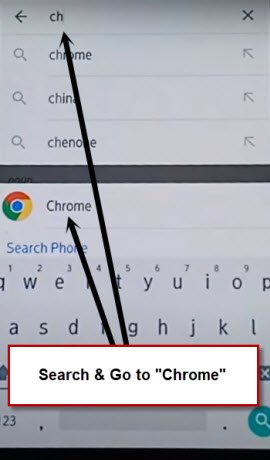
-Search and open “Chrome” browser.
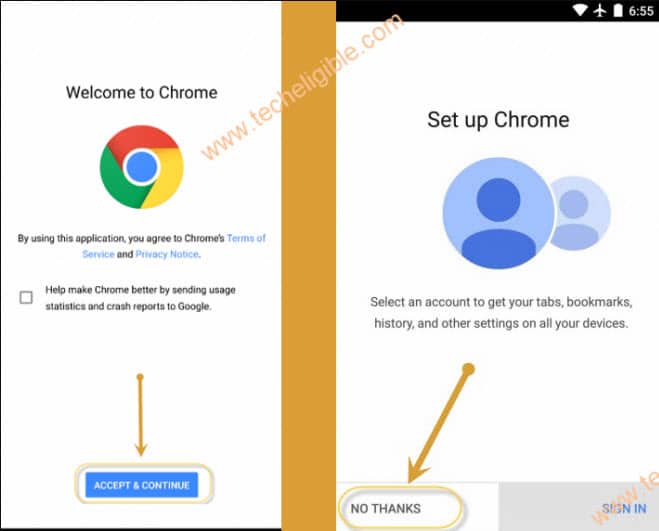
-After that, go to > Accept & Continue > No Thanks.
Let’s Reach to FRP Tools Page:
-Let’s go to techeligible site by searching in browser with “Techeligible“. After that, visit first searched result same as shown in below image.
-Afterwards, you have to hit over the “Menu” icon from top corner. Tap to “Download FRP Tools”.

-Let’s download from there “Google Account Manager 6” app.
-After downloading is done, you will see a popup window at the bottom, just tap to “Open” link from there start installation process.
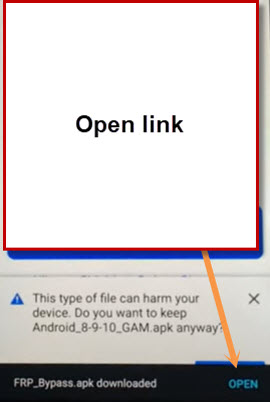
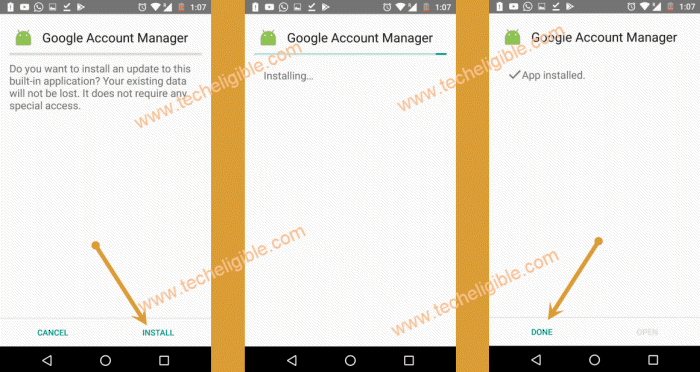
-Tap to > Install > Done.
-Download another app “Account Login” from same frp tools page.
-Tap on “Open” link from bottom to install this app.
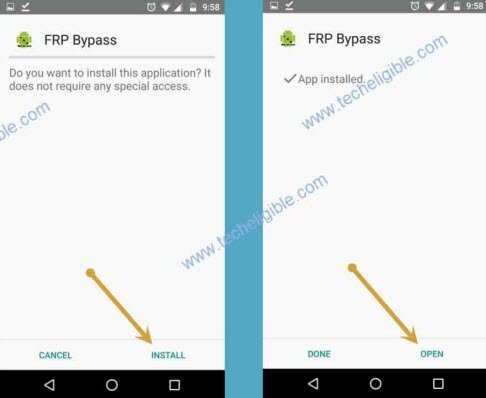
-Tap to > Install > Open.
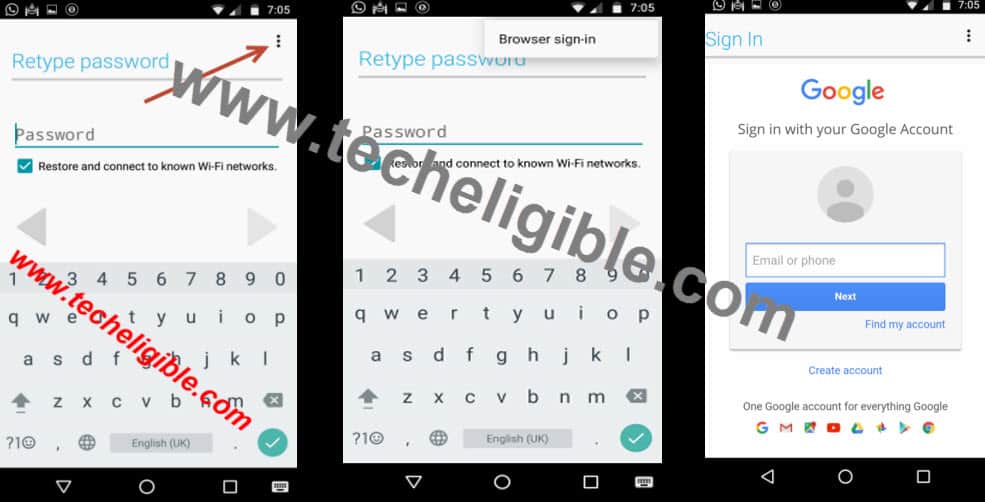
-Go to > 3 dots > Browser Sign-in. Setup your google account now in your HTC device to Bypass FRP HTC Desire 626.
-After successfully setup google account, you can restart this phone and finish setup wizard on your own.