
We can fix our device FRP problem easily through this method. If you don’t know what’s your google account password after hard reset your Umidigi bison device. Then, follow up this way to Bypass Google Account Umidigi Bison Pro. We will enable talkback function to reach our device main settings page.
Disclaimer: We highly recommend you to apply this method only on your own device. If you are not owner of this device, or you found this from some where, you must return to its real owner.
Let’s Start to Bypass Google Account Umidigi Bison Pro:
-Connect WiFi and go back to firs startup page.
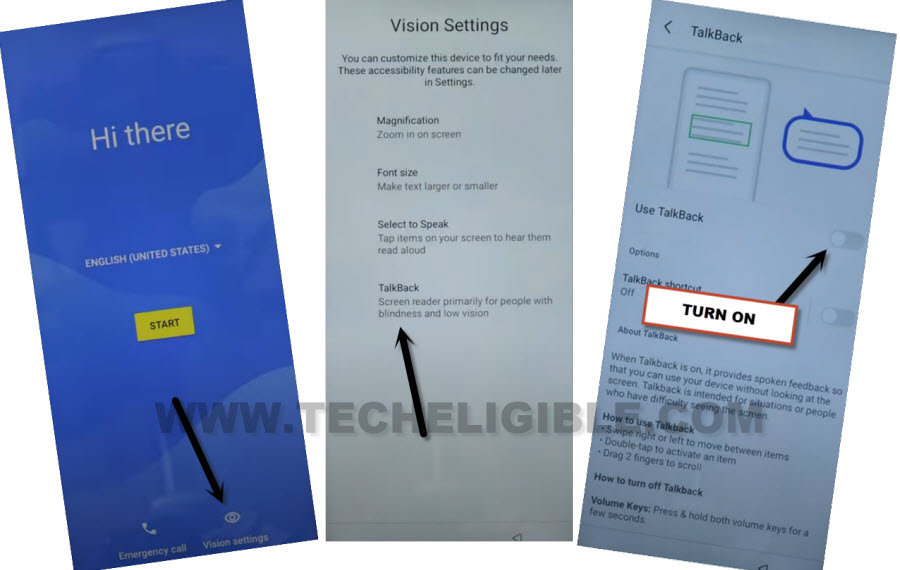
-Turn on talkback by tapping on > Vision Settings > Talkback. After that, turn on “Use Talkback” function.
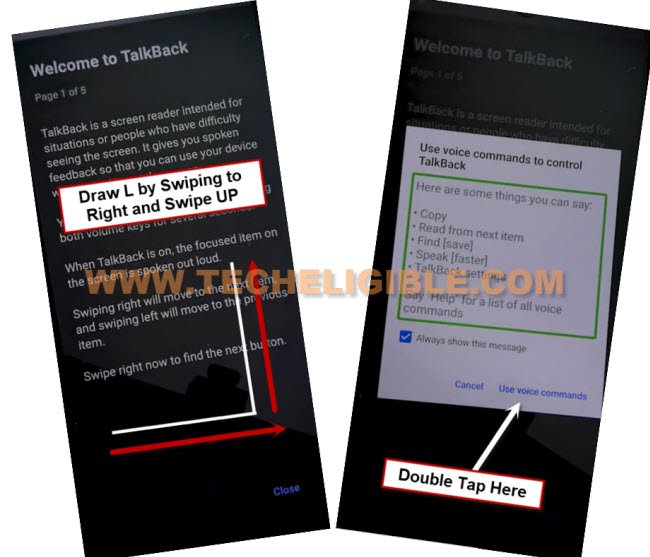
-From talkback page, just Swipe right and swipe up on the screen same as shown in below image. After that, you will be shown another popup screen. From there, double tap to > While using the app > Use Voice Command.
-When you see green colored boarder on next page. Just say loudly “Open Google Assistant”.
-After google assistant is launched, say loudly “Open Youtube”.
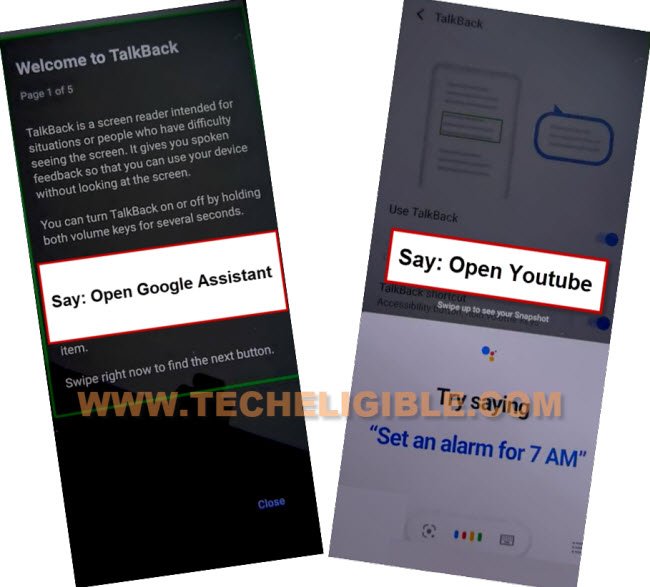
-After that, you will be taken inside youtube webpage.
-We have to switch off talkback function by long holding both buttons (Volume UP + Down). Keep holding the keys until you have a popup window. From there, double tap on “Turn on”.
-You have to long hold again both buttons (Volume UP + Down). This time, you will be shown a flash message of (Talkback is turned off). That means, the talkback has been turned off successfully from our device.
-Let’s access to our device main settings page going to “Profile” icon from top corner of the youtube video screen.
-Tap to “Settings”.

–Go to > About > Youtube terms of service > Accept & Continue > No Thanks.
Go to Settings Page to Turn on Accessibility:
-Type in the browser search box “Techeligible“. After that, go to same searched result as shown in below image to access official techeligible site.
-Tap to “Menu” icon from top corner and hit on “Download FRP Tools” option from there.

-After that, scroll down little bit and hit on a “Access Device Settings” option.
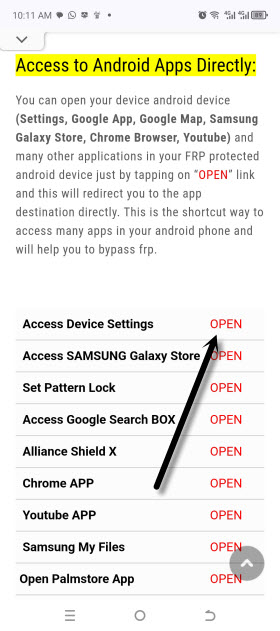
-From settings screen, go to > Accessibility > Accessibility Menu > Accessibility Menu Shortcut.
-After that, hit on a > Allow > Got it.
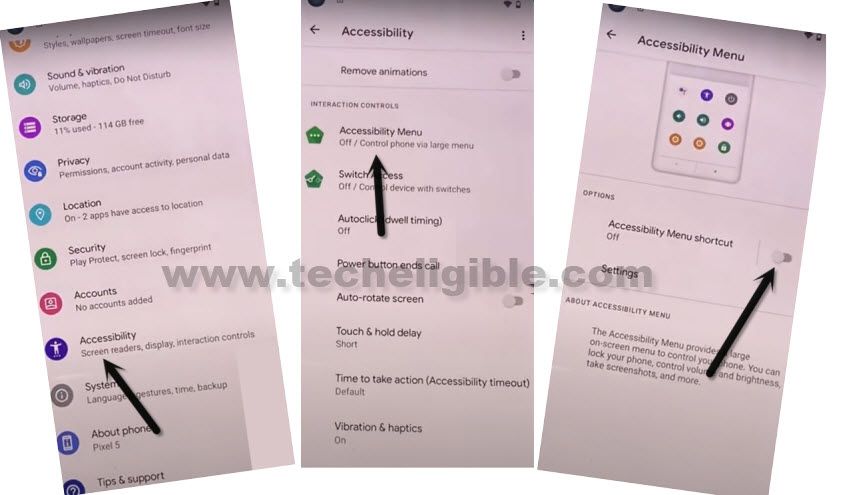
-Once the accessibility function is enabled successfully. You will see a (3 dots) menu icon at the right edge of your device screen.
Go to App List Page:
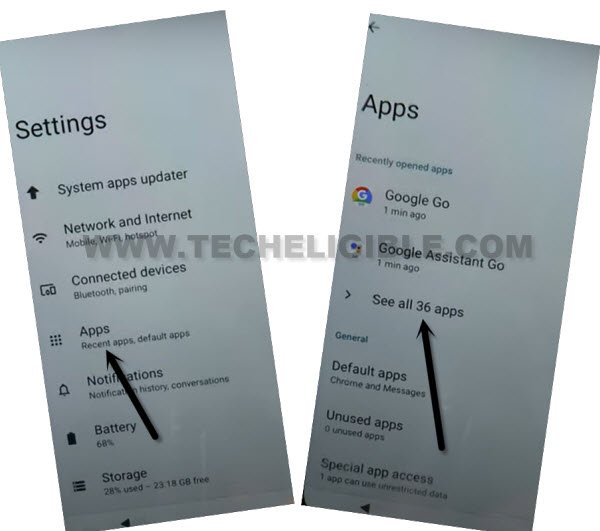
-Go back to main settings page of your device. From there, tap on “Apps”.
-Afterwards, tap on “See all apps” option to reach to main app list page to Bypass Google Account Umidigi Bison Pro.
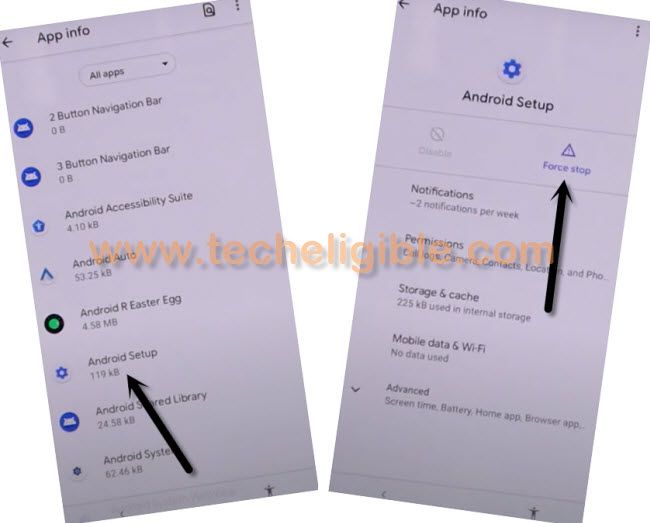
-Let’s force stop android setup app by going to > Android Setup > Force Stop > Ok.
Note: Hit on a same (Android Setup) app which is mentioned in below image.
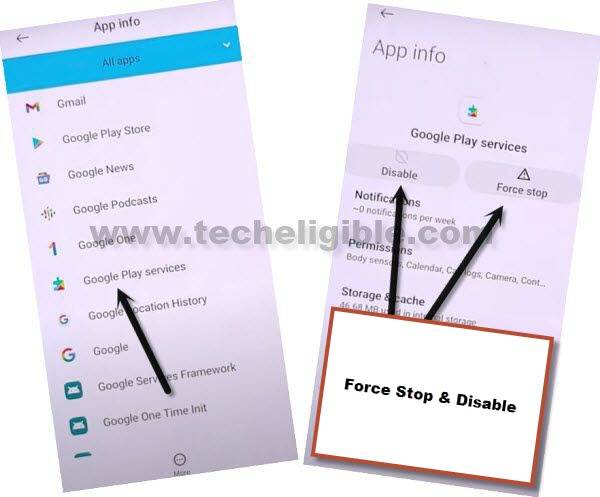
-Return to main app list page again. From there, go to “Google Play Services” application.
-After that, Disable & Force stop this app as well.
-Let’s restart the device now.
Finish Setup Wizard Steps:
-From first startup screen, go to > Start > Skip.
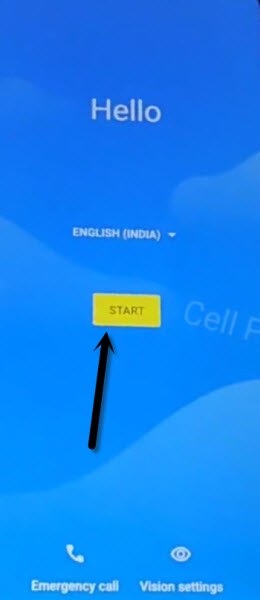
-Wait for 30 sec on the loading screen, after that, tap on “Back Arrow” icon from bottom. By doing this, you will reach on a (Connect to WiFi) page.
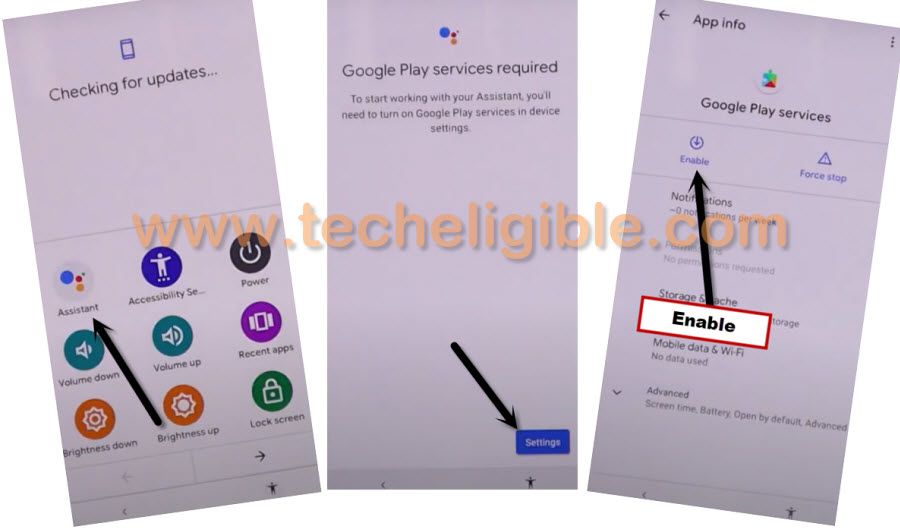
-Tap on “3 dots” menu icon from right side edge of your device screen.

-From popup options, go to > Assistant > Settings.
-We have to hit on a “Enable” option from google play services page to enable this app again to Bypass Google Account Umidigi Bison Pro.
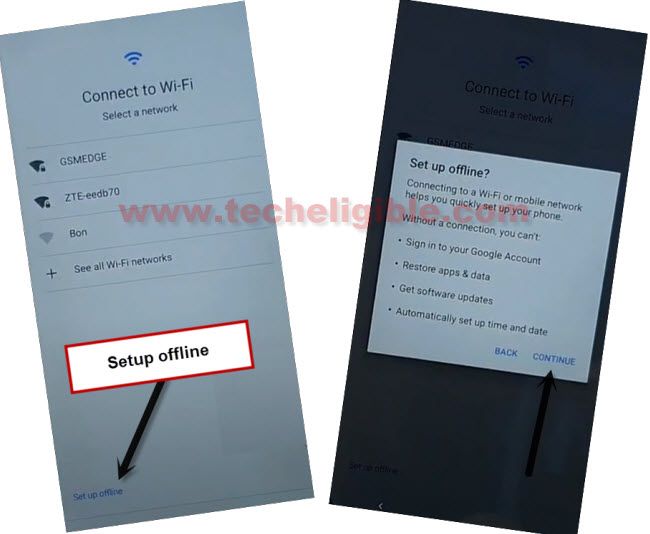
-Go back again on a (Connect to WiFi) page. From there, tap to > Setup offline > Continue.
-Finish up restart remaining setup wizard steps on your own. You are all done from bypass frp account on this device.