
You can get control back on your MEIZU device, if you don’t remember your previously setup google account. This happens very often when you just hard reset your device because of any reason and after that, you face google account lock screen. This is the FRP protection, that protect your device data from unknown person. If you’re a device owner and forgot your google account. In this case, you can get help from here for Meizu FRP Bypass Android 9. This guideline covers all MEIZU Android 9 devices.
Disclaimer: We highly recommend you to apply this method only on your own device. If you are not owner of this device, or you found this from some where, you must return to its real owner. This FRP bypass process is just for educational purpose.
Let’s Start for Meizu FRP Bypass Android 9:
-Turn on your MEIZU phone to connect WiFi first. Because, without WiFi connectivity, you can’t follow up below steps.
-After your device has WiFi connection, just go to (Google verification) screen.
-Tap on a “Email or phone” box to bring up your MEIZU device keyboard. After that, hit over “T Shirt” icon from keyboard top bar.

-Slide top bar menu to left side and go to “TRENDS” option. This will bring up article list. Tap on any article from there.

-You will be displayed share option to corner, tap on that “Share” option.
-You have to go to “3 dots” icon from popup and choose “Messaging”. option.
-Tap to “New Message”.

-You’ve to create new message here with www.youtube.com url. After that, send this message to any random number.
-After you send the message successfully, the youtube url will convert to hyperlink. Just tap on that youtube url to reach youtube website.

-Hit on “Human” icon from the top and tap to “Settings” gear option.

-Congrats, your google chrome browser has launched successfully. We can go for further steps for Meizu FRP Bypass Android 9.
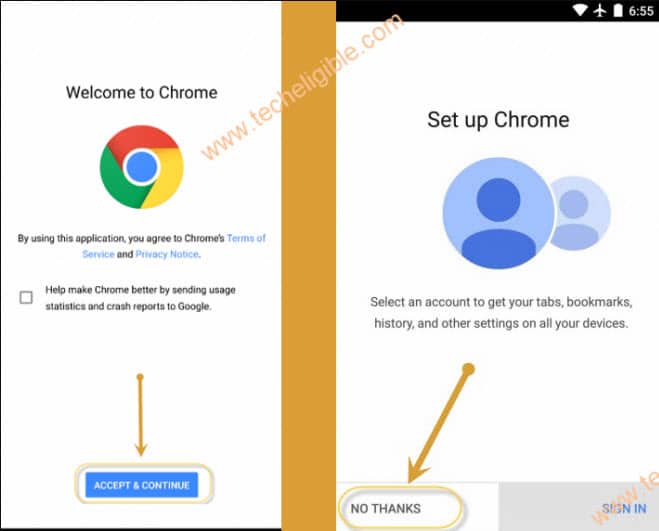
-From startup chrome screen, hit over the > Accept & Continue > Next > No Thanks.
Download & Install FRP Apps in Meizu Android 9:
-In chrome browser, search and go to techeligible official site. From there, hit over the “MENU” icon and go to “Download FRP Tools”.

-Scroll down from frp tools page and download below 2 applications in your device to bypass frp.
1st: Google Account Manager 9.
2nd: Account Login.
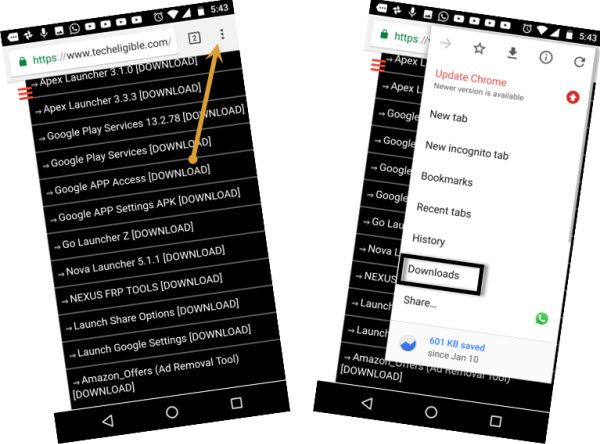
-After downloading is completed, just go at the top of the screen and tap on “3 dots” kebab menu of the chrome browser.
-Chrome settings page will appear up there, just tap on “Downloads”.
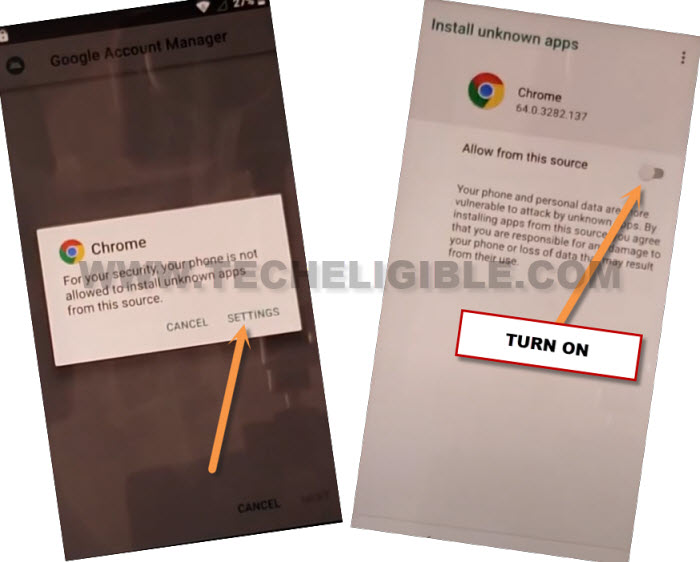
-Tap on “Google Account Manager 9”. After that, chrome will ask you permission before starting the installation process of this apk app.
-Just tap over the “Settings” from popup window and turn on “Turn on Allow from this sources” option.
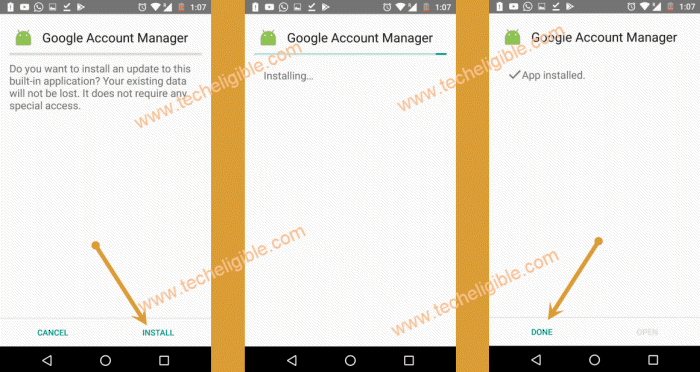
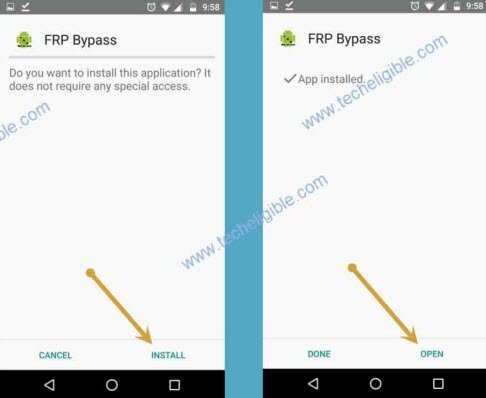
-Go back and complete the installing process by tapping on > Install > Done.
-We’ve to install another app (Account Login) in our device. This will take you to the google sign in page. From there, you can setup anotehr google account on this device for Meizu FRP Bypass Android 9.
-Tap on > Account Login > Install > Open.
Setup new Account on Meizu Android 9:
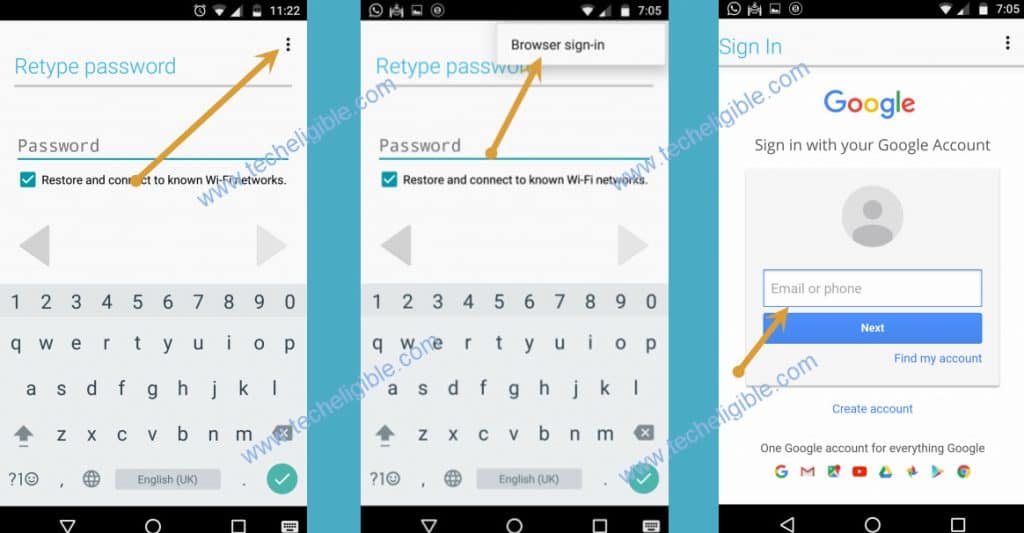
-After accessing to (Retype Password) page. Just, tap to “3 dots” icon from top corner.
-Afterwards, tap on “Browser Sign-in” option.
-Let’s login with your any valid Google account.
-Your another google account is signed in successfully. You can easily restart your device and complete startup steps on MEIZU Android 9 phone.