Indeed, FRP is security features and very much crucial to safeguard your device personal information from unauthorized access to your MEIZU Android 8 device. But, in some situations, you forget your logged in google account credential just after hard reset your device. Then, FRP can become an issue for you. To Reset FRP Account Meizu Android 8 and setup google account, simply follow up steps from below.
Disclaimer: We highly recommend you to apply this method only on your own device. If you are not owner of this device, or you found this from some where, you must return to its real owner. This FRP bypass process is just for educational purpose.
Let’s Start to Reset FRP Account Meizu Android 8:
-Start this process by switching on your device. After that, connect WiFi.
-Reach to (Verify your account) page and hit on a (Email or Phone) field tab to see your device keyboard.
-From keyboard top, hit over the “T-Shirts” icon.

-Swipe top bar to left and go to “TRENDS”. After that, go to any article from next article screen.

-The (Share) icon will be shown you on top right corner, just tap on “Share” option from there and then, tap to “3 dots” icon from popup window.
-Select “Messaging” app from bottom popup.
-Tap to “New Message”.

-Let’s type “www.youtube.com” url and send this url to any random text number.
-Once the url converts to blue link, just tap to youtube link.

-Go to “Profile” icon from top youtube page corner. After that, tap over the “Settings” gear icon.

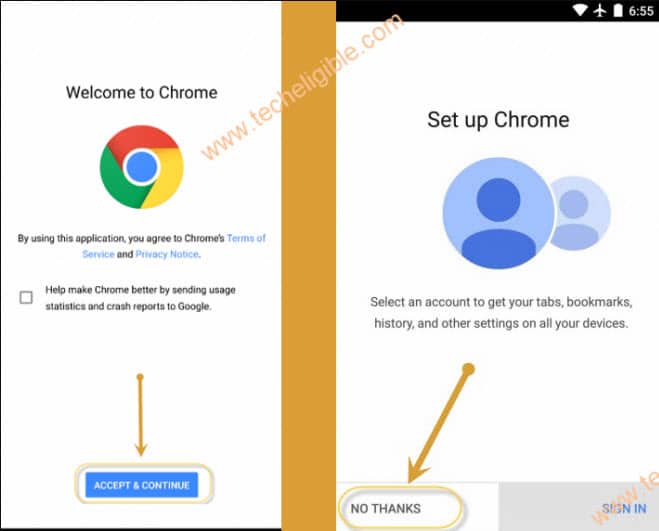
-Once google chrome browser is launched, just tap to > Accept & Continue > Next > No Thanks.
Download 2 FRP Removal Apps:
-Go to techeligible official site. Afterwards, hit over the “Menu” icon from top corner.
-After that, tap on “Download FRP Tools” from sidebar menu.

-After accessing to frp tools page, just scroll down and download from there below two mentioned applications to Reset FRP Account Meizu Android 8.
1st app: Google Account Manager 9.
2nd app: Account Login.
-After successfully downloaded both apps. Go to top of the frp tools page and tap to “3 vertical dots” and hit on a “Downloads” option.
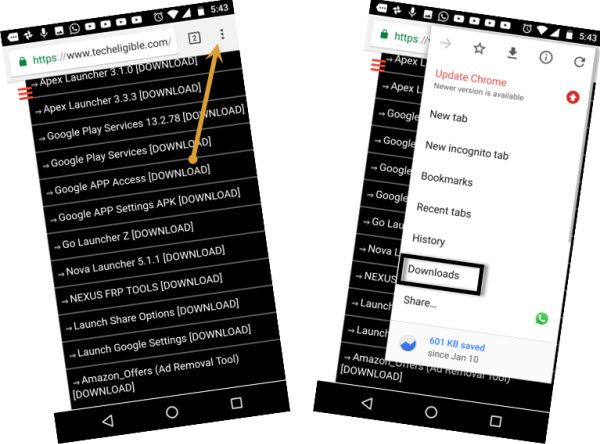
-You will access download folder. Where, you can see your both recently downloaded apps. Just tap on “Google Account Manager 9” from there.
-From popup window, hit on a “Settings” and turn on “Allow from this sources”. After allowing this, you will be allowed to install this frp removal apps on your Meizu Android 8.
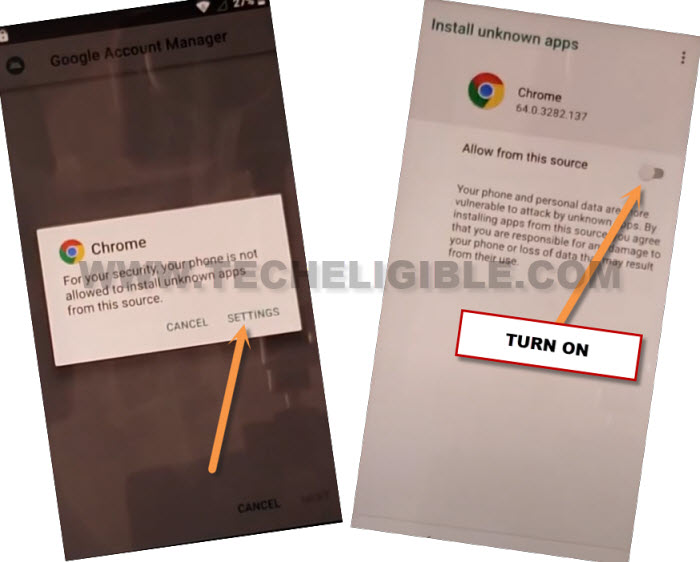
-Go back, and you will see a installation screen of google account manager, from there, go to > Install >Done.
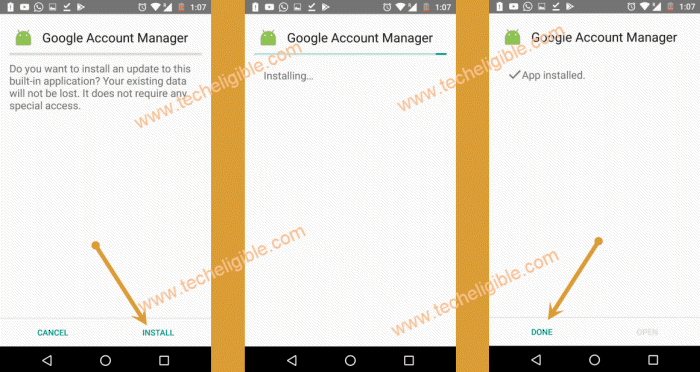
-We’re gonna install final app, through this app, you can sign in with another google account to Reset FRP Account Meizu Android 8.
-Tap on “Account Login” application. This will show you installing page, just tap to > Install > Open.
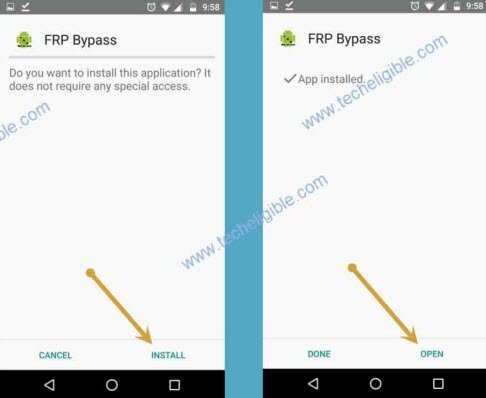
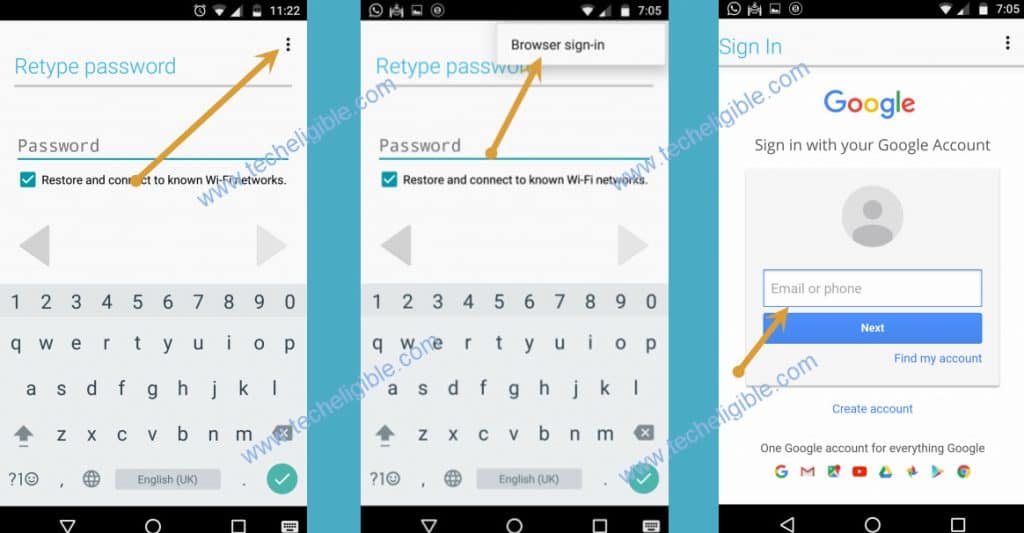
-Go on “3 vertical dots” from top corner.
-Afterwards, go to “Browser Sign-in” button from top corner.
-You can add your another google account credential to login with. After your google account is logged in completely. That means, your device FRP feature has been setup with this google account. Restart your device & complete start up steps.