
Are you frustrated because of unable to access your device main home-screen after hard reset the device? Your device is on a FRP protection with previously signed in google account. If you’ve lost password of your Gmail account. So, you will not be allowed to access through google verification page. To resolve this issue, follow up guideline from here to Bypass FRP BlackView A55/A55 Pro without any PC and tool.
Disclaimer: We highly recommend you to apply this method only on your own device, if you are not owner of this device, or you found this from some where, you must return to its real owner.
| Method 1: BYPASS FRP on BlackView A55 | A55 PRO |
| Method 2: BYPASS FRP on BlackView A55 | A55 PRO |
Method 1: Bypass FRP BlackView A55/A55 Pro
-Start steps here by connecting WiFi and get back to (Hi there) startup page again.
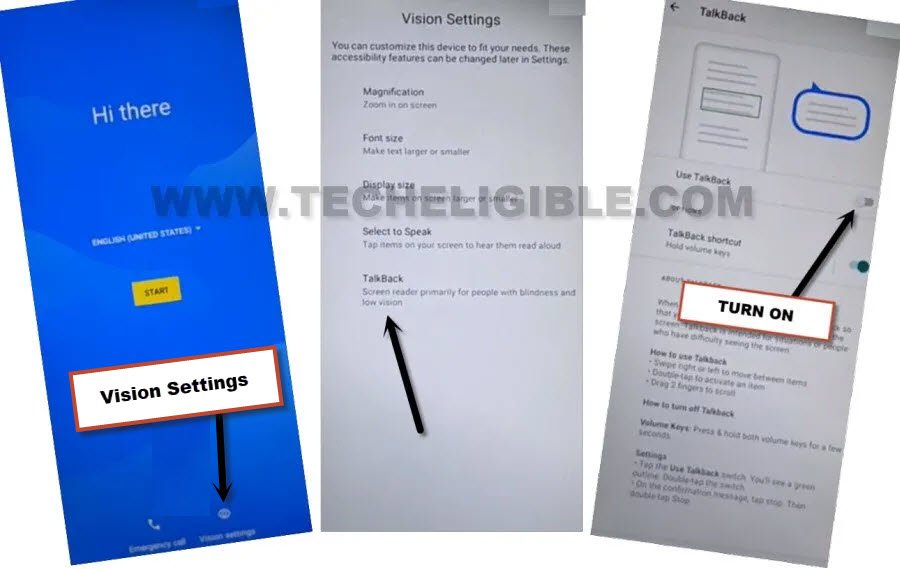
-Go to “Vision Settings” option from bottom to enable talkback.
-From very last, tap to “Talkback” and turn on “Use Talkback option from next screen.
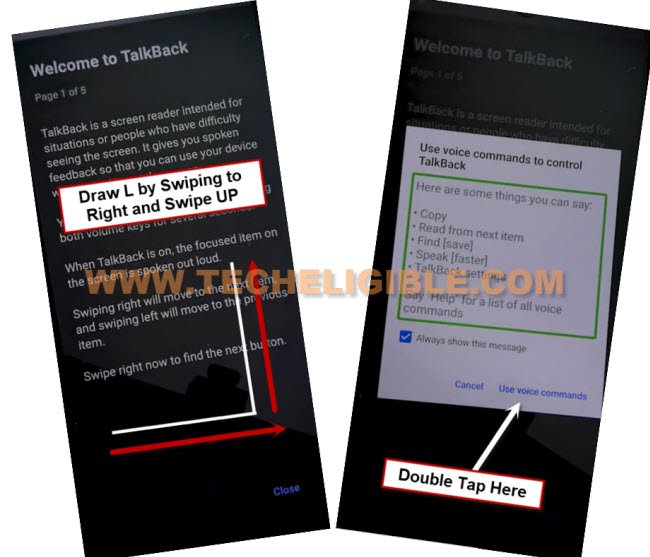
-Let’s swipe right and swipe up on screen. Make same gesture as shown in below screen shot. After that, you will be shown a popup window.
-From there, just double tap on > While using the app > Use Voice Command.
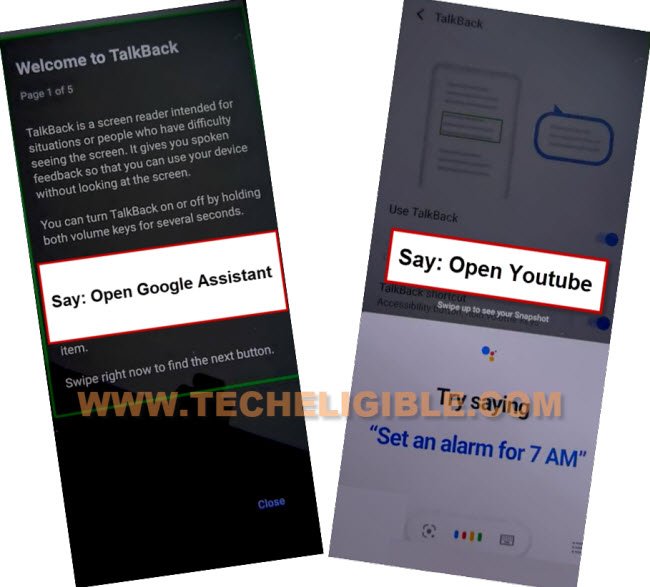
-After seeing green lines on screen, you have to say loudly “Open Google Assistant“.
-Within a seconds, you will be shown your device google assistant popup window. From there, you have to say loudly “Open Youtube“.
| Note: If youtube is not being launched, then, manually tap to “Keyboard” icon from popup window and search there “Youtube” and go to “Youtube” from searched result. |
-We can turn off talkback function now. Because, we have managed accessing to youtube webpage with the help of this function.
-Long hold (Volume up + down) buttons together, keep holding until you see a popup window. From there, double tap on “Turn on” option.
-You have Long hold again (Volume up + down) buttons. After few seconds, you will be displayed a flash message. That means, the talkback has been switched off successfully.
Access to Chrome browser:
-From youtube screen, tap over the “Account” icon from top corner and go to “Settings”.

-You can now go to “About” option”. After that, go to “Google Privacy Policy” option to access google chrome browser easily.
-There is (Welcome to Chrome) screen, from there, tap to > Accept & Continue > No Thanks.
Turn on Accessibility Menu Shortcut From Settings:
-Let’s find out official frp tools page of techeligible by typing in search bar with this text “Techeligible“. After that, go to same searched result as shown in below image.
-Go to “Menu” icon from top corner and go to “Download FRP Tools” option.

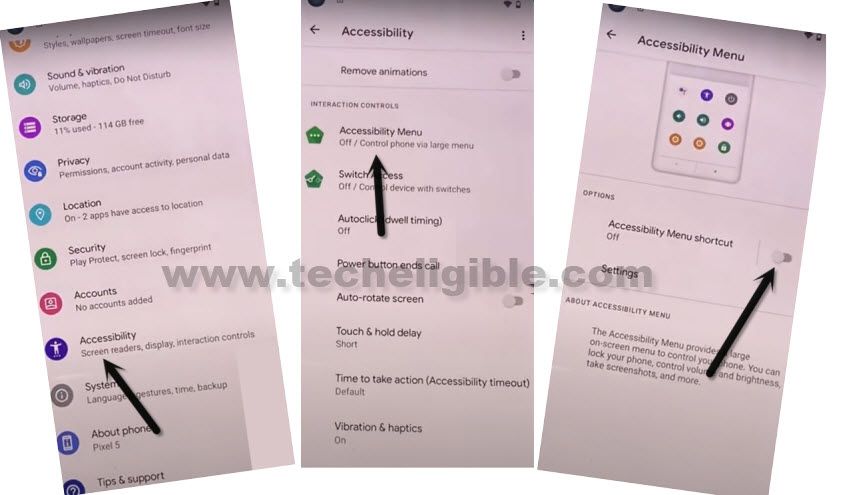
-You have to hit on a back arrow icon from bottom to go back to main (Settings) page. From there, tap on “Accessibility” option.
-Let’s toggle on Accessibility MENU. After that, switch on “Accessibility Menu Shortcut” option.
-After that, from popup window, tap to > Allow > Got it.
-You will see small (Human) icon at the bottom extreme corner of your Blackview A55 device screen. That means, we have successfully enabled this function. But, we will use this later at the time of enabling google play services application.
Disable 3 Applications from App List Screen:
-We can disable some apps now from this device to Bypass FRP BlackView A55/A55 Pro.
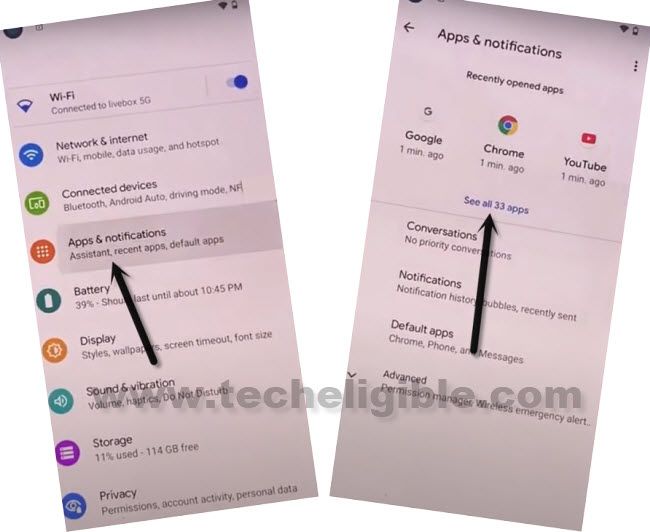
-Scroll down from main settings screen and go to > Apps & Notifications > See All Apps.
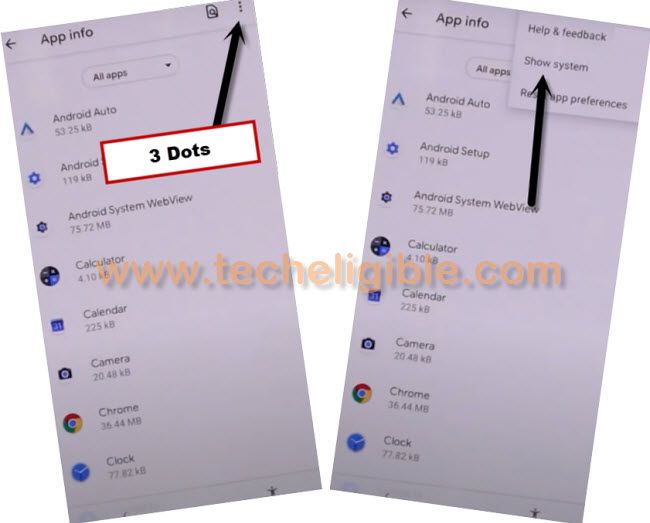
-Get displayed hidden applications by going to > 3 dots > Show system.
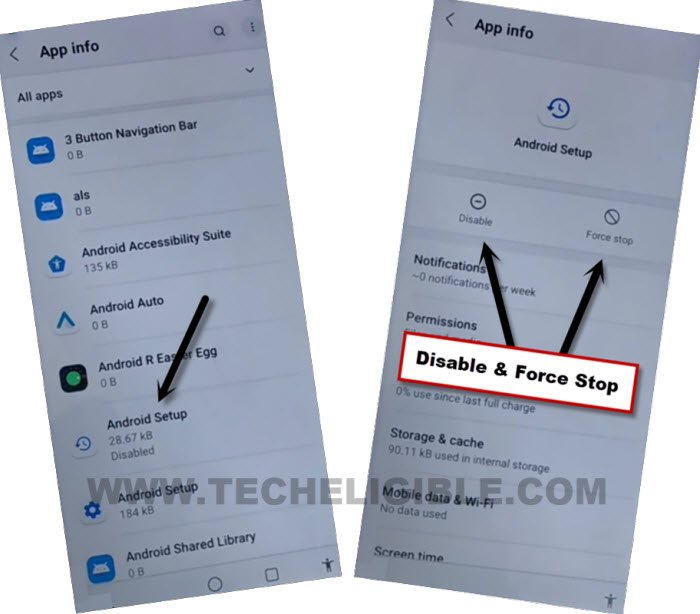
-From app list, scroll down and find and tap on “Android Setup” application that has an (Clock icon).
-Disable & Force stop this (Android Setup) app.
-Tap once on the back arrow icon from bottom.
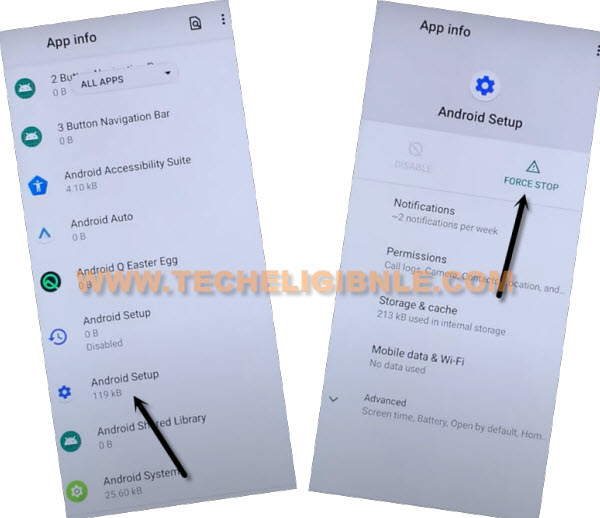
-From app list, scroll down and find and go to “Android Setup” application that has an (Gear icon).
-You have to tap on “Force Stop” button from this app.
-Tap once on the back arrow icon from bottom.
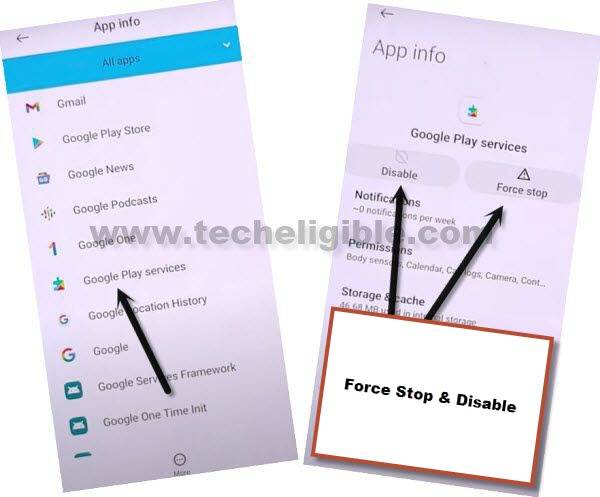
-Find and go to “Google Play Services” application. After that, tap on > Force Stop > Ok”.
-Tap also on > Disable > Disable this app.
-Get back to first (Hi there) startup screen by hitting on back arrow icon several times. After reaching there, go to > Start > Skip.
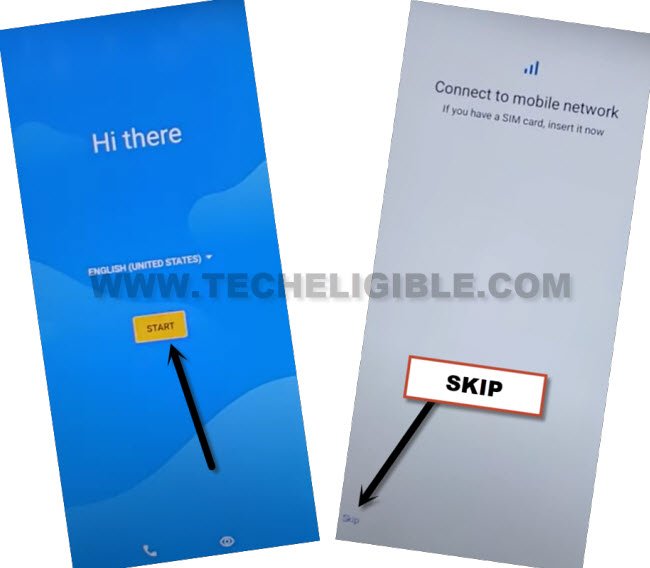
-Let’s give a pause on a loading screen for 30-60 seconds. You just wait over there.
Enable Google App By Multiple Tries:
-We are gonna use here an (Accessibility) function to enable back google play services application. Otherwise, you can’t go through a loading page.
-You need to follow up below steps quickly and repeatedly to access (Google Play Services) screen somehow.
-Tap on “Human” icon from bottom and tap to “Assistant”. After that, quickly tap on “Settings” option to Bypass FRP BlackView A55/A55 Pro.
| Note: The (Settings) option may not appear up at first few attempts or this option may disappear very quickly before you hit on. To successfully hit on “Settings” option, you have to keep repeating steps very fast and quickly. |

-Once you access to (Google Play Services required) screen. Tap on “Enable” option to enable google play services app.
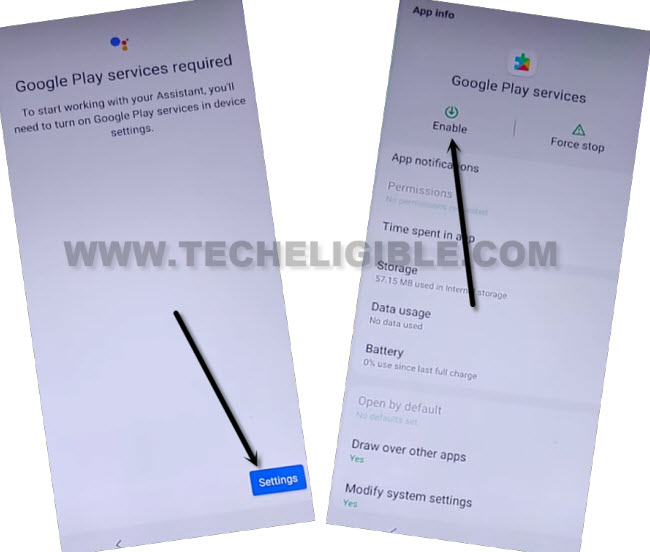
-After that, tap 1-2 times on back arrow icon from bottom to reach back to loading page.
-This loading screen will go away within few seconds and you will see (Google Services) screen. From there, tap to > More > More > Accept. You can complete other remaining steps on your own.
Method 2: Bypass Google FRP on BlackView A55/A55 PRO
-We have to insert any working SIM card, that has some contacts saved already. Using contact name, we can go to google chrome browser directly.
-Let’s insert SIM card. After that, turn on device and connect WiFi.
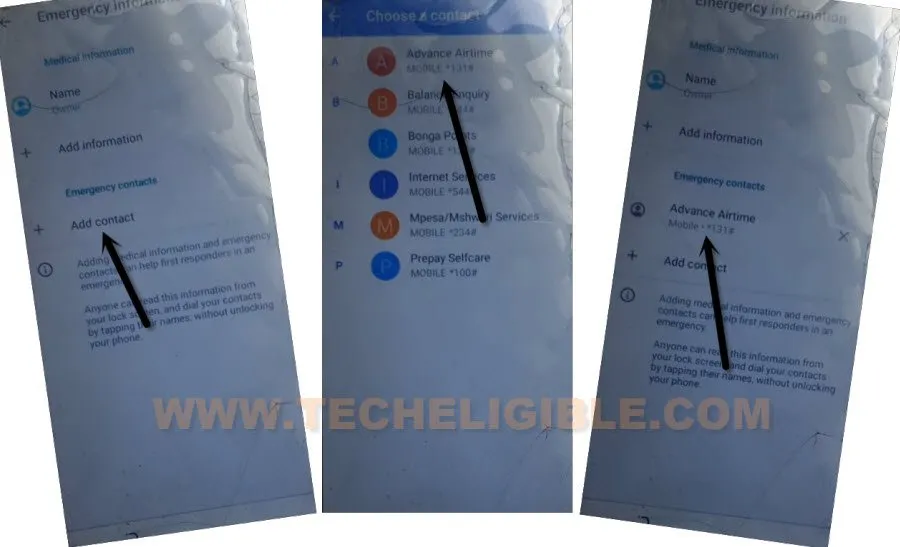
-Put your device back on (Hi there) first startup page. From there, tap over “Emergency Call”. Tap twice time on “Emergency Information” option.
-Hit on “Edit icon” from top right corner of the screen.
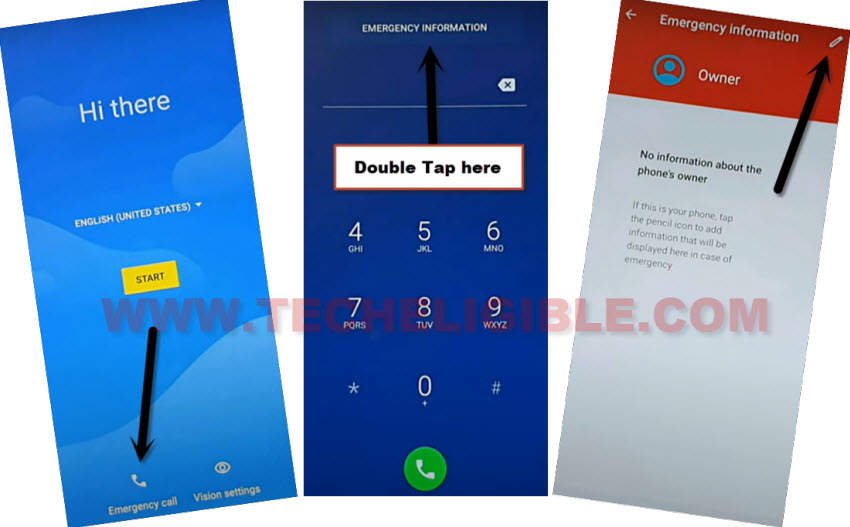
-Let’s tap on “Add contact” option. After that, from contact list page, tap at any random contact name.
-From next screen, tap again on same “Contact name”.
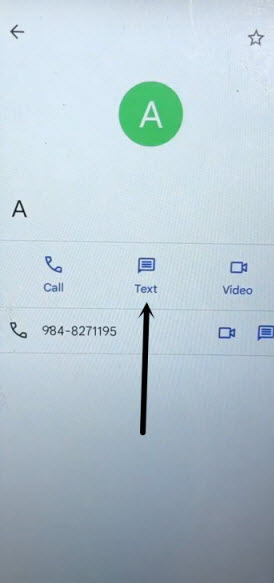
-Afterwards, tap on “Text” message icon from there to into text message application.
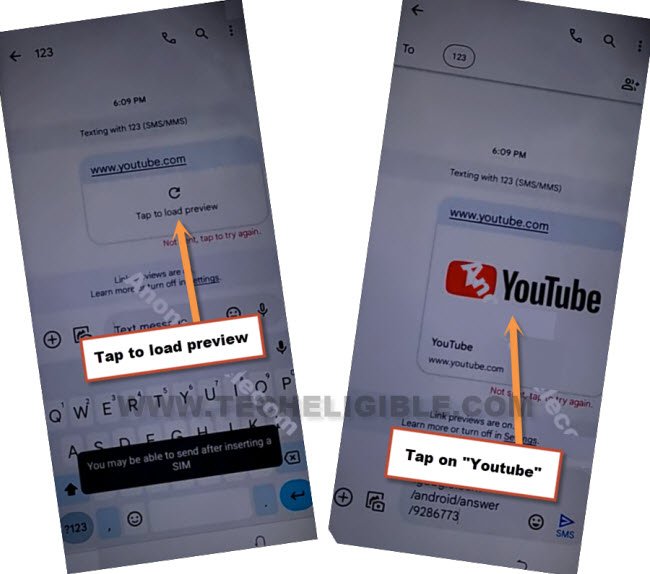
-Type url “WWW.YOUTUBE.COM” in text message box and send this url as a text message.
-After that, tap on “Tap to load preview” option.
-Tap on “Youtube thumbnail” image from text message box.
-You will have a welcome to chrome browser page, just tap over “Accept & Continue”.
-We have to access to techeligible frp tools page. From there, we can easily get into our device main settings page.
Access to FRP Tools Page:
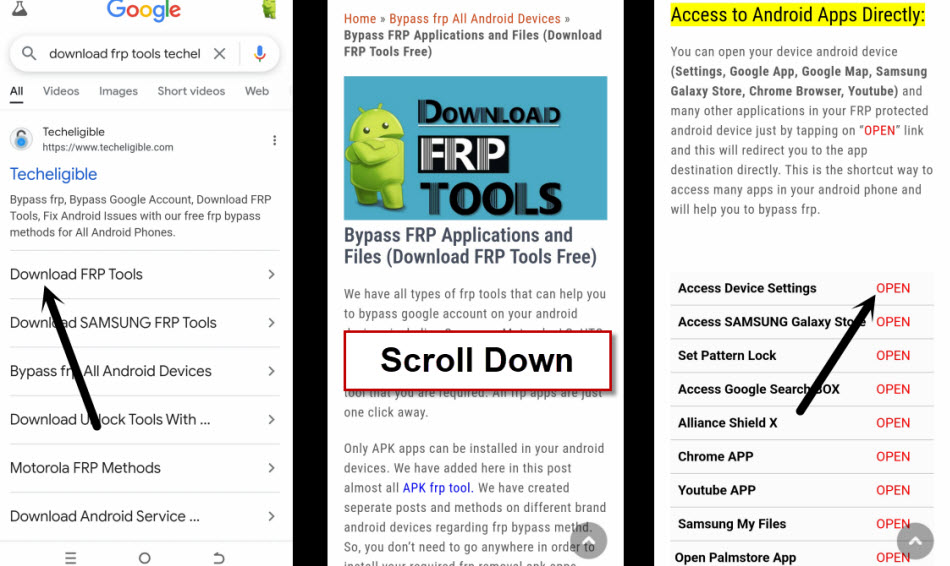
-Search in browser top search bar with “Download FRP Tools Techeligible” text.
-Visit our website searched result same as shown in below screen shot.
-After that, tap over “Access Device Settings” option from frp tools page to Bypass FRP BlackView A55/A55 Pro.
-We have to disable google play services app from here. Just tap to > Apps & Notifications > See All Apps.
-Tap to “3 dots” icon from top corner, and tap on “Show system”.
-You will see app list page there, just find and go gear icon (Android Setup) app.
-Tap to > Force Stop > Ok.
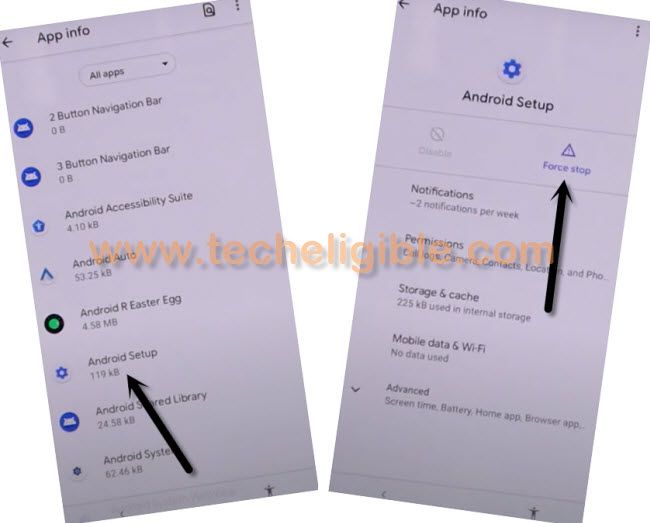
-Go back again on (App info) page, from there, find and tap over > Google Play Services > Force Stop > Ok.
-After that, tap on also > Disable > Disable this app.
-Let’s get back to first start up page (Hi there) by tapping back arrow several times.
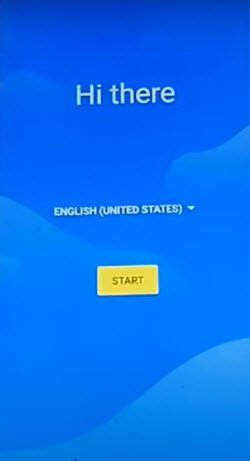
-Tap to “Start” option. After that, from loading screen, tap on “Back Arrow” icon from bottom.
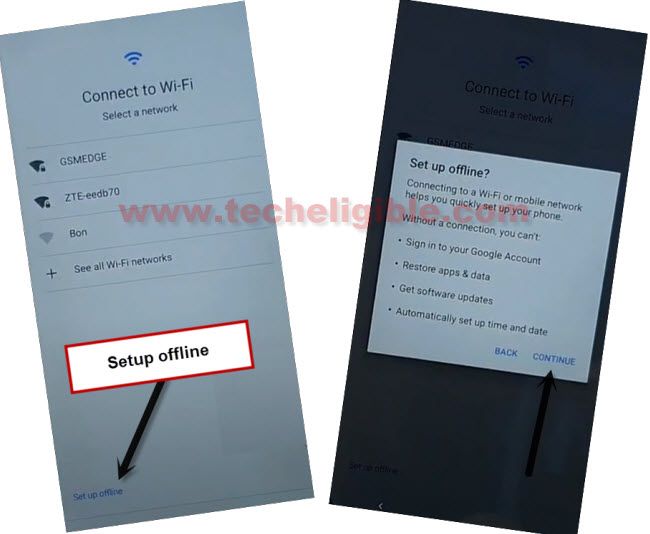
-You will reach back to WiFi screen. From there, hit over > Setup offline > Continue.
-Your device will stuck on (Just a sec) loading screen.
Enable Back Google Play Services App:
-Go back again on first startup (Hi there) page. We have to enable back google play services application to Bypass FRP BlackView A55/A55 Pro.
-Hit on a “Emergency Call” option. Tap twice time on “Emergency Information” option.
-Hit on “Edit icon” from top right corner of the screen.
-Let’s tap on “Add contact” option. After that, from contact list page, tap at any random contact name.
-From next screen, tap again on same “Contact name”.
-Afterwards, tap on “Text” message icon from there to into text message application.
-You will reach again on (Text message app). From there, tap to “Video” icon from top.
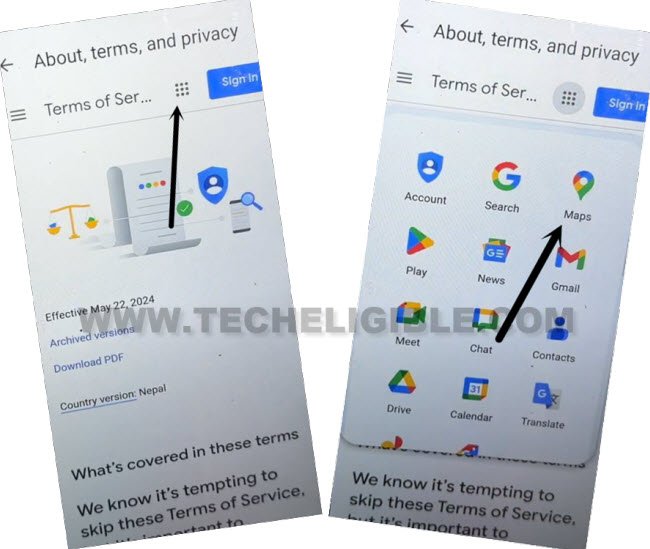
-From (Set up) page, just hit on “Terms of service” link.
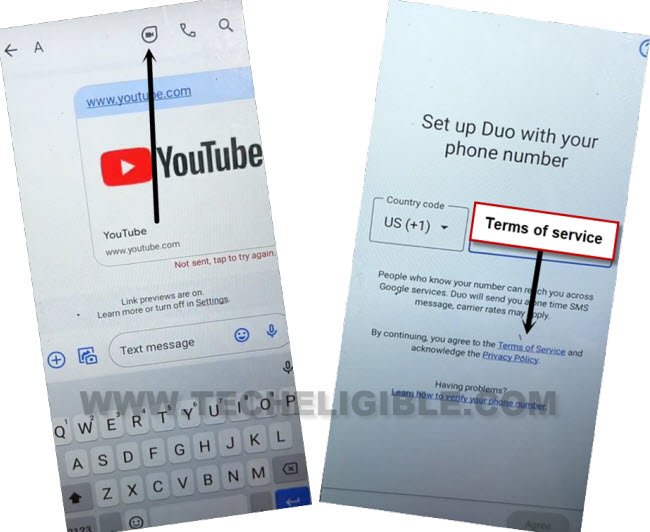
-After that, hit over a “MENU” icon from top same as shown in below image.
-You will have a list of all google apps there, tap to “Maps” application from there.
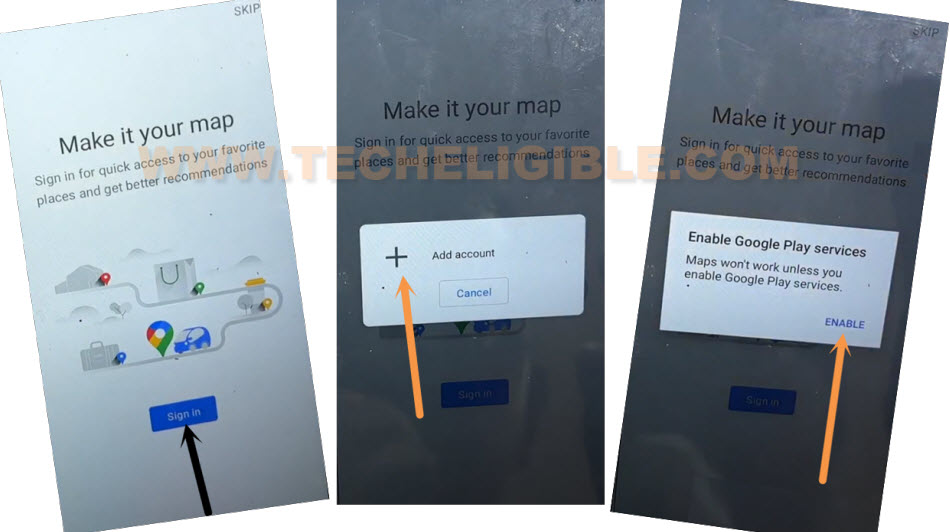
-Hit on a “Sign in” button from center.
-Tap to “Add Account” option. You will have popup window, from there, tap to “Enable” button.
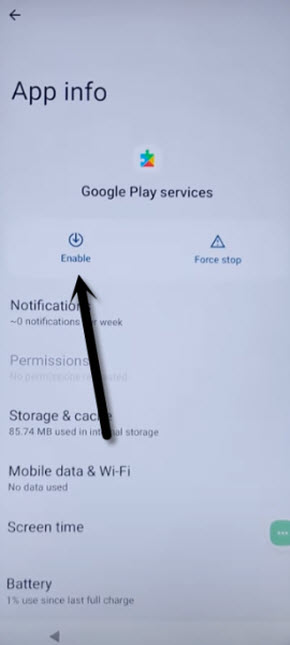
-After that, you will be redirected to the google play services page. From there, hit on “Enable” option to enable google app.
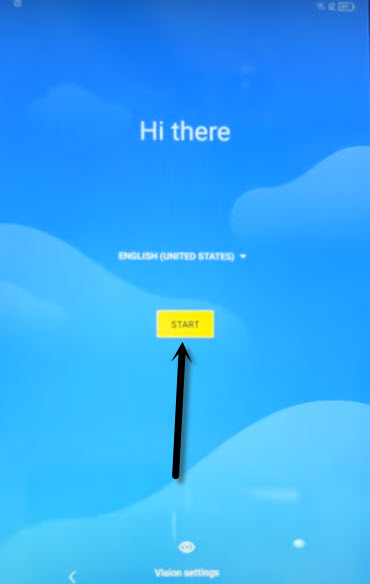
-We can now easily complete setup wizard steps. Just go back to (Hi there) page again by hitting back arrow.
-Tap to “Start” button from there. Tap to “Back Arrow” icon from bottom.
-You will reach back to (Connect to WiFi) page. From there, tap again on > Setup offline > Continue.
-This time, you will not stuck on any loading page. Finish up all setup wizard steps on your own without facing any google sign in page. You are all done now from Bypass FRP BlackView A55/A55 Pro without using any paid service.