
FRP serves as the protective feature designed to secure your phone’s data from unauthorized access after someone tries a hard reset to bypass other security measures. In this context, the FRP functionality operates effectively to display the Google Sign-In screen during the completion of the setup wizard stages. Only the legitimate owner can log back in using their Google account that was set up previously. If you’ve forgotten your previously setup google account, then follow the guide from here to Bypass FRP itel Aura 05i
Remember: Do not try this frp method on a stolen phone, this is a serious crime, if you are trying to bypass frp on a stolen phone, you may also be jailed, this process is for device owner and for educational purpose only.
Steps to Bypass FRP Itel Aura 05i (If Google Account is forgotten)
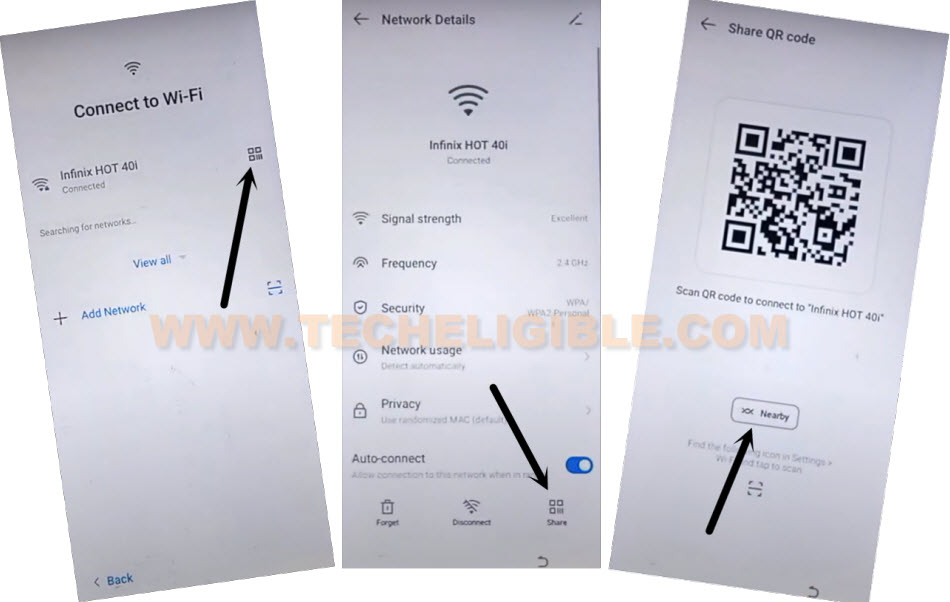
-Continue the frp unlocking steps by connecting WiFi first. After that, go back to (Connect to WiFI) page. From there, tap to “QR Code” icon that is right next to your connected wifi name.
-You will reach inside the network details page, tap on “Share” icon from there. After that, tap to “Nearby” option.
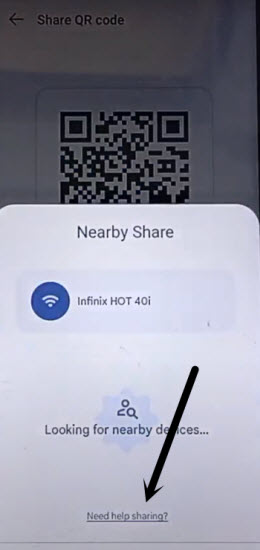
-You will be displayed popup window, just go to link “Need help sharing?”.
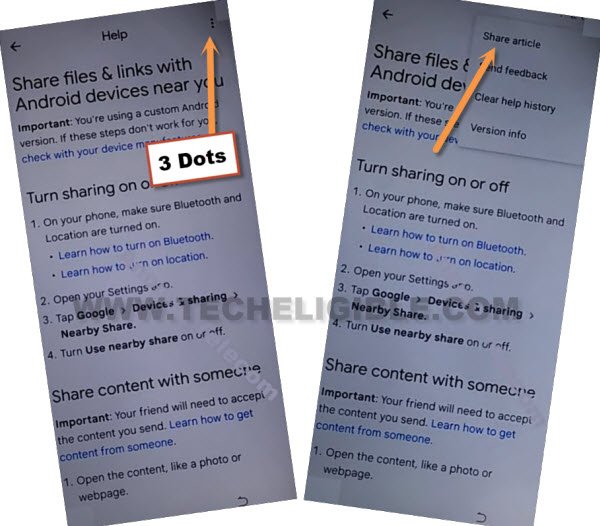
-Once you access at the help page, just go on (3 dots) icon from top corner, after that, tap on “Share Article”.
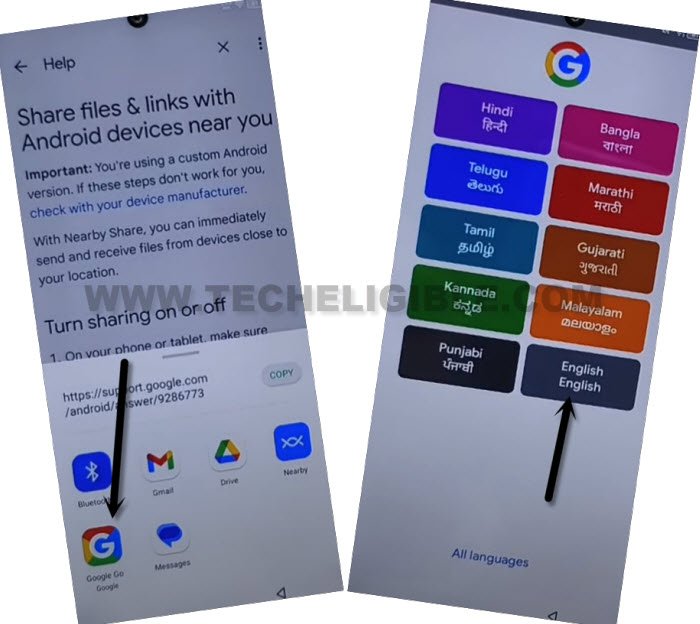
-You will be shown some sharing’s app, choose ” “Google Go google” application. Go to > Use without google account > English > Done.
Launch Settings:
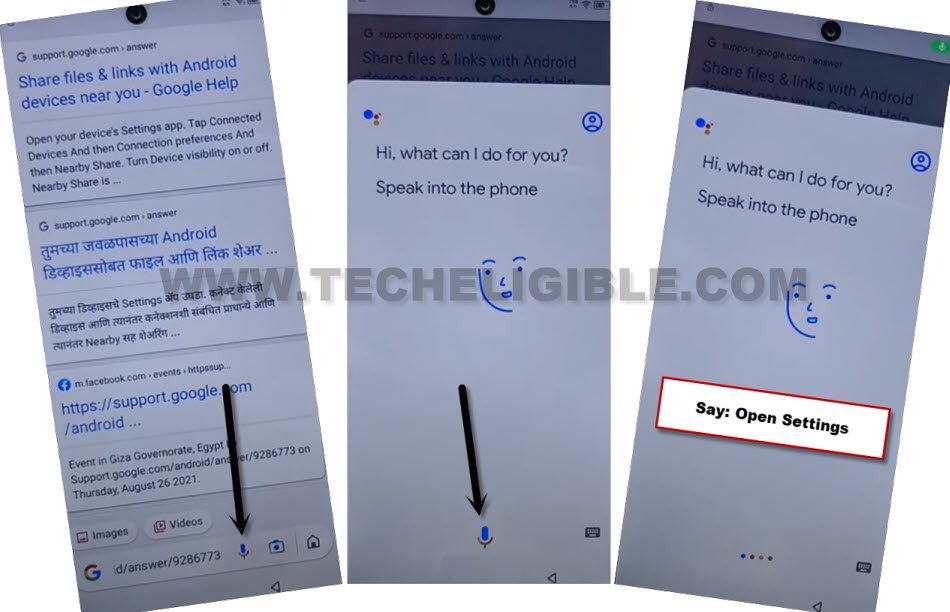
-Bring up the google assistant popup by hitting on “Mic” icon from search bar.
-Tap again on “Mic” icon and speak loudly “Open Settings”.
| Note: You may have to tap on “Open Settings” option from there too, if you do not get inside settings directly. |
Let’s Turn on Accessibility Menu Shortcut Function:
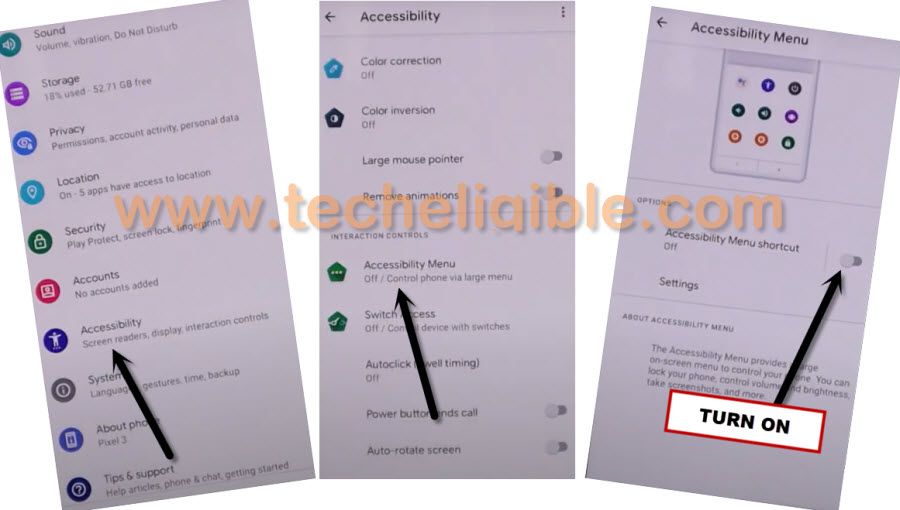
-After accessing inside the main settings menu of the frp locked itel Aura 05i, we have to enable accessibility function from there.
-From settings page, go to > Special Function > Accessibility > Accessibility MENU. After that, turn on “Accessibility Menu Shortcut” feature.
-You may see a popup notification, choose option > > Allow > Got it.
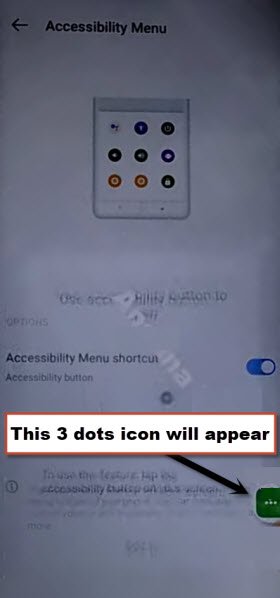
-Once the accessibility function enabled successfully, a 3 dots icon will stick on right edge corner of the phone.
Disable Apps (Android Setup + Google Play Services):
-After enabling the accessibility 3 dots icon, just get back to main (Settings) menu. After that, tap to ” App Management”.
-Tap on “App List”.
-From app list page, hit on “3 dots” menu from upright corner of the screen, and then, tap to “Show system”.
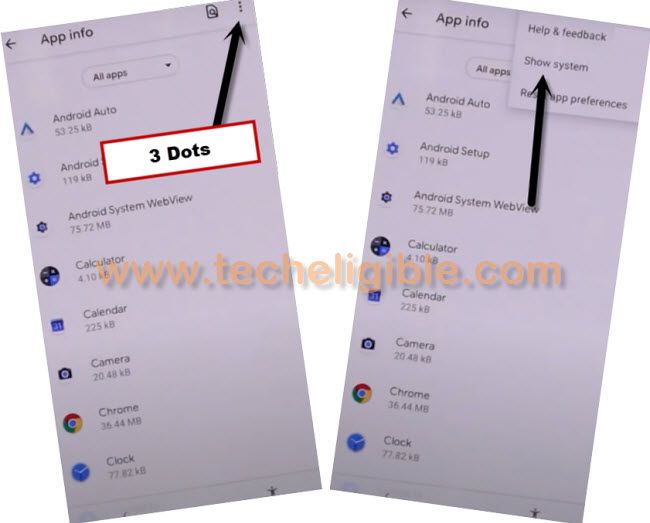
-We have to force stop (Android Setup) application in order to bypass frp. Let’s find and tap to > Android Setup > Force Stop > Ok.
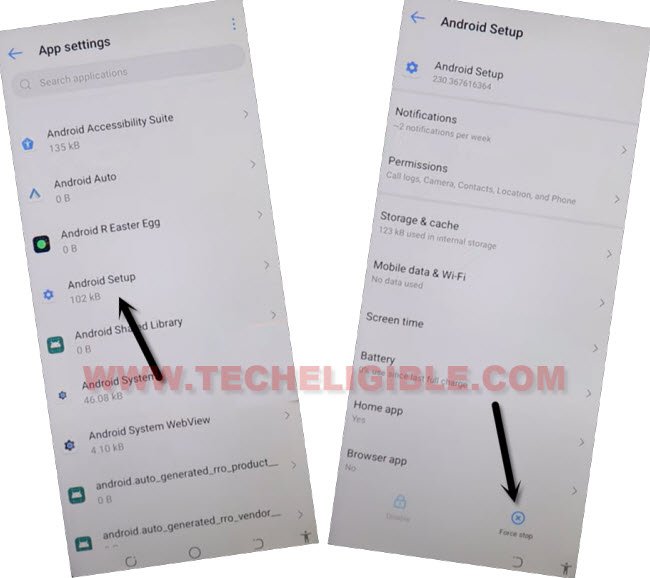
-Get back to app list screen again. From there, find and go to “Google Play Services” application. Let’s force stop & disable this app too.
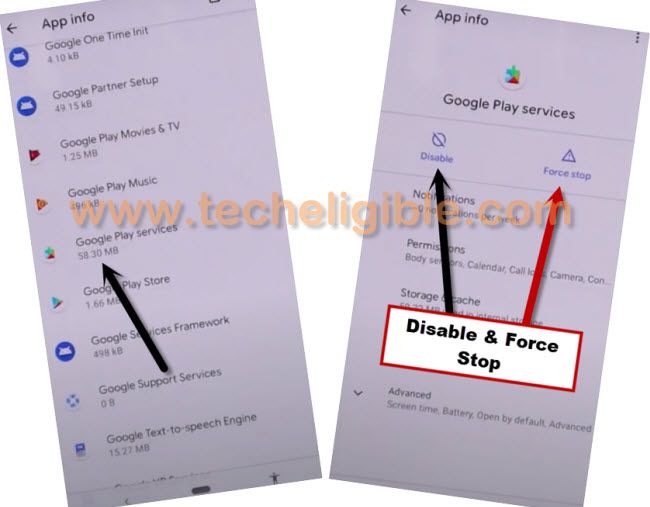
-After forcing stop and disabling both apps successfully, hit on back arrow icon to get back over the (Settings) menu of the phone.
-Forget your connected WiFi network by going to “WiFi” option.

Get back on (Select Language) Page:
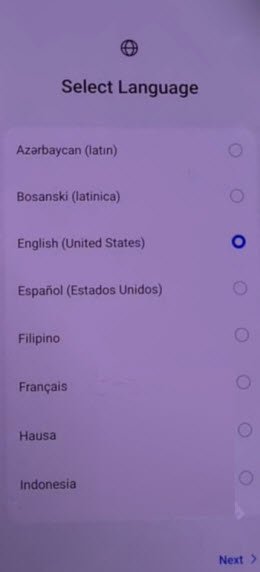
-Let’s access back to first (Select Language) home-screen through hitting on “Back Arrow” option several times.
-After that, tap to > Next > Next > Skip.
-Go to WiFi page agian, and reconnect WiFi on Itel Aura 05i phone to start frp bypass process.
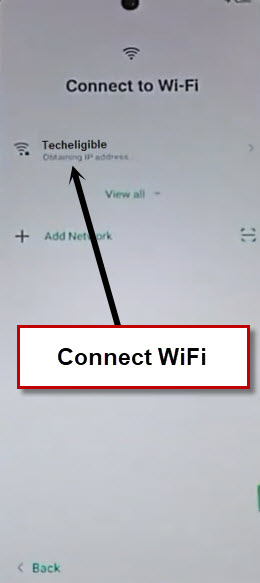
-After having WiFi connection back, you will see (User agreement and services) screen. Just, tap to > Next > Don’t copy.
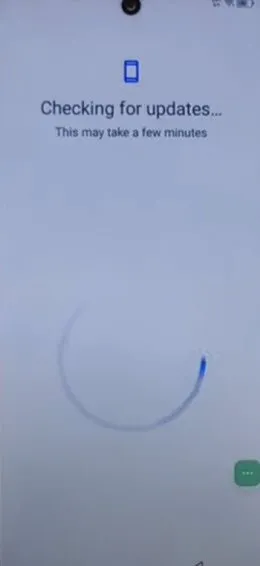
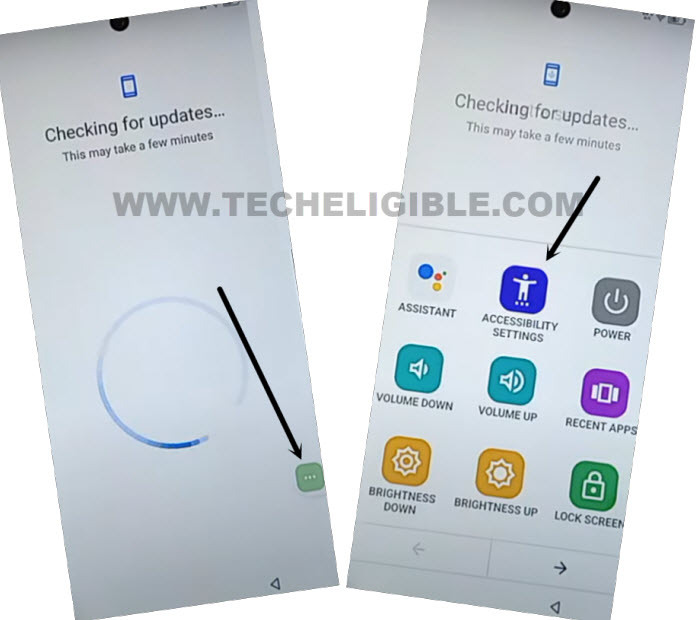
-As soon as, you see continue loading (Checking for update….) screen. From there, tap to assistant icon (3 dots).
Re-Enable Google Play Services:
-After tapping at the (3 dots) icon, some options will popup there, just tap to “Accessibility Settings”.
| Note: Keep tapping these options very fast until you reach on main (Accessibility) screen same as shown below. |
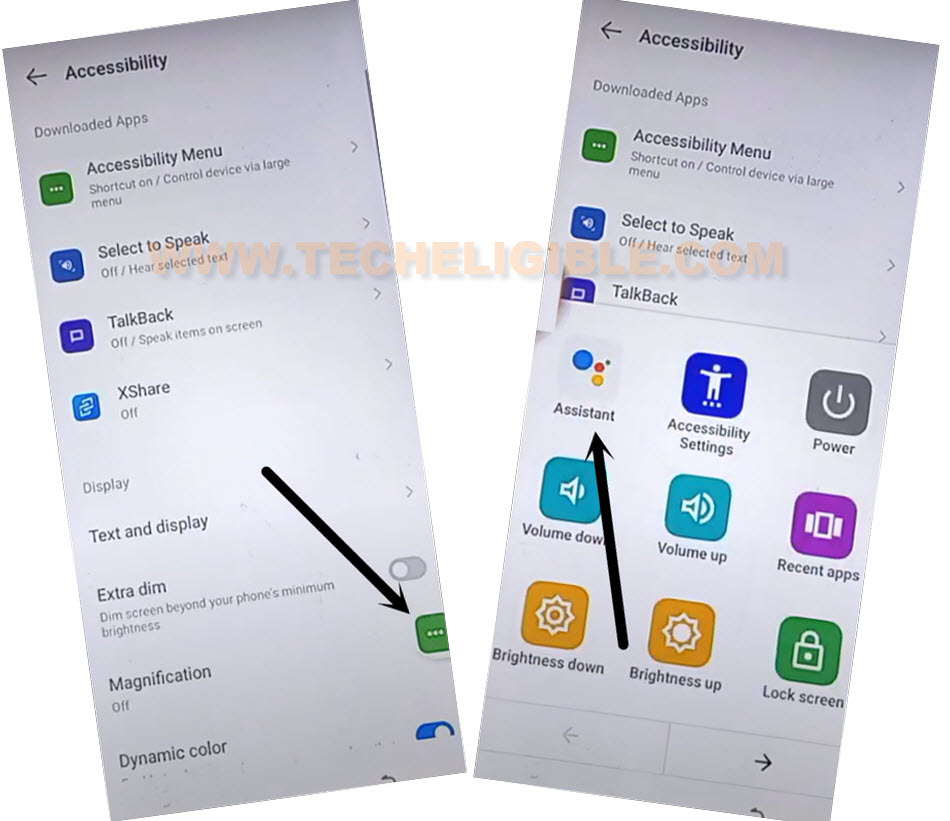
-After some tries, finally, you will enter into the ‘Accessibility” page.
-From there, hit again on “3 dots” icon, after that, tap on “Assistant”.
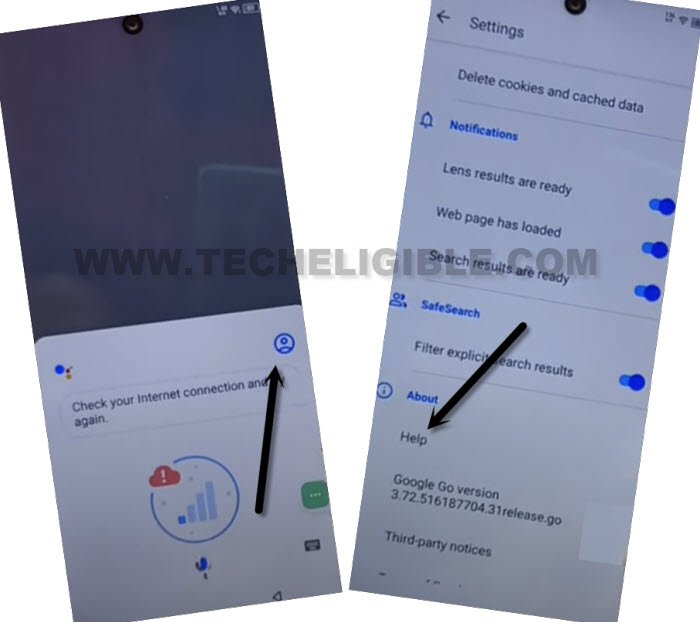
-From the (Google Assistant) popup notification screen, go to “Human” icon, after that, go to “Help”.
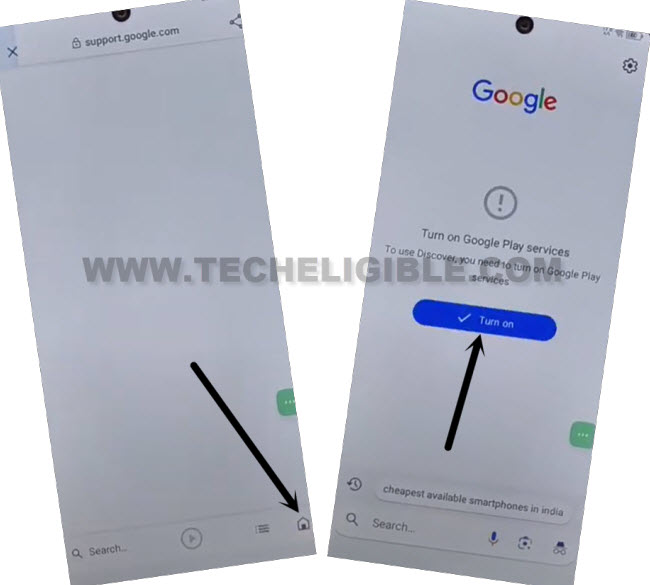
-You will reach over the google page. After that, go to “Home” icon form bottom bar, and tap on “Turn on” button to enable the google play services application.
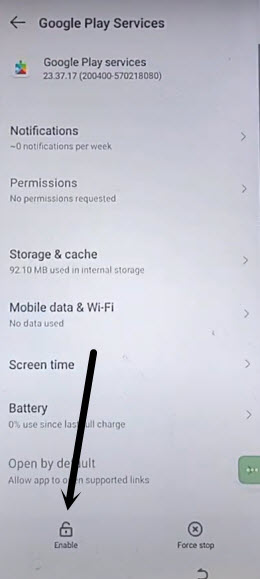
-Let’s hit on “Enable” option from bottom. Once the google paly services enabled successfully, we will be able to bypass frp itel Aura 05i through completing setup wizard steps.
-Go back again on the (Checking for update) page by tapping several time on (Back Key) from bottom navigation menu. This time, the loading screen will be completed. You can easily finish up your all remaining setup wizard steps easily without facing any google frp lock screen.
Frequently Asked Question
I am facing google sign in screen at the time of setup Itel Aura 05i and my google account is not being accepted ?
This is the factory reset protection screen, which is being shown to those, who perform hard reset the phone. To login back and use your device again, you will have to login with the same google account, that was setup earlier.
How to prevent facing Google FRP lock before doing hard reset on Itel Aura 05i?
You must remember your logged in google account, that is already logged in on your phone. Otherwise, you could face google sign in screen.
How to Hard Reset Itel Aura 05i?
Turn off the phone, Long hold both keys (Power + Volume Down) at the same time, keep holding keys until you enter into the (Recovery Mode) screen. Note: If you see (No command with robots icon) page. Simply, release your all keys. After that, press and quickly release both (power + volume down) keys for a sec. -After that, using your volume and power keys, you can select (Wipe data/factory reset) option to hard reset your device.
is WiFi connection compulsory in frp bypass process?
Yeah, without WiFi access, you won't be able to use frp bypass process.
Conclusion on How we Successfully Bypass FRP
We simply launched further steps through using the (QR Code) option from WiFi screen. Because, on a FRP locked phone, its quite difficult to have access to the chrome browser or some other applications. That’s why, using the QR Code option, we managed successfully accessing to our device main Settings menu. From there, we just enabled (Accessibility Menu Shortcut). After that, disable android setup + google play services app from app list page. Used the (Accessibility Menu Shortcut) functionality for re-enabling google play services and complete the setup wizard steps easily.