
Are you unable to sign-in back with your google account after performing a wipe data or factory reset process on your device? If the answer is yes, that means, you are now FRP locked. You will not be allowed to use this device again until you prove your ownership by signing in back with the already setup Gmail account. Don’t hesitate, we are here to assist you in this matter. To sort out this problem, follow our spectacular Guide to Bypass FRP Oukitel C61.
Disclaimer: It is strongly advised that you utilize this technique solely on your own device. If you are not the legitimate owner or have come across this information elsewhere, you must return it to the rightful owner. This technique is intended for instructional purposes only.
Bypass FRP Oukitel C61 Phone With PC
You are surely required a PC and a free tool (BFT V.17). We will share with you link in this post to download this tool and install it on your computer. This is a totally free tool, that will help you in bypassing frp account with few clicks. You just follow up instructions carefully.
Download & Login into Tool Free
-Get the PC tool using below link. Download it on your PC.
| ⇒ BFT Tool V1.7 [DOWNLOAD]. |
Note: Always disable or deactivate your PC @ntirvirus software temporarily while using the (BFT Tool).
-After downloading the BFT tool and install it on your PC. Let’s launch it.
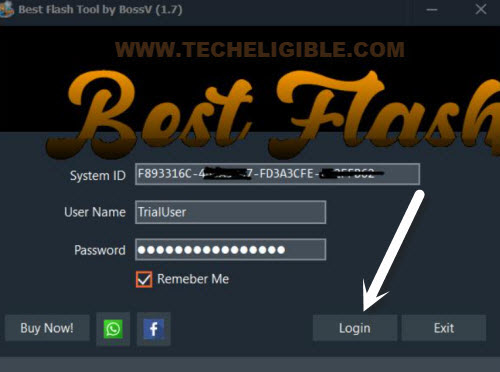
-Click over the “Login” option to login with their default user id login password.
-Next, we have to go for the correct processor and chipset name selection from the tool interface. For this, choose the “0-UNISOC”.
-Choose the chipset name “[AUTH] Tiger T606 (64)“.

Download & Install Required Drivers on PC
-We need to install the proper USB drivers on our computer for not to face any issue while connecting the phone with PC.
-From the same bft tool screen, tap to “Drivers” option.
-After that, select the “Install SPD Driver“ for continuing the downloading process. You may have a popup window of the installation of this driver, just choose the “Next” option and install this driver completely.
-After that, install 2nd driver named “Install LibUSB Filter Driver“.

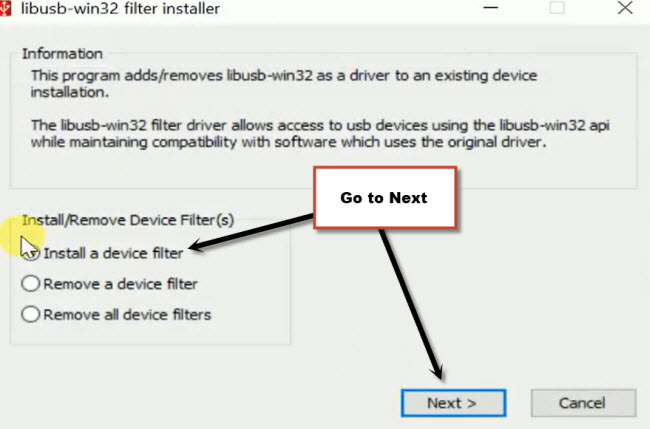
-Upon completion of the downloading, you will have a popup window of (LibUSB filter driver).
-Go to > Install a device filter > Next.
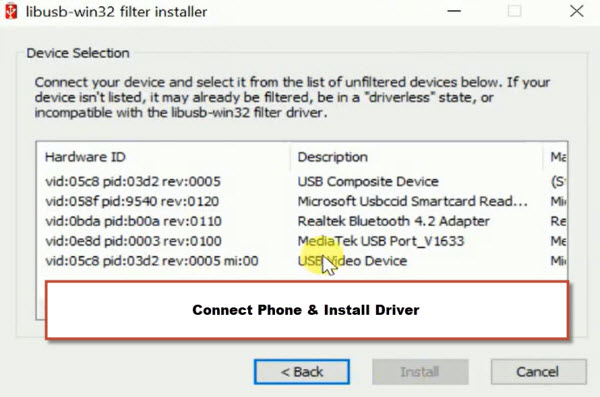
-Turn off your Oukitel C61 phone and connect this phone to PC while holding (Volume UP + Down) keys together. By doing this, your phone driver will be detected on the popup window of libUSB driver.
-Select the driver from there and click on the “Install” button.
-Disconnect the phone upon the installation is completed of the driver.
Click on (Reset FRP) Button
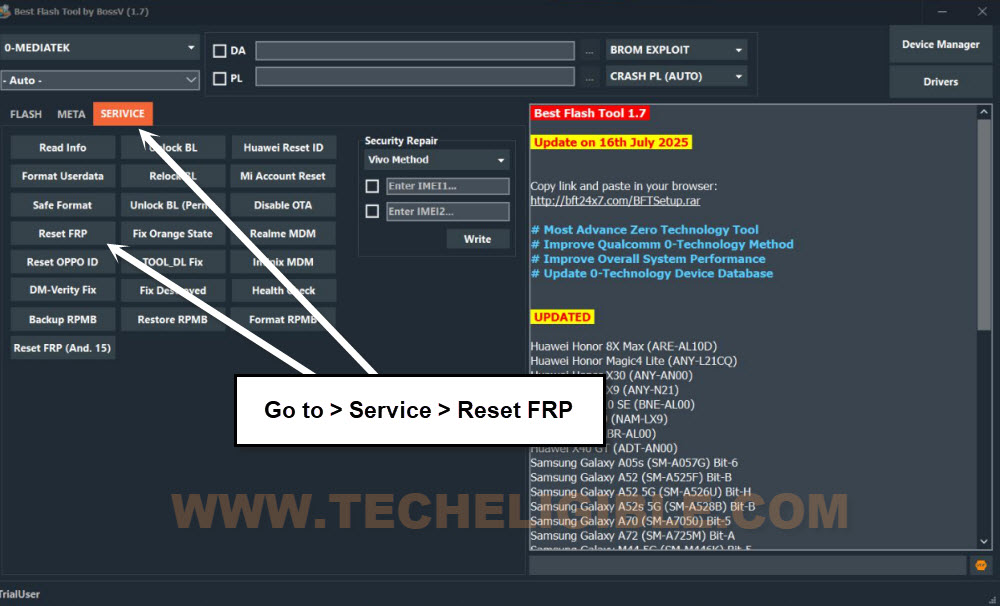
-Let’s go to > Service > Reset FRP.
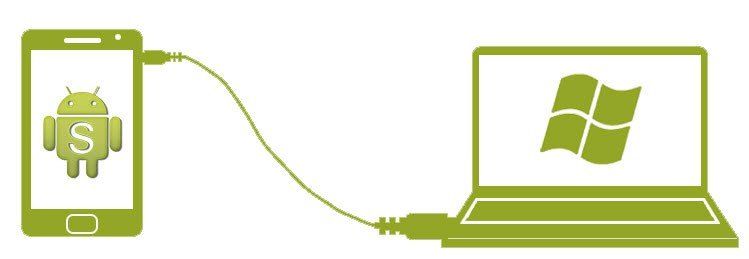
-You are required to connect the phone with PC again. Keep holding both buttons (Volume UP + Down) and connect the phone to PC.
-Once the device is detected by the BFT Tool, release both holding the (Volume keys). Within few seconds, the frp bypass process will continue.
| Note: You have to keep holding both Volume up/down keys while connecting your phone PC. |
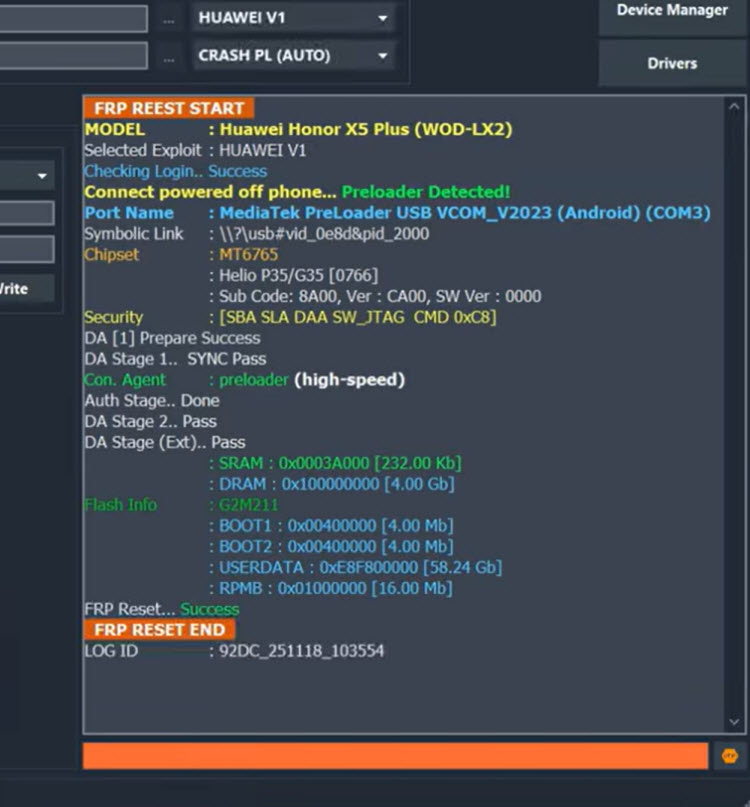
-Within a seconds, your device will be free from FRP lock protection and you will also see a message of (FRP Reset END) on the tool screen.
-Let’s go to setup wizard scree, for this, disconnect the phone from PC.
-Complete all the setup wizard steps on your own, in case of having the (Google Verification) screen again, from there, choose the option > Skip > Skip.
Remember: If your phone is stuck on loading page, simply hard reset it by getting into (Android Recovery Mode). After that, complete setup wizard steps again.
Note: Having issues in downloading and installing the (SPD Drivers) on computer or your device is still being unrecognized by the tool, then, try it manually.
|
Final Words
You are required only a PC and free tool (BFT V1.7). After downloading the tool, simply, we logged in with by default username and password. Then, selected the correct processor name and chipset name. Afterwards, installed proper USB Drivers on Computer. Finally, we just connected the phone to PC and hit over the (Rest FRP) button from the tool to complete the FRP bypassing process.