This tool is used for the multiple services on various models of Samsung, Huawei, Xiaomi, Poco, Redmi phones. There is the huge number of models listed on this tool. You can perform many different task with this free tool, such as, bypass frp, flashing, repairing phone. We will show you list of available functions of this tool below. Download BFT Tool V1.7 with one click from below and use it on your PC in free of cost without purchasing the login id.
List of Available Functions:
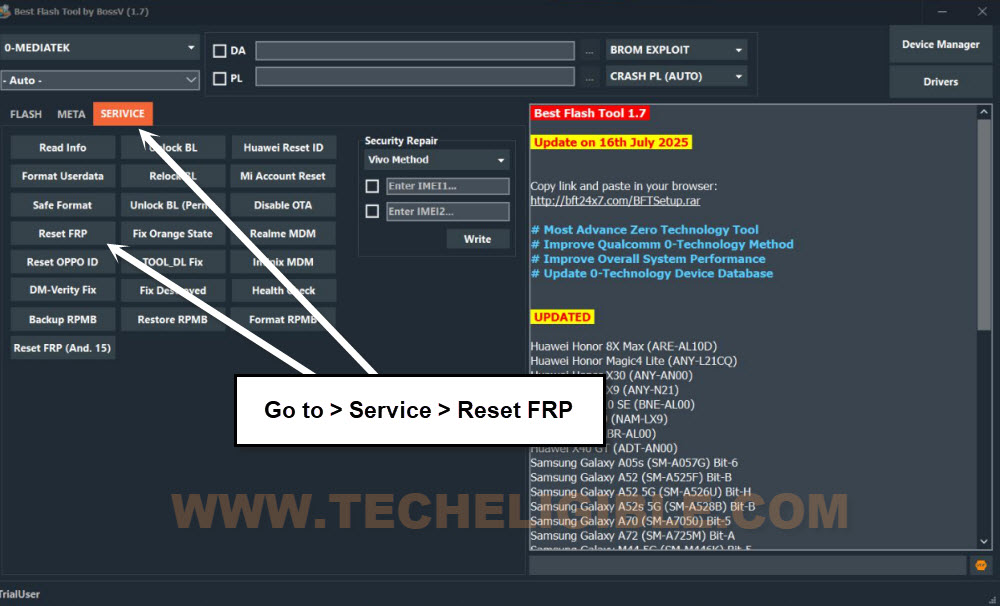
There are almost 22 different types of services available on this single tool. You can check out the list from the (Service) tab of the tool. You can perform below services on your connected android phone to resolve issues.
-Read info.
-Unlock BL.
-Huawei Reset ID.
-Format UserData.
-Relock BL.
-Mi Account Reset.
-Safe Format.
-Unlock BL (Perm).
-Disable OTA.
-Reset FRP.
-Fix Orange State
-Realme MDM.
-Reset OPPO ID.
-Tool-DL Fix.
-Infinix MDM.
-DM-Verity Fix.
-Fix Destroyed.
-Health Check.
-Backup RPMB.
-Restore RPMB.
-Format RPMB.
-Reset FRP (Android 15).
Download & Use BFT Tool V1.7:
Downloading and installation process is quite simple. You just have to download the tool from below and then, extract it from winrar archive. After that, install it on your PC. Check out below steps.
| ⇒ BFT Tool V1.7 [DOWNLOAD] Pass: techeligible Note: If you face any difficulty in downloading bft tool, you just copy the download link and past into (Microsoft Edge Browser or Opera Browser) to download it. |
-Turn off any active @ntivirus software for temporarily. Otherwise, the file may be deleted.
-Extract the tool and install it on PC.
-Once the installation process is completed, go to (Desktop) of your PC. Double click on the (BFT Tool) icon to run it.
-You may face a popup window with login user-id, just click on “Login” option. This will login automatically.
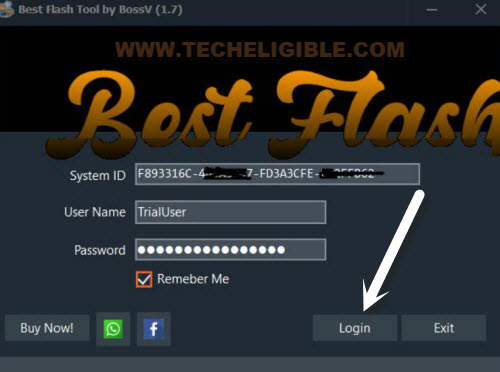
-Enjoy this tool and perform multiple task to fix multiple issues from your android phones easily.
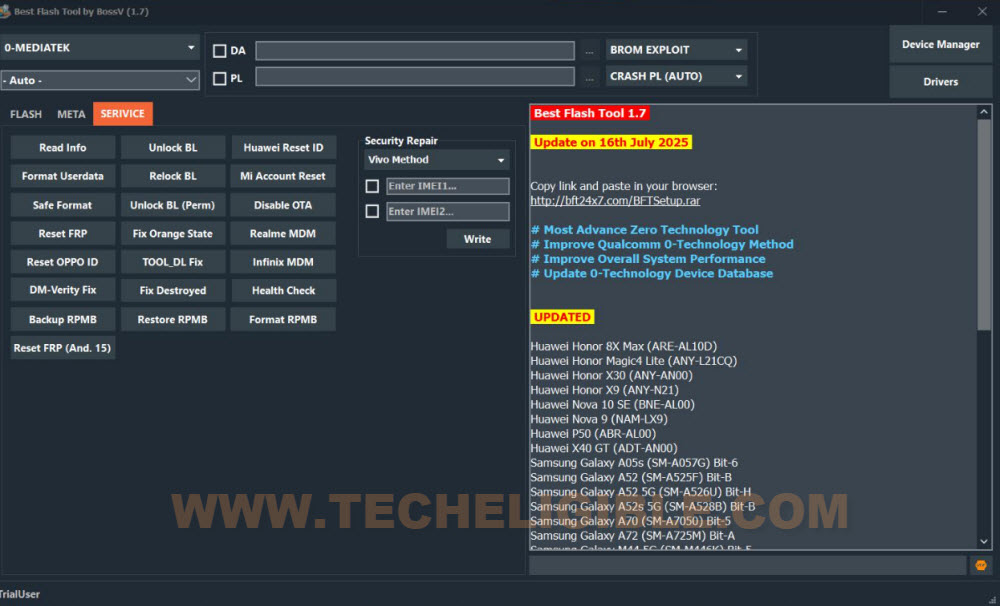
Bypass FRP:
-If you are looking for bypassing the frp lock protection with the help of BFT Tool, simply, install drivers on your PC first by clicking over the “Drivers” tab from the tool. To know, what drivers you need to install for your device, just google it. Or, you can download and install all the available drivers from the tool.
-Finally, choose your brand and model number from the tool upper left corner.
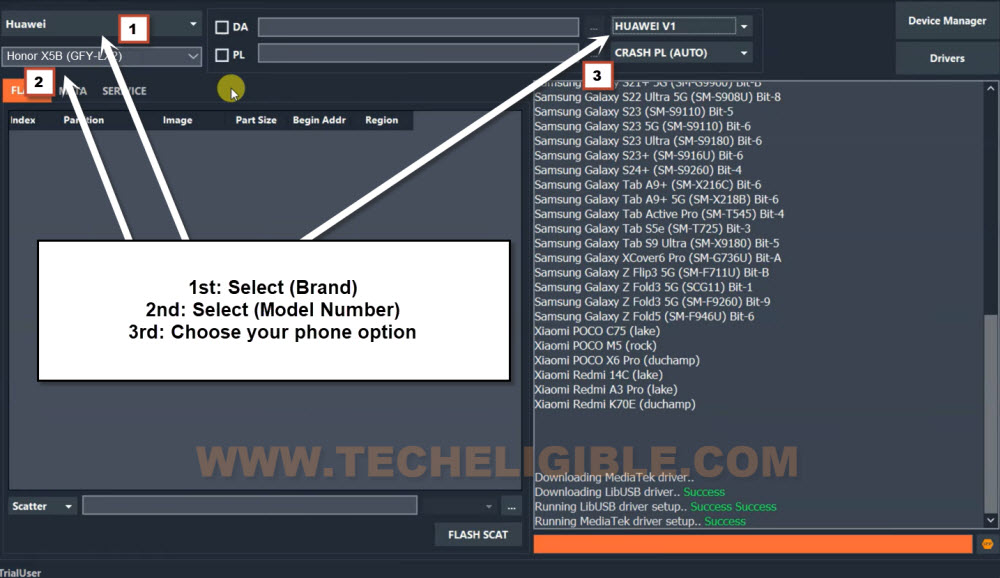
-After that, go to “Service” tab from the tool. From there, you have to click on the (Reset FRP) button.
-Follow the instructions from the tool interface. May be, you will be asked to turn off the phone and then, connect the phone with PC.
-After that, within few seconds, the frp will be erased.
FAQs:
Can i easily download this tool in free of cost?
Yeah, you just have to click on the download link and it will start downloading on its own.
Why do i need to turn off @ntivirus tool?
Some android repairing tools require @ntivirus software to switch off.
My Model number is not listed on the tool
Try by selecting with the nearest model number.
My phone is not being detected by the tool and PC
Try with different USB Cable and change the device port. Download and install proper USB Driver on PC.