
This device was introduced with the android version 14 in October 2024. This indicates that it includes the frp lock security feature, that can be enabled simply by setting up a new Gmail account during the initial setup of the phone. However, this security measure may pose a danger for you if you cannot recall your already signed-in gmail account after conducting a hard reset. In such a situation, you can utilize the method provided here to bypass frp Honor X5B without the need for any paid tools.
Disclaimer: Do not attempt this frp method on a device that has been stolen, as it is a severe offense. Engaging in frp bypass procedures on stolen phones may result in imprisonment. This process is intended solely for the device’s rightful owner and for educational purposes.
Let’s Start to Bypass FRP Honor X5B:
-Firstly, turn off your phone.
-Download the below software on your PC.
| ⇒ BFT Tool V1.7 [DOWNLOAD] |
Note: Turn off your any active @ntivirus software for temporarily. The file will be deleted automatically right after you extract it.
-Extract the downloaded tool by giving password (techeligible) and double click on the software to install it.
-Once the installation process is done, run this tool by double click on the (BFT Software) icon from desktop.
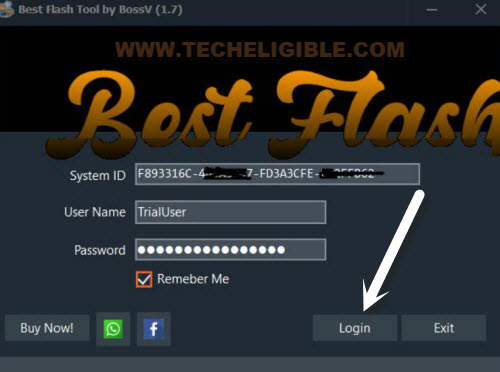
-Click to “Login” button from the popup window.
Install Drivers
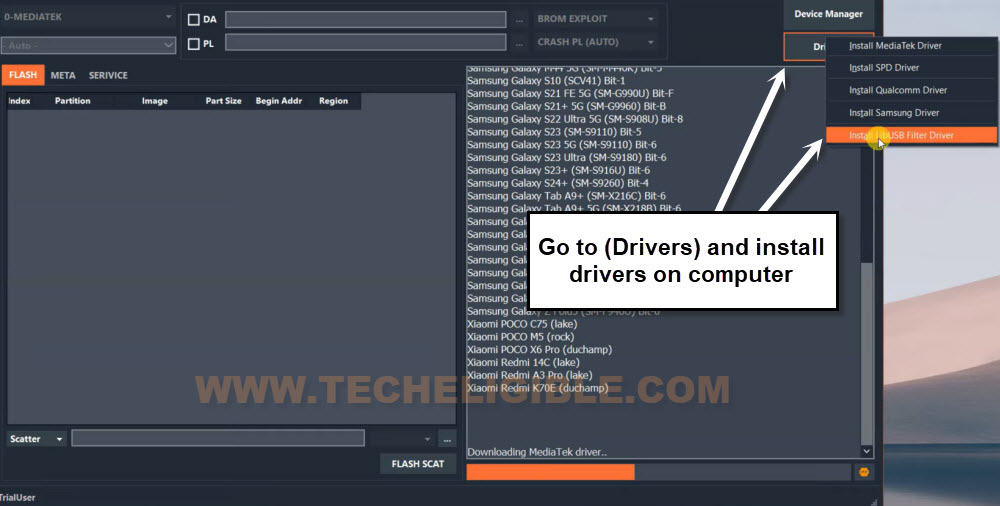
-Go to “Drivers” tab from top right corner, and choose “Install MediaTek Driver” option. This will start downloading the driver on your PC.
-Once the downloading process is completed, you will be prompts with the installation window, just install the MediaTek driver by clicking on “Next” option.
-Click again on “Drivers” and choose “Install LibUSB Filter Driver”.
-Once downloading done, you will be shown a popup window, just install this driver as well by clicking on “Next”.
Select Model
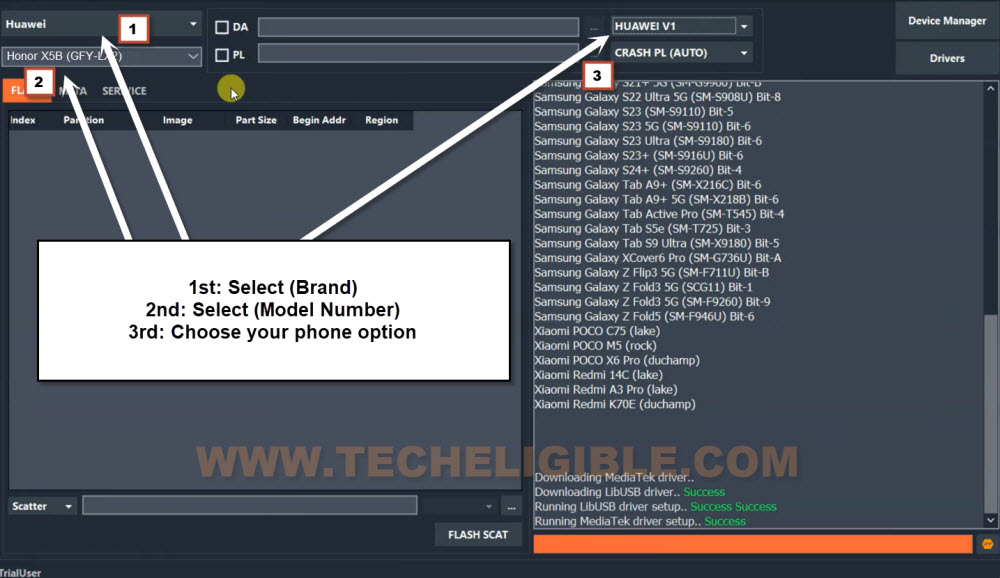
-Select “Huawei” brand from top left corner tab.
-After that, select “Honor X5B (GFY-LX2)” model.
Note: If you have model of (GFY-LX1) and (GFY-LX3), in both cases, choose the same one as mentioned.
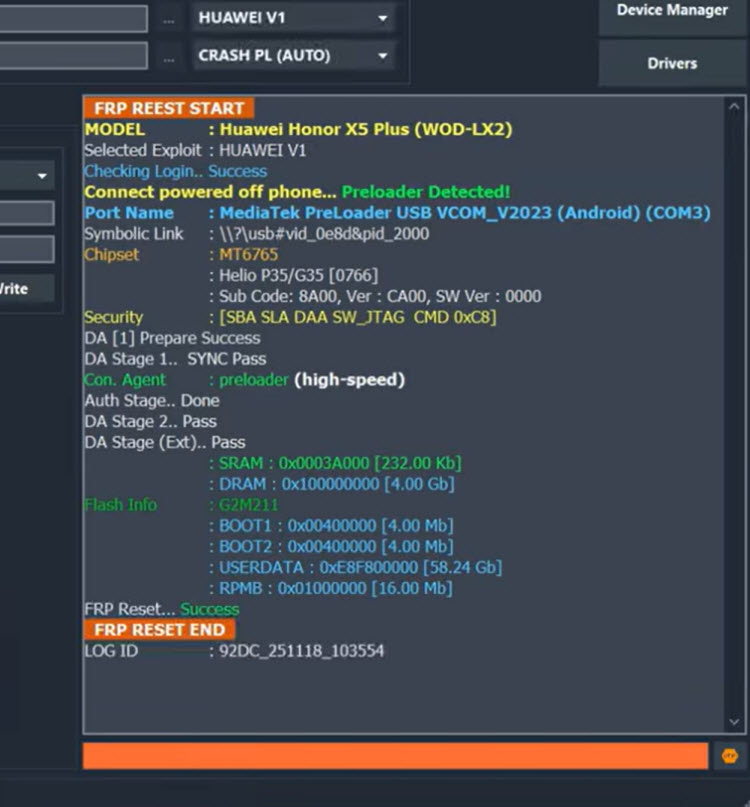
-Choose “Huawei V1” from the tool same as shown in below image.
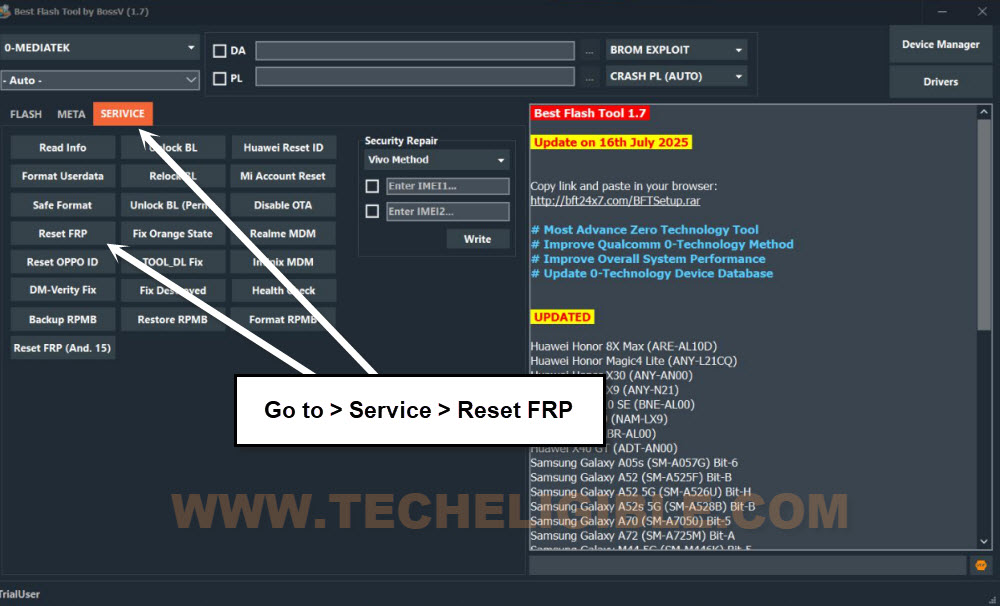
-Then, go to > Service > Reset FRP.
-Let’s turn off your Huawei phone and connect to PC with proper USB Cable.
-Within few seconds, your device will be detected by the tool and it will start bypassing frp lock protection from the device.
-Once its done, you will have a message (FRP RESET END) on BFT Tool screen, that means, its done from Bypass FRP Honor X5B.
| Note: If you are getting (Sync error) on your bft tool and the tools is not detecting your phone or not working properly, in this case, you can try (Honor X6b FRP Bypass) method on your phone. |
-Disconnect the phone from PC and complete setup wizard steps.
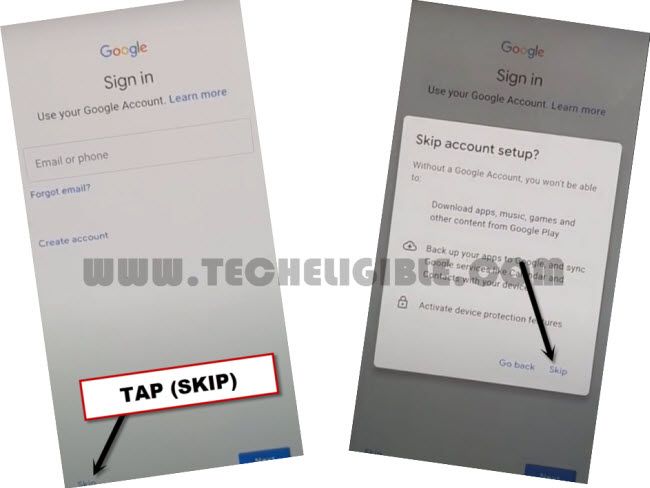
-If you reach again on (Google Verification) screen, don’t worry, you will have a (Skip) option there to skip this screen and go forward.
Important Note: Are facing trouble in completing the setup wizard steps? your device is not going through from loading screen? if its stuck more than 5 minutes, in this case, hard reset your phone by going into recovery mode, after that, complete setup wizard steps again. From google sign in page, tap to > Skip > Skip.
Conclusion:
We bypassed the frp lock protection through using the free (BFT Tool). Firstly, we downloaded the tool on PC. After that, install it and then, downloaded required PC drivers. So that, we may not face any connecting difficulty with PC. Afterwards, we just switched off the honor X5B phone and connected with Best Flash (BFT) Tool using the USB Cable. Then, we just chose the correct model number and brand from the tool. Clicked over the (Reset FRP) button to complete frp bypass process.