
This security feature is quite simple to turn on and off. To establish FRP lock security on your device, simply connect your Android phone to your Google account. The factory reset protection lock will activate by itself. To turn off this lock, you only need to delete the signed-in Google account from the device’s settings. If you forget the signed-in account immediately after carrying out a hard reset, your phone will be secured with FRP lock protection. To bypass FRP Honor X6B, just refer to the guide below.
Disclaimer: Do not attempt this frp method on a device that has been stolen, as it is a severe offense. Engaging in frp bypass procedures on stolen phones may result in imprisonment. This process is intended solely for the device’s rightful owner and for educational purposes.
Let’s Start to Bypass FRP Honor X6B:
-Continue this method by downloading and installing the below on your PC.
| ⇒ BFT Tool V1.7 [DOWNLOAD] |
Note: Disable the @ntivirus software for temporarily for not to face interruption while bypassing the frp lock.
-Let’s extract the bft tool from winrar using the pass (techeligible). After that, install it on your PC easily.
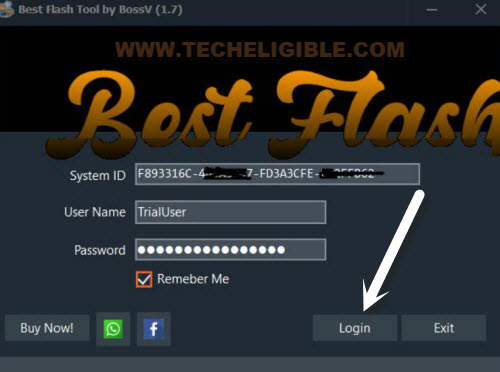
-Run the installed tool and click to “Login” option from the popup screen.
Get All Necessary Drivers:
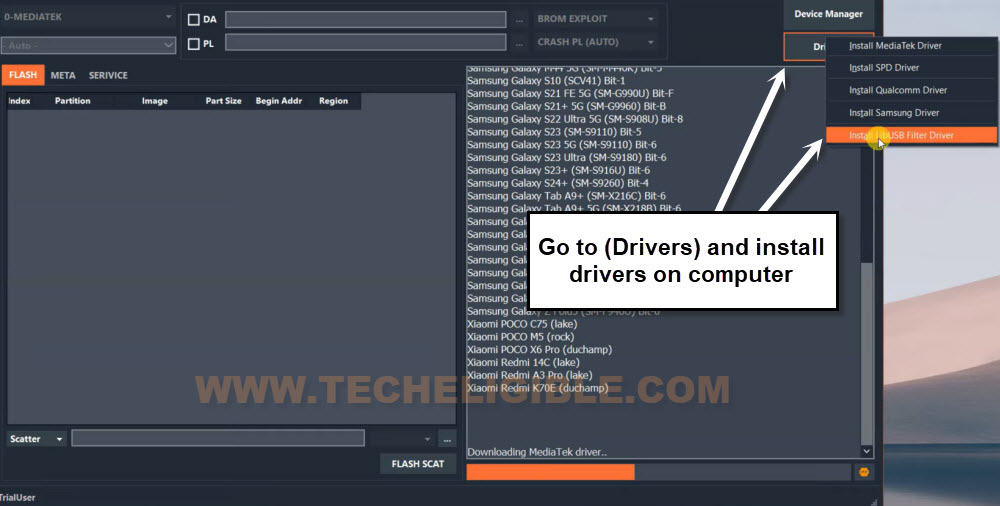
-From the bft tool interface, go to “Driver” tab.
-Let’s install all the available drivers from that list, including (Mediatek, SPD, Qualcomm, Samsung & libUSB Filter).
-After downloading done of the drivers, you will be shown a popup window, there, you will be asked to install the downloaded drivers, just install all drivers one by one.
| Note: Facing problem while downloading and installing drivers on your windows? this might be due to (Core Isolation & Windows Settings). We will have to unassign drivers and disable some options from the windows. For this, you will have to follow up instructions here to install all these drivers properly without error [Visit Link]. |
Choose Brand & Model
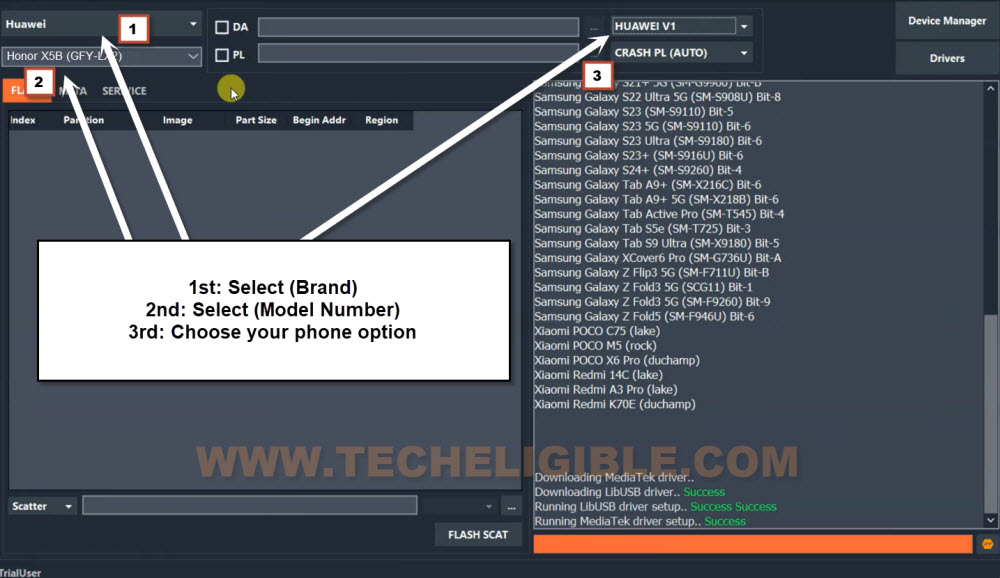
-Firstly, choose the correct brand of your phone from the tool, that is “Huawei”.
-Afterwards, choose the model “Honor X6B (JDY-LX2)”.
| Note: Right now, on bft v1.7 tool, only one model of (Honor X6B JDY-LX2) is available, if you have other model number like, (JDY LX3 or JDY LX1), in this case, you don’t need to be confused, just select same model as mentioned below. May be, few months later, new version come of the bft tool, and you may see same model number of your phone there, then, choose that one. |
-At the end, select “Huawei V1” from the tool interface.
-Time to perform the frp bypass process, just go to tab > Services > Reset FRP.
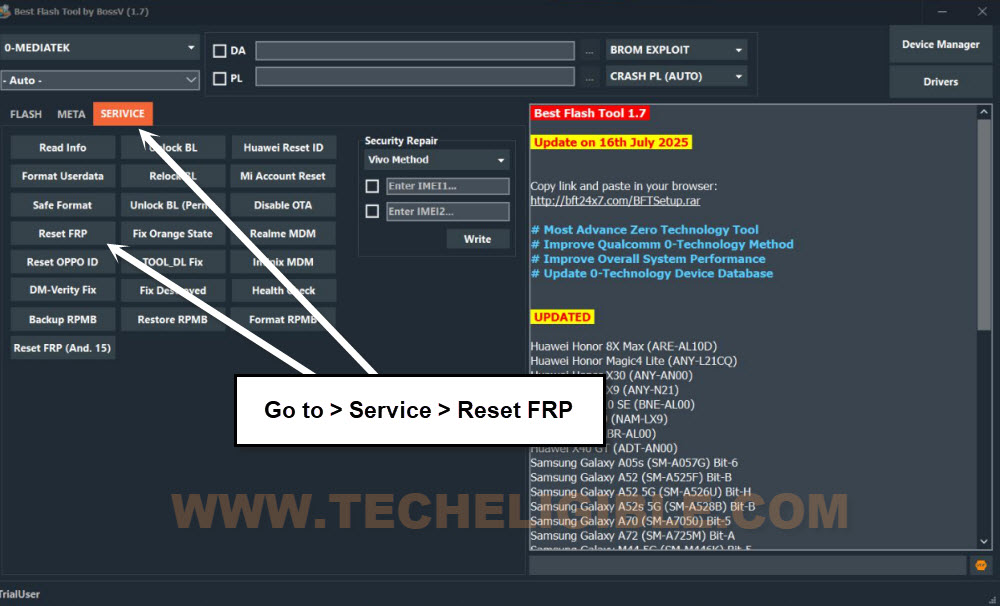
-Switch off the honor X6b device, afterwards, connect the phone with pc while long pressing the (Volume up + down) keys.

-Finally, the frp will be bypassed and you will have a message of (FRP RESET END).
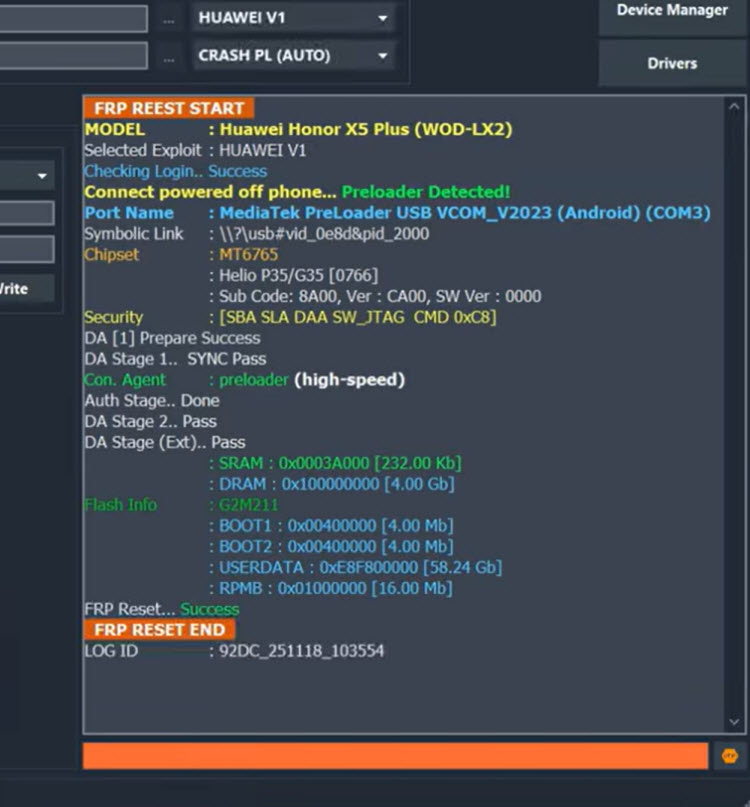
-Disconnect the phone from PC and complete setup wizard steps.
-Your device may stuck on the (Checking info…). Firstly, wait there for few minutes and hope for this to be completed. If it does not, then, follow up some more steps.
-Turn off the phone again.
-Select “Format Userdata” option from the tool screen.
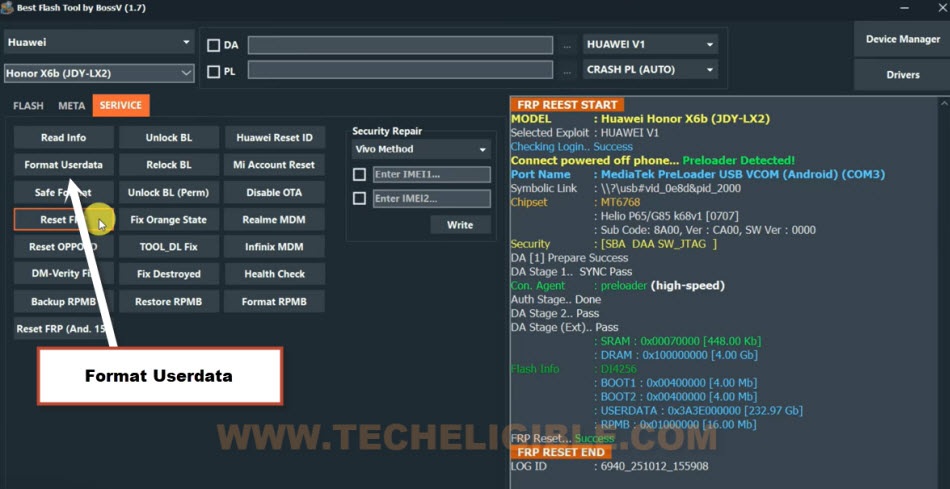
-Reconnect phone with PC while long pressing both (Volume UP + Down) keys. This will format the userdata completely.
-Let’s turn on the phone again, and your device will stuck on bootloop and it will start into the recovery mode.
-From there, go to “Factory Reset” option. Then, type “Yes”. After that, tap again on “Factory Reset” option. This will start performing the factory reset process and may take some time to be done.
-Once its done, just choose “Restart” option.
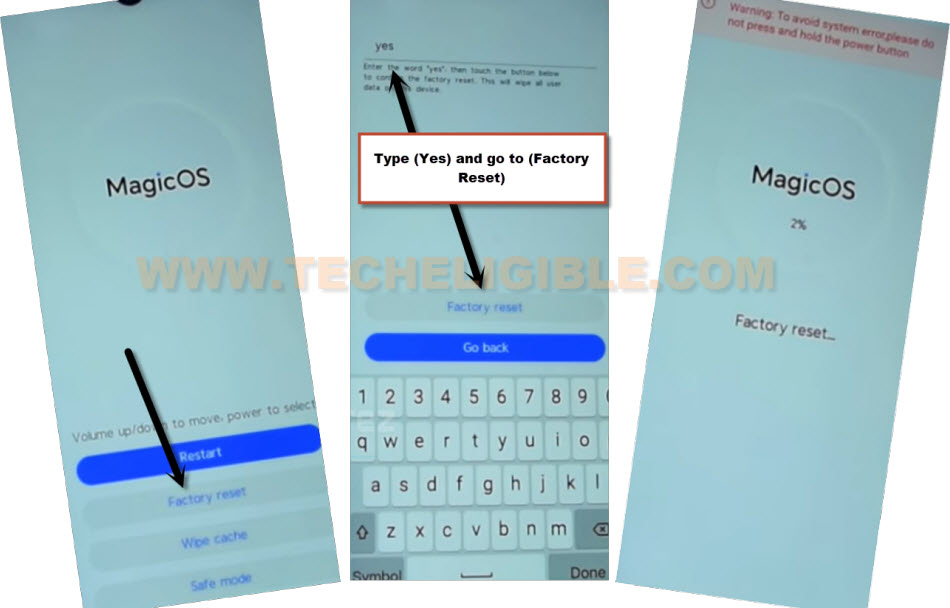
-Let’s wait for several minutes to be turned on. After that, complete setup wizard steps.
-After accessing to the main home-screen of your phone. You have to perform one more time soft reset process by going to main (Settings) page of the phone. This is the one last time, and it will remove all errors and frp lock protection from your phone.
-Go to “Settings”. After that, tap on > System & updates > Reset > Reset phone.
Conclusion:
We circumvented the FRP lock security by utilizing the complimentary (BFT Tool). Initially, we acquired the software for our computer. Following that, we proceeded to install it and subsequently downloaded the necessary drivers for the PC. This step ensured that we would encounter no issues connecting to the computer. Next, we powered down the Honor X6B smartphone and linked it to the Best Flash (BFT) Tool via a USB cable. After that, we selected the appropriate model number and brand within the tool. We then clicked on the (Reset FRP) button to finalize the FRP bypass procedure.
FAQs
I am getting connectivity error on bft tool
You need to install proper drivers on your PC. For this, you can check out post on (Install Android Drivers on Windows By Chimera).
My BFT tool is asking for the login user id and password
This tool is totally free, you just have to click on the (Login) button from the user id screen.
Is it allowed to bypass frp lock on Honor X6b?
Its allowed only for the device owner and follow up the procedure with the consent of device owner.