
Lost access to your Google account that was previously configured on your phone which has undergone a hard reset, and are you also unable to retrieve it? Regaining access to this phone can be quite challenging, as you cannot proceed to the next screen from the Google sign-in page until you authenticate your ownership. However, if you are the rightful owner of this device, you have the right to use the following method to bypass FRP Docomo Sharp Aquos Zeta (Android 8) device without needing any professional assistance.
Disclaimer: Attempting this frp removal method on a phone that is not yours, is not allowed. This post is only for the device owner or follow up with the consent of the owner. This is an educational guide.
Let’s Start to Bypass FRP Docomo Sharp Aquos Zeta [SH-04H]
-To initiate the process, power on the device and establish a connection to a suitable WiFi network. Next, navigate back to the initial (Welcome) setup page.
-At this point, select the “Emergency call” feature. Following this, on the subsequent display, hit over the “Emergency Information” button twice.
-Lastly, click on the “Pencil icon” option to access the contact list interface.
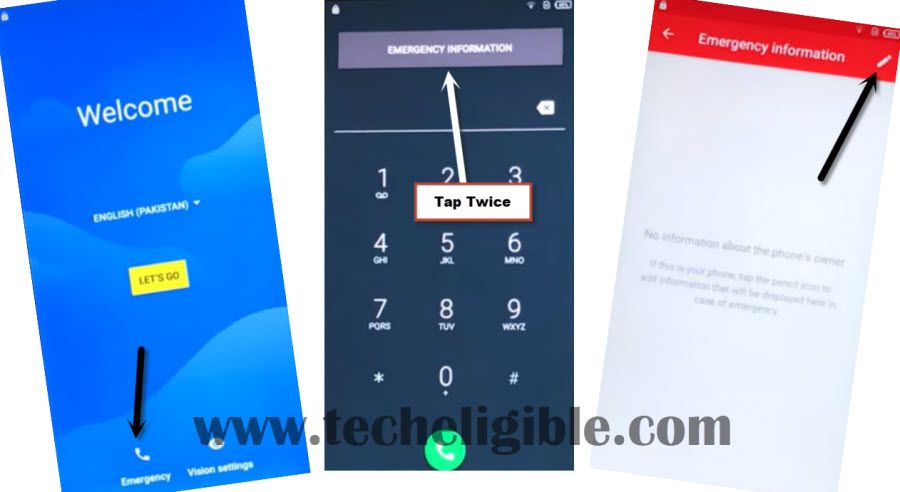
-You will be displayed popup dialogue, select the “Continue” option.
-Enter a random name in the designated name field then press “Ok.”
Type and Long Hold Youtube Text
-Next, tap on the “Address” field to reveal it and input “www.youtube.com” as the URL. After that, press and hold on the typed YouTube address and tap the “YouTube” icon to be taken to the official YouTube website.

-Afterwards, click on the “Profile” icon located in the upper corner and choose the “Terms & Privacy Policy” option.

-You will be directed to the (Welcome to Chrome) screen. Here, you must accept the browser’s (terms of services & privacy notice) by selecting > Accept & Continue > No Thanks.
Search and Access FRP Tools Page
-Using the Google Chrome browser, navigate to the official Techeligible site to obtain the necessary applications, which will allow us to set up a different Google account and completely bypass the FRP account.
-Search for “Techeligible” in the browser and go to the first result that appears as displayed in the image below.
-When you arrive at the official website, open the site menu from the top right corner and select the “Download FRP Tools” page.
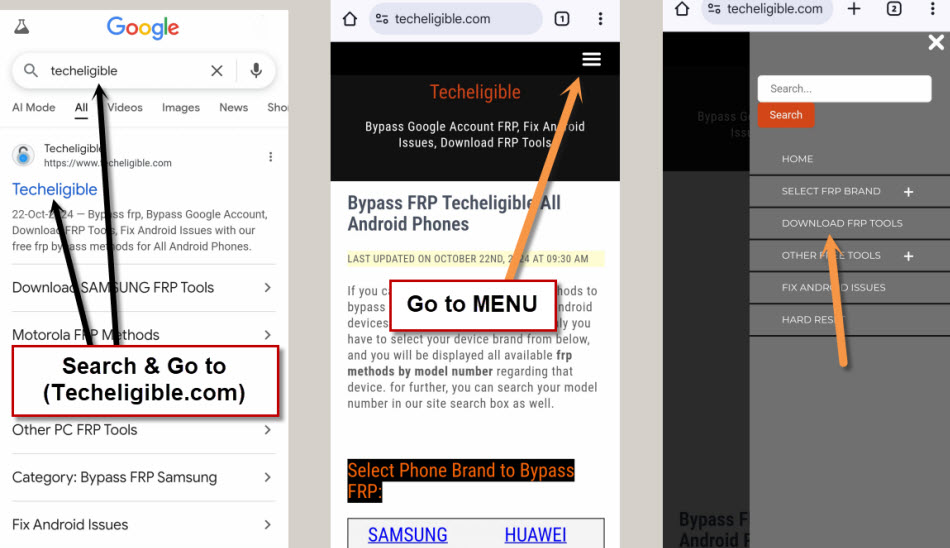
-Let’s download the app named “Google Account Manager 8”
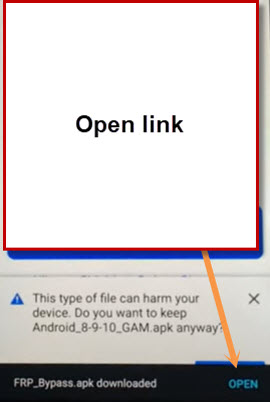
–Wait for the download to finish, at which point you will see an (Open) link appear in the bottom notification, just, hit on the “Open” link to go directly to the installation page.
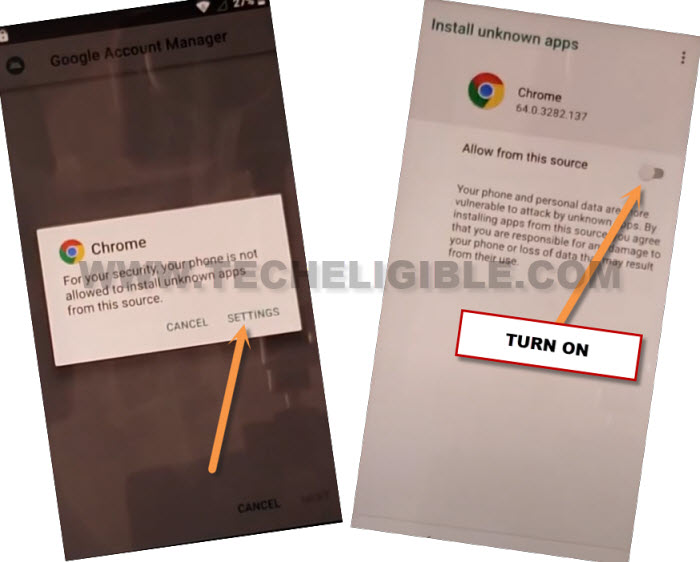
-However, prior to starting the installation process, you will be shown a popup window of chrome. Here, we must enable permissions by pressing “Settings” and turning on the “Allow from this source” option.
Login Another Account by Account Login App
-Next, click on the “Back Arrow” option at the bottom to return to the installation screen.
-Select > Install > Done.
-Once you hit on “Done,” you will return to the (FRP Tools) page once again.
-Let’s download another application known as “Account Login.”

-Once the download is complete, tap the “Open” option from the notification at the bottom.
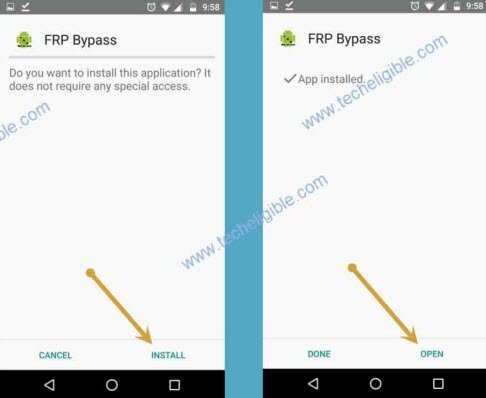
-Let’s proceed to install this application by selecting > Install > Open.
Note: You must launch this app directly by clicking “Open” from the installation completion screen.
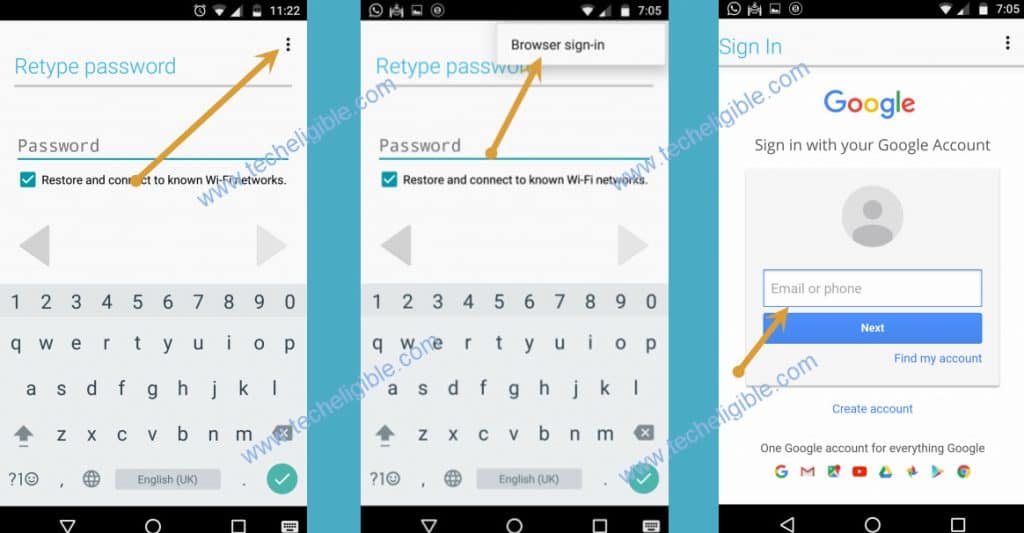
-Immediately after clicking the (Open) button for the Account Login app, you will access the (Retype Password) page. From there, proceed to > 3 dots > Browser Sign in.
–login using a different Gmail account to configure your phone.
Reboot Device & Complete Start Up Steps
-After restarting your phone, from the initial (Welcome) home screen, navigate to > Let’s Go > Skip > Set up as new.
-You will arrive at the (Get Connected) WiFi page, and from that point, select > Skip > Continue.
Note: It is necessary to finish the setup wizard procedures without establishing a WiFi connection.

-All other remaining steps can be completed independently with ease.
The Key Points
Utilized the emergency option to navigate to the contact list section, from which we manually visited the YouTube website and subsequently launched the Chrome browser. Following that, we looked for and accessed the official FRP tools page of Tech Eligible. From this point, we downloaded two applications and established a new Google account on the device to bypass the FRP associated with the account that was forgotten.