You can apply below briefly described steps to Bypass FRP BLU C7, BLU C7X and skip google sign in screen easily right after you setup new (Pattern Lock), once you did that, the (SKIP) option will start appear on google sign in screen, and you won’t need to sign in with old account in order finish setup wizard, because this is the only screen, where you are asked to sign in with old google account, otherwise you won’t be able to use your BLU C7 device.
Disclaimer: We are creating this post to educate people about how to get back their lost device due to forgetting Google account. This method is only for device owner and for educational purpose only.
Let’s Start to Bypass FRP BLU C7 | BLU C7X:
Step 1: First of all, turn on device & Connect WiFi, because without WiFi connection, you can’t perform this task.
Step 2: Go back to first “Hi there” screen, from there, tap to > Emergency Call > Double “Emergency information”.
Step 3: Tap to “Pencil icon”.
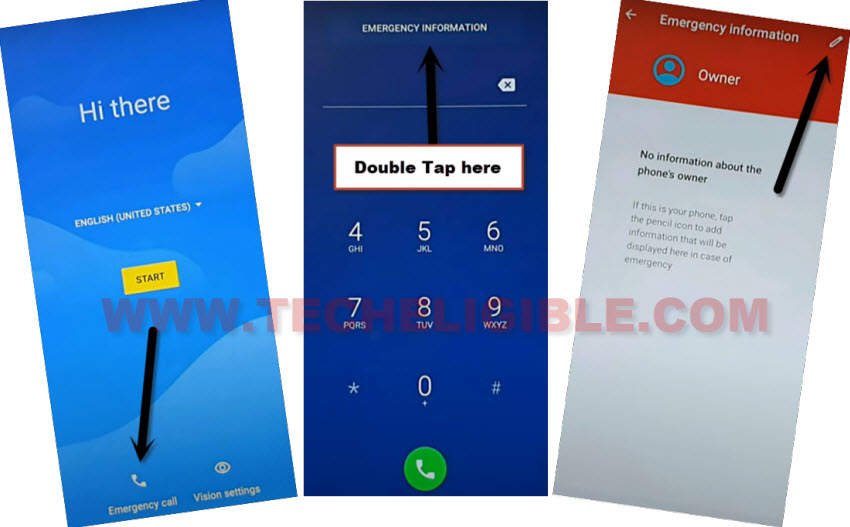
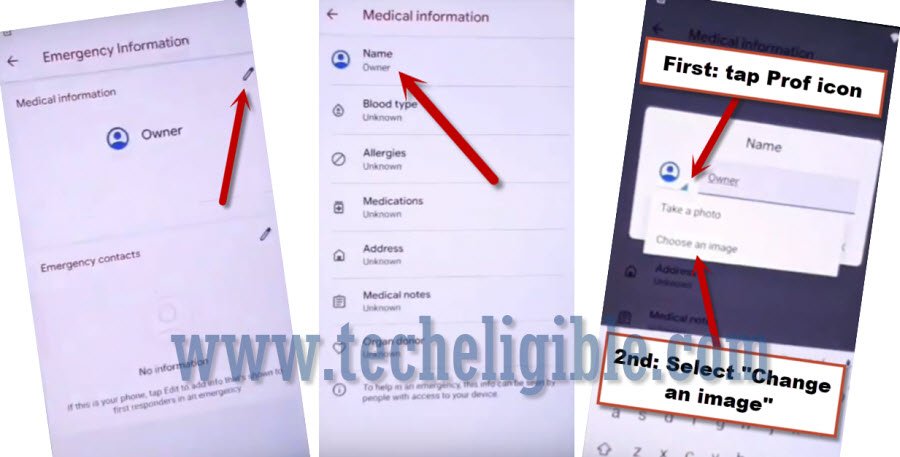
Step 4: Tap on “NAME”, and then tap on “Profile icon”.
Step 5: Tap to “Down Arrow” which bottom at profile picture, and hit on “Choose an image” option from there.
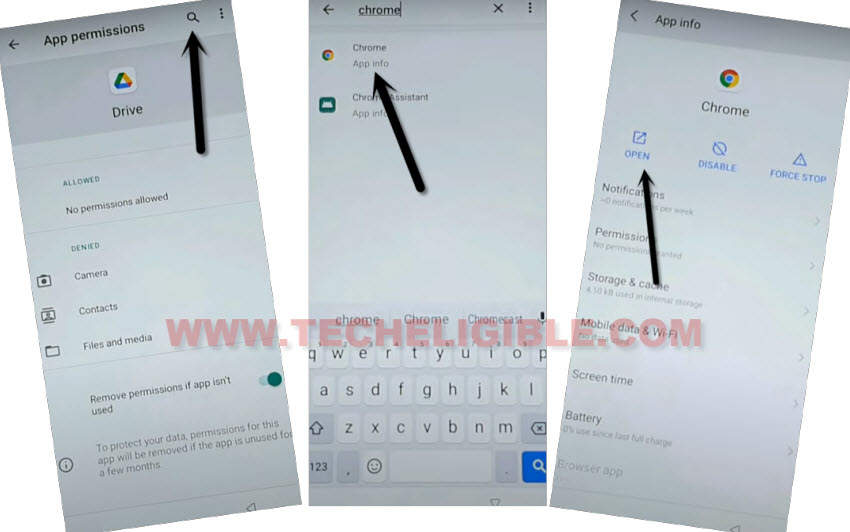
Step 6: There you will see a “MENU” icon at top left corner, just hit on that icon, and then long hold over > Drive > Permissions.
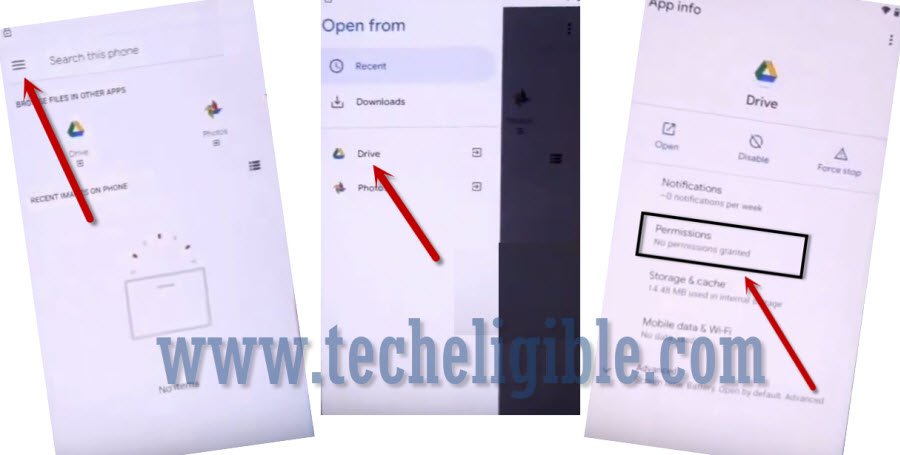
Step 7: Type there “Chrome”, and then go to “Chrome app info‘ application, afterwards, hit on “OPEN’ arrow icon to reach inside browser.
Access device Pattern Lock Screen:
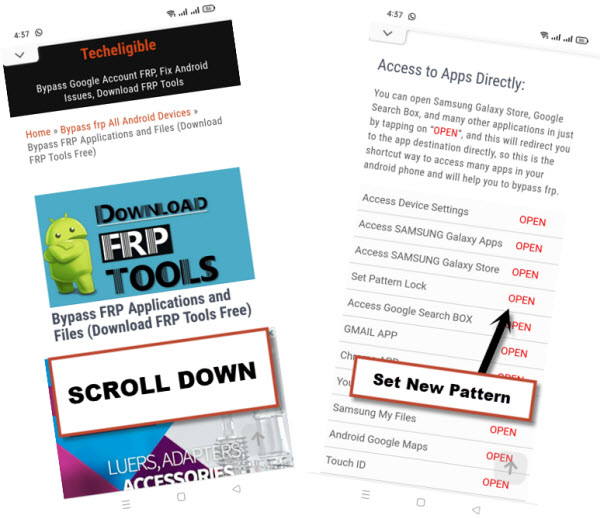
-After reaching to chrome browser, just search with “Techeligible“. Go to our site searched result (See below image).
-From top right corner, hit on “Menu” to bring sidebar menu of the site and then, tap to “Download FRP Tools” option from there.

Step 9: Go down and tap on “Setup Pattern Lock“, and you will be redirected to PIN screen, from there you will be able to setup new PIN.
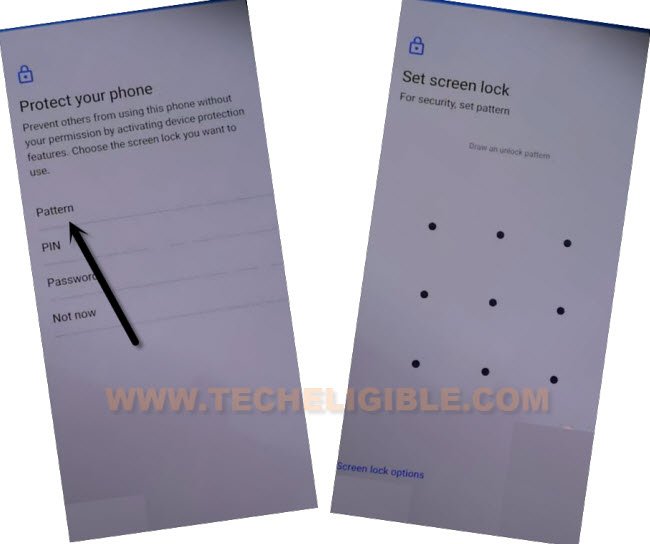
Step 10: Create new Pattern or PIN lock from here, this is very important step to bypass frp BLU C7.
Step 11: Go all the way back to first (HOMESCREEN), and finish setup wizard, after that, you will be asked to enter PIN/PATTERN, just apply your recently setup security lock there.
Step 12: Skip (Google Sign in) screen just by hitting over the “SKIP” option from bottom left corner.
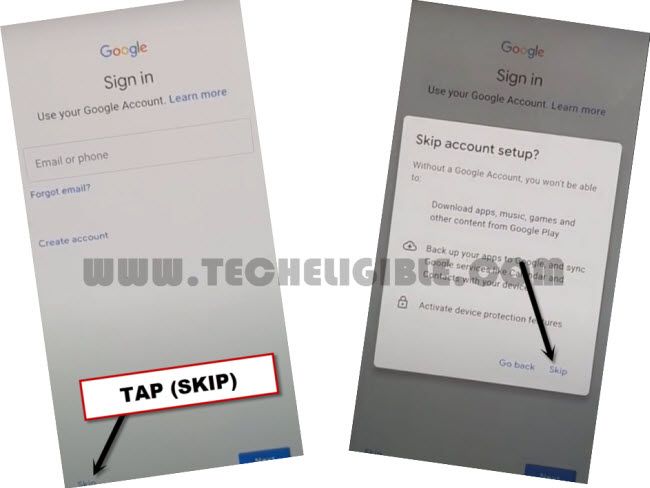
-You are all done, just complete setup wizard, and use your device normally without having forgotten google account signed in.