You don’t required any PIN Locked SIM, PC, Paid tool, SD Card to bypass frp LG G5 (Android 8, 7), you can apply all below steps easily just by connecting WiFi in your device, after that, you will be able to use your device normally with new logged in google account, if you have performed a hard reset task mistakenly without knowing old synced google account, then, for sure, you would be facing a FRP verification screen, lets follow steps from below to remove that FRP completely.
Note: We highly recommend you to apply this method only on your own device, if you are not owner of this LG G5 device, or you found this from some where, you must return this device to its real owner.
| Method 1: FRP Bypass LG G5 (Android 8) |
| Method 2: FRP Bypass LG G5 (Android 7) |
Method 1: Bypass FRP LG G5 (Android 8)
-Start frp bypass process by connecting WiFi first, and then go back on “Setup Wizard” screen to turn on talkback.
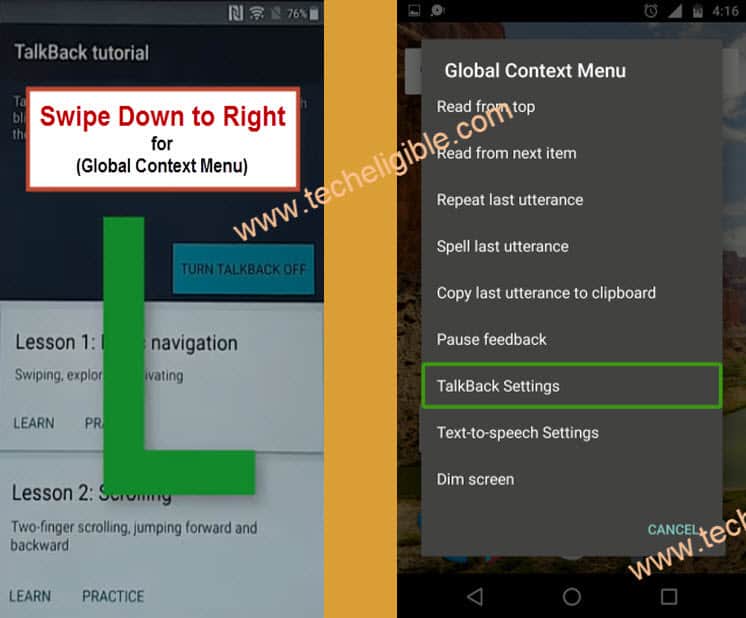
-Long and hold both (Volume UP + Down) buttons at the same time, this will turn on talkback completely, and you will see a (talkback tutorial screen).
-Lets swipe “L” shape on screen by swipe down and then swipe right.
-Double tap on “Talkback Settings” from popup to bypass google account on LG G5.
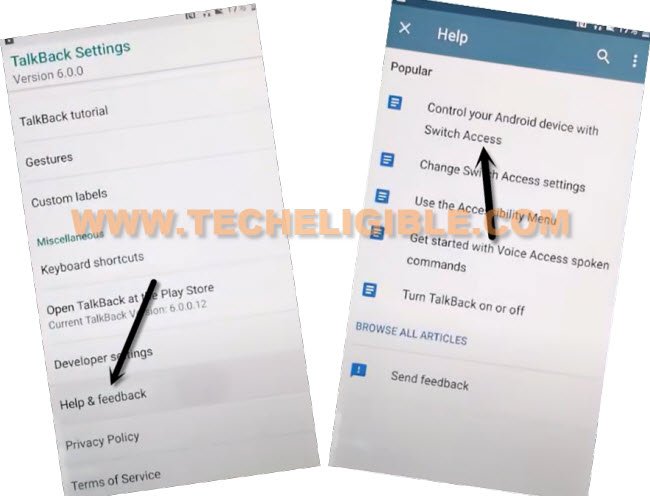
-Using two fingers, scroll down, and double tap on “Help & Feedback”.
-Turn off talkback by long press both buttons (Volume UP + Down).
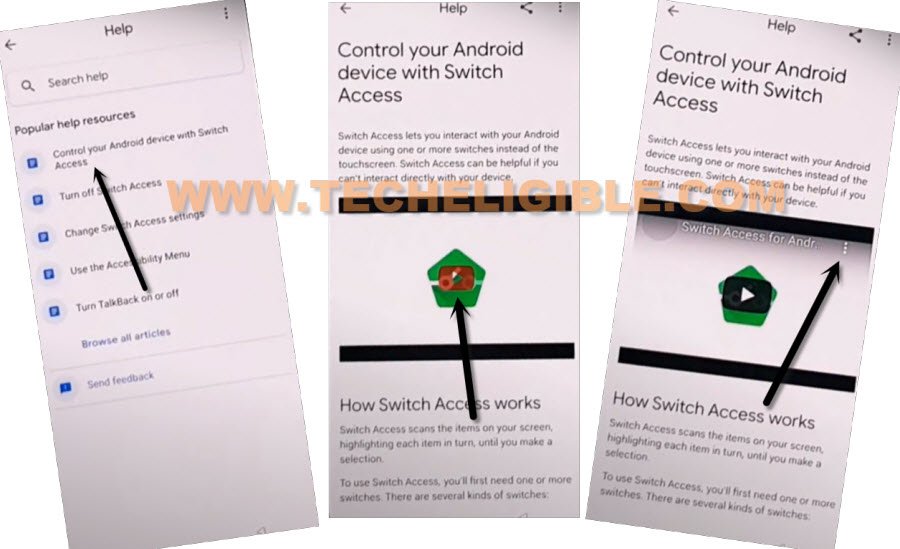
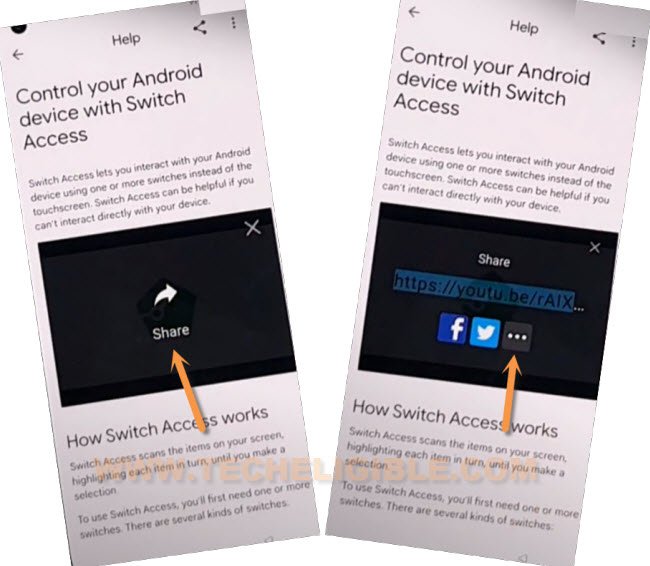
-Hit on “Control your android device with switch access”.
-Tap to “Play icon” and wait till you see 3 dots at video corner, and then hit on “3 dots”.
-Tap o “Share Arrow” from video, and tap to “3 dots” right next to the twitter icon.
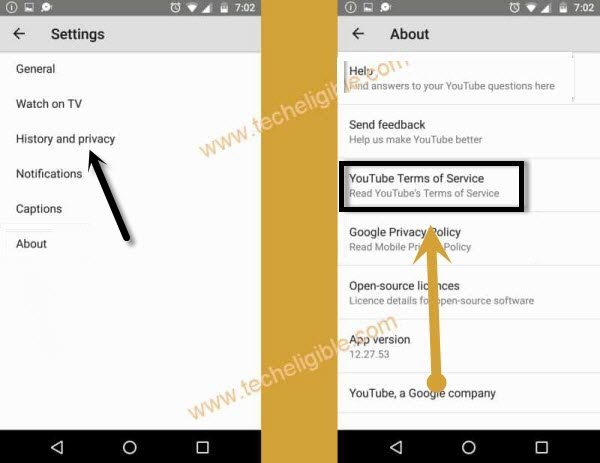
-Tap “Profile icon” from top corner, and go to “Settings”.

-Tap to > History and Privacy > Youtube terms of service.
-Go to > Accept & Continue > Next > No Thanks.
Download Quick Shortcut Maker App:
-We can search in browser with “Techeligible“. After that, tap to 1st searched result from there to reach to techeligile site.
-After accessing to official site, from there, go to “Menu’ icon from top corner and then, tap to “Download FRP Tools” option. This will take you to the main frp tools page.

-Scroll down little bit, tap on a link “Quick shortcut Maker 2.0” to download this app, so that you could easily bypass frp LG G5.
-Once downloading is done, just go all the way back on first “Setup Wizard” screen.
Go back & Turn on Talkback Again:
-Turn on talback again by long press both (Volume UP + Down) buttons simultaneously.
-Lets swipe “L” shape on screen by swipe down and then swipe right.
-Double tap on “Talkback Settings” from popup.
-Using two fingers, scroll down, and double tap on “Help & Feedback”.
-Turn off talkback by long press both buttons (Volume UP + Down).
-Hit on “Control your android device with switch access”.
-Tap to “Play icon” and wait till you see 3 dots at video corner, and then hit on “3 dots”.
-Tap o “Share Arrow” from video, and tap to “3 dots” right next to the twitter icon.
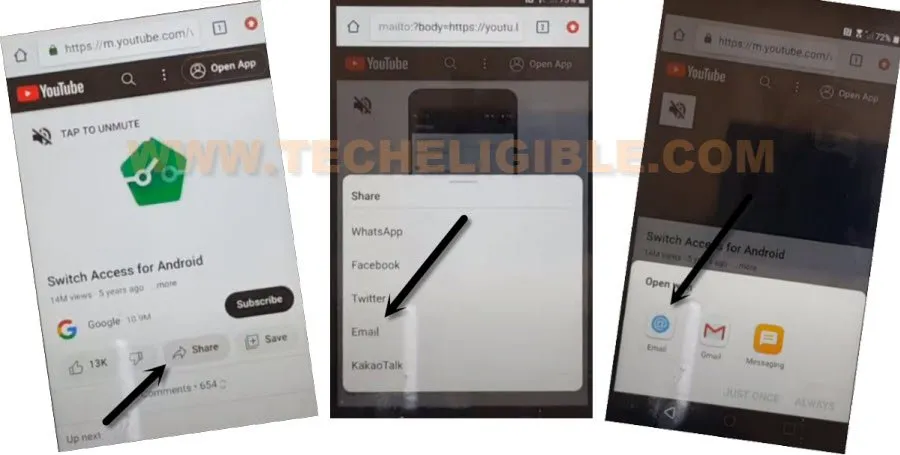
-Hit on a “Share” option that would be underneath youtube video.
-Tap on > Email > Email, after that, tap on “Just once”.
-Hit on > Accept > Others.
-Sing in with any valid Gmail Account. (You will be redirected automatically to the google sign in page).

-After signing-in successfully, you will see a (Other email) page, from there, tap on > Next > Next > Done.
-Now you will be inside your Gmail account box, just tap on “Attachment” icon from top, and go to “File”.
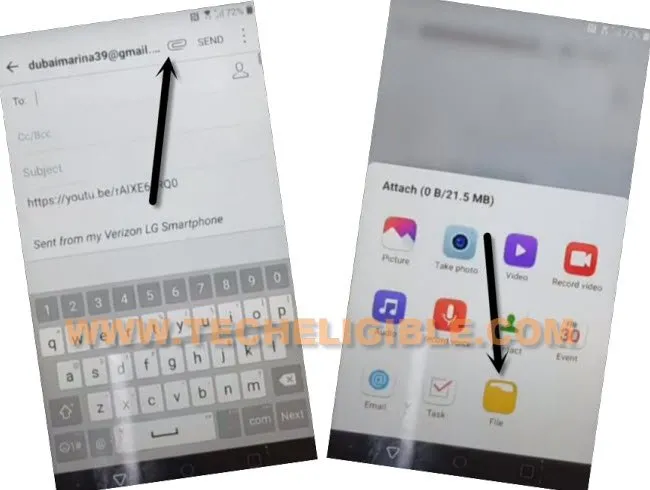
-Hit on a “Menu” icon from top left corner, and go to “Downloads”.
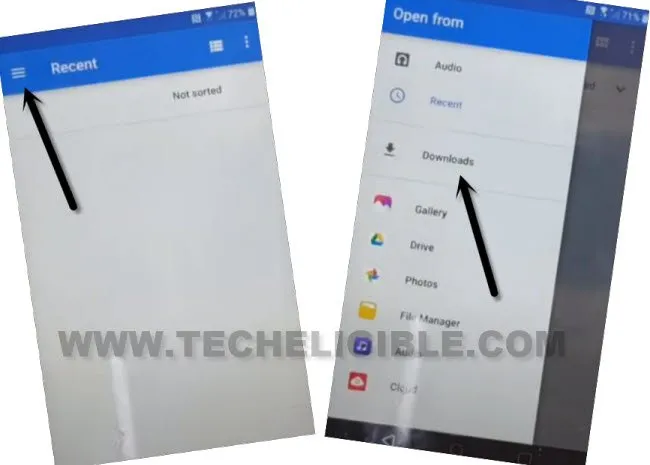
-There, you will be able to see your recently downloaded app “Quick Shortcut Maker”, tap on that app to be attached in email.
-From email, hit again on “Quick Shortcut Maker” app to install it.
-From popup, tap to “OK”.
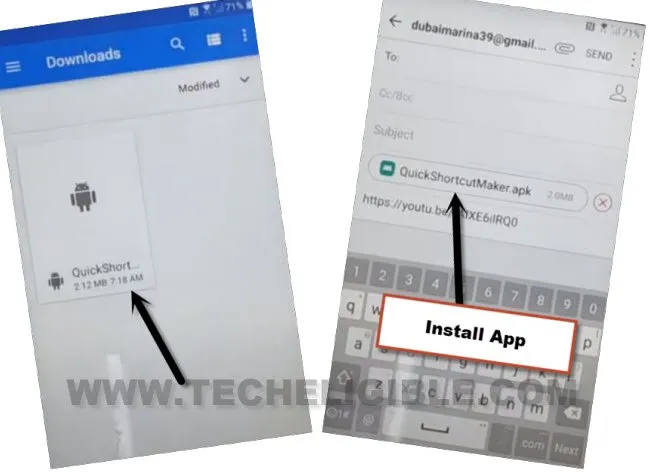
-Tap on “Install”, and then tap on “OPEN”.
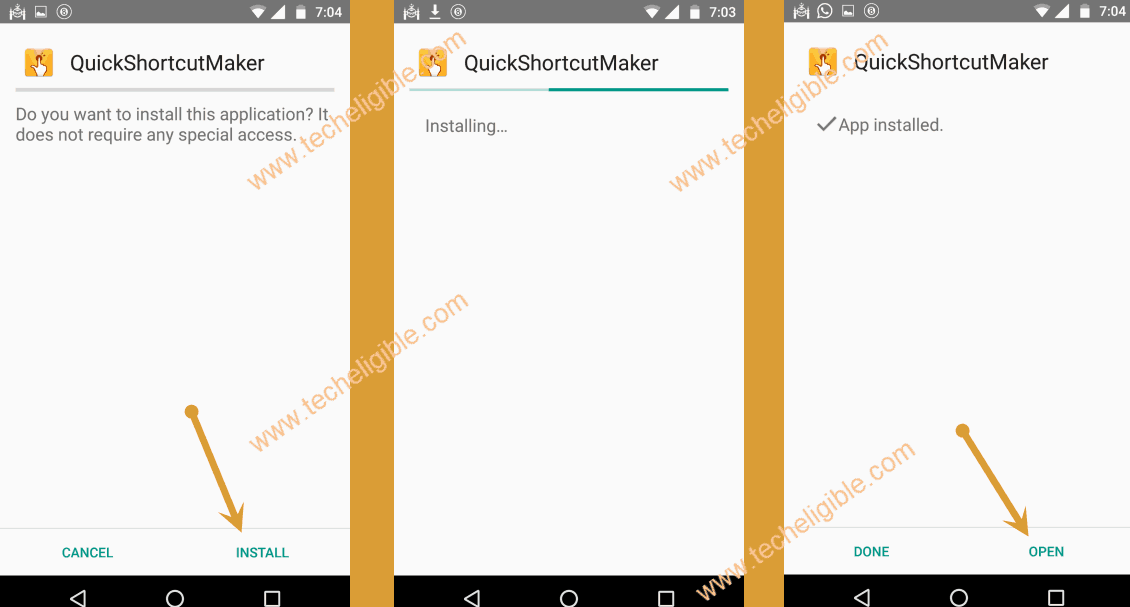
-Perfect, now we are inside app, there you will see huge list of apps.
-Go down, and then tap on purple icon of “Setup Wizard”.
-Select the 3rd number “Setup Wizard”, after that, tap on “Try”.
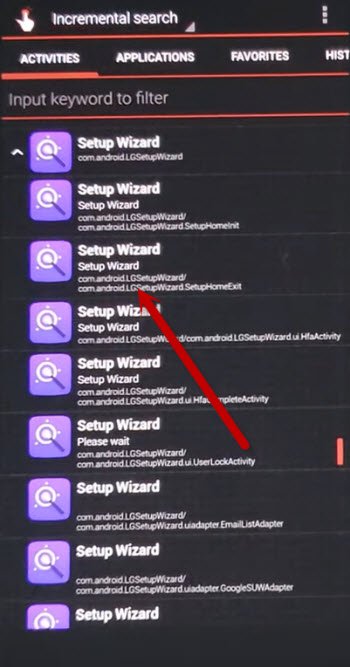
-Your device will auto restart, now you can easily finish setup wizard.
Method 2: Bypass FRP LG G5 (Android 7)
We are going to share with you an easy way to Skip Anyway Bypass FRP LG G5 Android 7 without app and PC, this is the best working way for your bypass frp now in few minutes just by hard reset device. You only need WiFi connection, and hard reset phone, after that we can sign-in with new Gmail account easily.
This method has been applied successfully on LG G5 (LG-H831) Android 7.
Let’s Begin FRP Bypass Process:
-Turn off phone LG G5.
-Hard reset phone first by long pressing both (Volume Down + POWER) button.
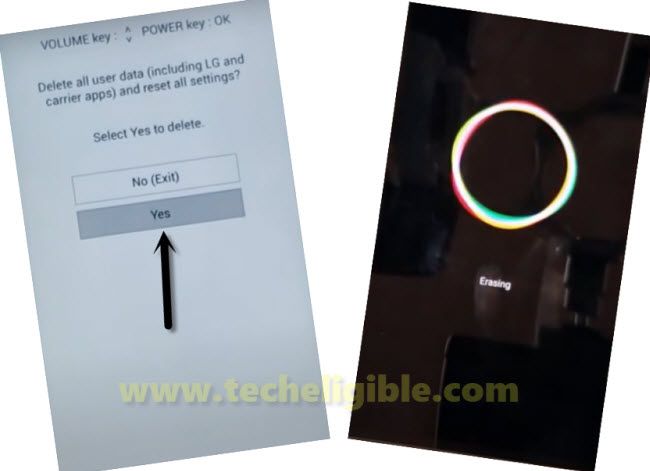
-Navigate to “YES” by pressing volume down key, and then press “Power” button to select “Yes” option.
-The hard reset will be started and it may take few minutes to complete, just wait until your device restart.
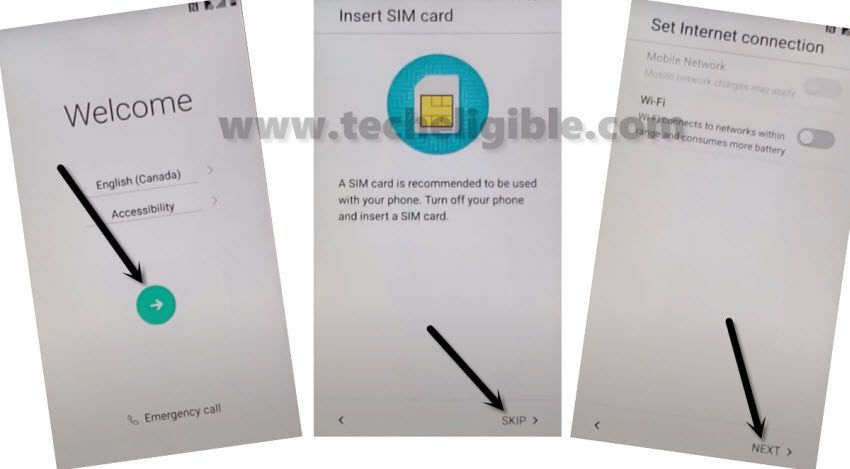
-Once your device started just and show you a “Welcome Screen”, just tap on “Next Arrow” icon from there.
-Tap on “SKIP”, and then turn on wifi.
-Connect to your WiFi network.
-Once the Wi-Fi is connected, just go back to first “Welcome” screen.
-First long press on “Emergency Call“, and with other finger tap 2-3 times on “Next Arrow” icon.
Note: Do not lift up your finger from “Emergency Call” option while tapping on “Next Arrow” icon.
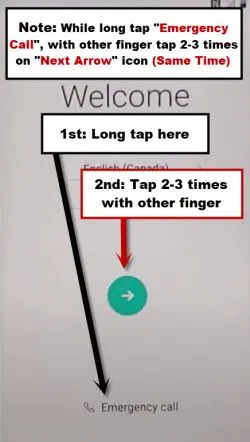
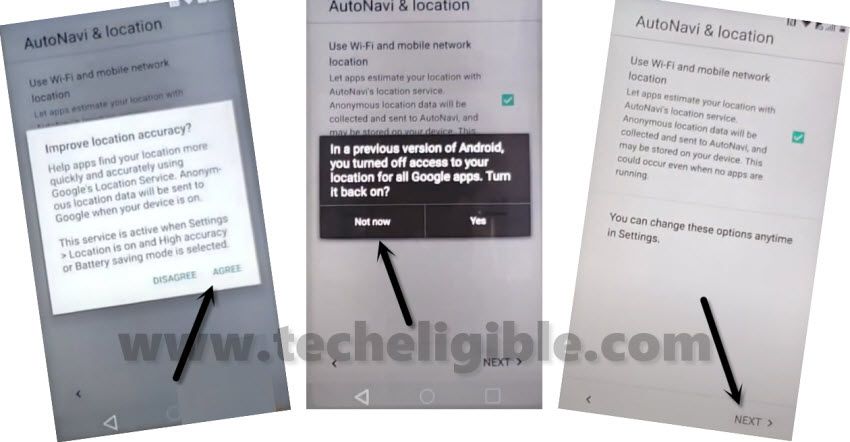
-By doing this successfully, it will show you a popup window of “improve Location Accuracy”.
-Tap to > Agree > Not Now > Next.
-Checkmark all “i Agree” option, and then tap to “DONE”.
-LG G5 will auto restart. (Wait until restarting process finish).
-Complete setup wizard again by tapping > Next Arrow > Skip > Next (Do not connect Wifi).
-Now tap on > Skip Anyway > Down Arrow > Next > Next > Next.
-Checkmark the option “No Thanks”, and then tap to > Next > Skip Anyway.
-Checkmark 2 above (i agree) option and then tap to “Done”.
-Add your new Gmail account to bypass FRP LG G5 Android 7.
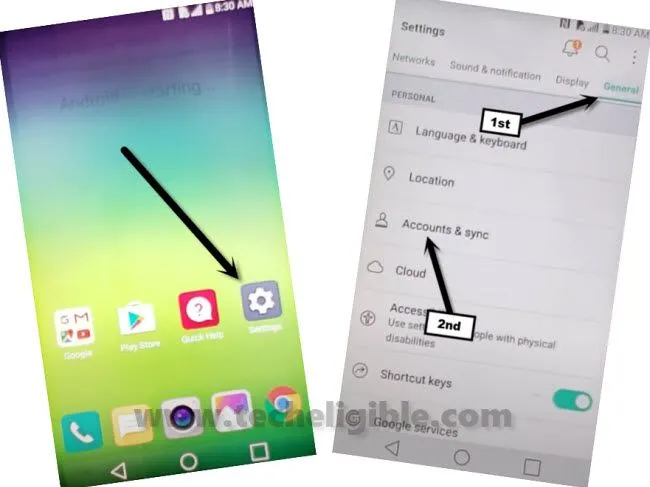
-Tap on “Settings gear” icon, and then tap on “General”, and then go to “Accounts & Sync”.
-After that, just sign in with your any Gmail account that will be use for future frp protection.
Related FRP Methods