We’re gonna show you 2 best Methods to Bypass FRP Redmi Note 10 MIUI 14, MIUI 13, because in updated MIUI version, you would require a totally different method, you can follow up any method according to the device MIUI version.
You can easily bypass frp without using any PC and apk app installation, with the help of using a (Talkback method), you can easily reach to your device menu without signing in with previous google account, follow steps from below.
Remember: Do not try this frp method on a stolen phone, this is a serious crime, if you are trying to bypass frp on a stolen phone, you may also be jailed, this process is for device owner and for educational purpose only.
| Method 1: Bypass FRP Redmi Note 10 [MIUI 14] New |
| Method 2: Bypass FRP Redmi Note 10 [MIUI 13] |
Method 1: Bypass FRP Redmi Note 10 (MIUI 14)
–First of all, connect WiFi, after that, just get back on (Choose your region) page same as shown in below image.
–From that page, long press both (Volume UP + Down) buttons simultaneously, now hit on “Turn on” option from popup window.
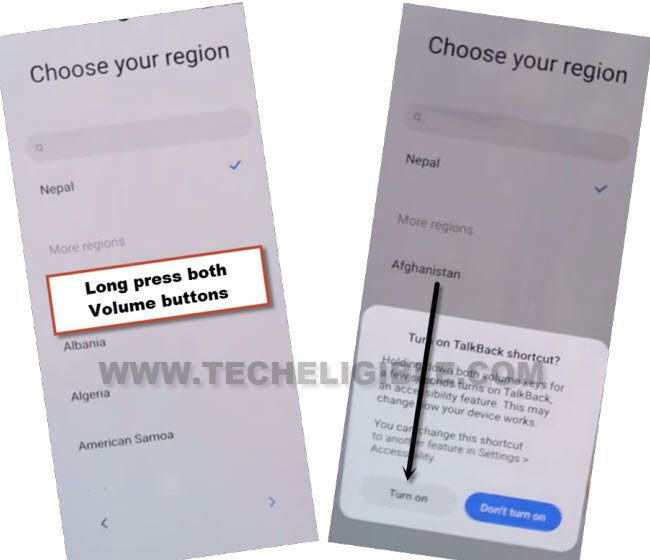
–You have to press both buttons again (Volume UP + Down), this time, the talkback will be turned on successfully, and you will see (Talkback) screen there.
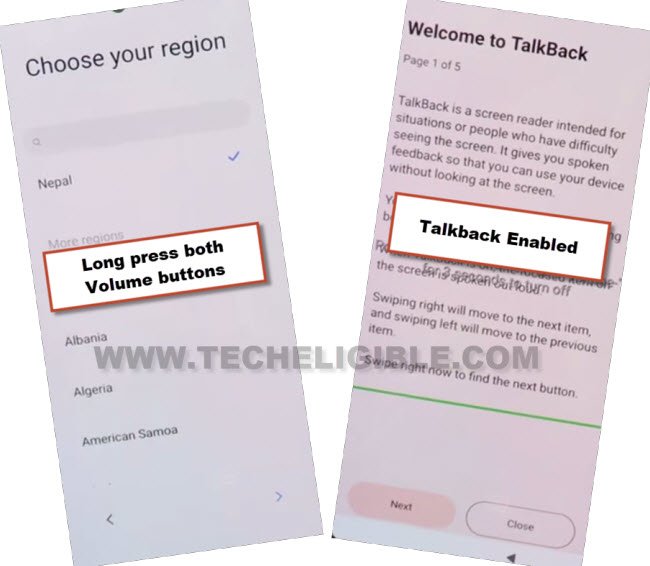
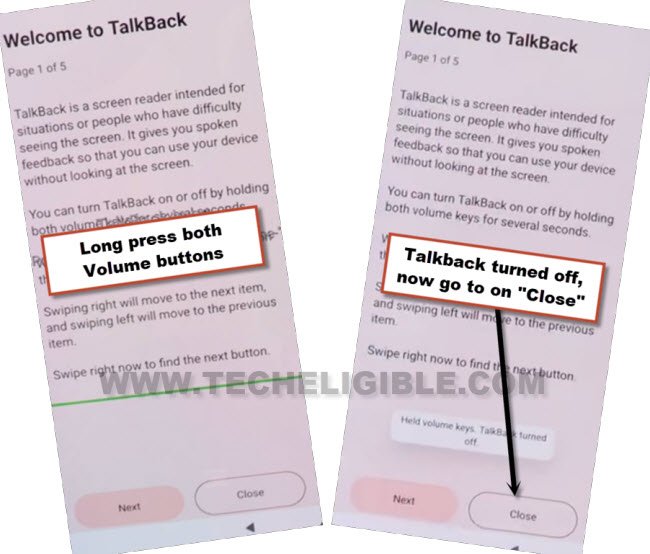
–Lets turn off talkback now just by long press both (Volume UP + Down) keys again.
–Once the talkback turned off successfully, just hit on > Close > Close.
–Hit on “Next Arrow” icon from (Choose your region) screen, now select “Talkback Braille keyboard” option.
–Tap over “Next” icon, now select “i have read and agree…”, after that go to “Next”.
–Hit on “Skip this step”.
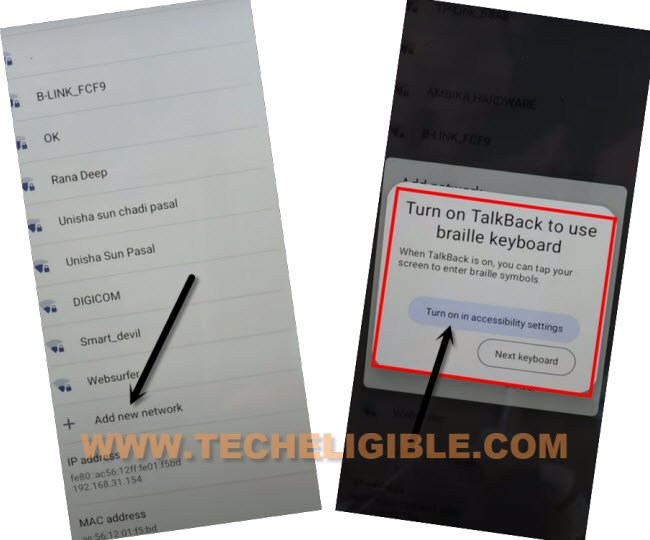
–Y0u will reach on (Connect to Network) Screen, just, go to “Add network”, after that, tap on “SSID” field tab.
–Hit over “Turn on in accessibility Settings” from popup.
–Go to > Accessibility Menu > turn on “Accessibility Menu Shortcut”, after that, tap to “Allow” from popup, and then hit on “Got it.”.
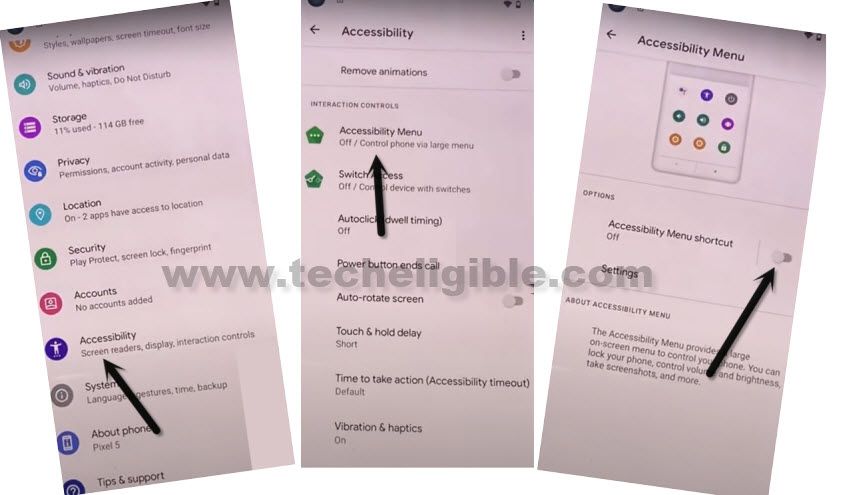
–Once you enabled menu shortcut, the human icon will start appearing at the edge of the right screen.
–Hit on “Human icon”, and then go to “Google Assistant”, after that hit on a “Keyboard” icon.
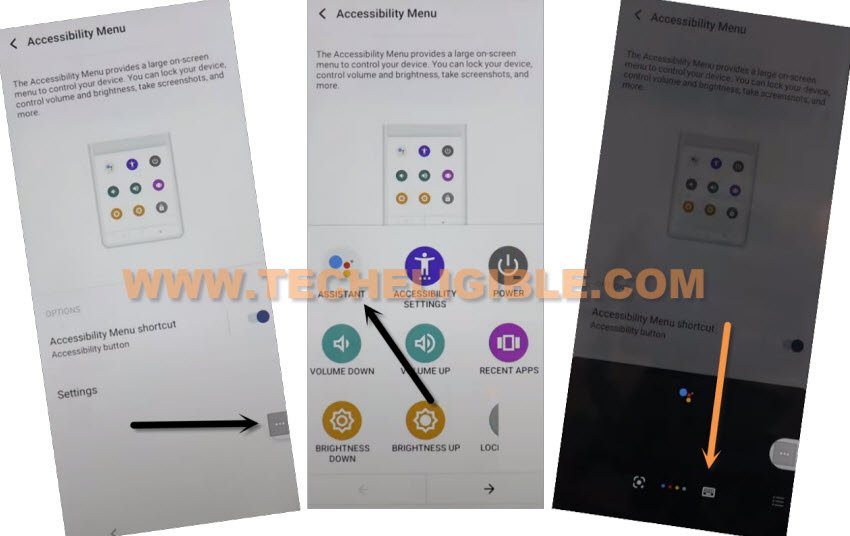
–Wait over popup window, this will auto disappear, after that, Search and go to “Settings” from there.
Let’s Turn on Second Space:
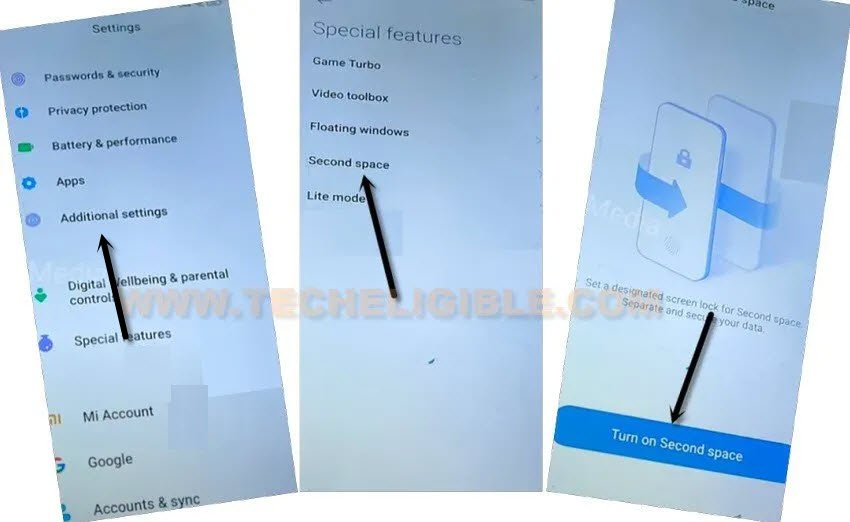
-From settings, jus go to “Additional Settings”.
-Hit on > Turn on Second Space > Go to Second Space.
-Select “Using a shortcut” option, and then tap on > Continue > Skip.
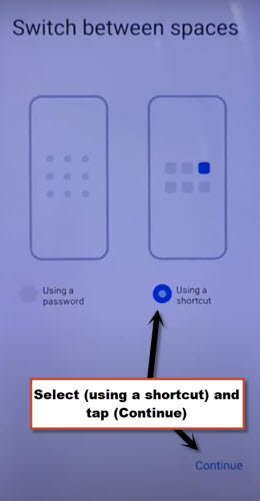
-You will redirected inside redmi note 10 homescreen without asking any old added google account, from there, go to > Settings > Password & Security.
-Have a look there, can you setup new your new pattern lock or password there or not, if not, just don’t worry, restart your device.
-After restarting process is done, you will be redirected back on Redmi note 10 home screen, because you are all done from bypass frp on Redmi device, now just setup your new google account and new pattern lock.
Method 2: Bypass FRP Redmi Note 10 (MIUI 13)
-Long Press both (Volume UP + Down) keys together, and you will have (Turn on talkback) popup, just tap on “Turn on”.
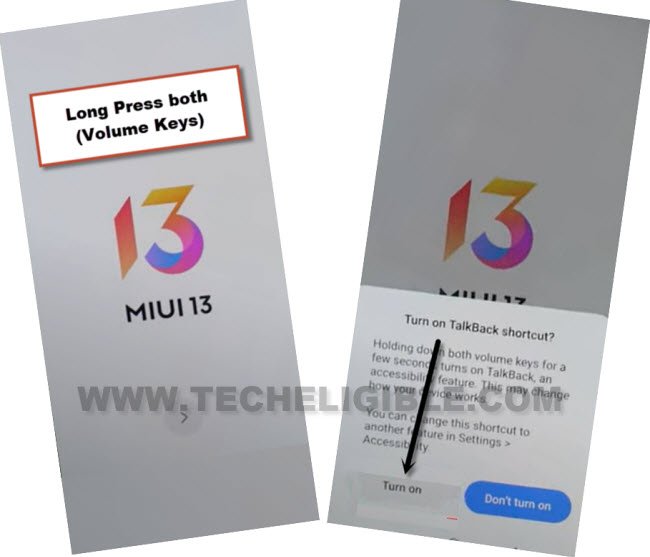
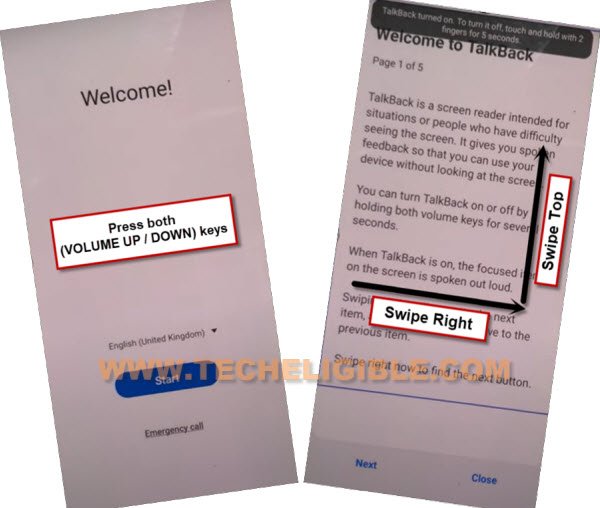
-Press again (Volume UP + Down) keys , and you will see there (talkback turned on).
-You need to Draw “L” by swiping on screen from right to left, and then swipe top, same as shown in below image.
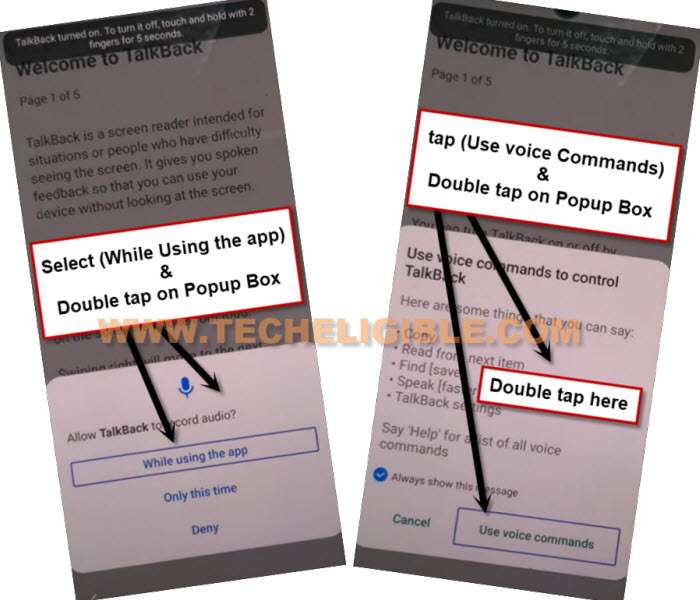
-Select option “while using the app”, now double tap on anywhere on screen.
-Select “Use Command Voice” option, and double tap on popup box.
–Lets open google assistant by Speaking loudly (Google Assistant).
–After having a popup window of google assistant, just long press both (Volume UP + Power keys) to turn off talkback.
–Now tap to “Keyboard icon”.
-Type in search box “Settings”, and go all the way down, from there tap on “Settings”, and then tap on “OPEN”.
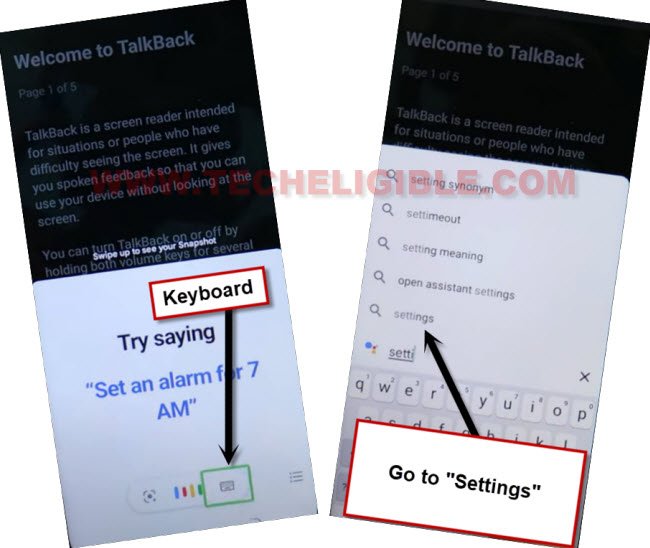
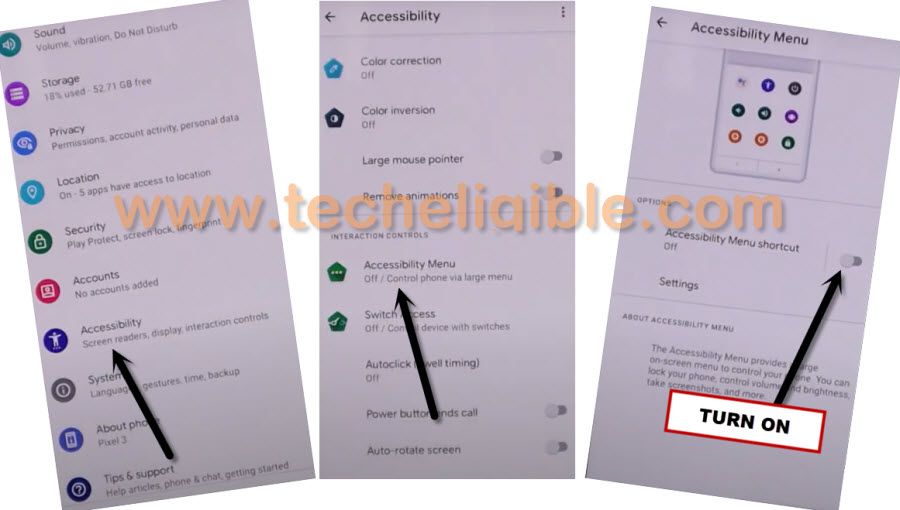
-Go to > Additional Settings > Accessibility > Accessibility MENU.
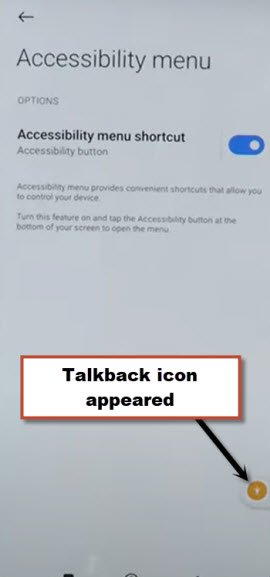
-Turn on “Accessibility MENU Shortcut”, and hit on “Allow” from popup window, after enabling this function.
-You will have a (Talkback) icon at the bottom of your screen.
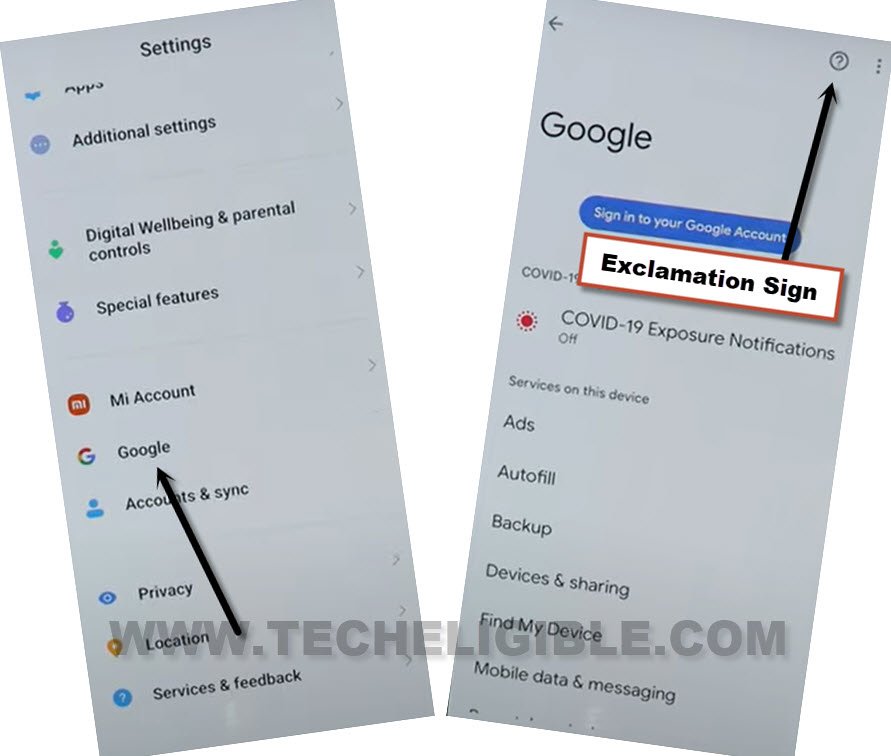
-Go back to (Settings), from there tap to > Google > exclamation sign.
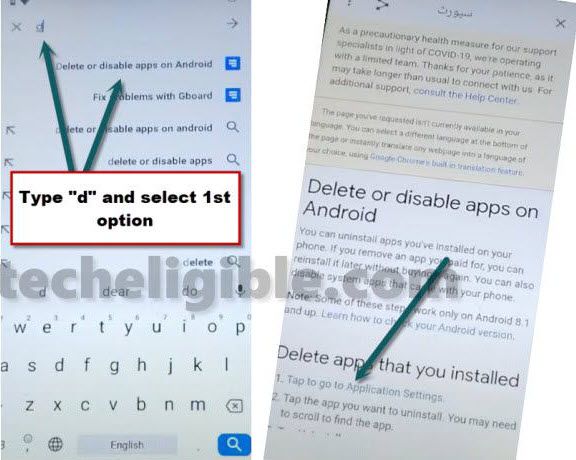
-Search and access to (Delete or disable app on android) same as shown in below image.
-Now hit on “Tap to go to application settings”.
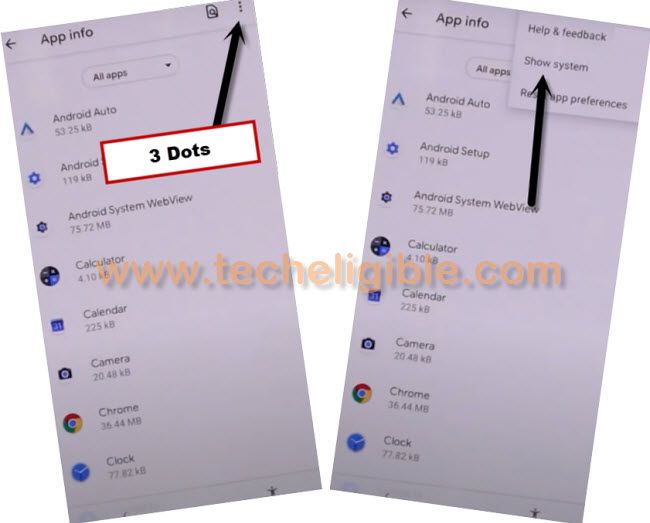
-Hit on “3 dots” from top right corner, and then tap on “Show System”.
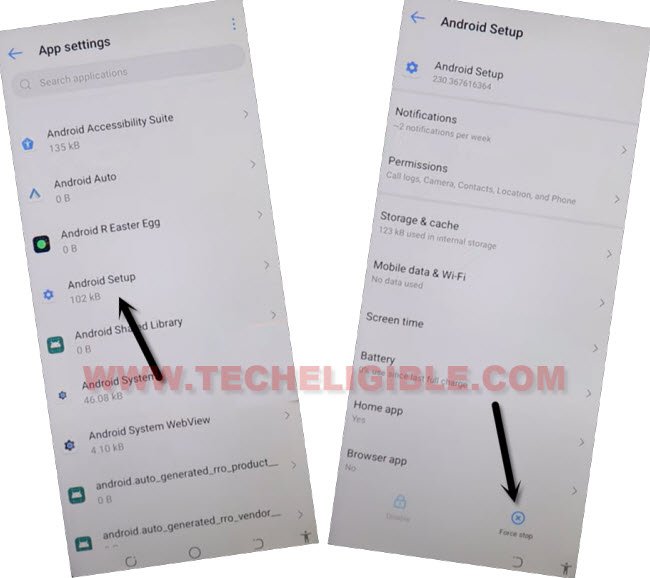
-Tap on > Android Setup > Force Stop > OK.
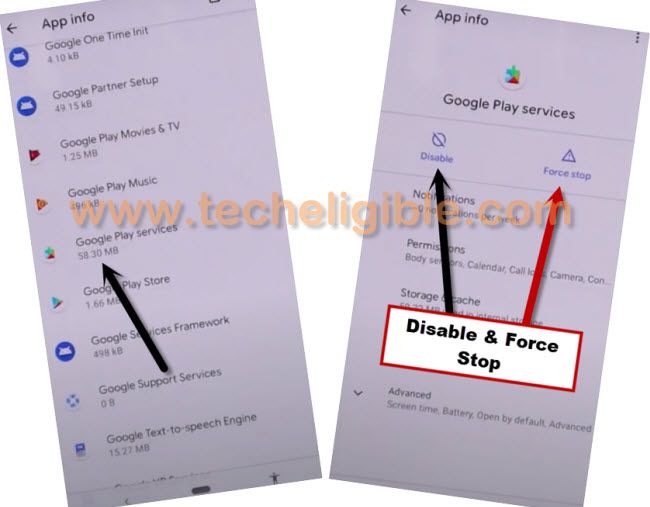
-Go back to APP List, and tap on > Google Play Services > Disable > Disable App, and also tap on “FORCE STOP”.
-After disabling all above apps, just go all the way back to first (Hi there) homepage.
Go Back & Enable Google Play Services:
-Go all the way back to first (MIUI 13) screen, from there tap to > Next > Next > Next > Next.
-Select “i have read and agree”…., and then hit on “Next” arrow icon.
-Now hit on “Skip this step”, now you will have a screen of (Connect to Network), just hit on “Next” arrow icon again.
-You will have a loading screen of (Just a sec….), just wat there, after that, tap on ‘Don’t Copy”.
Follow Below Steps Quickly:
-You will have to follow below steps very quickly, and you may fail at first 3-4 attempts, just keep trying until you reach to (Google Play Services) screen.
-As soon as you see (Checking for update…) screen, quickly tap to > Human Shortcut icon > Google Assistant.
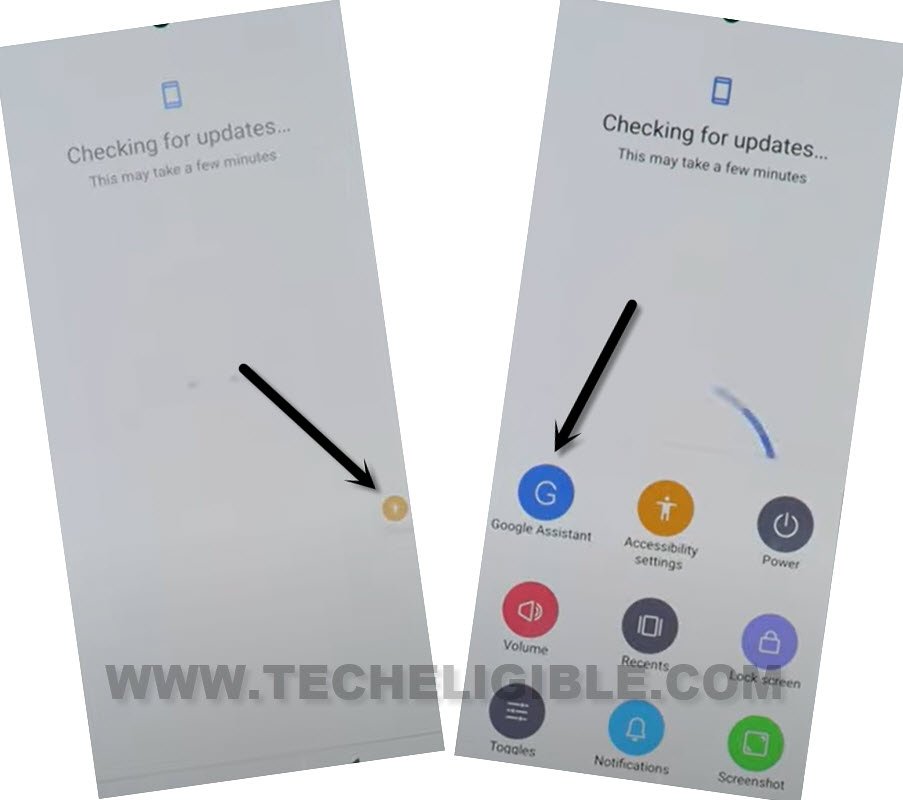
-Go to > Settings > Enable (Google Play Services).
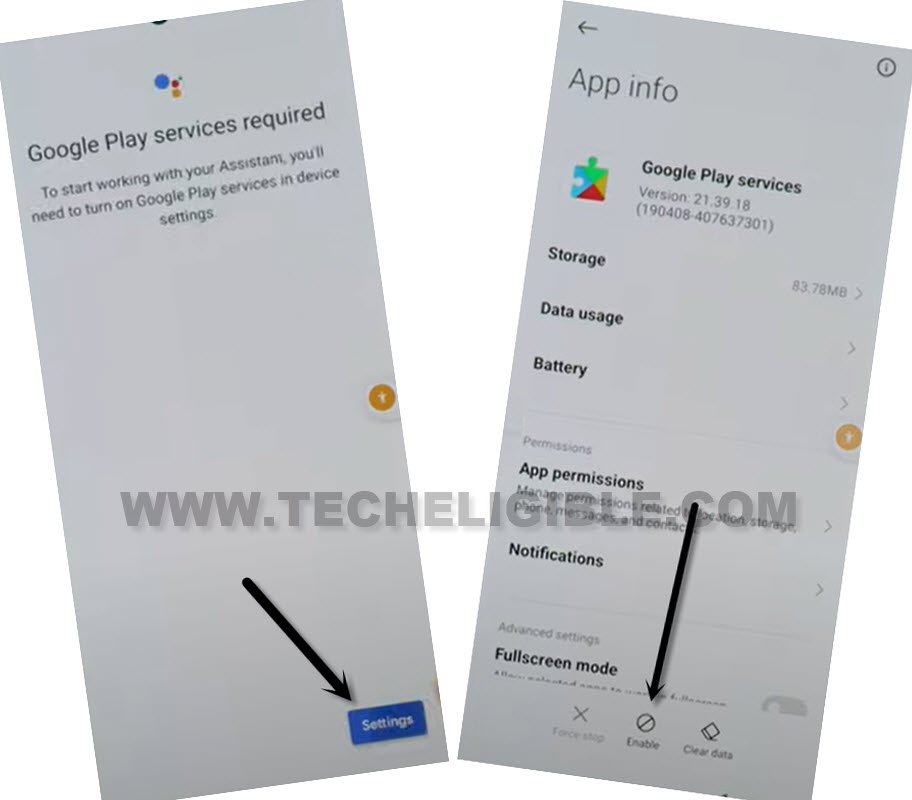
Note: The (Settings) option will not appear easily at first few attempts, if this option do not appear, simply tap again on Human Shortcut icon > Google Assistant > Settings. (Keep repeating these steps until you get “Settings” options.
-Now hit on “Back Arrow” from bottom 2 times to reach back to (Checking for update….) screen.
-You will reach to (Google Services) screen, just hit on > More > More > Accept.
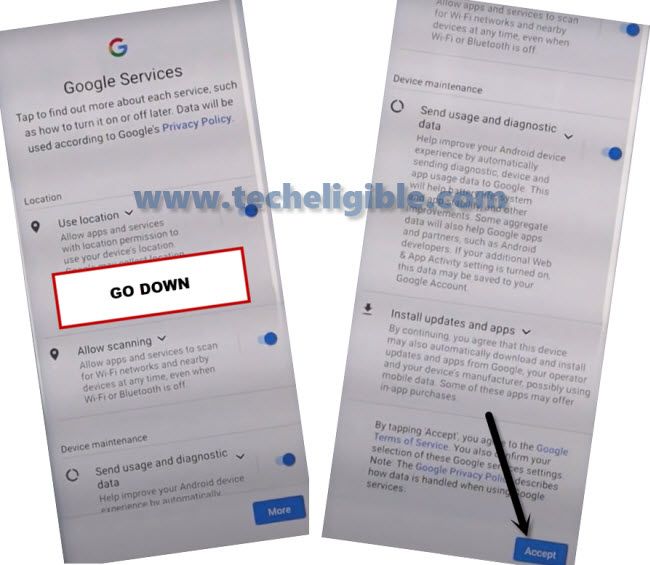
-From (Set Screen Lock) screen, tap on “Skip”, now you will have a screen of (Get your phone ready….).
-Let’s just finish setup wizard on your own, once you reach inside the device (MENU), swipe down top bar, and go to > Settings > Additional Settings > Accessibility.
-Turn off (Shortcut From Lock Screen), now go to “Accessibility MENU”, and then turn off “Accessibility MENU Shortcut”.
-You are all done now, and successfully Bypass FRP Redmi Note 10 MIUI 13 without using any APK app installation and without any PC, thanks for visiting us.
Read More: