If you’re unable to find out working method to Bypass Google FRP DOOGEE X70 on android version 8 device, so you came at right platform to get your device back with new google account. We won’t use any paid tool or PC, just connect WiFi and change device language, after that, follow some simple steps to finish setup wizard.
Warning: This Article is only for educational purpose, try this frp method only to bypass frp your Own Doogee device.
Let’s Start Method to Bypass Google FRP DOOGEE X70:
-Let’s change your device language from English to (Urdu), because without changing language, we won’t be able to bypass frp properly.
-Turn device & connect WiFi, and go back on (Hi there) screen to change language from English to اردو (پاکستان).
-You will be asked country language, just tap on (پاکستان).
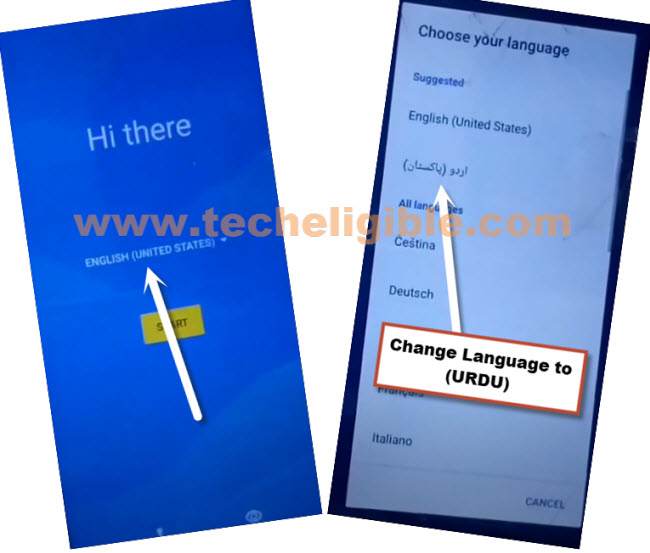
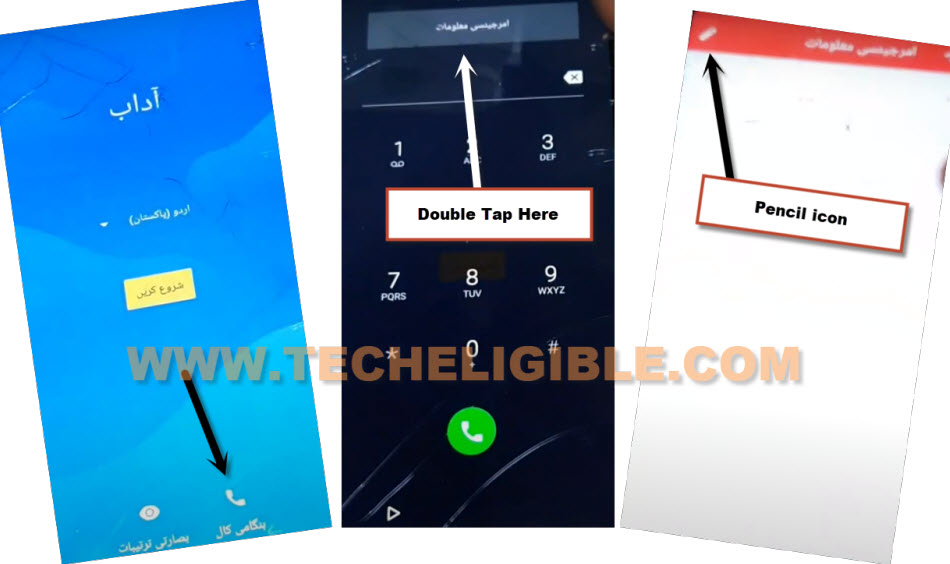
-After that, from first (Hi there) screen, tap over “Call icon” from bottom.
-Double hit over > Gray Color Button > Pencil icon.
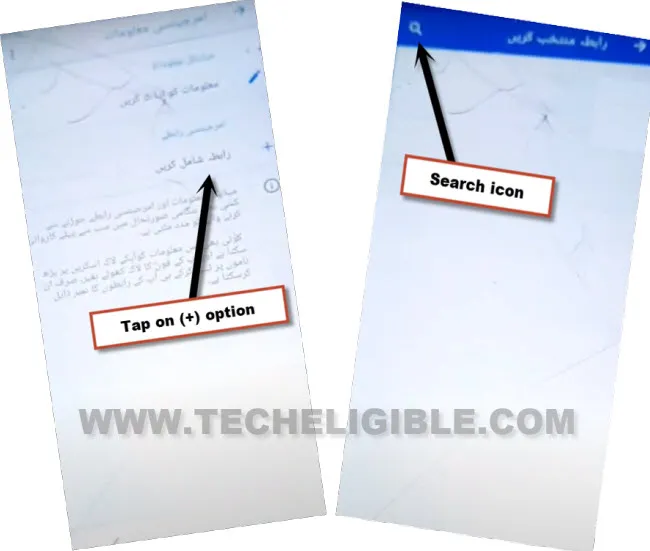
-Go to > + option > Search icon.
-From keyboard, long press over “Space” button.
-After that, tap to “Last option” from popup window.
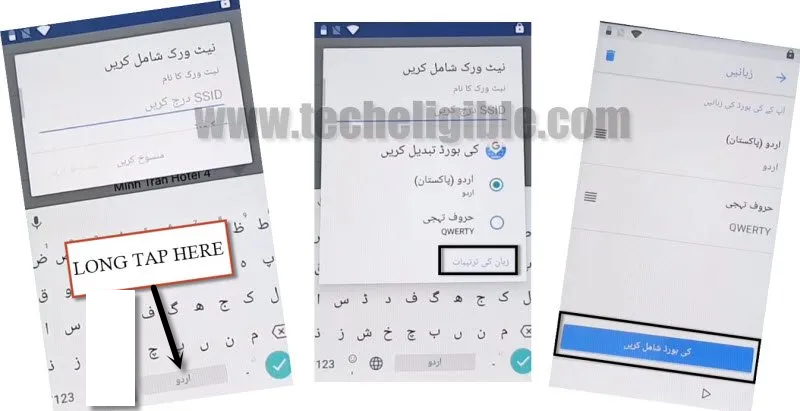
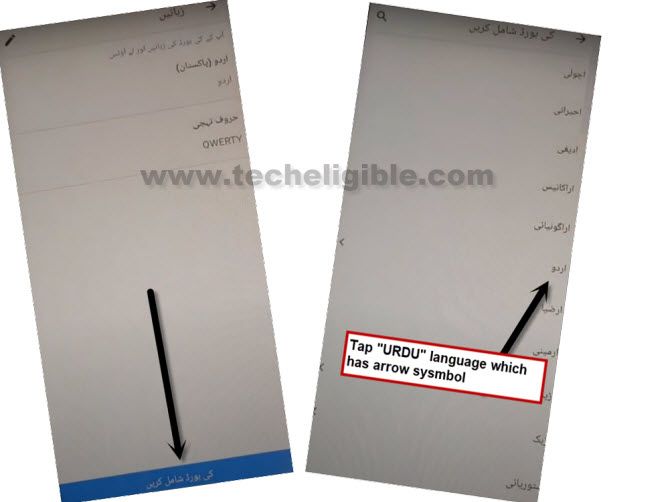
-Tap at “Blue Button”, and then tap “اردو” to select keyboard language.
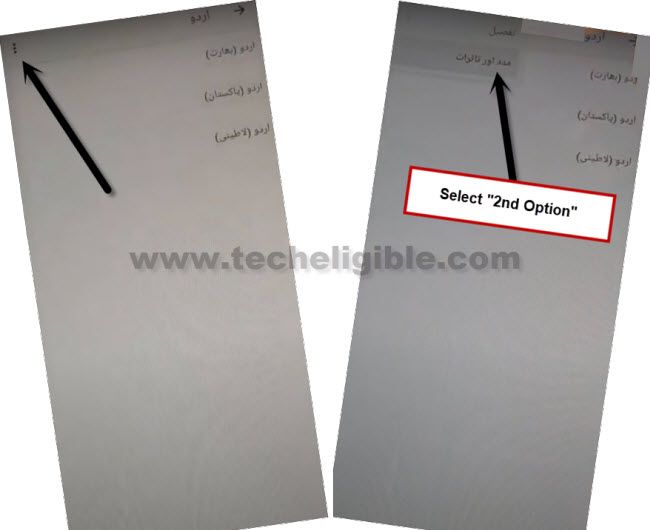
-Tap over > 3 dots > 2nd option.
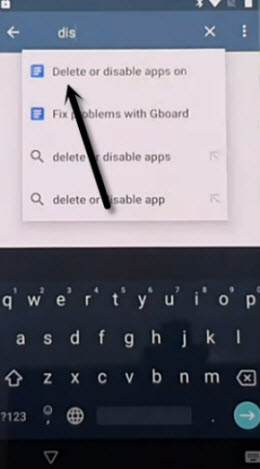
-Change keyboard language by tapping over “World icon”.
-Search there “d”, and you will see result with text “Delete or disabled apps on…”, just tap over that text.
-Tap again on “3 dots” from top corner, and hit on “Gmail” icon from popup share options.
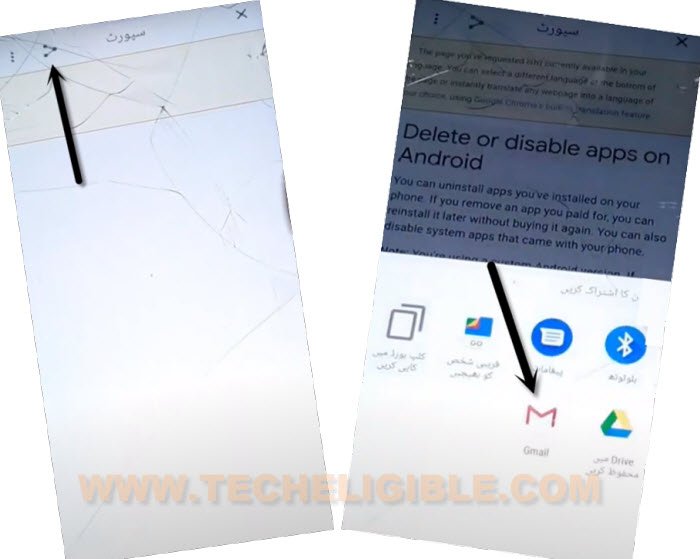
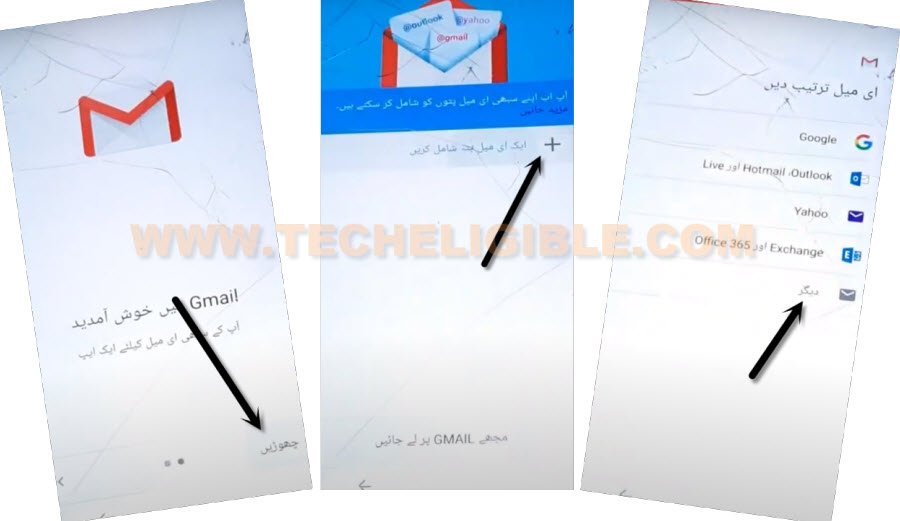
-From Gmail screen, tap over “Bottom right option”, and then “+” option.
-After that, hit on “Very last” option.
-Enter any Gmail account such as “[email protected]”, and then hit on “Left option”.
-Tap to “Exchange”.
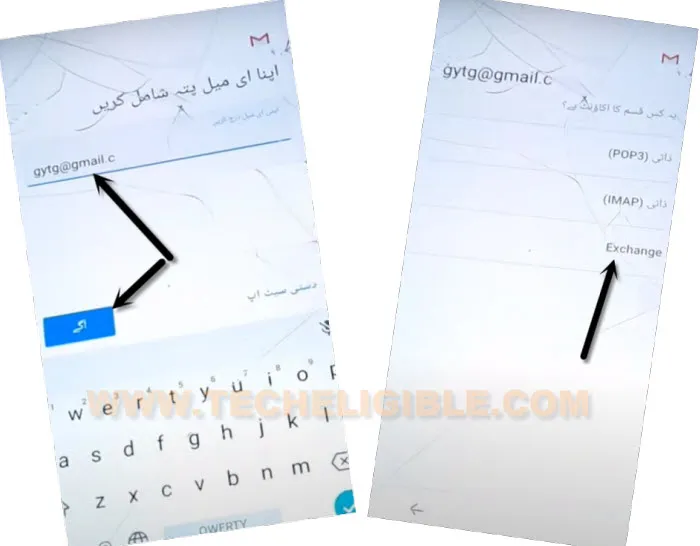
-Hit on > Left Option > Left Option (See below image).

-Now you can easily setup new pattern or PIN lock to Bypass Google FRP DOOGEE X70.
Now, We can Add new PIN:
-Let’s hit over “PIN”, and tap to “Left” option from bottom.
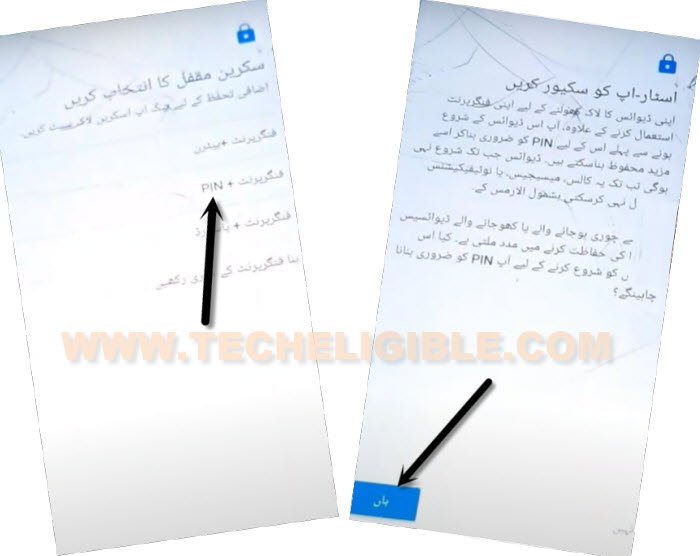
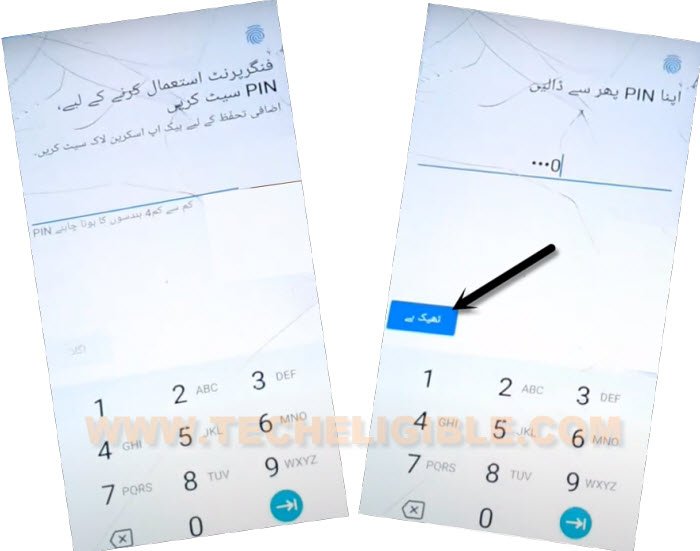
-Enter any 4 digits PIN code there, and tap on (Left Option).
-For confirmation, enter again same PIN code, and then, hit on “Left” option.
-Tap to “Right option” from below same screen, and then, hit on “Left” option from popup.
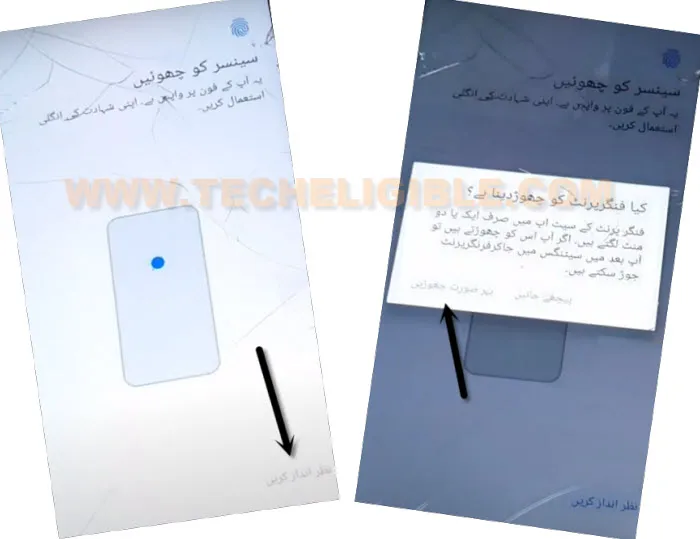
-We are all done, the FRP has been bypassed successfully with just 4 digits PIN lock code, lets get back to first (Hi there) screen, and change device language to “English”.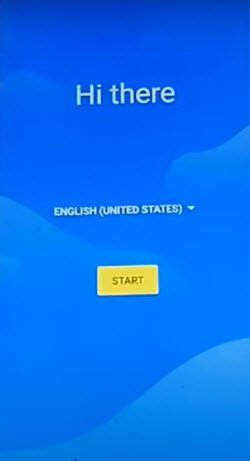
-Let’s complete setup wizard by hitting over > Start > Copy your data > Don’t Copy.
-From (Verify PIN) screen, enter your 4 digits PIN lock code, that has been setup already.
-Wait on checking info… screen, and then tap on > Skip > Skip from (Google Sign in) screen.
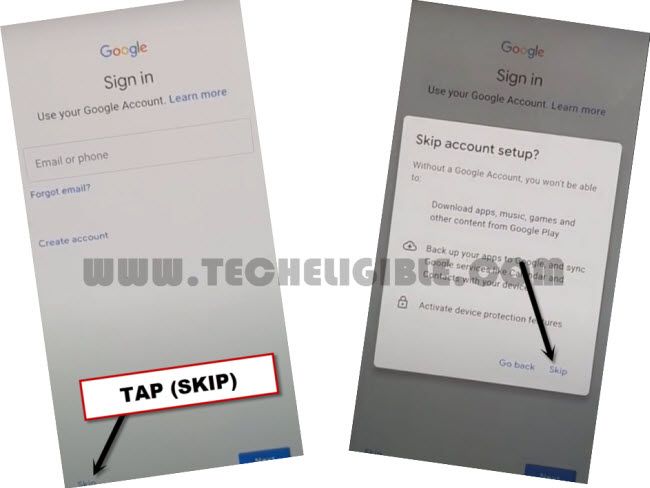
-You can now easily complete all steps respectively without any help, because, main process of to setup new PIN lock has been done, and we have skipped already google sign in screen. Don’t forget to add new account after reaching the device homescreen.