
Have you lost your device access after hard reset. You must be facing google verification screen to sign in first with previously added Gmail ID. That means, your device is on FRP protection and you can not go through this verification process until you remember your forgotten ID and sign in again. If you are unable to get back your ID, you can follow up this method to Bypass FRP Account Realme C63 5G (Android 14) with the help of quick share option.
We will use some apps and one more android device to connect with this phone. This is a free method, you are required only one more Android phone of your any colleague.
Remember: Do not try this frp method on a stolen phone, this is a serious crime, if you are trying to bypass frp on a stolen phone, you may also be jailed, this process is for device owner and for educational purpose only.
Let’s Start to Bypass FRP Account Realme C63 5G:
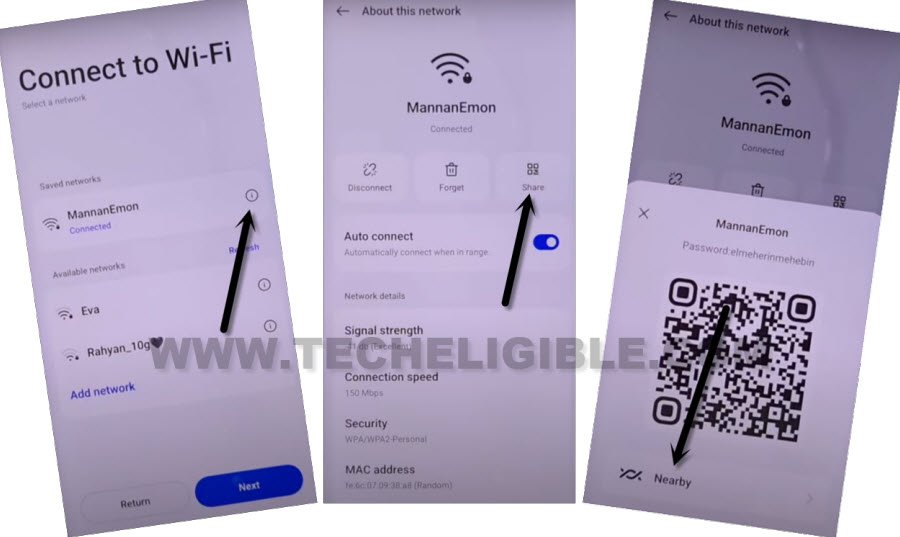
-Turn on phone & Connect WiFi. After that, from same (Connect to WiFi) page, just tap to “Exclamation” symbol, that is right after your connected WiFi name.
-Tap to > Share > Quick Share.
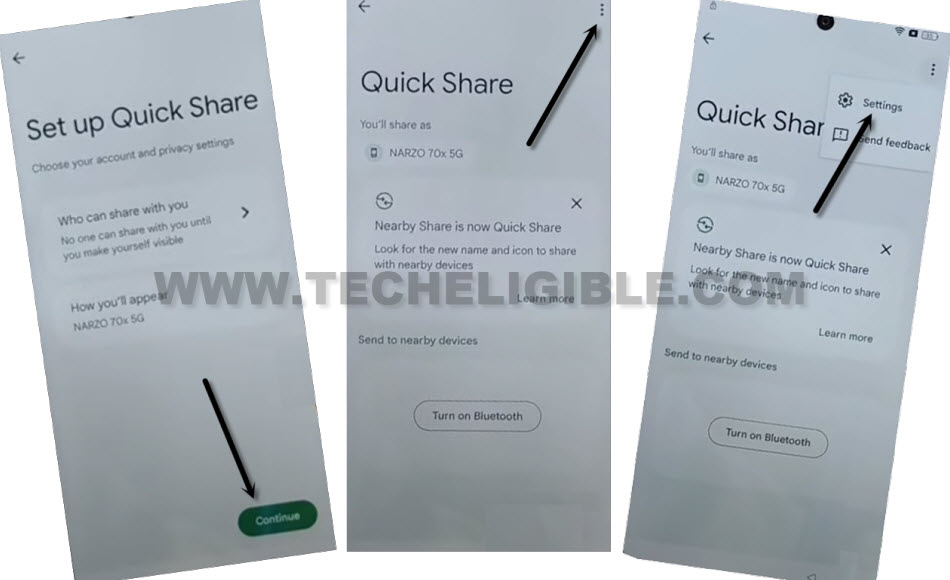
-Once you reach to (Set up Quick Share) page, from there, hit over “Continue” option.
-After that, tap to “3 dots” icon from top corner of the page and tap to “Settings”.
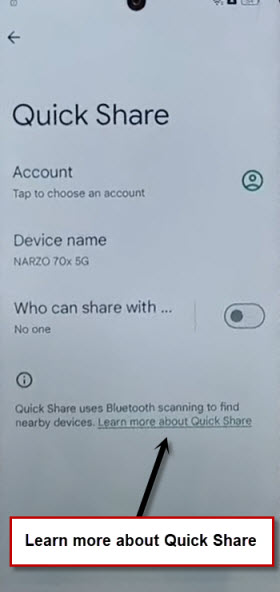
-From Quick share page, just tap to blue hyperlink “Learn more about Quick Share”.
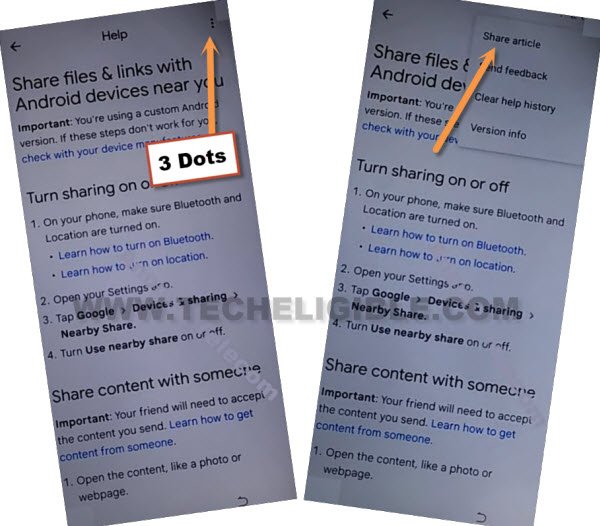
-Hit again on “3 dots” icon from top corner. After that, tap over “Share Article” text.
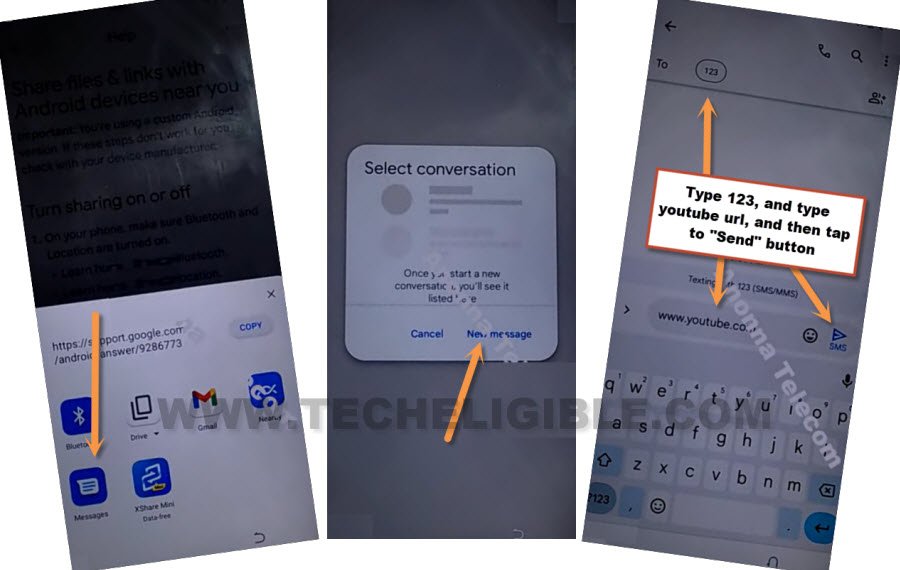
-Tap on > Message > New Message.
-Enter any number in (To) field tab. After that, type “www.youtube.com” url in text box. Tap to “Send” button to send this url in text message.
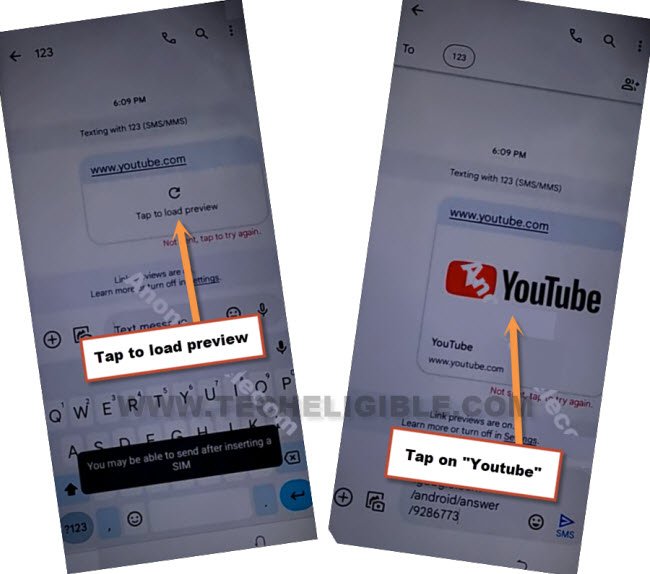
-Once the url is sent as a text message, you will see your url will convert to a hyperlink. Let’s hit on “Tap to load preview”. Afterwards, tap to “Youtube” image. You will be taken to youtube website.
-Go to “Human” icon from right corner and tap to “Settings” option.
-Tap to > About > Youtube terms of services.

-From chrome window, tap to > Accept & Continue > Next > No Thanks.
Open Clone Phone App:
-We’re gonna search in browser with “Techeligible” text.
-From searched result, go to techeligible official site. After that, tap to “Menu” option from top corner and go to “Download FRP Tools” option to be redirected to the frp tools page.

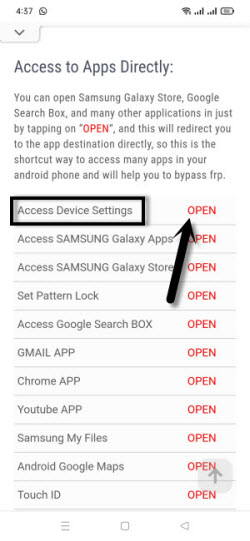
-Tap over the “Access device settings” option.
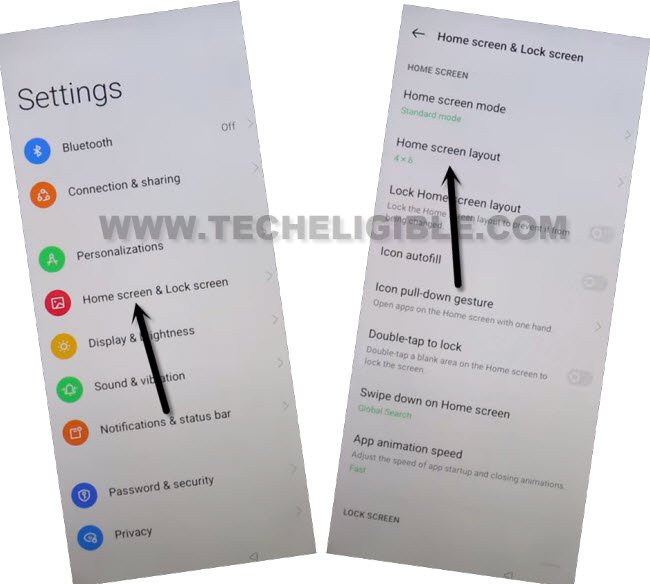
-We have to access the device main home-screen by hitting on > Home screen & Lock Screen > Home Screen Layout.
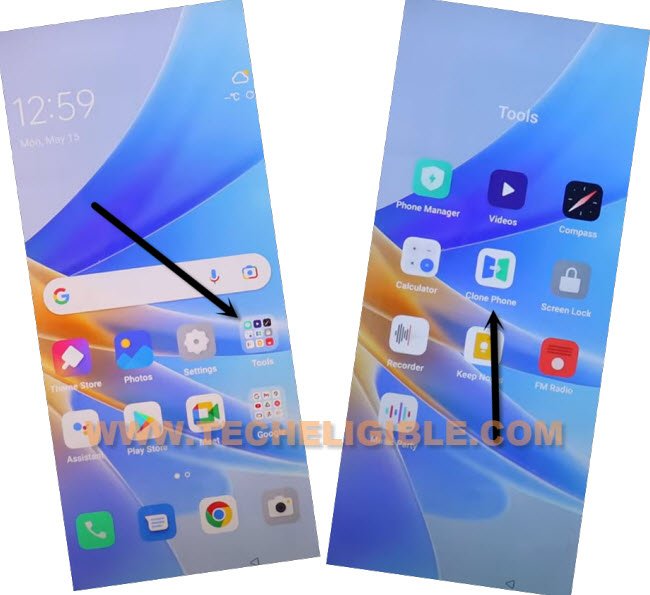
-Tap on “Clone Phone” application to launch.
| Note: You may have to give some permissions before fully launching this app. You may have popup window, just keep giving on permissions by hitting at “Allow” or, if you se popup window with (settings), just tap to “Settings” and turn on option from there. |
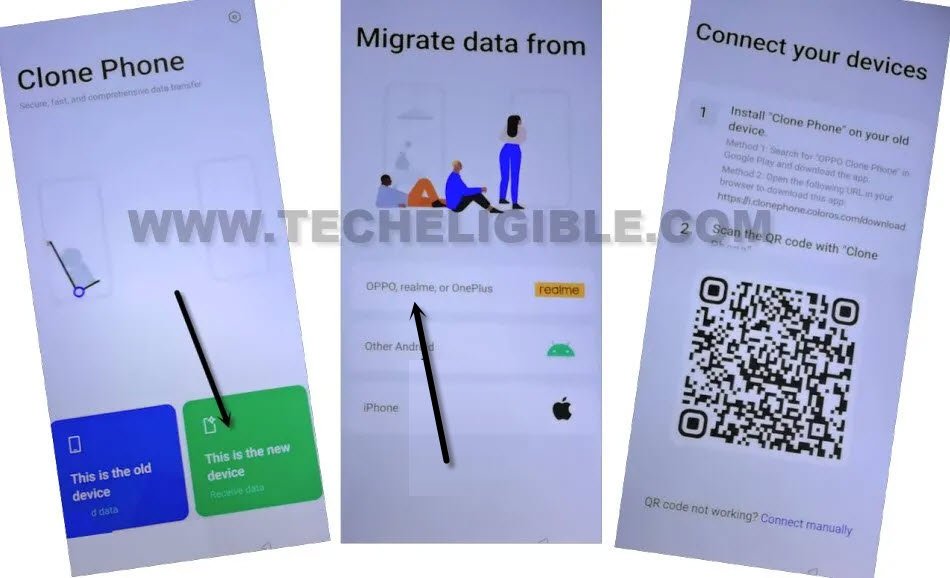
-Tap to > This is the new device > Other Android. After that, you will see (QR Code) on screen. We will scan this code later on with other android device to connect both devices together.
-Once the clone phone app is launched successfully, after that, go to “This is the new device” option.
Follow Below Steps in Other Android Device:
-Hire any other android device to connect with your FRP protected (Realme C63 5G).
-Open google play store and install “Clone Phone – Oneplus App” in your other android device.
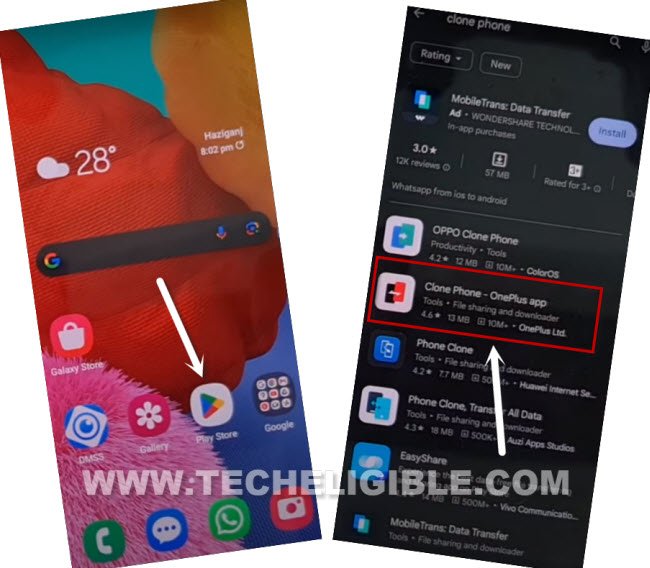
-Once the app is installed completely, just tap to “Open” button from playstore to launch this application.
| Note: You may have to give some permissions before fully launching this app. You may have popup window, just keep giving on permissions by hitting at (Allow | While using the app | Agree & Continue | Turn on this app from app list page) etc. |
-Once the app is launched successfully, just go to “This is the old device”. You may see popup windwo, just hit on “Settings”, and turn on option “Permit usage access”.
-Hit on back arrow from bottom. After that, you may have another popup window, just keep tapping on (While using the app and allow) option. After that tapping few times on on these options, you will have a (QR Scanner) page.
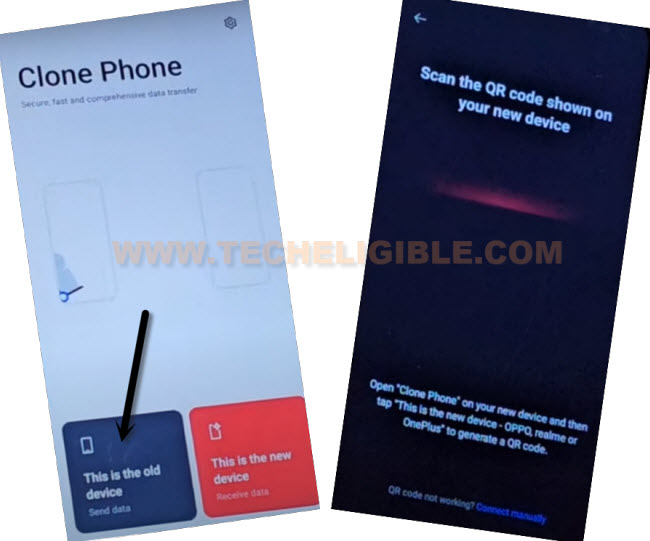
-Let’s scan both phones together to Bypass FRP Account Realme C63 5G.
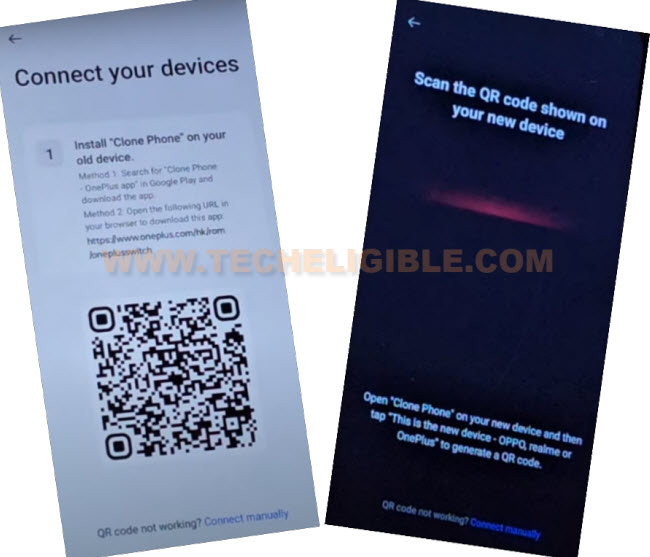
-After scanning device with QR code, you will have same screen on your both devices as shown in below screen shot.

-From your (Other Android device), just un-check all options. Afterwards, go to “Apps” folder.
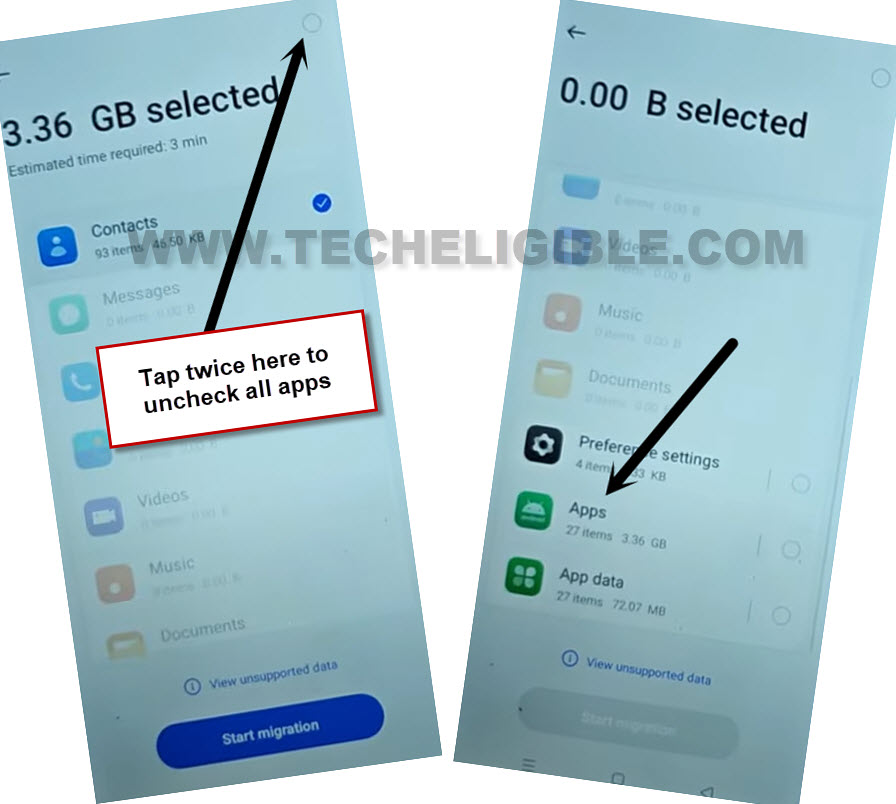
-You will be displayed all list of already installed apps on this phone. Choose any one small size app from the list and tap to “Check mark” icon from top corner. After that, tap on “Start Migration” button from bottom.

-Once the app is transferred successfully, you will see (Transfer Completed) screen on your (Other Android device). From there, tap on “Done”.
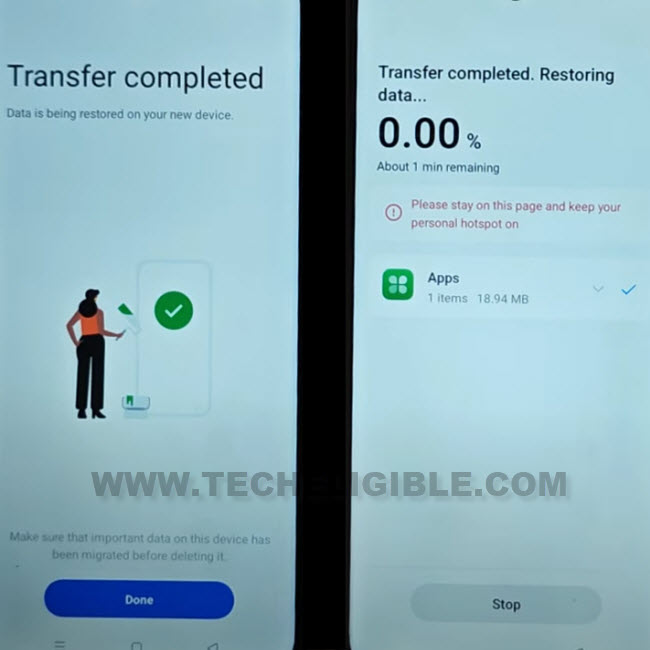
-On your (Realme C63 5g) device, you will see (Migration Complete) screen. Just tap on “Done” from there as well. After that, tap to “Skip” from top corner.

-Its all done from (Other Android device), you can keep that device away.
Follow below all steps on Realme C63 5G:
-Tap to “Skip” from top corner. After that, tap on > Next > Skip > Next.
-Select “Button” option and hit on “Done” option. After that, you will have (Realme UI) screen, from there, tap on “Get started” option.

-Its all done now from Bypass FRP Account Realme C63 5G. You will be taken inside the device main home-screen. Don’t forget to setup new account and new security lock. Thanks for visiting us.