
Have you lost your coopers tablet access because of forgetting your own Gmail ID? If you are legit owner of this tablet, you can follow up this method to Bypass FRP Coopers Tablet just through setup offline option. We will be able to access main settings page to disable and force stop some apps. Follow up all steps from below.
Warning: This method is only for a real device owner, who has lost his/her Gmail account after hard reset. If you are unknown to this phone & trying to gain access, you will be jailed once the device is traced. This is a serious crime & Sin. You must return this phone to its real owner.
Let’s Start to Bypass FRP Coopers Tablet:
-Firstly, we are going to connect WiFi into our this coopers tablet. Because, without WiFi connection, you won’t be able to bypass frp account easily.
-Once the WiFi is connected, from the same (Connect to WiFi) page, just go to > See all WiFi network > Add new network.
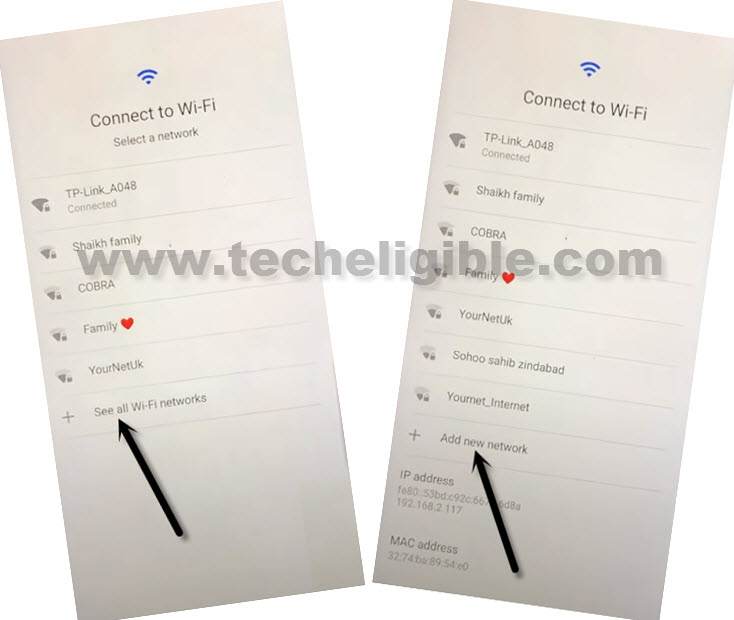
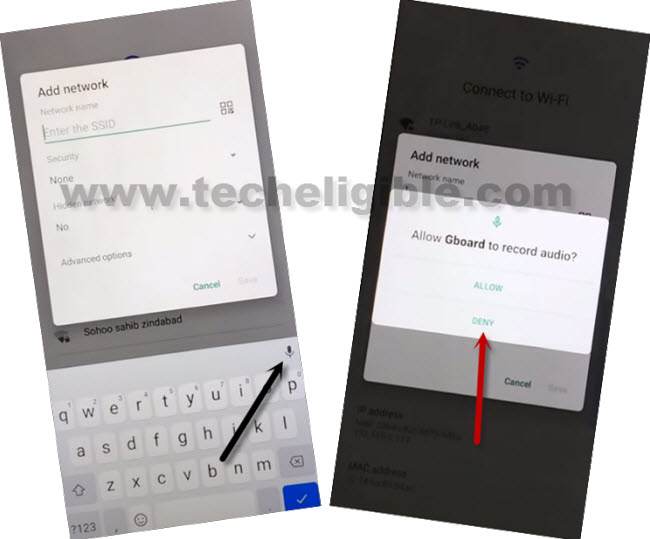
-You will be shown a popup screen of (Add network) over there, but, we don’t to setup any network detail over there. We just want our tablet keyboard. Let’s tap to “Mic” icon from keyboard.
-Go on “Deny” option from popup.
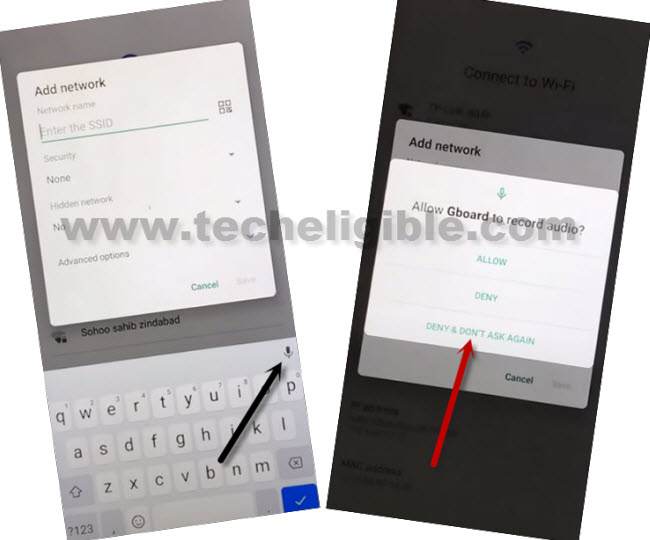
-Go again on “Mic” icon and tap again on “Deny & don’t ask again” from popup screen.
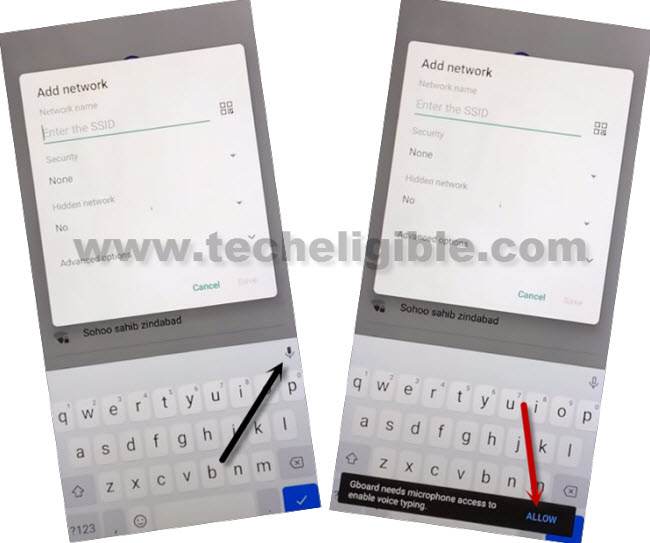
-This is the 3rd time, we are tapping on “Mic” icon. After that, you will have a flash message on screen. Just go to “View” option.
-We can easily reach to our device main settings screen by tapping at “Permissions”.
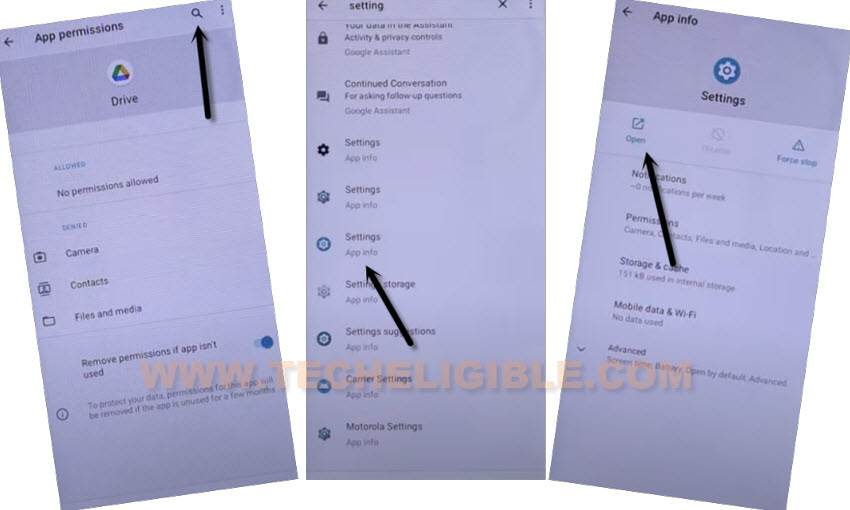
-After that, tap to “Search” icon from top.
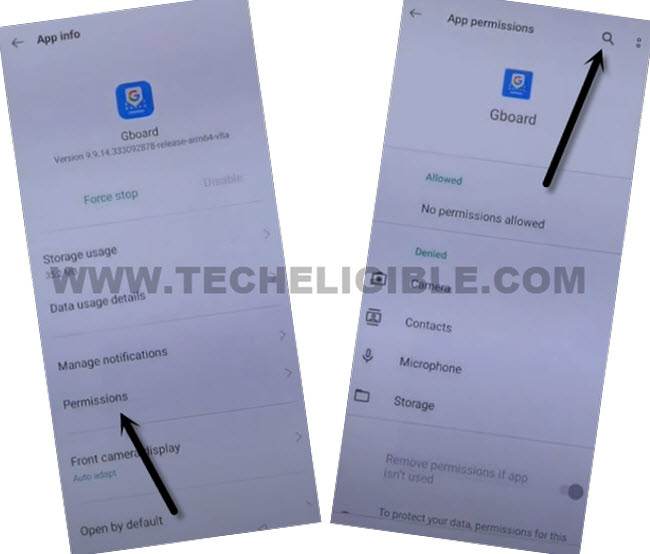
-Let’s make search with “Settings” in search bar. From the searched result, tap on “Settings app info” gear icon.
-Afterwards, just go to “Open” link to access coopers tablet settings page.
| Note: If you don’t get proper (Settings app info) searched result, just tap again on “Search” bar, and there, you will have a recent searched “Settings” displayed, just tap over that again. This time, you will be able to get same searched result as shown in below screen shot. |
Go to Apps & Notifications to Disable Apps:
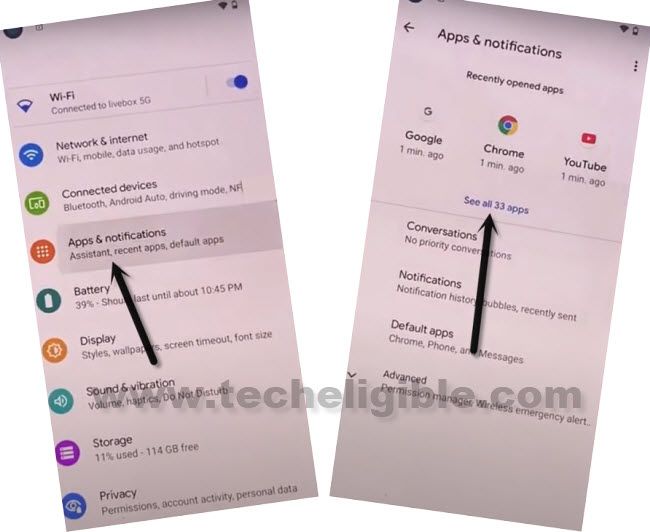
-Congrats on reaching main settings page. From there, tap on “Apps & Notifications” same as shown below.
-Afterwards, tap to “See all apps”.
-We are gonna get displayed all hidden applications just through hitting on > 3 dots > Show system.
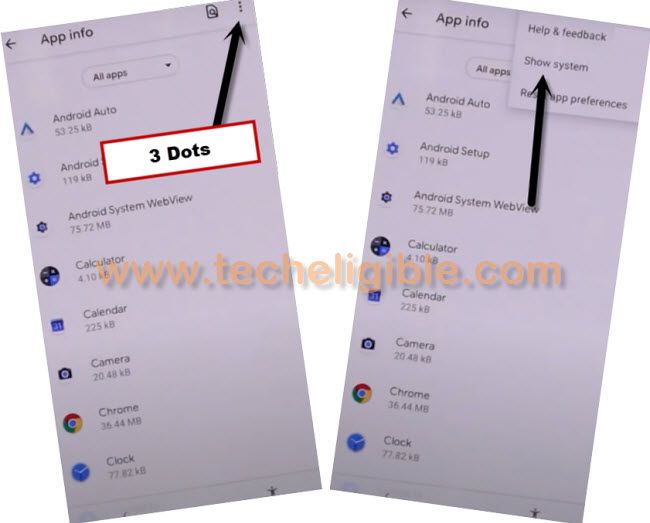
-You will see app installed apps list there, lets tap to “Android” settings gear icon. After that, tap to > Force Stop > Ok.
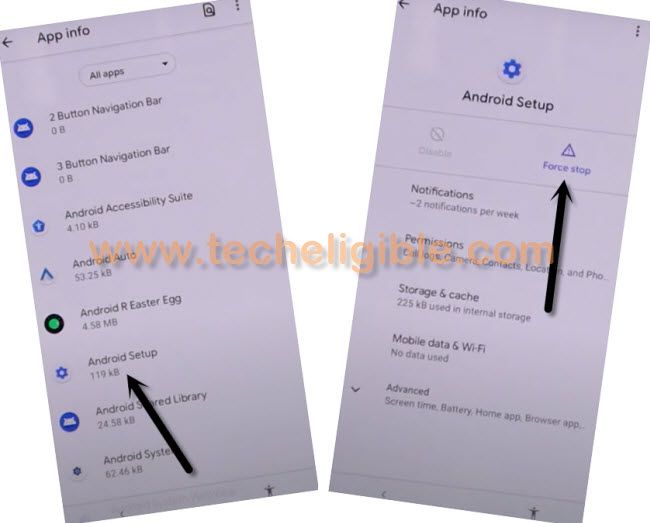
-Get back to app list page again just by hitting “Back Arrow” from bottom.
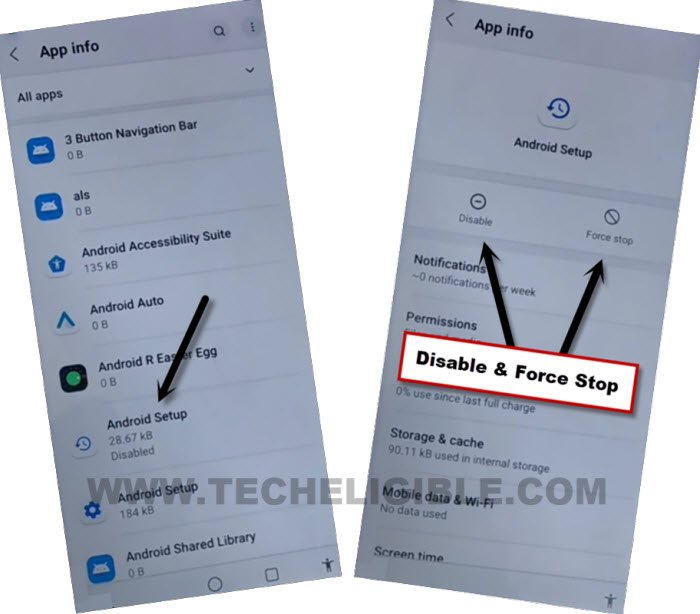
-Find and tap also on “Android Setup” that has a clock icon image.
-You have to force stop & disable this application. (See below image).
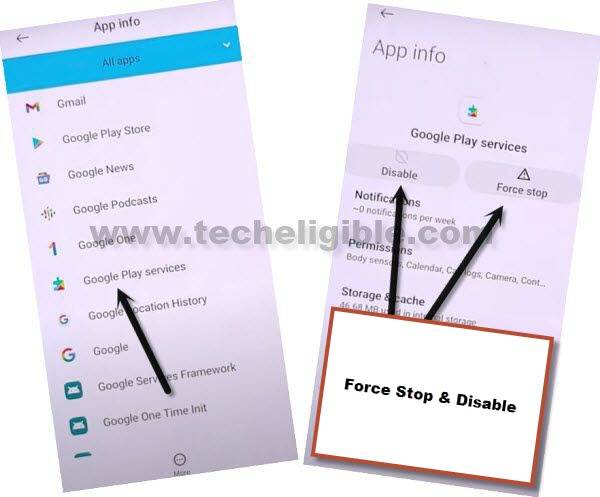
-Go back again on app list page. This time, we are gonna disable (google paly services) app to easily bypass frp coopers tablet.
-Tap to “Google Play Services”. After that, disable and force stop this app.
Go back to (Connect to WiFi) page:
-Let’s get back on WiFi page by hitting on back arrow icon from bottom. Keep hitting on back arrow until you see WiFi screen.
-After that, tap to > Setup offline > Continue.
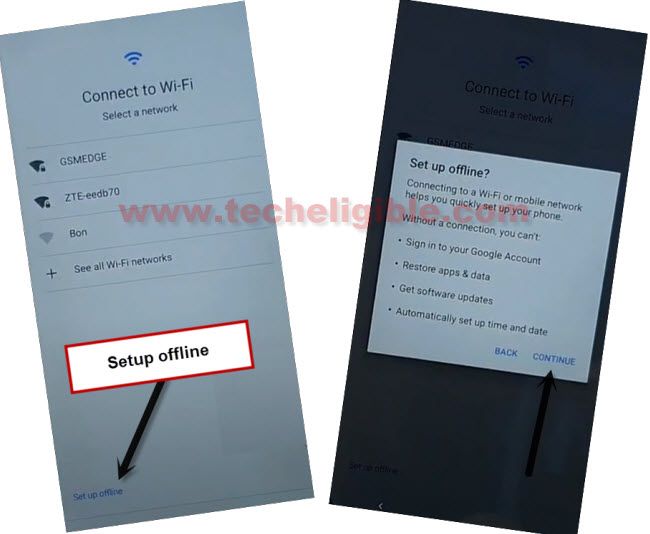
-Your tablet will stuck on a (loading…) screen. To get this done and complete setup wizard steps without facing google sign in page. You have to repeat steps to enable back google play services.
-Go back to (Connect to WiFi) screen. From there, tap again on > See all WiFi network > Add new network.
-You will be shown a popup screen of (Add network) over there, but, we don’t to setup any network detail over there. We just want our tablet keyboard. Let’s tap to “Mic” icon from keyboard.
-Go on “Deny” option from popup.
-Go again on “Mic” icon and tap again on “Deny & don’t ask again” from popup screen.
-This is the 3rd time, we are tapping on “Mic” icon. After that, you will have a flash message on screen. Just go to “View” option.
-We can easily reach to our device main settings screen by tapping at “Permissions”.
-After that, tap to “Search” icon from top to Bypass FRP Coopers Tablet.
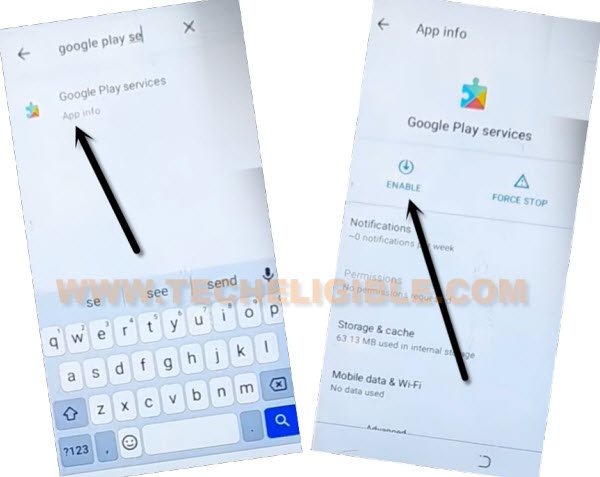
-Type in search bar “Google Play Services”.
-After that, you will be displayed recently disable (Google Play Services) application there.
-Tap to > Google Play Services > Enable.
-Let’s reach back to (Connect to WiFi) screen. Tap to > Setup offline > Continue.
-You can complete all remaining setup wizard steps by yourself without facing any issue.