Without using any Xshare and FRP bypass app, you can still get back your device just by following up below steps on your tecno 18 device. If you have lost your google account after hard reset the device. Then, you might be facing FRP protection on your device and unable to go through google verification screen. To successfully Remove FRP Tecno Camon 18 (Android 12). Just follow up steps from here.
Note: We highly recommend you to apply this method only on your own device. If you are not owner of this device, or you found this from somewhere, you must return this device to its real owner.
Let’s Start to Remove FRP Tecno Camon 18:
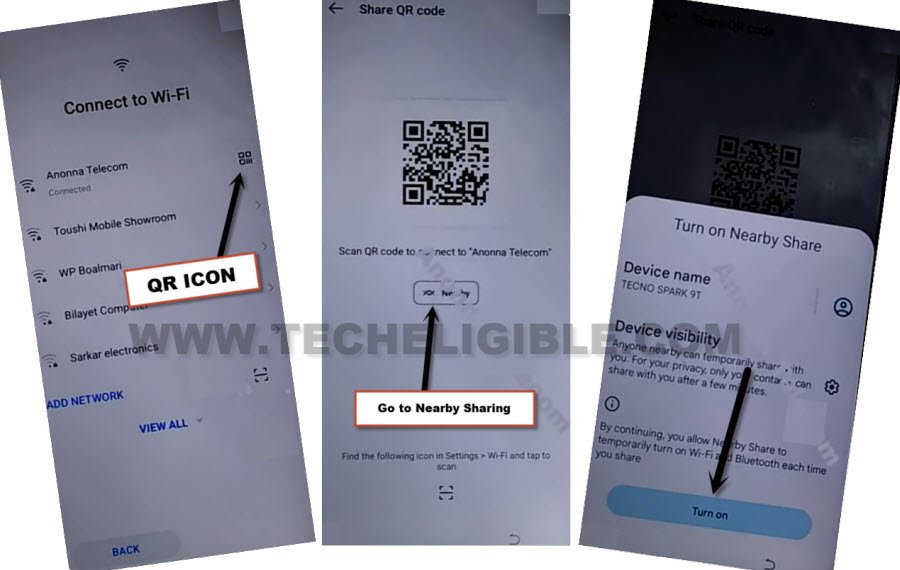
-Turn on your Tecno device and connect WiFi first.
-Hit on a “QR code” symbol that is aside your WiFi connected name. See below image.
-After that, you will be on a (Share QR Code) screen, from there, hit on a “Nearby” option and tap to “Turn on” from popup.
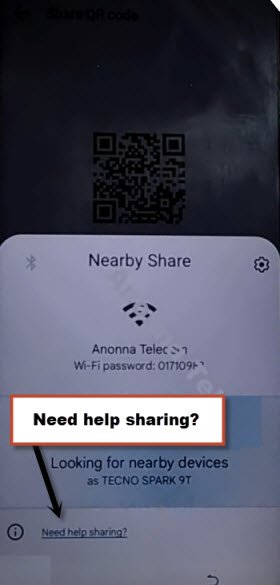
-Tap to “Need Help Sharing?” link to go to next screen.
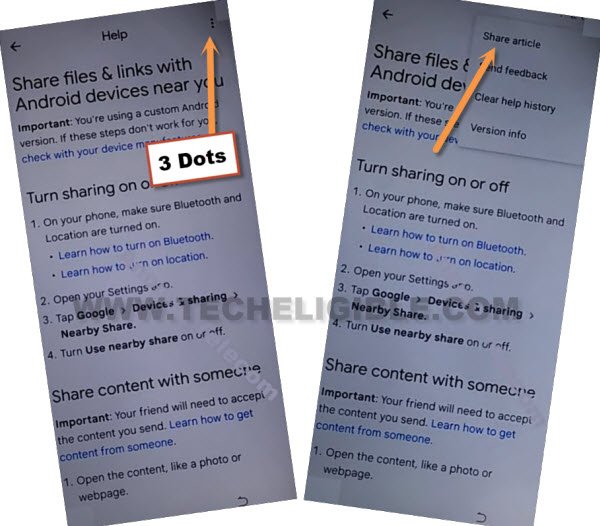
-Afterwards, from top corner of the help page. Just hit over “3 dots” kebab menu.
-Tap to “Share Articles”.
Let’s Open Youtube App:
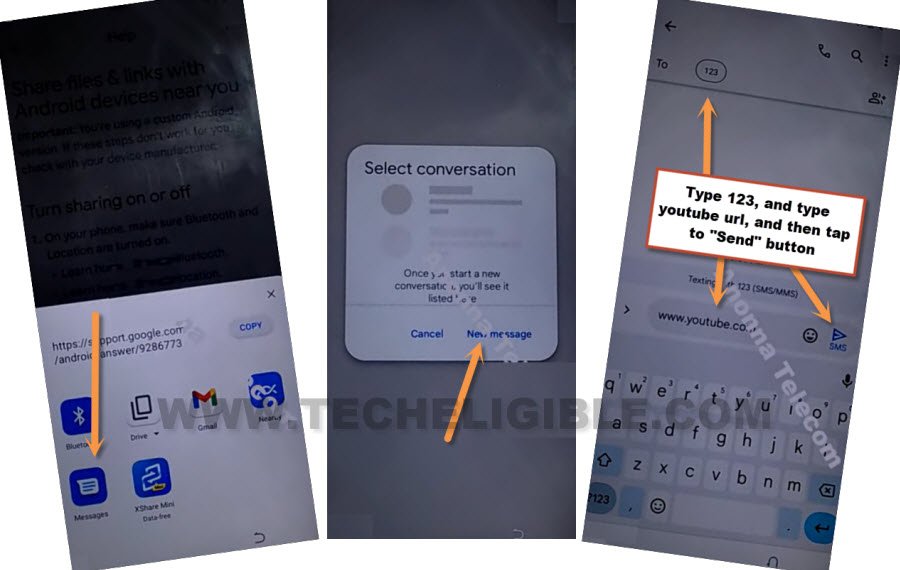
-From popup screen, go to your message inbox screen by hitting on a > Message > new message.
-Type & Send “www.youtube.com” url as text message to any random number.
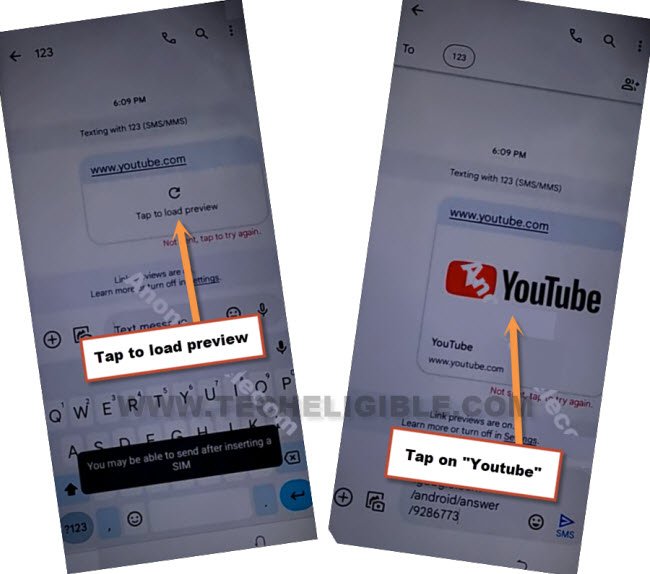
-After sending youtube url as text message, you will notice that, your url has converted into the hyper link. From there, tap on “Tap to load preview” .
-If you get youtube thumbnail image, just tap on that youtube image as well. After that, youtube app will be launched.
-Go to “Account” icon from top corner from youtube.
-Go to “Settings” gear icon.

-Tap over a > History & Privacy > Youtube terms of service.
-Open with “Chrome” browser and tap to “Just once” option from popup screen to get into the google chrome browser.
-From (Welcome to Chrome) browser screen, tap over a > Accept & Continue > No Thanks.
Open Palm Store App From Browser:
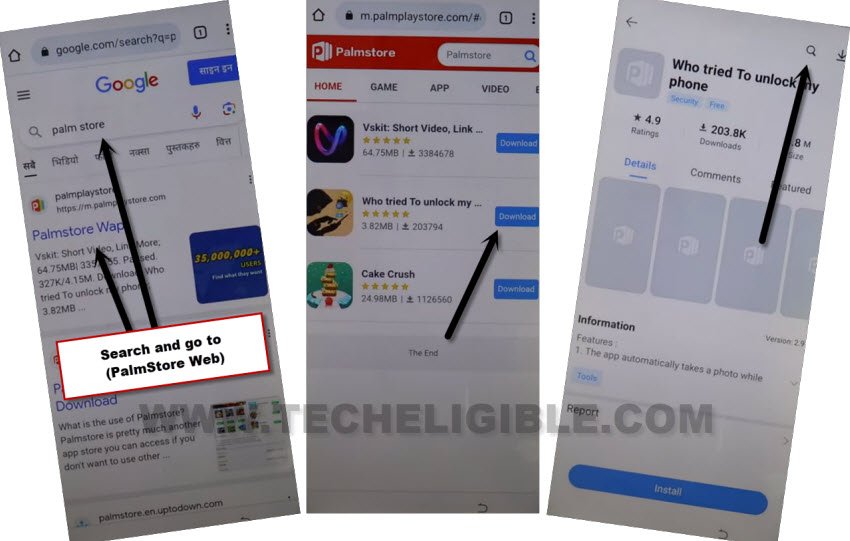
-Search in browser with “Palm Store” and go to 1st searched result of (Palm Store).
-You will be redirected inside the palm store webpage. From there, tap to “Download” button from any app.
-From next page, tap to “Search” icon from top corner same as shown below.
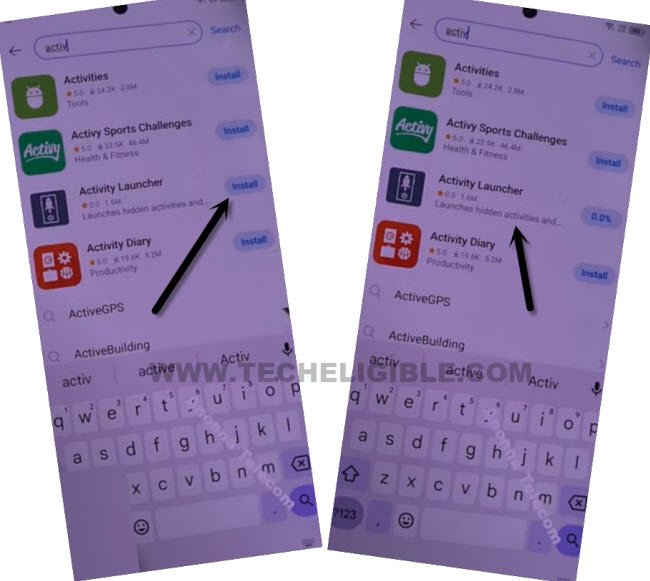
-Search & Install & Open “Activity Launcher” application same as shown below.
-Hit on a “Ok” from popup screen. After that, you will reach inside the activity launcher application.
-From app list page, just tap to “Android Setup”. This will collapse down further and will show you huge list of (Android Setup) apps.
-From that list, tap on a a without (Settings gear icon) option, that is with this (com.google.androd.Setupwizard pairing.DevicePairingWrapper). See below image for better understanding (See below image).
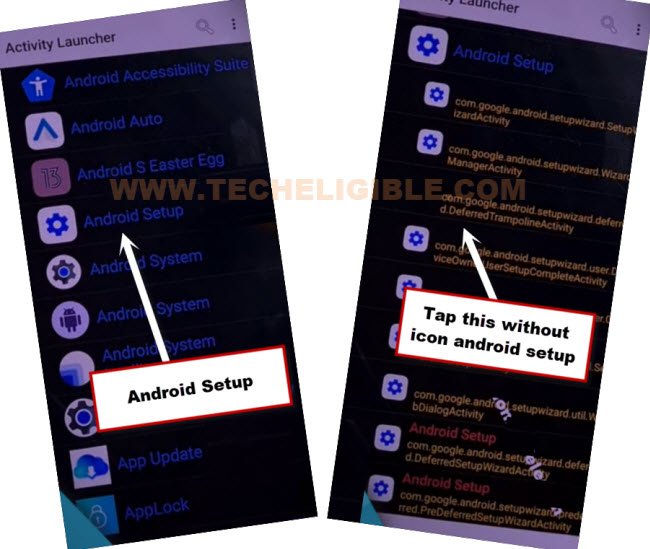
-You will be taken to the (Finish Tecno Camon Setup) screen, from there, just tap to > Start > Skip.

-You will reach to (Copy Apps & data) page, from there, tap over a > Next > Next > Use my google account instead.
-After that, hit on a > Next > Next. You will access on (Verify your device) page.
Setup New Google Account Using Other Android Device:
-Do make sure, you know very well what google account in logged in your other android phone.
-Open your “Settings” in other android phone. From there, tap over a “Google” option.
-If you see “All Services” option at the top, just go to that. Otherwise in some devices, you will see below options directly.
-Tap to > Set up and Restore > Set up nearby devices.
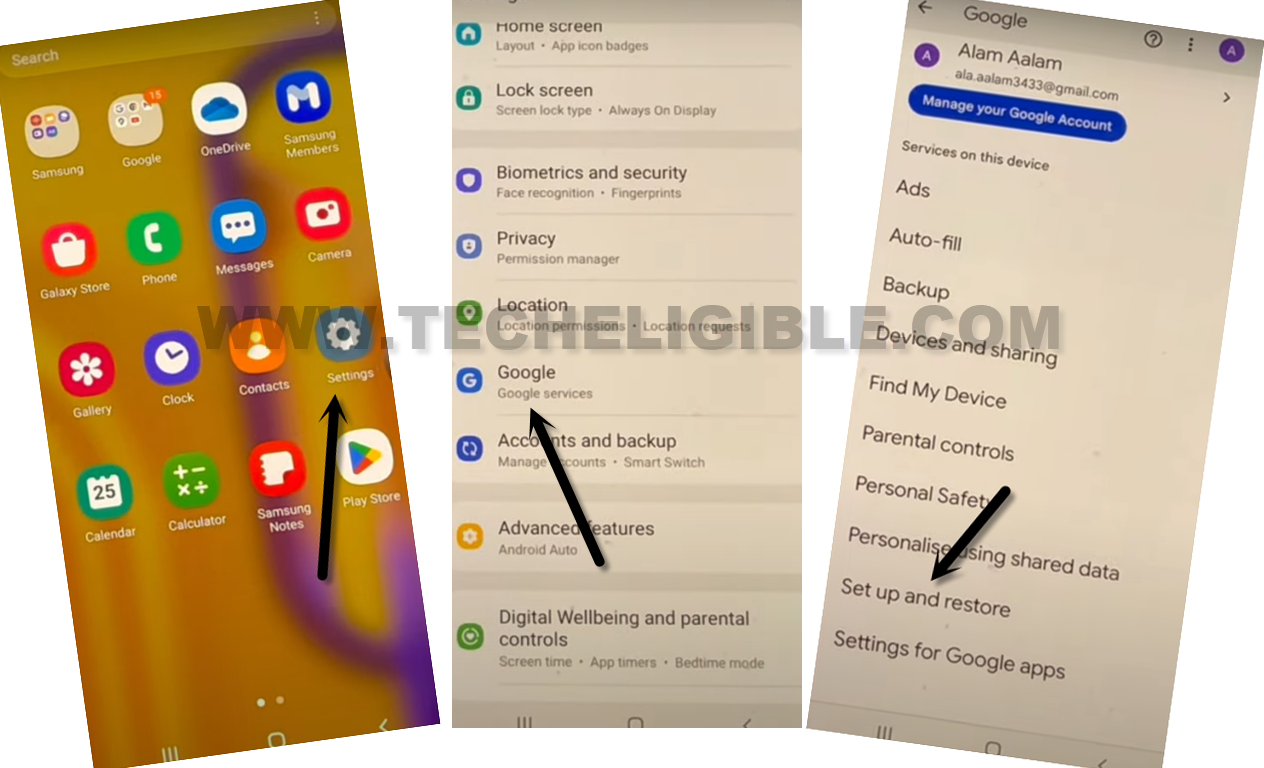
-You will be redirected to the (Getting started) page. From there, tap to “Next” option.
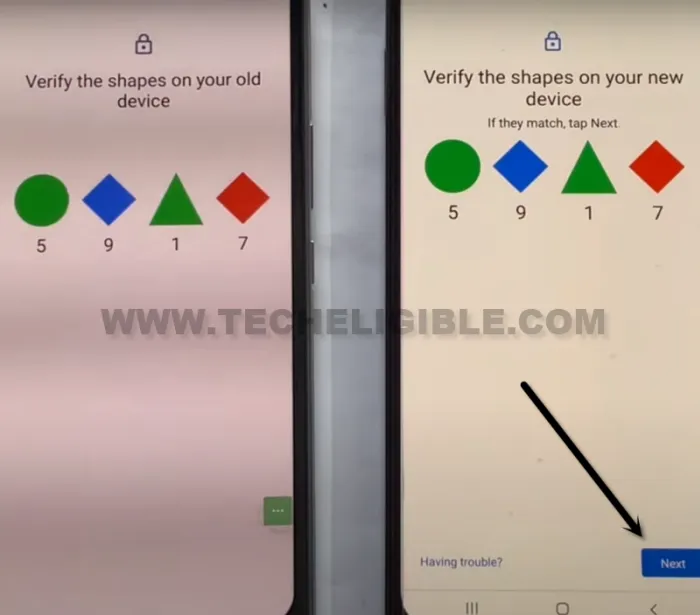
-Afterwards, on both of your devices, you will have same (Verify the shapes….) screen.
-Let’s hit over a > Next > Copy. (From other android device).
-In your (Tecno Camon 18) device, you will see (Verify its you) screen. You have to login there with the same google account, that is already signed-in in your other android device.

-You will see (Copying your account…) on both of your devices screen.
-Once the copying acc process is done, you will have a (Account Added) on tecno camon 18 device.
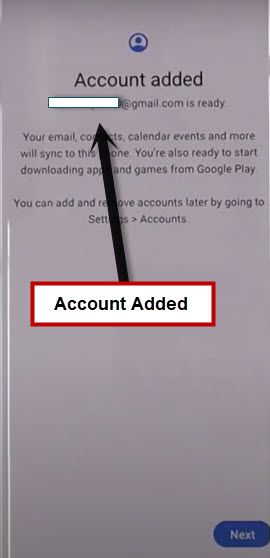
-After that, you can tap to “Next” and complete your device setup wizard easily to access to the main home-screen.
| Note: In some tecno phones, you may not able to complete setup wizard steps even after adding new google account. In this case, you just have to restart your device and complete setup wizard steps again. |