
Are you stuck on google sign in page because of lost your recently setup google account?. If you can’t remember your google account and unable to complete your device verification process after hard reset. Then, you can get help with this guideline to Bypass FRP Account Symphony Z55 (Android 12) without using any paid software and computer. We will access to our device main settings screen. From there, we will disable some apps to reach back inside our device main home-screen. Follow steps from below.
Disclaimer: We highly recommend you to apply this method only on your own device. If you are not owner of this device, or you found this from some where, you must return to its real owner.
Let’s Start to Bypass FRP Account Symphony Z55:
-Turn on symphony device and connect WiFi. After that, put your device back on first (Hi there) screen.
-From there, go to “Emergency Call” option and double tap on “Emergency information” button.
-After that, tap to “Edit” icon from top corner same as shown in below image.
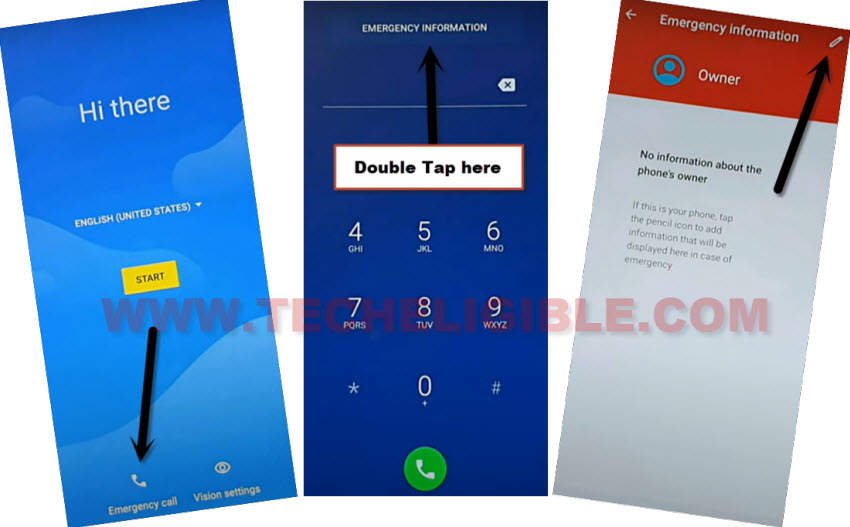
-Tap on “Name” from there and tap to “Down arrow” icon from circle image same as shown in below image.
-After that, you will be displayed some more options after hitting on down arrow icon, just tap on “Choose an image”.

-Hit on a “Menu” icon from top corner and long tap on “Drive” option.

-Tap on “Back Arrow” icon from top left corner.
-Tap anywhere on screen to close (side bar) menu. After that, tap once on the “Back Arrow” icon from bottom.

-Hit on a “Cancel” option from popup window.
-Tap again on “Back Arrow” icon from top left corner.
-You will reach to (Safety & Emergency) screen. From there, tap again on “Back Arrow” icon from top left corner.

-After that, you will be redirected back on main settings screen.
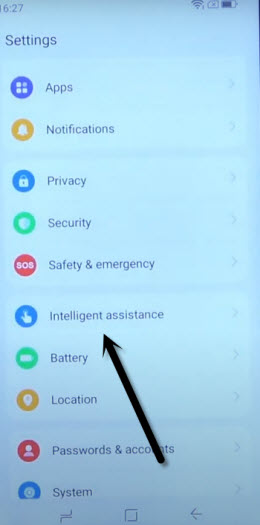
-Let’s go to “Intelligent Assistance”.
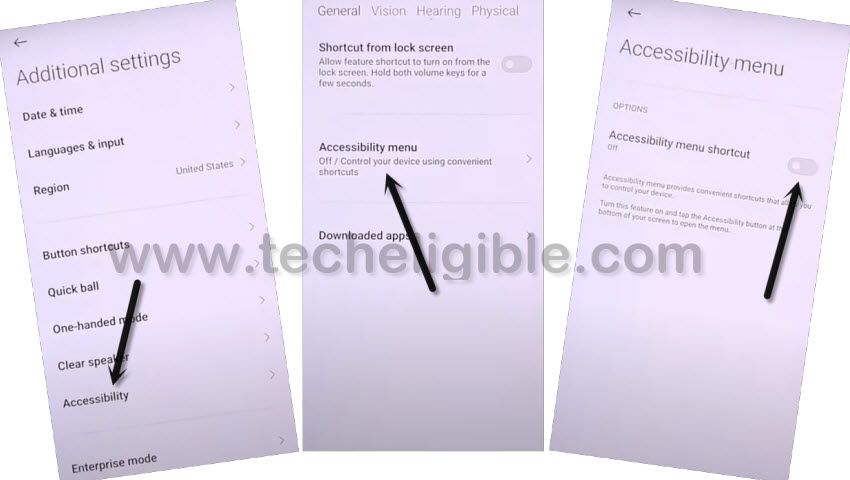
-We have to turn on (Accessibility function) by going to > Accessibility > Accessibility Menu to Bypass FRP Account Symphony Z55.
-From there, turn on “Accessibility Menu Shortcut” option. After that, hit on > Allow > Got it.
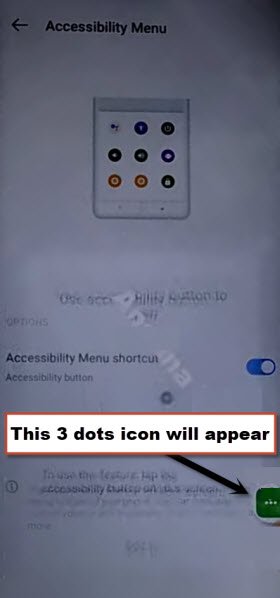
-After that, you will be displayed green colored (3 dots) icon on right side of your device screen. We will use this icon later on while completing setup wizard steps.
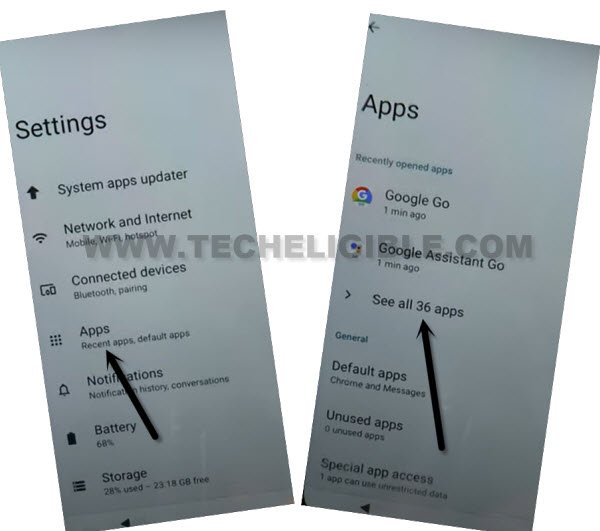
-Go back to main (Settings) screen. From there, hit on > Apps > See All Apps.
Disable Apps from Symphony Z55:
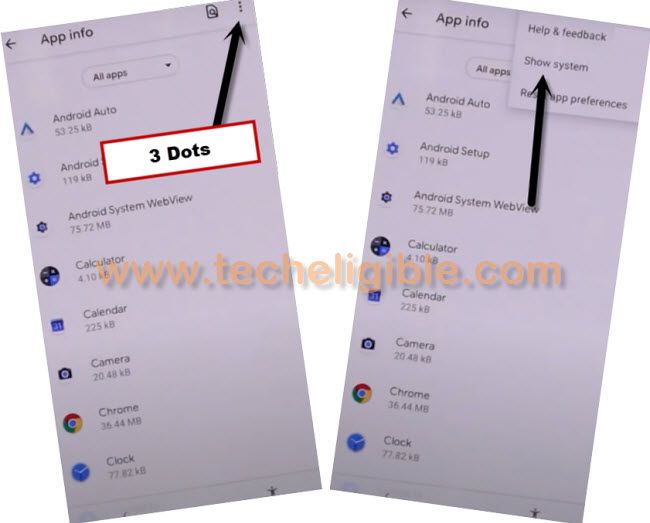
-First of all, you have to get displayed all hidden app by tapping on “3 dots” from top corner and tap on “Show system apps”.
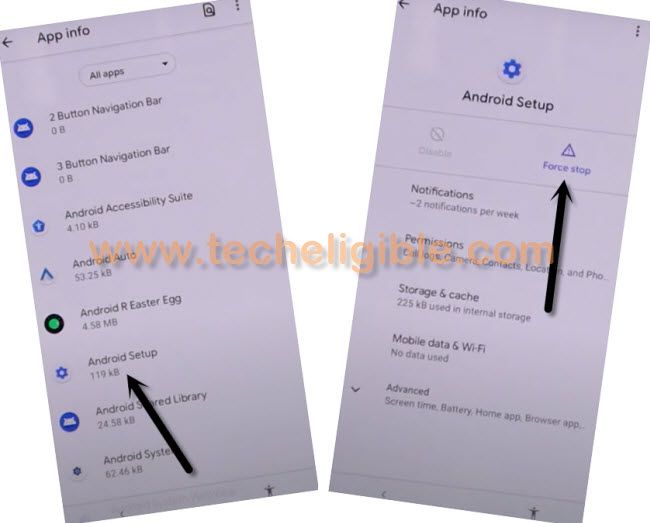
-From app list page, we are gonna disable 4 applications. Firstly, find and tap on > Android Setup > Force Stop > Ok.
-Go back to main app list page by hitting on back arrow icon from bottom to Bypass FRP Account Symphony Z55.
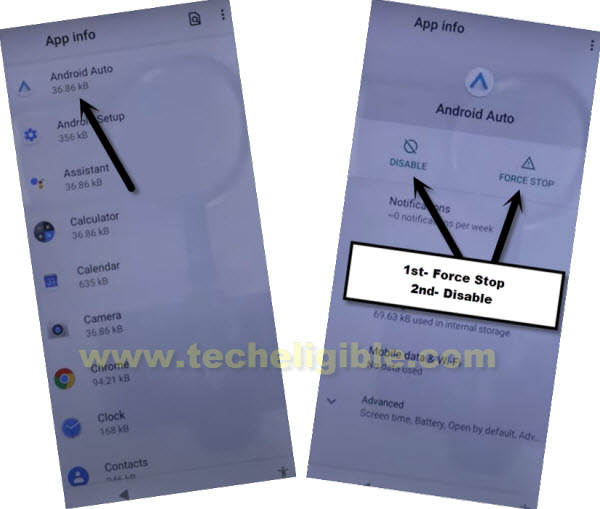
-From there, find and tap another app named > Android Auto > Disable > Disable app. After that, tap also on > Force Stop > Ok.
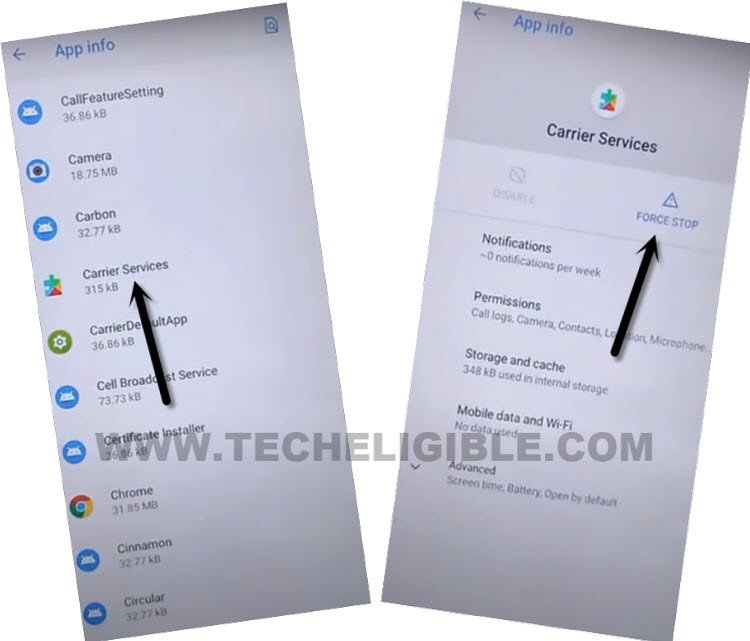
-Go back again on app list screen again. From there, find and tap to > Carrier Services > Disable > Disable App.
-After that, tap also on > Force Stop > Ok.
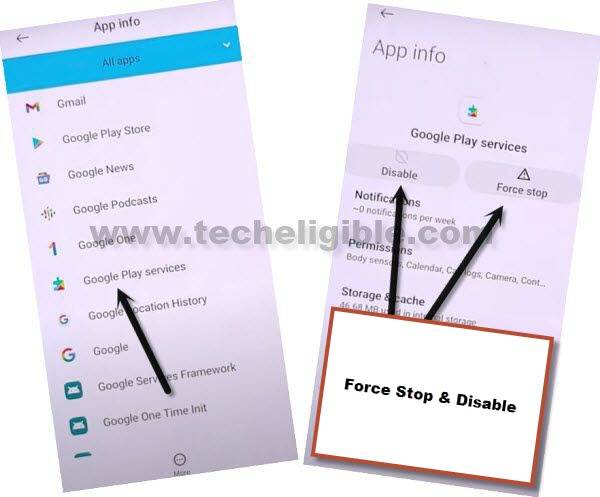
-Go back to app list page again. From there, tap to > Google Play Services > Disable > Disable app. After that, tap also on > Force Stop > Ok.
Go back to first Hi there Screen:
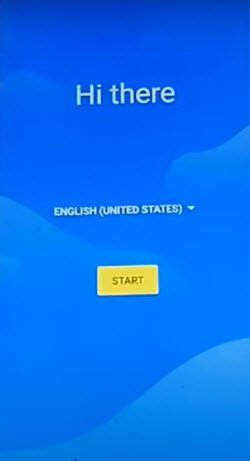
-Return back to (Hi there) screen. From there, tap on “Start” option.
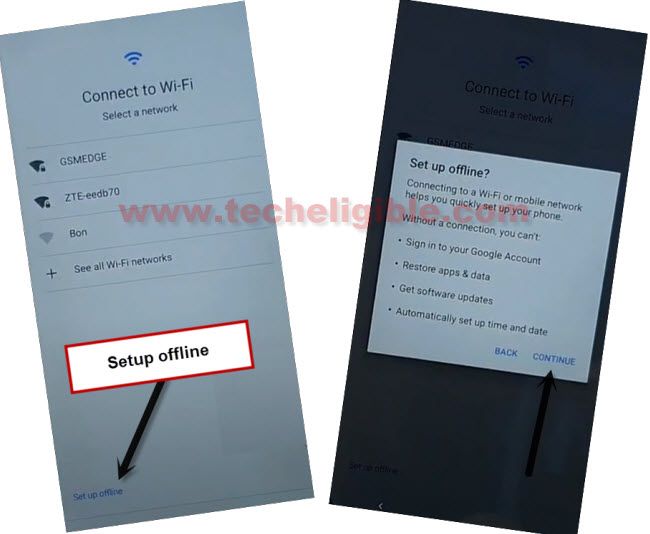
-Go to (Connect to WiFi) screen. From there, tap to > Setup offline > Continue.
-Tap on “3 dots” and hit on “Assistant” option.
-If you reach back to (Just a sec) loading page, just tap again on > 3 dots > Assistant. After tries, you will be able to see (Google Play Services Required) screen.

-From there, hit on “Settings” option. After that, tap to “Enable” option to enable back (Google Play Services) application.

-After that, tap few times on back arrow to reach back to “Just a sec..” screen. After that, this loading screen will complete within few seconds and you will see there another screen of (Google Services).
-Tap to > More > More > Accept.
-Tap on > Skip > Skip.
-After that, you will be redirected to your device main home-screen without logging-in with forgotten account. You are all done from Bypass FRP Account Symphony Z55 without using any PC and paid services.
-You can turn off (Accessibility) function by going to your device main > Settings > Intelligence.
-Don’t forget to setup new google account and pattern lock on your device.