
You can fix up your device accessing issue after hard reset and forgetting google account just through this guideline. We will Remove FRP Account NUU Q626 with the help of using free FRP removal apps and sign-in again with updated google account. Follow up steps from below to reach back to your device.
Disclaimer: We highly recommend you to apply this method only on your own device. If you are not owner of this device, or you found this from some where, you must return to its real owner.
Let’s Start to Remove FRP Account Nuu Q626:
-Connect to this device first. After that, go back to (Select Wi-Fi Network) screen. From there, you’ve to tap on “Add another network” option.
-Type any random text in popup window and long tap on your typed text to see further options. After that, tap on “Share”.
-You will see a (Share with) popup screen. Simply, long hold on “Gmail” application.

-Go to > Notifications > App Settings.
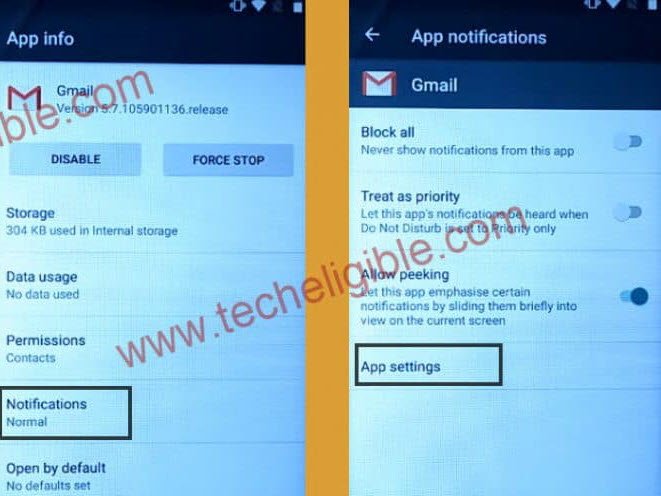
-Hit on “General Settings” and tap on “3 dots” from top corner. After that, go to “Help & Feedback” option.

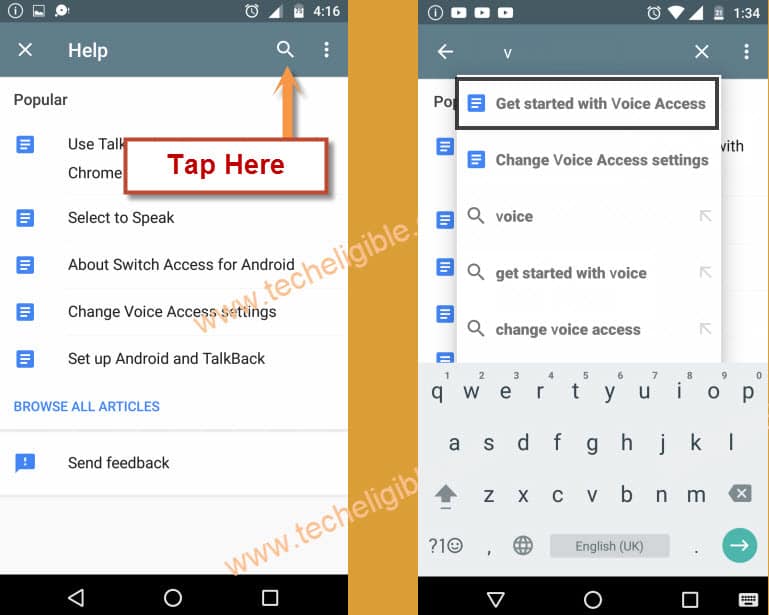
-Let’s hit on a “Search” icon from top corner.
-Search there “V” and tap on a searched result named “Get Started with voice access”.
-Play the youtube video tapping on “Play button” from the center of the video.
-Once video is played successfully, just hit on a video title “Get Started with voice access” or a “Clock icon” from the video.

-You will be launched google chrome browser, just go to > Accept & Continue > No Thanks.
-After that, you will be taken to the (Google Sing in) page. But, we don’t need to sign-in now. There is also search bar at the top.
-Type in the browser search box “Techeligible“. After that, go to same searched result as shown in below image to access official techeligible site.
-Tap to “Menu” icon from top corner and hit on “Download FRP Tools” option from there.

-Scroll down and download from there below mentioned 2 applications.
1st: Quick Shortcut Maker 2.4.0.
2nd: Google Account Manager 6.
-Once the downloading process is done, you must see a notification at the bottom of your device screen. From there, tap to “Open” option to reach to your both downloaded folder destination.
Install Both Apps in your NUU Device:
-Tap on “Google Account Manager”. After that, you may have a (Installation blocked) popup screen. Just go to “Settings” from there and turn on “Unknown Sources”.
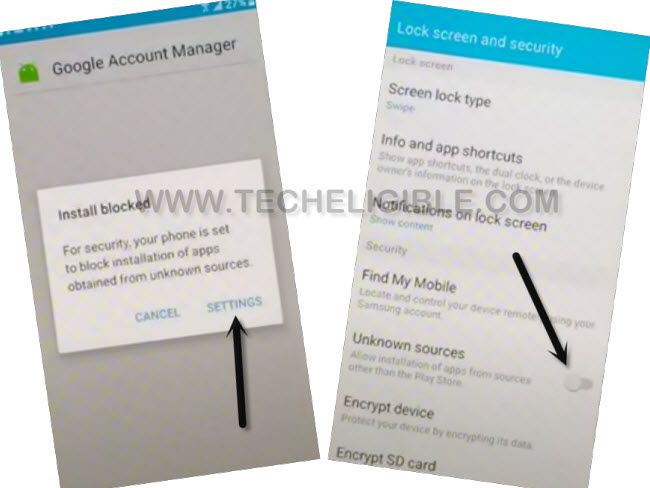
-Hit on a “Back Arrow” icon from bottom to return on a download folder screen.
-Tap again on > Google Account Manager > Install > Done.
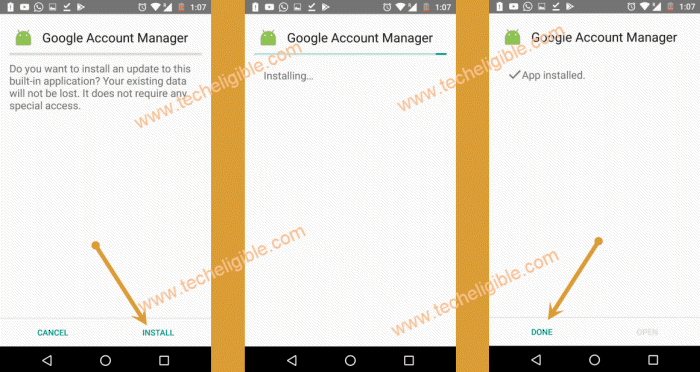
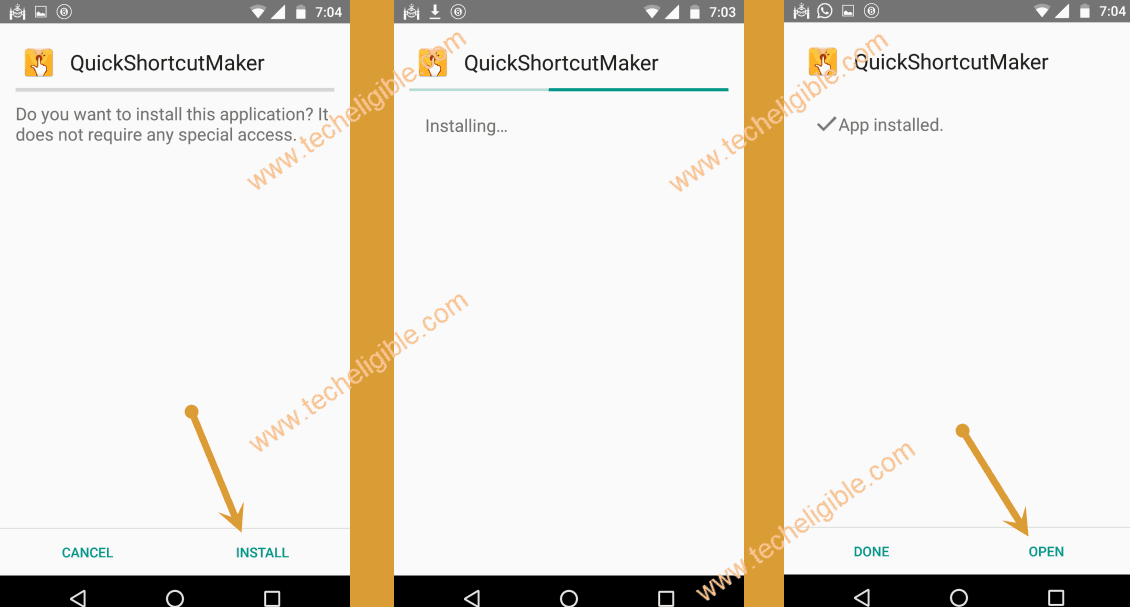
-Let’s install another app by tapping on > Quick Shortcut Maker 2.4.0 > Install > Open.
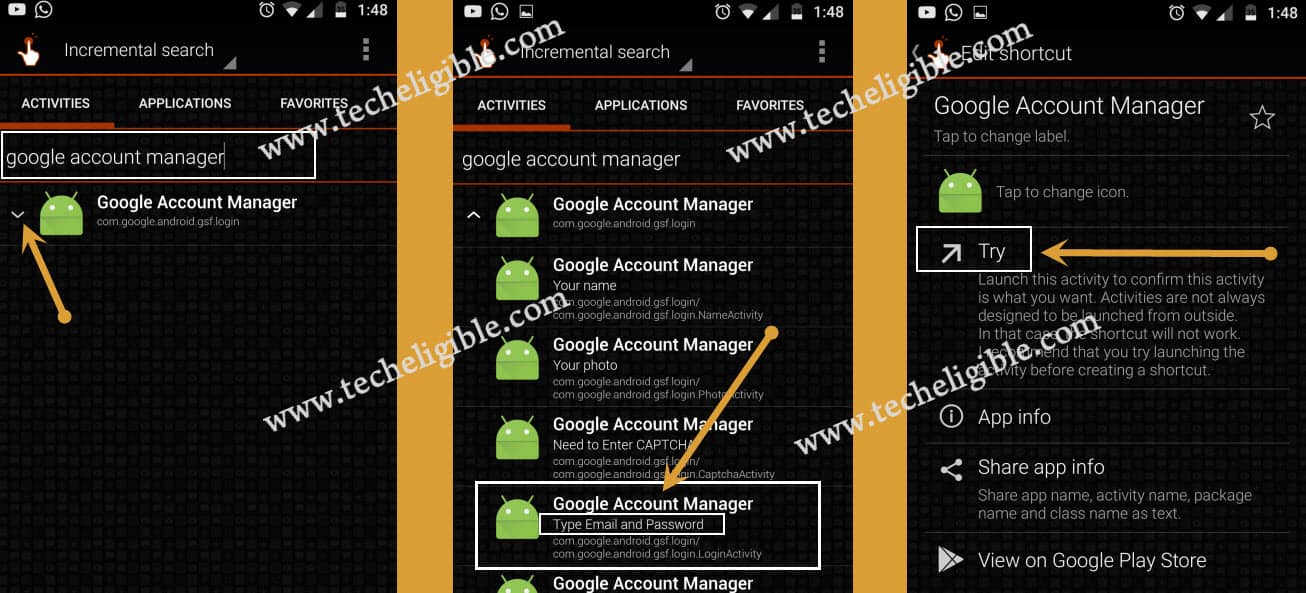
-After reaching to quick shortcut maker app, just search there with “Google” and tap on “Google Account Manager”. This will collapse down further and show you a list of (Google Account Managers).
-Choose the same “Google Account Manager” that is with (Type email and password) same as shown in below screen shot.
-After that, go to “Try” option.
-Tap to “3 dots” icon from top corner and choose “Browser sign-in” option. Tap to “Ok” from popup screen.
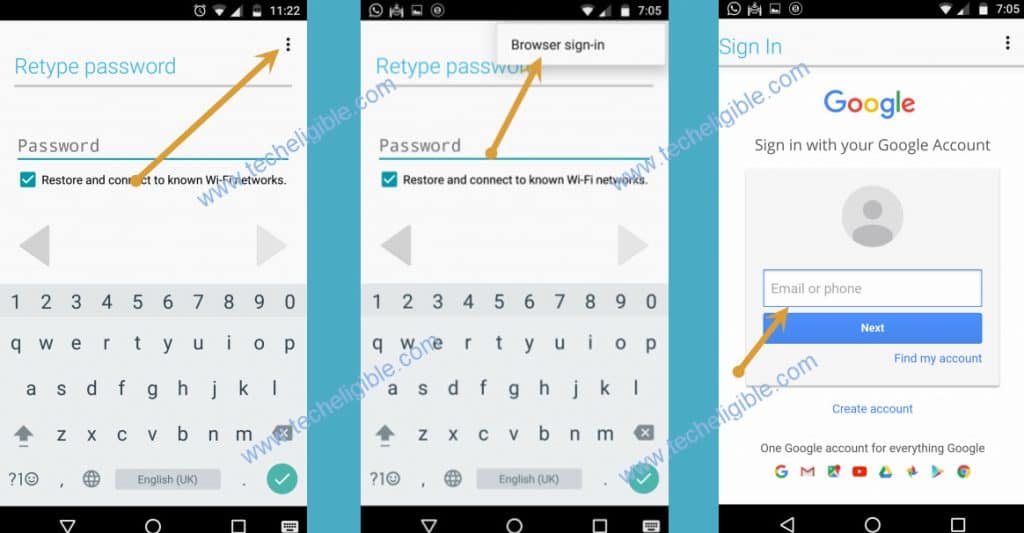
-You will be on a chrome browser sign in screen. You can login with your any google account there to Remove FRP Account Nuu Q626.
-After you logged in successfully. You can restart your NUU device and complete setup wizard steps.