The Prime Tool X is the best and free tool for using on various mobile brands on Samsung, Xiaomi, Motorola devices to bypass frp without spending a single penny. We have a list of downloadable (Prime Tool X V26.7.2, V26.1.5, V9.0, V7.0 & V3.5). You just require a PC for downloading this software. After that, simply, choose your device brand and model number. Finally, click on a “Bypass FRP” button. This Prime Tool X will easily remove frp from your device within few seconds. After that, you will be able to complete setup wizard without stuck on google sign in page.
There is a complete guideline available for you about how to download and use Prime Tool X V26 on your android devices. Follow up steps from below and download this tool with one click easily in your PC and install first.
Disclaimer: We highly recommend you to apply this method only on your own device, if you are not owner of this device, or you found this from some where, you must return to its real owner. This method is for educational purpose only.
Download & RUN Prime Tool X V26 on PC – 2026
This is the most latest version of this tool, but, you need a license key to get this tool run on your PC. For this, we have complete steps here, how you can generate it and activate the tool with generated license key at no cost. Follow steps below.
-Firstly, download the tool from the below given link.
Note: Lates version of the Prime Tool X V26.7.2 with more new devices listed, so, we would recommend you to download latest one.
| ⇒ Prime Tool X V26.7.2 (New) | [DOWNLOAD] |
| ⇒ Prime Tool X V26.1.5 | [DOWNLOAD] |
-Extract the tool from winrar archive and run it directly by double clicking on the exe file.
Note: If the password is asked, just enter (gsmprime).
Activate License Key (Free)
-You will be asked to enter the license key to run this tool.
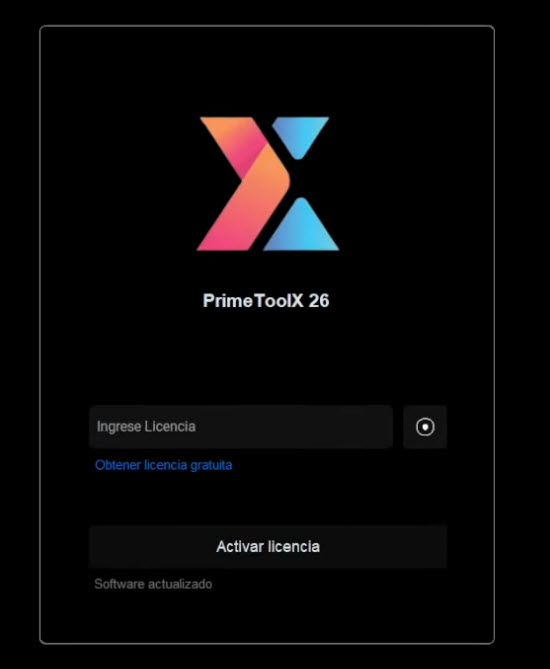
-Simply, click the link below and you will be redirected on the (GSM Prime official) website.
| ⇒ Prime Tool X Activation [Get Key Here] |
-From there, click on “Generar Licencia” button, within few seconds the license key will be generated.
-After that, click on the “COPIAR” button to copy the generate key.

-Paste the copied key into your Prime tool x popup window, after that, click to “Activate License” button.
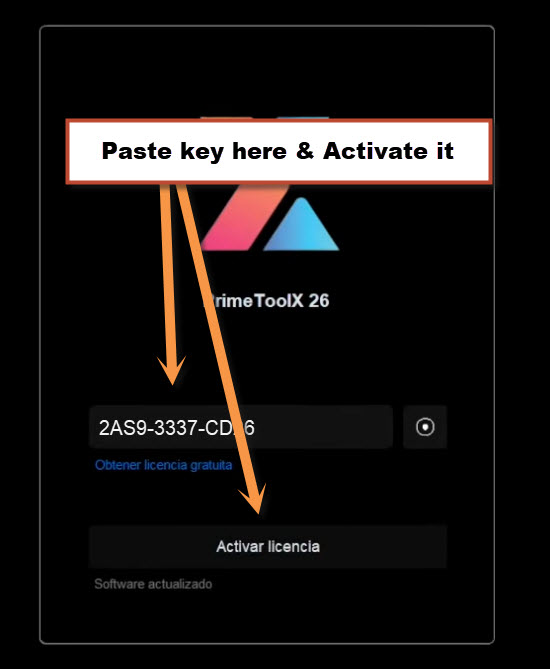
-The prime tool x will be launched shortly.
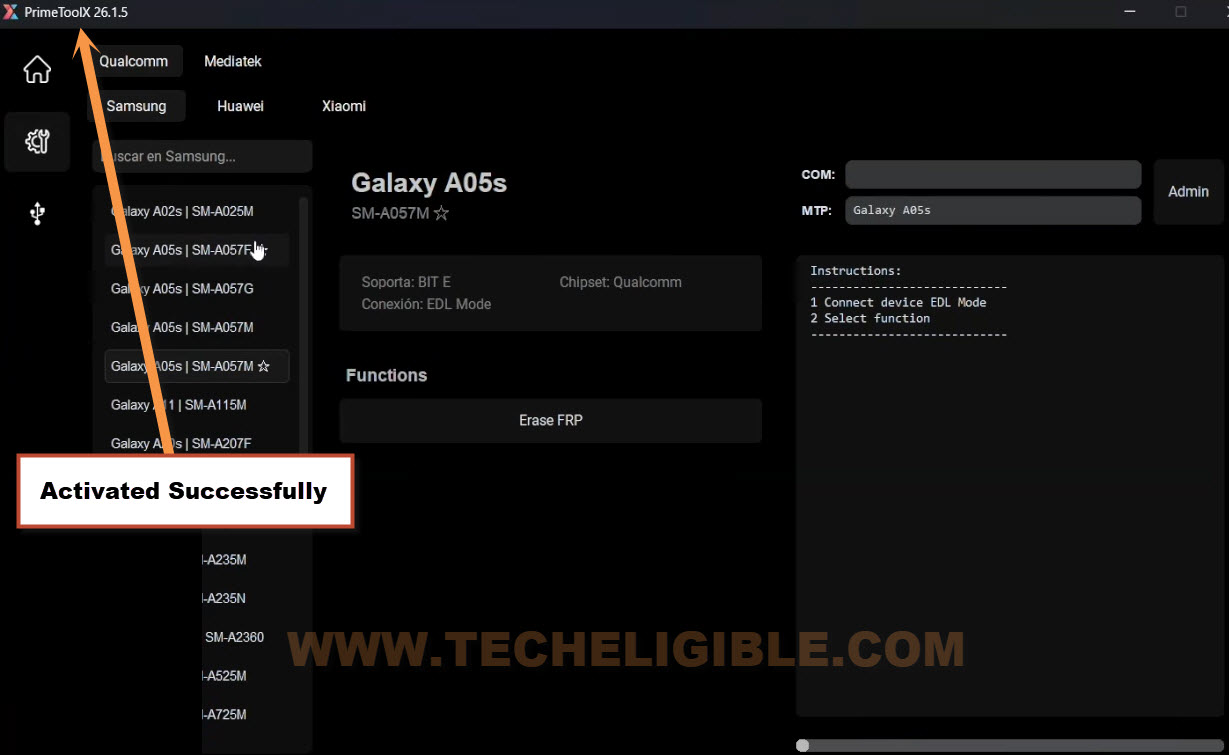
Use Prime Tool X for FRP Bypass on (Samsung | XIAOMI | Moto)
Samsung Phones
-After Download Prime Tool X in your PC, just extract the tool from winrar archive by already given password.
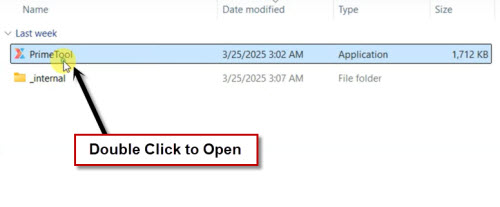
-Install & Run this tool by double clicking on Prime tool software.
-After that, within few seconds, you will be displayed Prime Tool X V7.0 software on your PC screen.

-Before doing a FRP bypass process on any device. You have to install drivers in your PC.
| ⇒ Mediatek | [Link] |
| ⇒ Qualcom 64 Bit | [Link] |
| ⇒ UsbDK 64 Bit | [Link] |
-If you have a (Samsung Galaxy A05), for this model, you need to install (Qualcomm) driver.
-There is a list of all available models of (Samsung Galaxy) in Prime Tool X. You can bypass frp all of these available models easily with single click. Simply, select your model and connect the device with PC.
-Click to (Remove FRP) button to start frp bypass process.

-Turn off Samsung Galaxy Device & Connect with PC.
-As soon as, you see a (Charging Logo) on your device screen, just quickly long hold “Power button” for 3-4 seconds and then release it. After that, within few seconds, your device will be detected by the tool and frp will be removed.
Note: If the Samsung Galaxy just switched on, that means, you did not follow up the procedure correctly, just turn off device again and repeat the procedure.
| Important Note: If, even after few tries, your device is not being detected by the Prime tool. In this case, just try other method. 1- Turn off device again 4- Turn on your to complete setup wizard steps. If it does not turn on, just long press (Volume Down+ Power) button for 10 seconds. After that the device will be turned on. |
-Complete your device setup wizard steps.
-Once you reach to main home-screen of your Samsung phone, just go to “Settings”.
-It’s highly recommended to reset your device manually from main settings of your device once the FRP is removed by prime tool x.
XIAOMI Phones
-If you did not install drivers in your PC yet. Then, go to top of this post by clicking here and download and install drivers first. After that, come back here to follow up this frp bypass process for Xiaomi devices.
-Go to “XIAOMI” tab from top of the bar.
-Choose your Xiaomi model from the list of the tool on sidebar.
-Click to “Brom” option.
-After that, click on “Remove FRP” button”. Your tool will ask you to connect the xiami devices with PC.
-Turn off your Xiaomi device & Connect With PC.
-As soon as, you see (Xiaomi Logo or Charing Logo) on screen, just quickly long hold “Power button” for 3-4 seconds and release the button.
| Important Note: If, even after few tries, your device is not being detected by the Prime tool. In this case, just try other method. 1- Turn off device again 4- Turn on your to complete setup wizard steps. If it does not turn on, just long press (Volume Down+ Power) button for 10 seconds. After that the device will be turned on. |

-After that, the device will be detected by the PC and FRP will be removed automatically by Prime Tool X V7.

-Complete your device setup wizard steps.
-Once you reach to main home-screen of your Samsung phone, just go to “Settings”.
-It’s highly recommended to reset your device manually from main settings of your device once the FRP is removed by prime tool x.
MOTOROLA Phones
-If you did not install drivers in your PC yet. Then, go to top of this post by clicking here and download and install drivers first. After that, come back here to follow up this frp bypass process for Xiaomi devices.
-Go to “Motorola” tab from top of the bar.
-Choose your the Motorola model from the list. Right now, there are only 3 Motorola models listed. In future, you may see more Moto models there.
-Click to “Brom” option.
-After that, click on “Remove FRP” button”.
-Turn off your Motorola device & Connect to PC using USB Cable.
-As soon as, you see (Moto Logo or Charing Logo) on screen, just quickly long hold “Power button” for 3-4 seconds and release the button. (See below image)
| Important Note: If, even after few tries, your device is not being detected by the Prime tool. In this case, just try other method. 1- Turn off device again 4- Turn on your to complete setup wizard steps. If it does not turn on, just long press (Volume Down+ Power) button for 10 seconds. After that the device will be turned on. |

-After that, the device will be detected and FRP will be removed within few seconds.
-Complete your device setup wizard steps.
-Once you reach to main home-screen of your Samsung phone, just go to “Settings”.
-It’s highly recommended to reset your device manually from main settings of your device once the FRP is removed by prime tool x.
Other Old Versions Prime Tool X v9.0 to V3.4
This is the professional GSM Tool and almost all the available versions of this tool is available here. You can download in your PC easily.
Note: You will have to turn off your PC @ntivirus software before running this tool.
Password: MobileTeam
| ⇒ Prime Tool X V9.0 | [Link] |
| ⇒ Prime Tool X V7.0.6 | [Link] |
| ⇒ Prime Tool X V7.0.5 | [Link] |
| ⇒ Prime Tool X V7.0.4 | [Link] |
| ⇒ Prime Tool X V7.0.3 | [Link] |
| ⇒ Prime Tool X V7.0.1 | [Link] |
| ⇒ Prime Tool X V3.5 | [Link] |
The Bottom Line:
We have mentioned latest version of Prime Tool X with download link and the complete procedure, how to activate this tool in free by generating license key. After that, mentioned some easy steps, how to use the tool for bypassing frp on Motorola & Xiaomi phones. You don’t need paying for this tool, simply, follow up steps and download tool with one click and use it by following the given instructions.